

Integrate Gong
Learn how to connect your Gong account with Scrut to automatically fetch compliance data.
What This Integration Does in Scrut
- User Access Data: Fetches user details, roles, and permissions from Gong for Access Reviews.
- Automated Tests: Runs automated checks that continuously evaluate Gong for security misconfigurations and compliance checks against your applicable compliance frameworks.
Prerequisites
- An active Gong account with Technical Administrator access
- Access to Company Settings in Gong to generate API credentials
Permissions and Access Requirements
For Gong
Technical Administrator role in your Gong account. The api:users:read scope is required to fetch user name, email address, and user role.
For Scrut
Admin access to Scrut or Contributor access with the Integrations module enabled.
Data Collected
- User name: Full name as recorded in Gong
- User email: Primary email address on the Gong account
- User role: Role assigned to the user in Gong
Sync Frequency
Data is synced automatically once every 24 hours. You can also manually trigger a sync from the Gong integration settings page in Scrut.
Integration Setup
Gong supports two authentication methods: OAuth 2.0 and Key-Based Authentication. Use the option that matches your organization's setup.
Step 1: Obtain Credentials from Gong
-
Log in to your Gong account as a Technical Administrator.
-
Navigate to Company Settings, then select Ecosystem, and click API.
-
Click Create to generate a new access key pair.
-
Copy both the Access Key and the Access Key Secret immediately. Store them in a secure location. The Access Key Secret is shown only once and cannot be retrieved later.
Important: If you lose the Access Key Secret, you must generate a new key pair. The existing key pair cannot be reused.
Step 2: Connect Gong to Scrut
-
Sign in to Scrut and click Integrations in the left navigation panel.
-
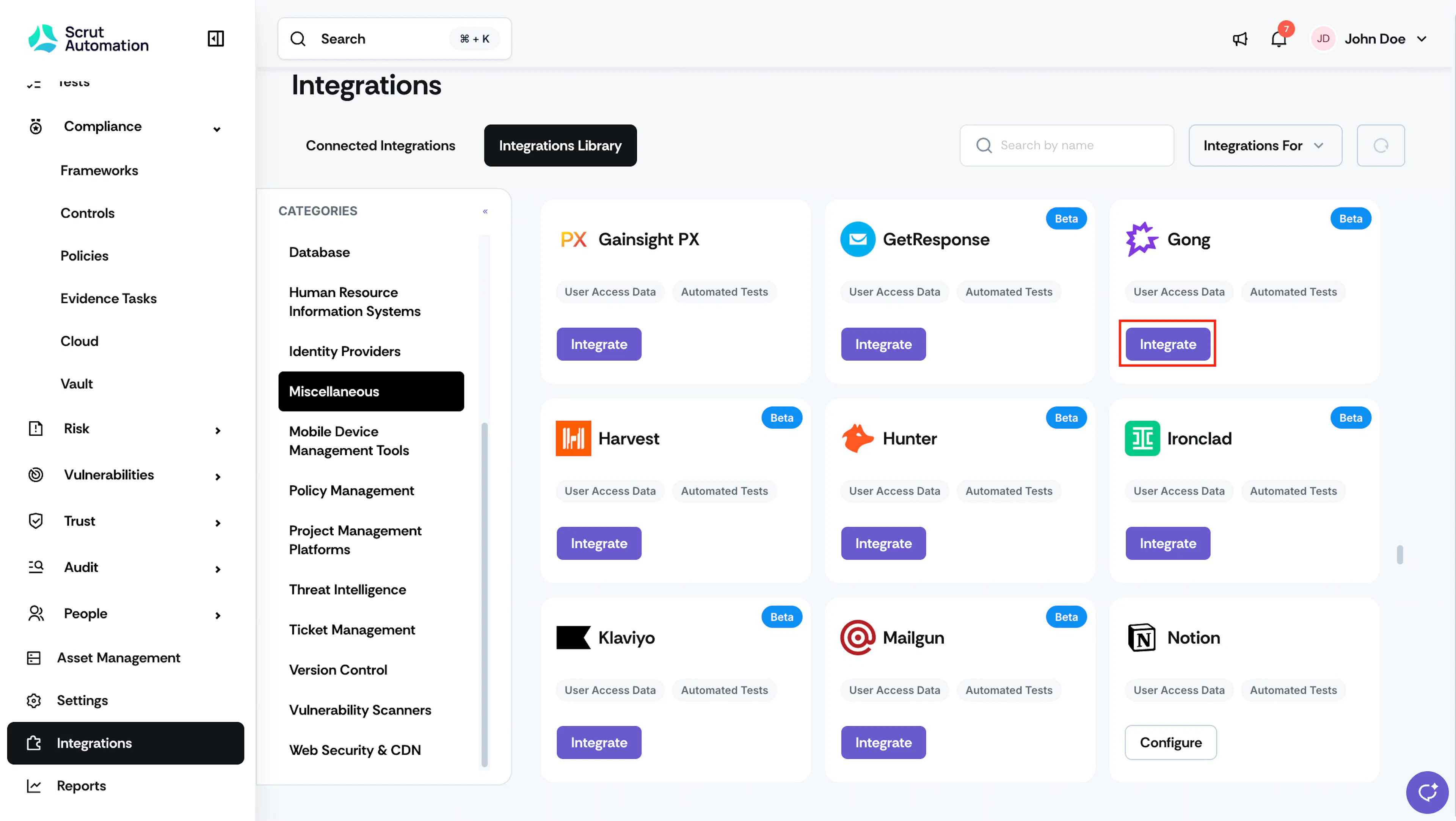
Go to the Integrations Library tab and select Miscellaneous under Categories.
-
Search and locate the Gong tile and click Integrate.
-
On the integration page, enter the Access Key and the Access Key Secret in the respective fields.
-
The Base URL is Gong’s standard endpoint. Enter https://api.gong.io in the Base URL field.
-
Click Submit.
-
Once the connection is established, the status indicator updates to Connected.
What Happens Next?
Initial data sync
The initial sync starts automatically after the integration is connected. This process can take a few hours. To monitor sync progress, navigate to the Gong integration page in Scrut and open the Audit Log tab.
Review synced data
- Navigate to People → Access Reviews module in Scrut to view the user records fetched from Gong, including name, email address, license type, and activation status.
- Navigate to Tests → Automated Tests to view the compliance checks that Scrut runs for Gong.
Common Errors and Troubleshooting
Authentication failure
Possible solutions: Verify that the Access Key and Access Key Secret are entered correctly and have not expired. Confirm that the account used to generate the credentials has Technical Administrator access in Gong. If the Access Key Secret has been lost, generate a new key pair in Company Settings → Ecosystem → API and reconnect.
Data not appearing in Scrut
Possible solutions: Check the Audit Log on the Gong integration page to confirm the sync completed without errors. Allow a few hours for the initial sync to finish before verifying the data. Click Sync Now on the integration page to trigger a manual sync and check the Audit Log again.
Integration shows connected, but no users are synced
Cause: The API credentials may lack the api:users:read scope. Possible solutions: Confirm that the credentials used have the api:users:read permission enabled. If the scope is missing, generate a new key pair with the correct permissions and reconnect.
If you face any difficulties connecting Gong with Scrut, please contact the Scrut support team at support@scrut.io.