

Understand Scrut MCP
Connect your Scrut compliance program with MCP compatible AI tools.
Who can use this feature
- Supported on Foundation, Growth, and Scale plans
Scrut MCP connects your Scrut compliance program to the AI tools your team already uses, like Claude, Cursor, Codex, ChatGPT, and others. Instead of copying compliance data into prompts or switching back to the Scrut platform for every lookup, you can act on your compliance data directly from your AI workspace.
What Is MCP?
MCP stands for Model Context Protocol, an open standard that enables AI assistants to connect to external systems and securely retrieve structured data. Instead of each AI tool needing its own custom integration with Scrut, MCP gives every supported tool a standardized way to call Scrut's compliance data.
An MCP server acts as an intermediary between your AI assistant and Scrut. When you ask a question in your AI tool, the assistant calls the right Scrut MCP tool, Scrut returns the data, and the assistant uses it to answer you, all without you leaving your AI workspace.
Why Use Scrut MCP
Compliance work already happens across many surfaces: your AI tools, spreadsheets, questionnaires, code repos, and the Scrut platform itself. Without MCP, keeping your AI tools in sync with Scrut usually means manually copying information back and forth, which is slow and easy to get wrong.
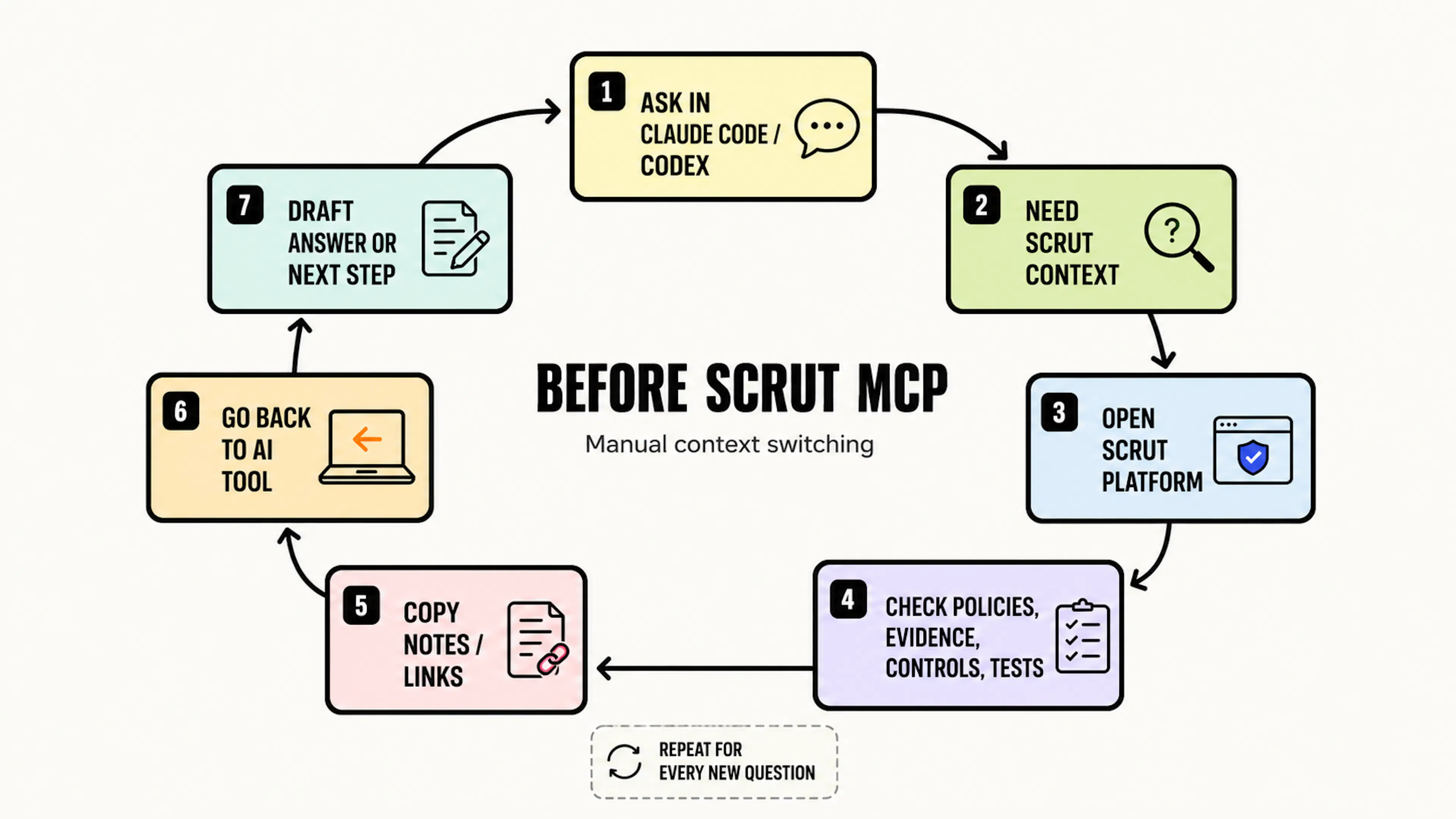
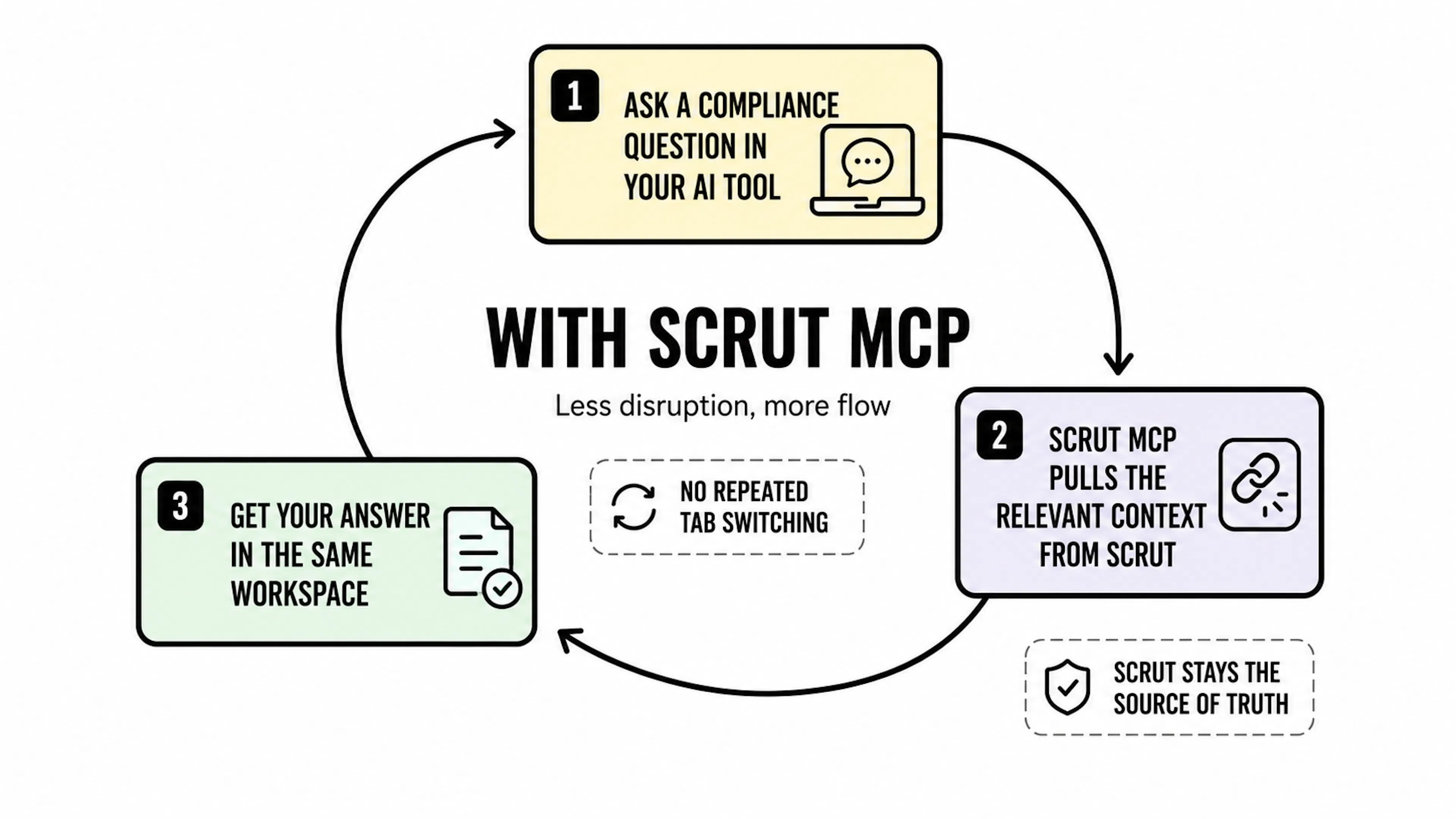
Scrut remains your source of truth throughout. MCP brings that context into your AI tools; it doesn't move your compliance program anywhere else.
Capabilities and Limitations
MCP Can
- Read frameworks (including next audit dates), controls, policies, evidence, and cloud tests, including their status, owner, and mappings.
- Upload a file and attach it to an existing evidence item. Scrut records every upload in its audit log against your user account.
- Search across the Policies and Evidence modules and read the full content of a specific document, including uploaded attachments such as PDF, Word, CSV, XLSX, image files, and more.
- Answer security questionnaires using your approved answer library, or generate an answer from your knowledge base with references to each source.
- Produce digests and status updates, such as a summary of what's outstanding.
- View Trust Vault access requests and their details, including requester information.
- Approve or decline Trust Vault access requests.
- If you're a partner or auditor, you can use the MCP to work across every workspace and entity you're assigned to.
- Work in Claude, ChatGPT, Cursor, Codex, and other MCP-compatible AI tools.
MCP Cannot
- Create or edit policies, controls, or tasks.
- Change the status, owner, or assignment of policies, controls, evidence, or tasks.
- Approve or publish policies or other compliance artifacts. Trust Vault access requests are the only items Scrut MCP can approve or decline.
- Read data from the Vault, Vendor Management, Risk Management, People, or Audit Center modules.
- Access anything your Scrut role doesn't already let you see.
- Delete anything already in your compliance program.
- Manage users or perform other administrative tasks.
- To create, edit, approve, or reassign items, work directly in the Scrut platform. Scrut MCP can only show you this information, but it can't change it.
Scrut MCP works best when you're in the session to guide your AI assistant and review its responses. For scheduled or unattended jobs, such as a script that runs in your CI/CD pipeline, we recommend the Scrut API.
Authentication and Access
Scrut MCP uses OAuth through Auth0. When you connect an AI tool to Scrut, the connection is tied to your own Scrut user account and runs at your existing Scrut role, not a shared or elevated permission level. This means:
- Your AI assistant can only access what you already have access to in Scrut.
- You don't need to configure separate MCP-specific permissions. Access follows your existing role.
- Write actions are limited to attaching files to evidence and approving or declining Trust Vault access requests.
- Scrut MCP cannot delete or overwrite anything that's already in your compliance program.
Workspace and Entity Access for Partners and Auditors
If you're a partner or auditor with access to more than one workspace, Scrut MCP reflects that same access. You can switch between workspaces within a single session, without disconnecting and reconnecting for each one you need to review.
Within a workspace, if multiple entities are configured, you can filter artifacts by entity the same way you would on the Scrut platform. Scrut MCP doesn't grant access to any workspace or entity you don't already have. It simply carries your existing permissions across every workspace and entity you're already assigned to.
Skills
Scrut MCP includes skills and ready-made workflows that package multiple tools into a single finished job, such as generating a leadership-ready compliance digest or drafting a full questionnaire response with citations. Skills are available from the Scrut MCP GitHub repository.
Contact support@scrut.io or your CSM for further assistance.