

Install Scrut Teammates for Slack
The Scrut Teammates app brings compliance expertise directly to your Slack workspace. Once installed, you can invite the Teammates bot to any channel and ask questions on compliance, infosec, and the Scrut platform to get instant, contextual answers.
Prerequisites
- You must be a Slack workspace admin or have permissions to install apps in your workspace
- Your workspace must allow third-party app installations
Installing the Scrut Teammates App for Slack
-
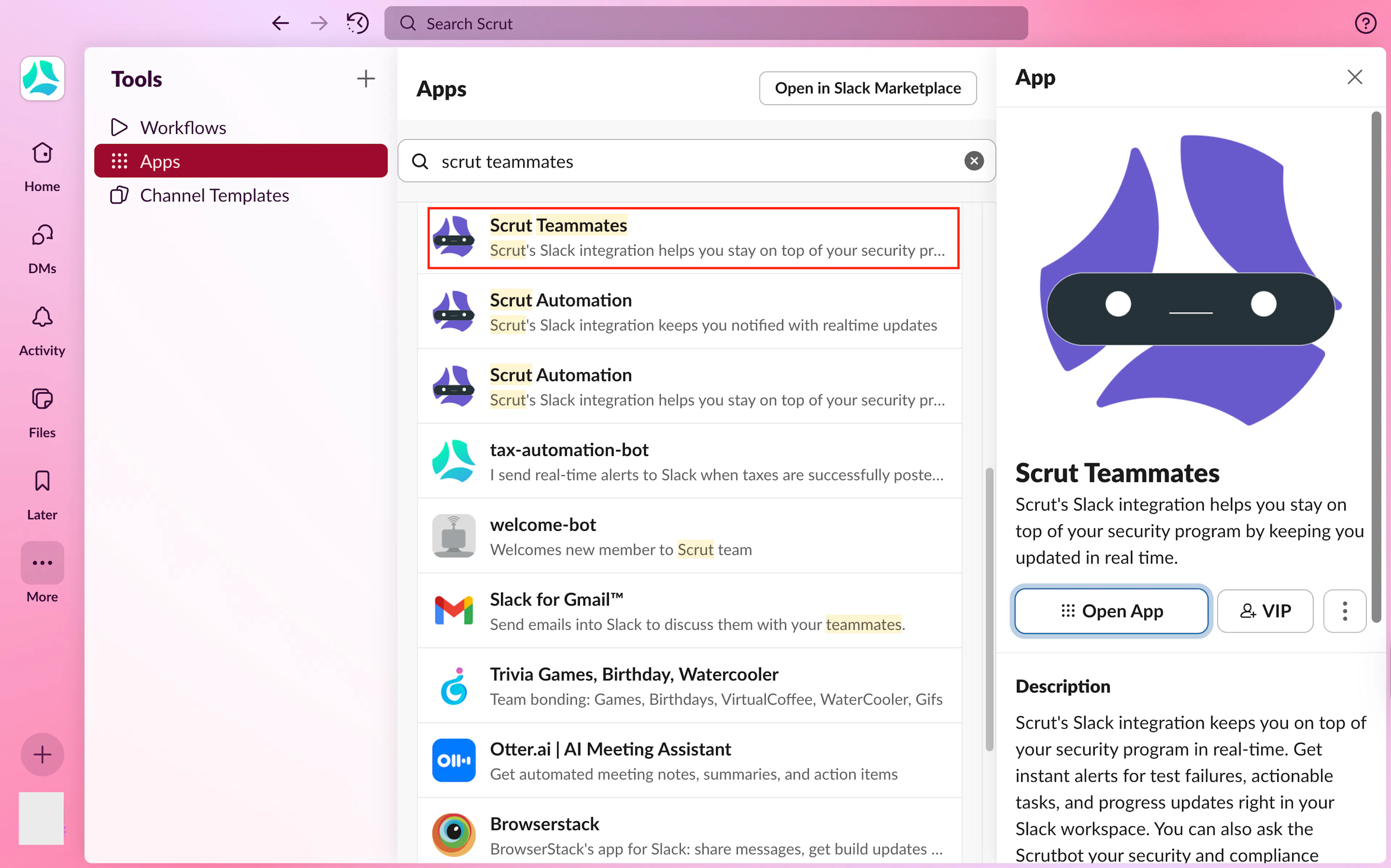
Go to your Slack workspace, click +Add Apps on the bottom left and search for Scrut Teammates.
-
Click the Install button. You’ll be redirected to the Slack Marketplace.
-
Click the Add to Slack button.
-
Review the permissions the app is requesting and click Allow.
-
Watch for the installation confirmation.
Adding Scrut Teammates to Slack Channels
Adding to Public Channels
- Go to the public channel where you want to add Scrut Teammates.
- Type
/invite @Scrut Teammatesin the channel. - Press Enter to send the invitation.
Adding to Private Channels
- Go to the private channel where you want to add Scrut Teammates.
- Type
/invite @Scrut Teammatesin the channel. - Press Enter to send the invitation.
- The app will be added immediately (no approval needed from other members)
Asking Questions to Scrut Teammates in Slack
Once you’ve added Scrut Teammates to a channel, you can:
Ask Direct Questions
Tag @Scrut Teammates and ask questions directly to it.
Examples:
- How to integrate AWS with Scrut?
- What does the Trust Vault do?
- How to schedule an audit in Scrut?
- Which frameworks does Scrut support?
Direct Messages
You can also send direct messages to Scrut Teammates:
- Click on "Apps" in your Slack sidebar
- Find "Scrut Teammates" and click on it
- Ask your compliance questions directly without using
@mentions
Best Practices
- Instead of generic questions like "Help with compliance," ask specific questions for more contextual responses. Specify the framework name (e.g., SOC 2, ISO 27001, GDPR) and provide additional details to receive specific answers.
- Use public channels for questions that benefit the entire team, and private channels for discussions that pertain to a specific group of people.
- Create dedicated channels, such as #compliance-questions, for organized discussions.
FAQs & Troubleshooting
Was this page helpful?