

Auto-Populate Vendors from Integrations
Who can use this feature
- Supported on Foundation, Growth, and Scale plans
When you connect a third-party tool to Scrut through the Integrations module, Scrut automatically adds it as a vendor in your Vendor table. This keeps your vendor list up to date without requiring manual entries each time a new tool is onboarded.
How It Works
Automatic Detection of Vendors from Integrations
When an integration is connected, Scrut pulls vendor data from that tool and creates an entry in your Vendor table.
Note: Before creating a new entry, Scrut checks for an exact name match — if a vendor with the same name already exists in your vendor table, a duplicate entry is not created. In this case, the Vendor Source will remain as Manual.
You can identify automatically added vendors in two ways:
-
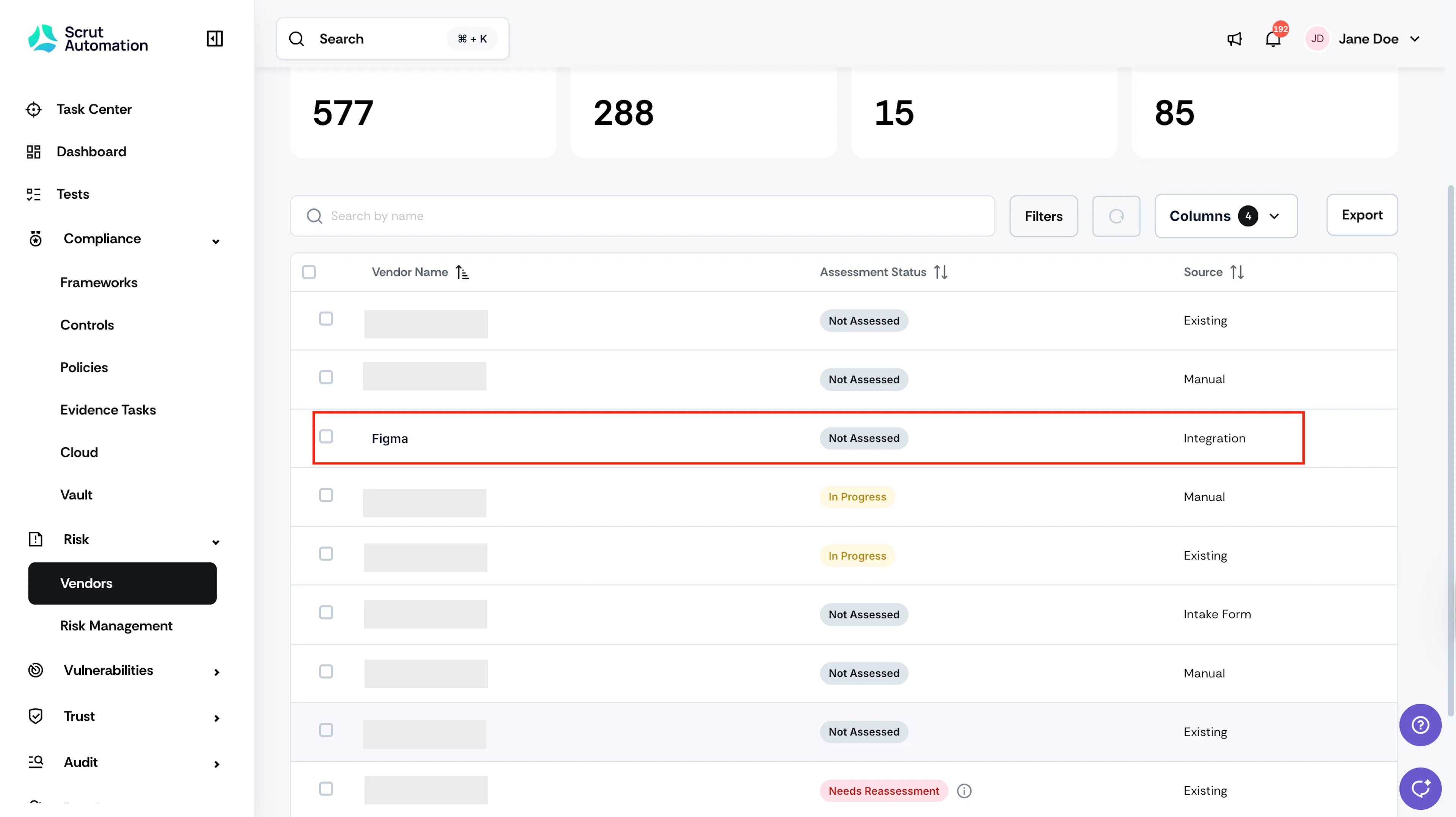
Source column: Any vendor added via an integration will show Integration as its source, making it easy to distinguish from vendors you've added manually and SSO vendors.
-
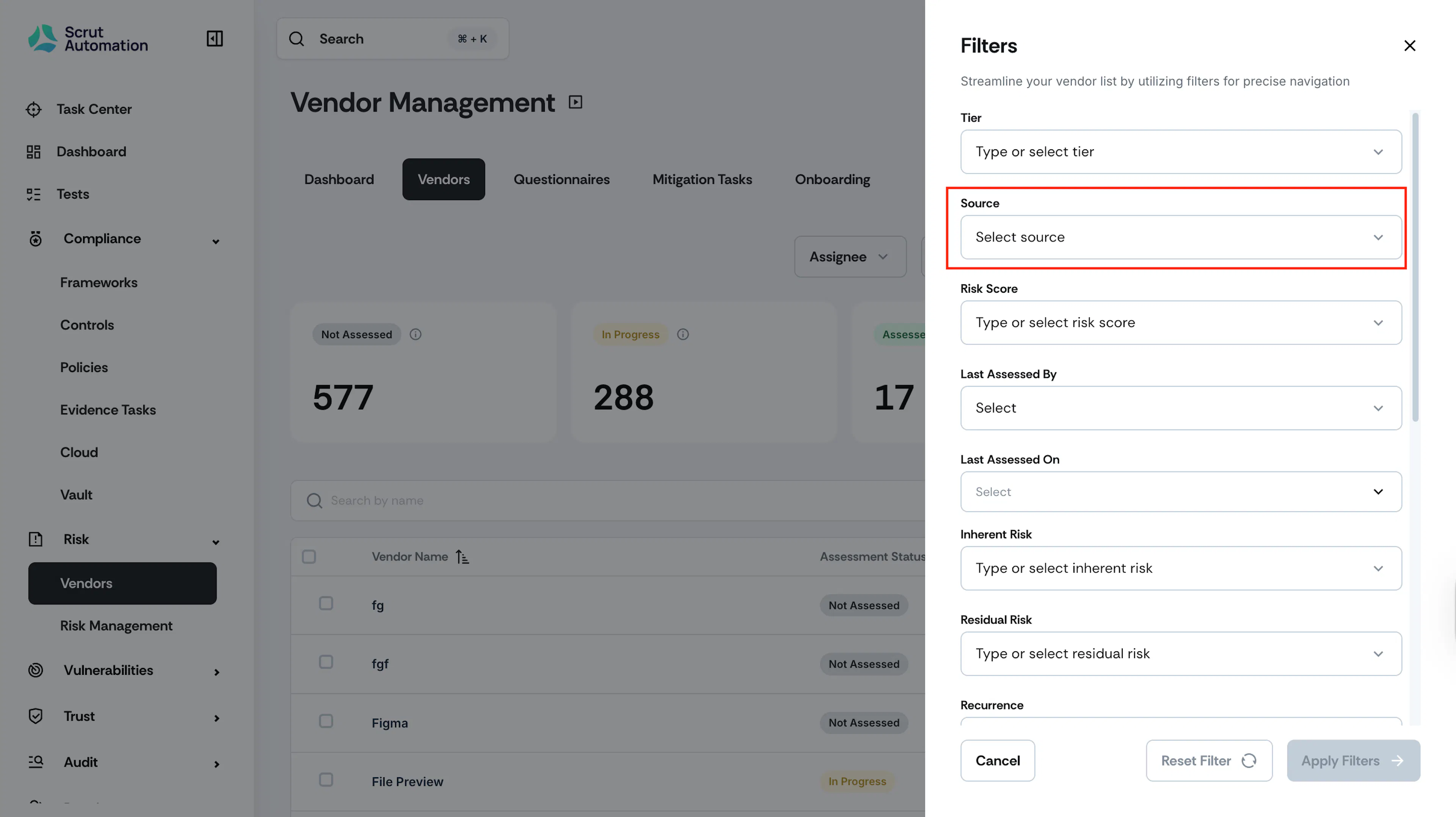
Filters: To view only integration-sourced vendors, click Filters at the top of the vendor table and set Source as Integration.
What Next?
Edit vendor details
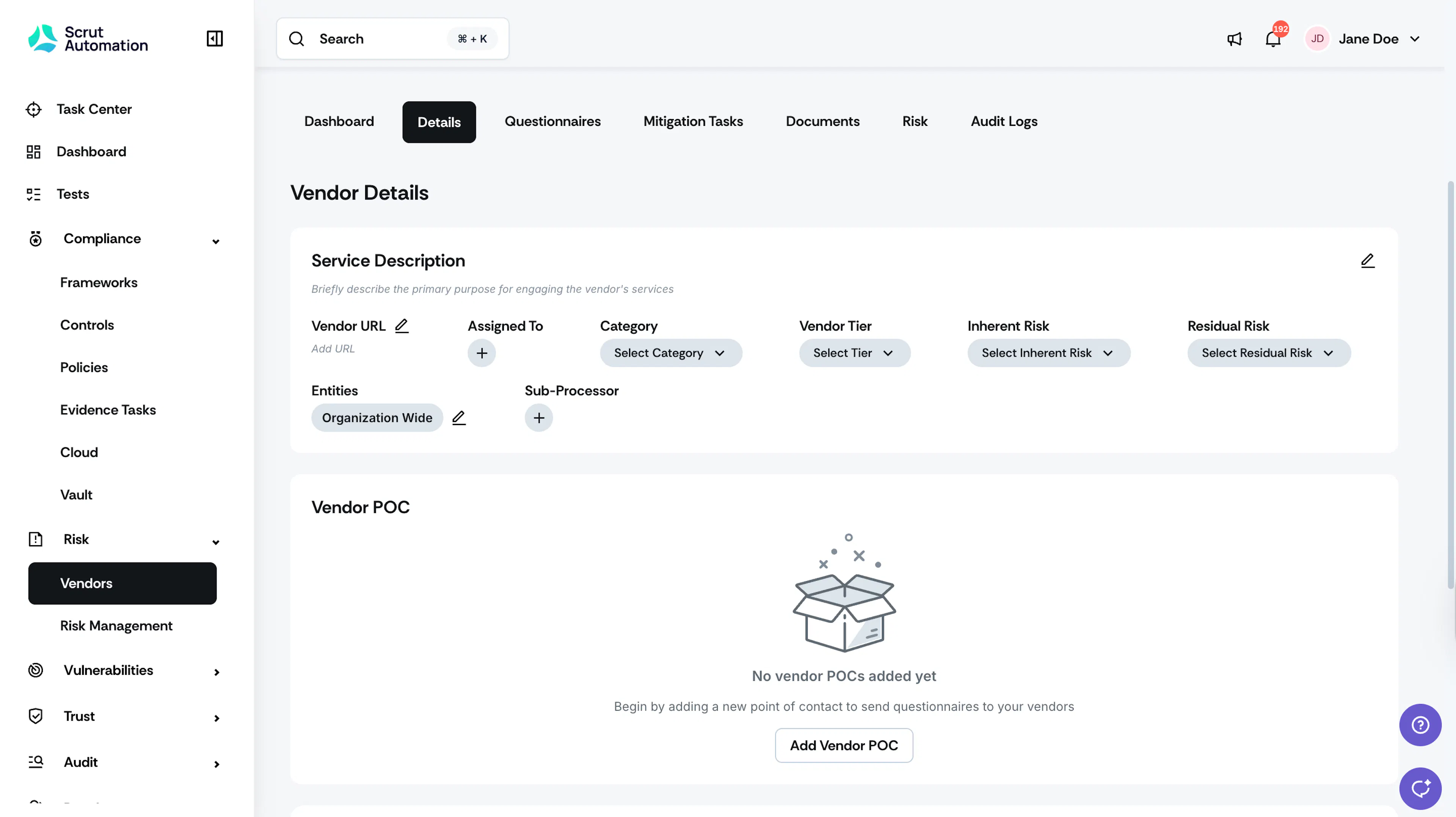
You can update vendor URL, assignee, category, inherent risk, residual risk, entities, POC and other fields as needed. You have complete control to edit any field.
Assess when ready
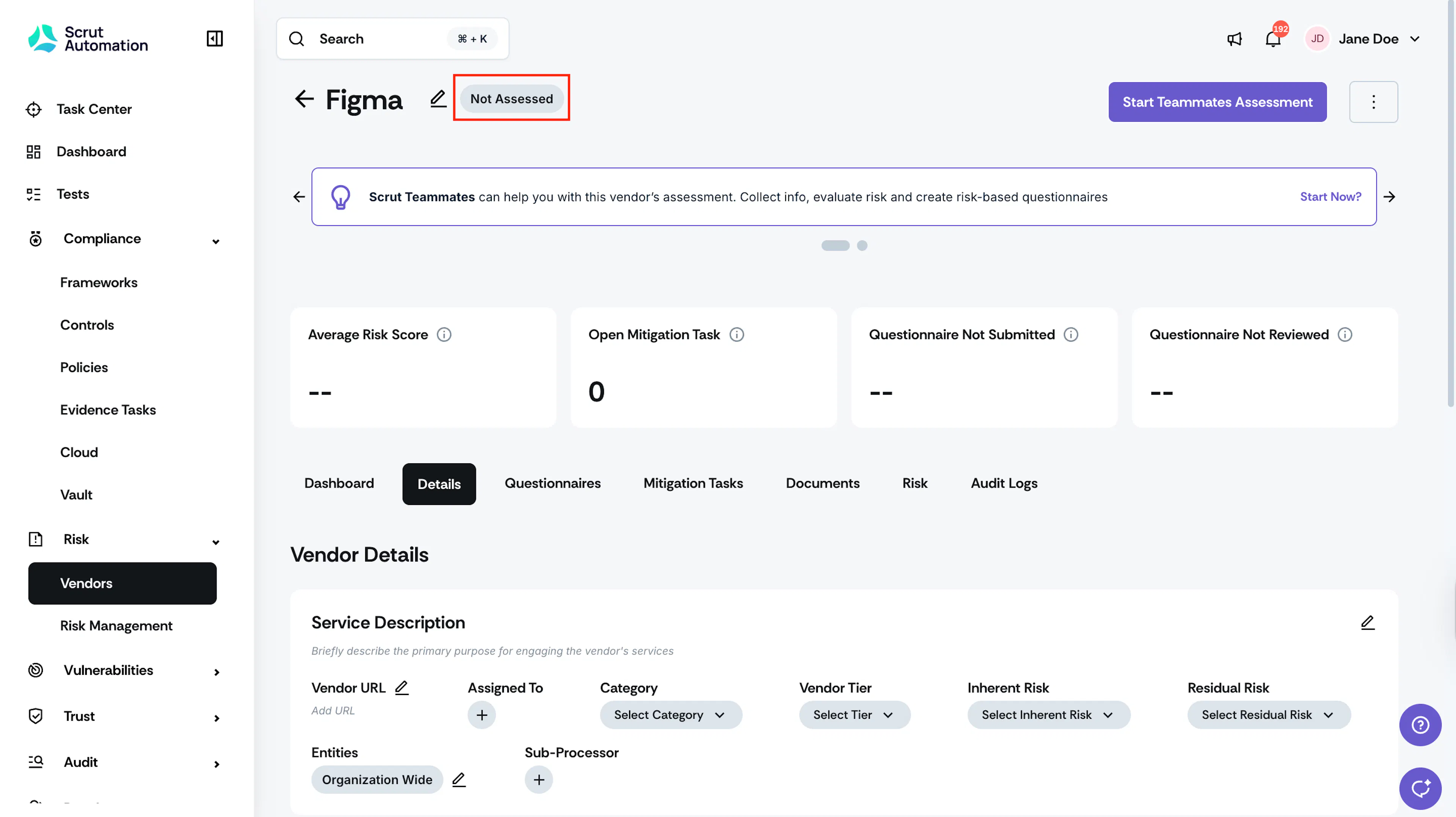
The vendor starts with "Not Assessed" status, giving you flexibility to conduct your evaluation when it fits your schedule. Learn more about the vendor risk assessment workflow here.
Cannot delete vendors added via integration
Unlike a vendor added manually, you cannot delete a vendor added via integration. If you attempt to delete one, the delete action will be disabled.
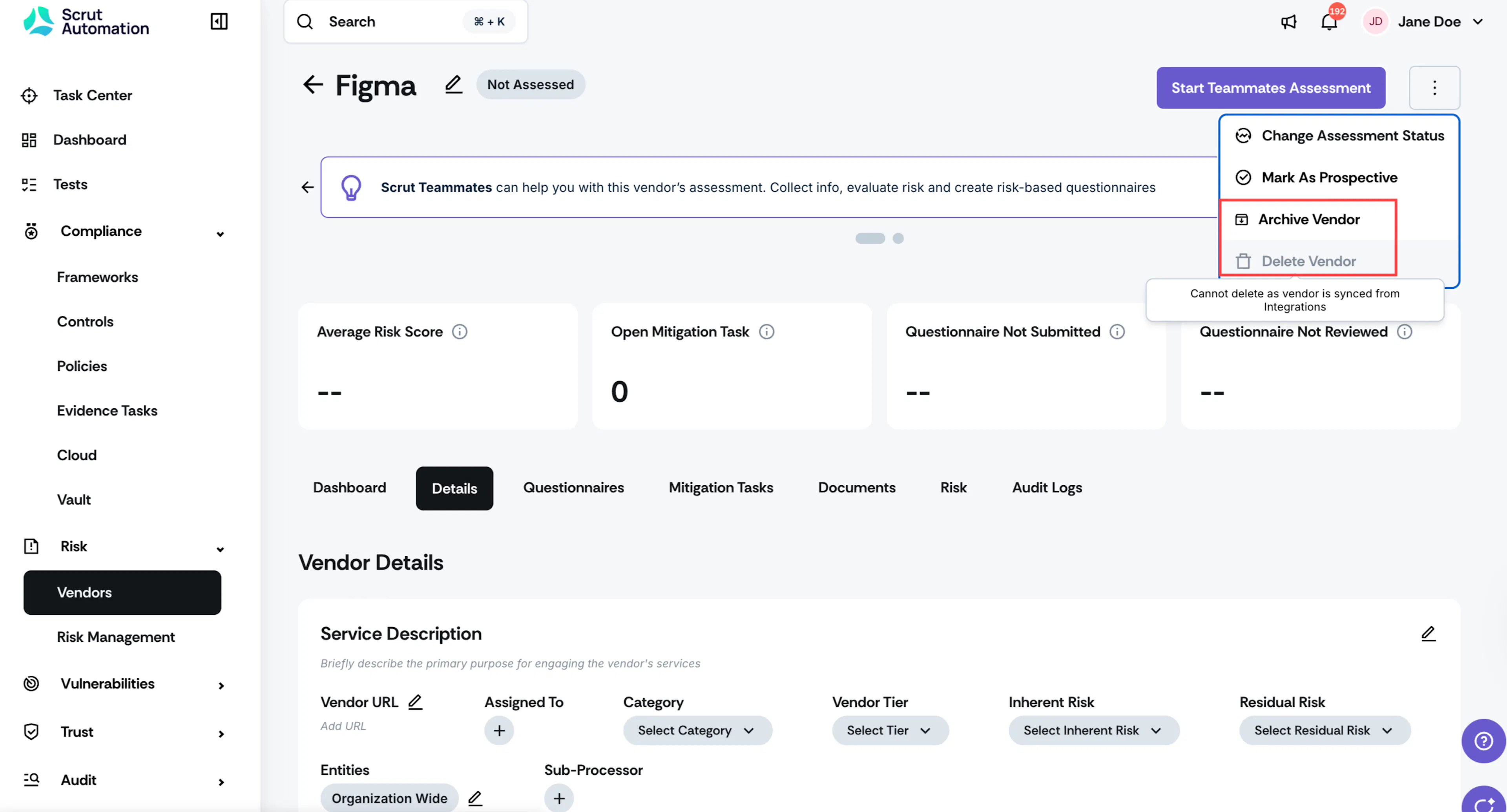
However, you can archive integration-sourced vendors. Archiving removes the vendor from your active Vendor table.
Note: Scrut will not recreate or reactivate an archived vendor on subsequent integration syncs.