

Download the Vulnerability Report
Who can use this feature
- Supported on Foundation, Growth, and Scale plans
The Application Security Assessment Report provides a comprehensive overview of your application's security posture based on vulnerability scans. It helps you identify, prioritize, and remediate security vulnerabilities in your applications. With detailed findings, severity classifications, and actionable remediation steps, you can efficiently address security risks and share insights and compliance efforts with stakeholders.
Download the Application Security Assessment Report
You can download your vulnerability report in two ways:
Method 1: From the Vulnerabilities Module
- Navigate to Vulnerabilities → Findings via the left navigation menu.
- Click the Export Report button.
- Select the target for which you want to download the vulnerability report.
- Scrut will begin generating the report.
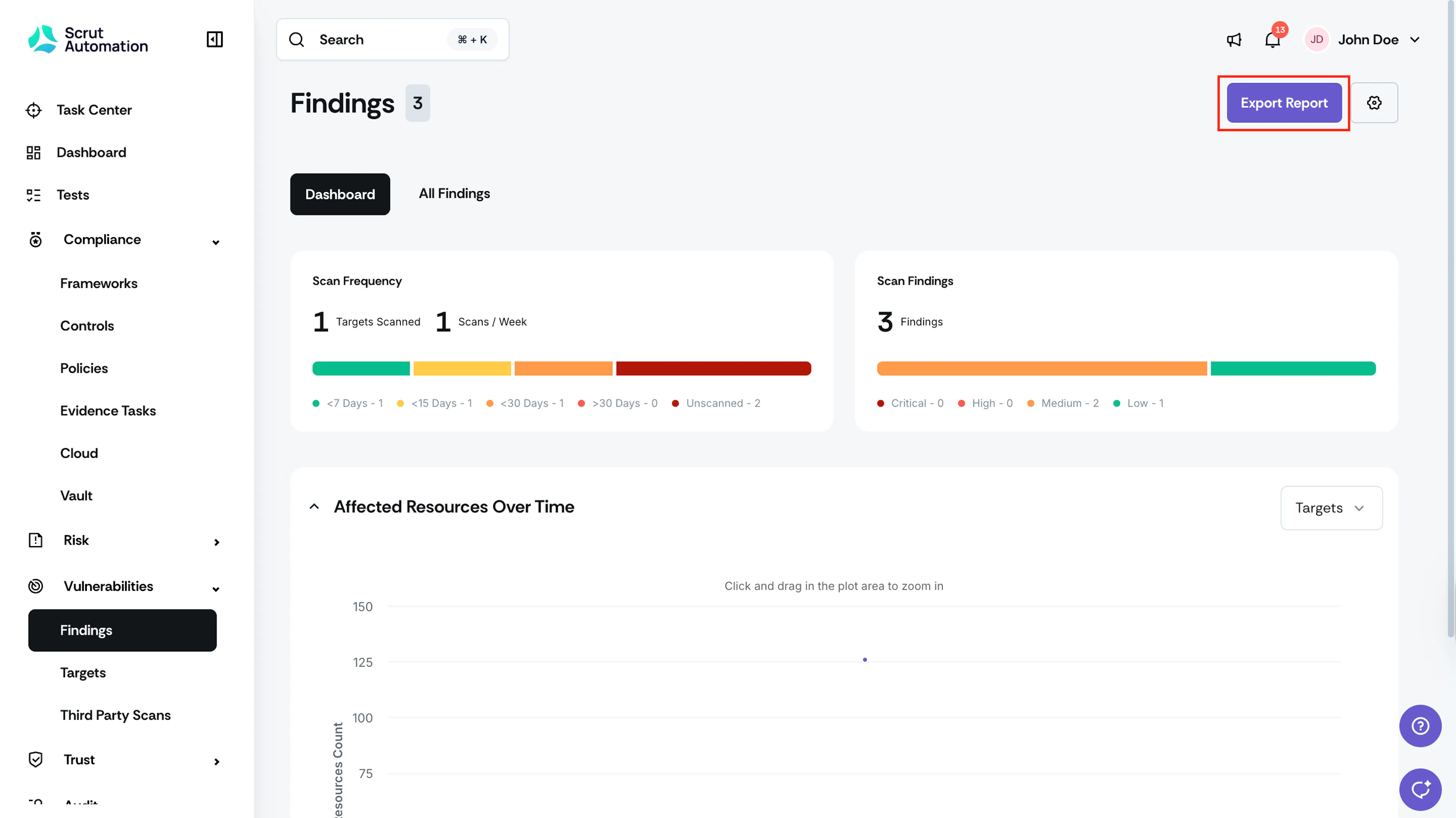
Method 2: From the Reports Module
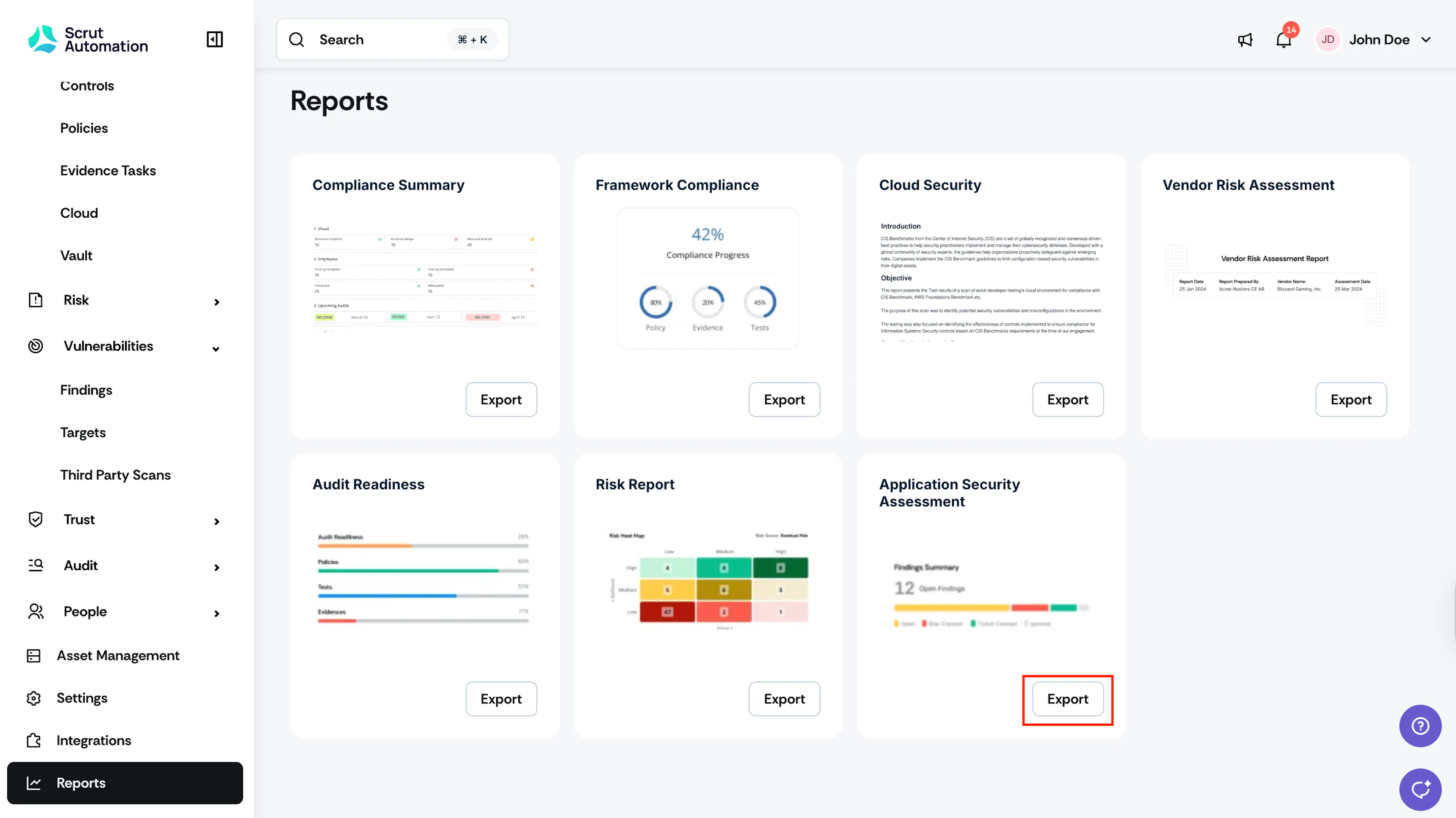
- Navigate to Reports and click the Export button for Application Security Assessment.
- Select the target for which you want to download the vulnerability report.
- Scrut will begin generating the report.
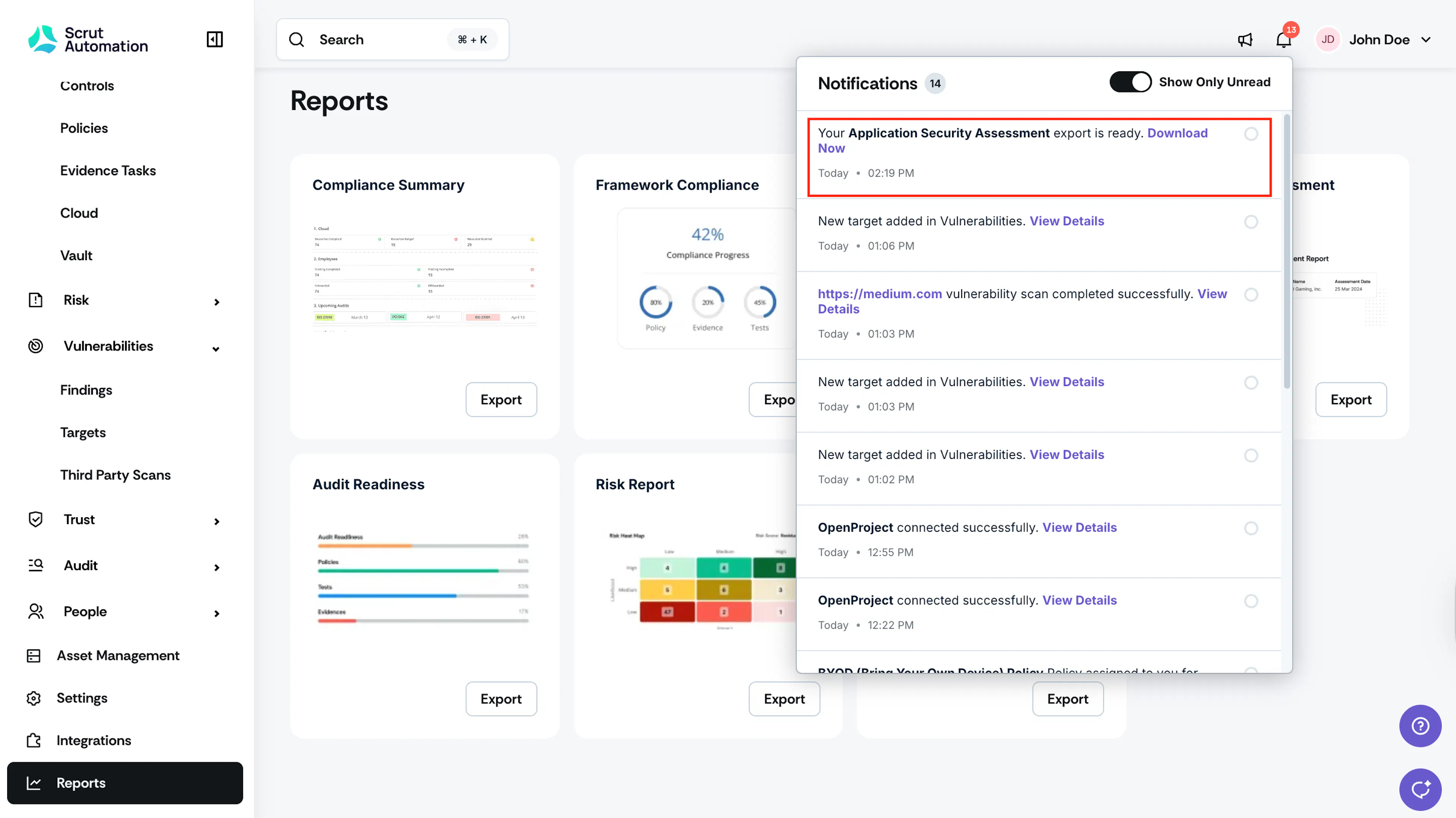
Once your report has been generated, you'll receive a notification in the Notification Center. Click the notification to download your report as a PDF.
What's Included in the Report
The Application Security Assessment Report contains the following sections:
- Executive Summary: Overview of the security assessment objective, scope, scan date, and overall risk rating with the count of findings by severity level.
- Engagement Overview: Details about the applications tested, the responsible parties, and the scope of the assessment.
- Approach & Methodology: Information about the testing technique used (DAST), scan type, and the security rules and policies validated during the scan.
- Vulnerability Scoring Criteria: Definitions of severity levels (Critical, High, Medium, Low) to help you understand the risk each finding represents.
- Summary of Findings: A breakdown of all identified security issues organized by status:
- Open/unresolved findings
- Registered risk items
- Accepted/non-applicable findings
- Detailed Findings & Remediations: In-depth information for each vulnerability, including severity level, affected resources, detailed description of the security issue, and specific remediation steps.
- Conclusion & Next Steps: Recommended actions and timelines for addressing identified vulnerabilities, along with suggestions for ongoing security maintenance.
Was this page helpful?