

Auto Fetch Vendor Documents
Who can use this feature
- Included in the Scale plan
- Available in the Vendor Advanced Add-on for Foundation and Growth plans
Scrut Teammates can automatically collect a vendor's security and compliance documentation in one click. It fetches Consensus Assessments Initiative Questionnaire (CAIQ) documents from the public CAIQ database, and it discovers links to the vendor's public Trust Center, Security page, and other security resources. This saves you from manually hunting for a vendor's public-facing security resources during your assessment.
Use Scrut Teammates to Collect Vendor Documents and Links
-
Navigate to Risk → Vendors and open the vendor you want to assess.
-
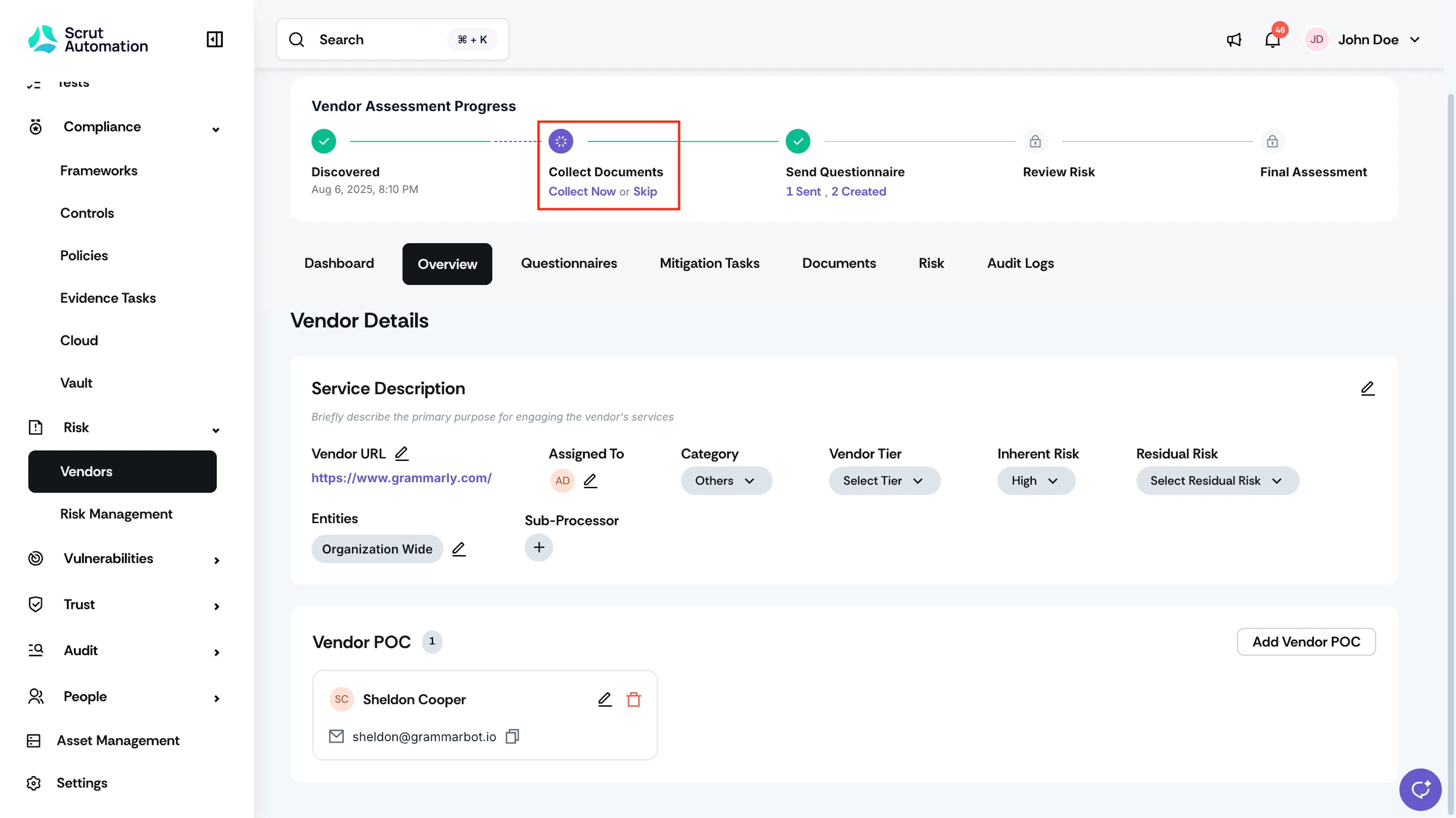
On the Vendor Assessment Progress bar, find the Collect Documents step and click Collect Now.
Note: Scrut Teammates needs the vendor's URL to discover public links accurately. Add the Vendor URL on the vendor's profile before starting a collection if one isn't set yet.
-
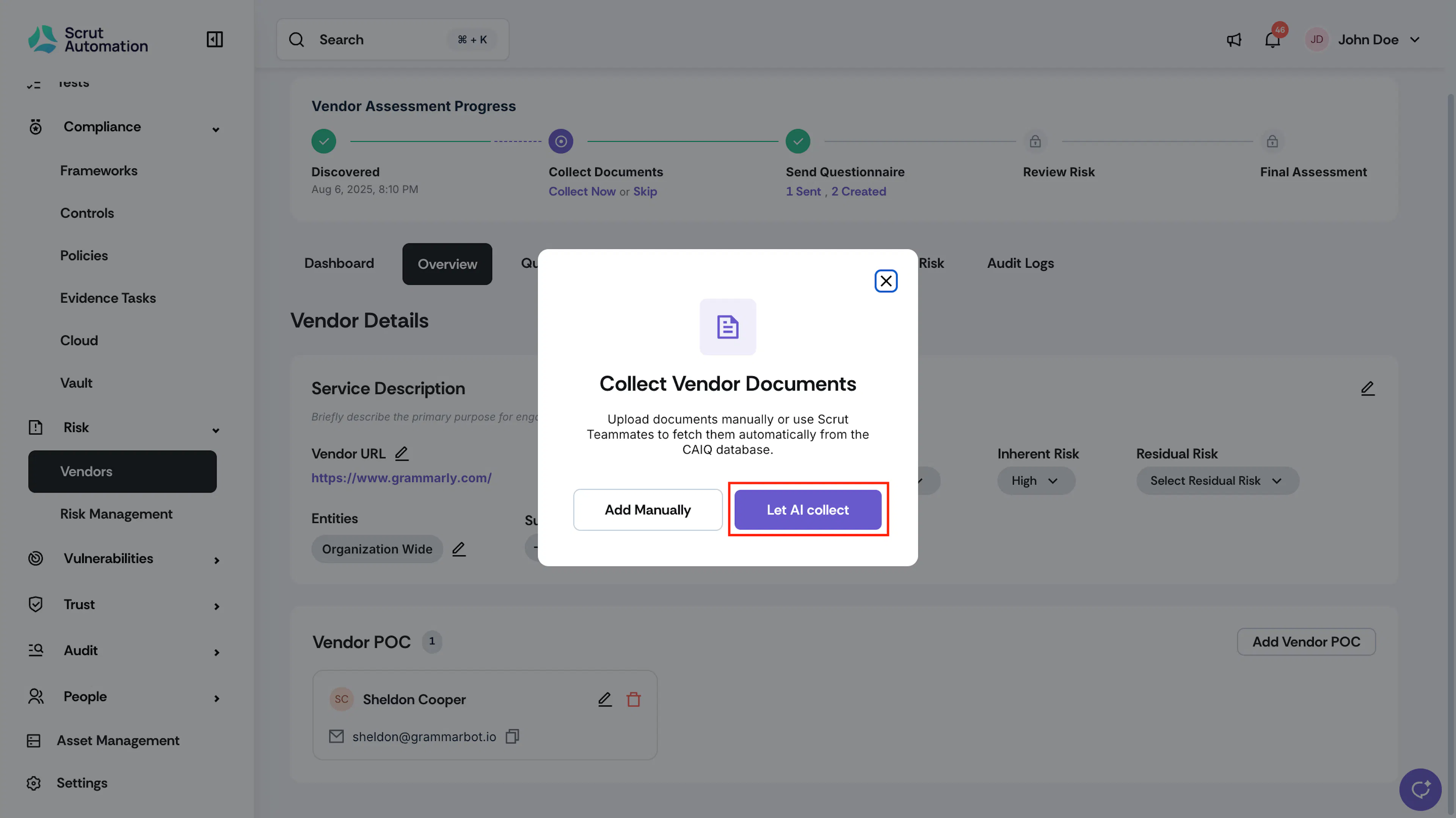
In the Collect Vendor Documents window, click Let AI Collect.
-
Wait for Scrut Teammates to finish fetching CAIQ documents and scanning the vendor's site for public security and privacy pages.
-
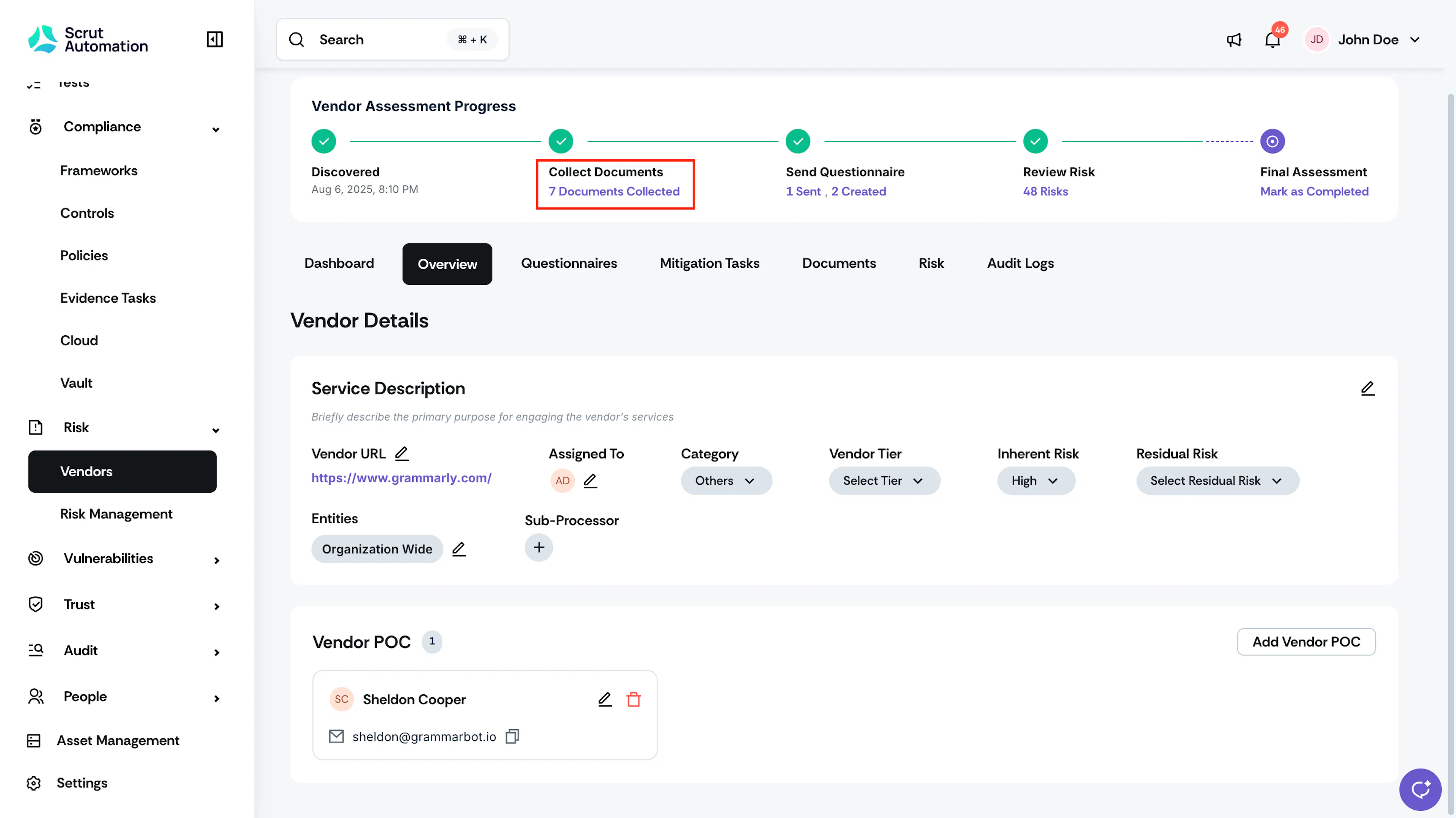
Once the run finishes, the Collect Documents step shows a checkmark and a link showing how many items were collected. Click it to review the auto-fetched documents and links.
Review Auto-Fetched Documents and Links
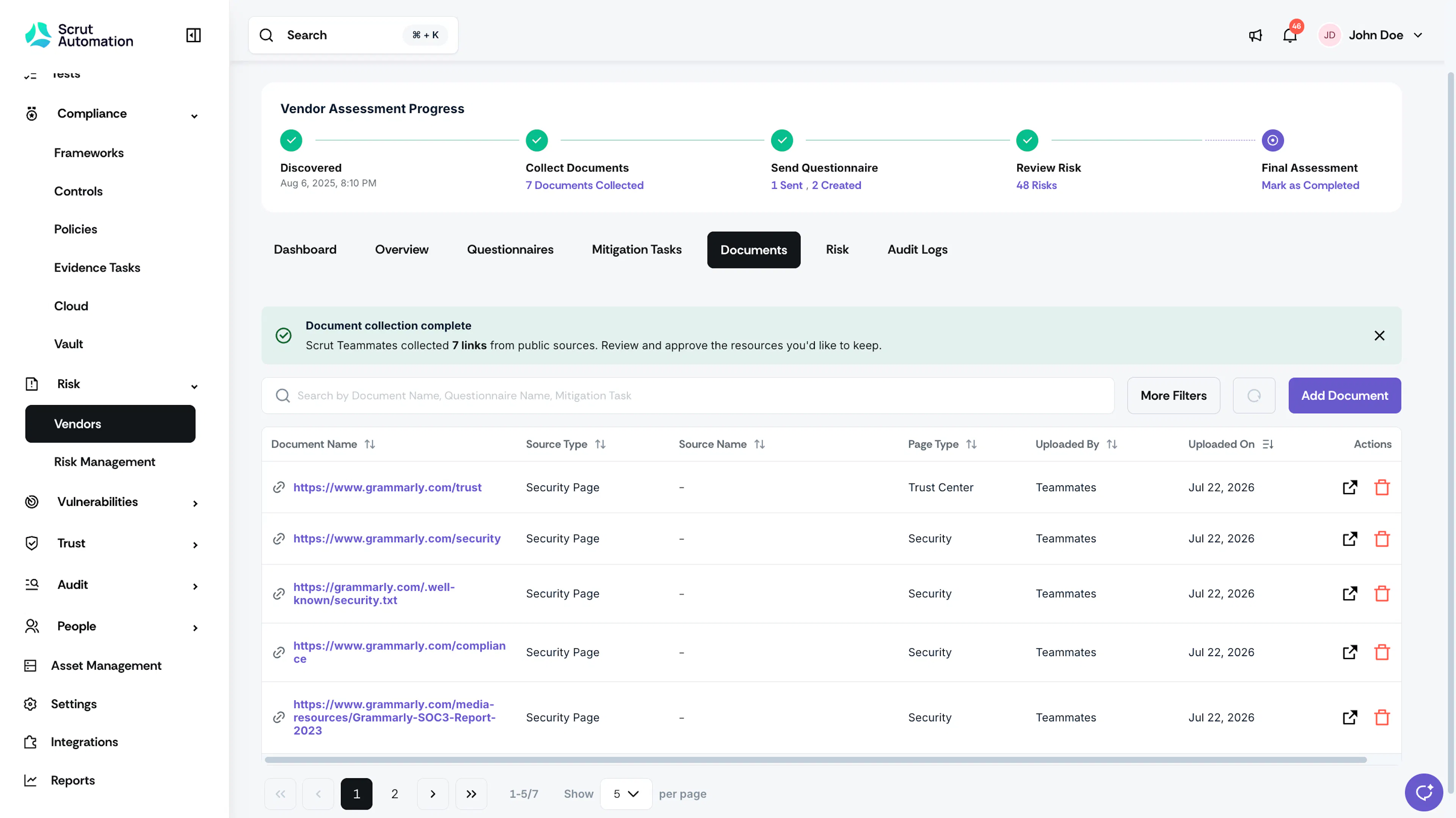
Navigate to the Documents tab to review and approve the resources you'd like to keep.
- Click the external link icon in the Actions column to open the link in a new tab.
- Click the delete icon to remove an item you don't want to keep.
- Use More Filters above the table to narrow down the list.
Note: If part of a collection fails, for example, link discovery fails, but CAIQ documents are still fetched successfully, Scrut still adds the successful items to the Documents tab so you don't lose what did come through.
FAQs
Reach out to support@scrut.io or contact your CSM for further assistance.