

What are Vendor Documents?
Who can use this feature
- Supported on Foundation, Growth, and Scale plans
What are Vendor Documents?
Vendor documents are records you collect from or about a vendor to evaluate their risk profile, verify compliance, and assess their potential impact on your organization. They help you make informed risk decisions about the vendor and play a crucial role in vendor assessment.
The Documents tab on a vendor's profile is where you collect and manage all documentation needed to assess the vendor's security and compliance posture. This includes:
- Documents uploaded manually
- Documents and links auto-fetched by Scrut Teammates
- Attachments submitted by vendors via questionnaires
How to Access Vendor Documents
- Navigate to Risk → Vendors.
- Click the vendor you want to review.
- Click the Documents tab.
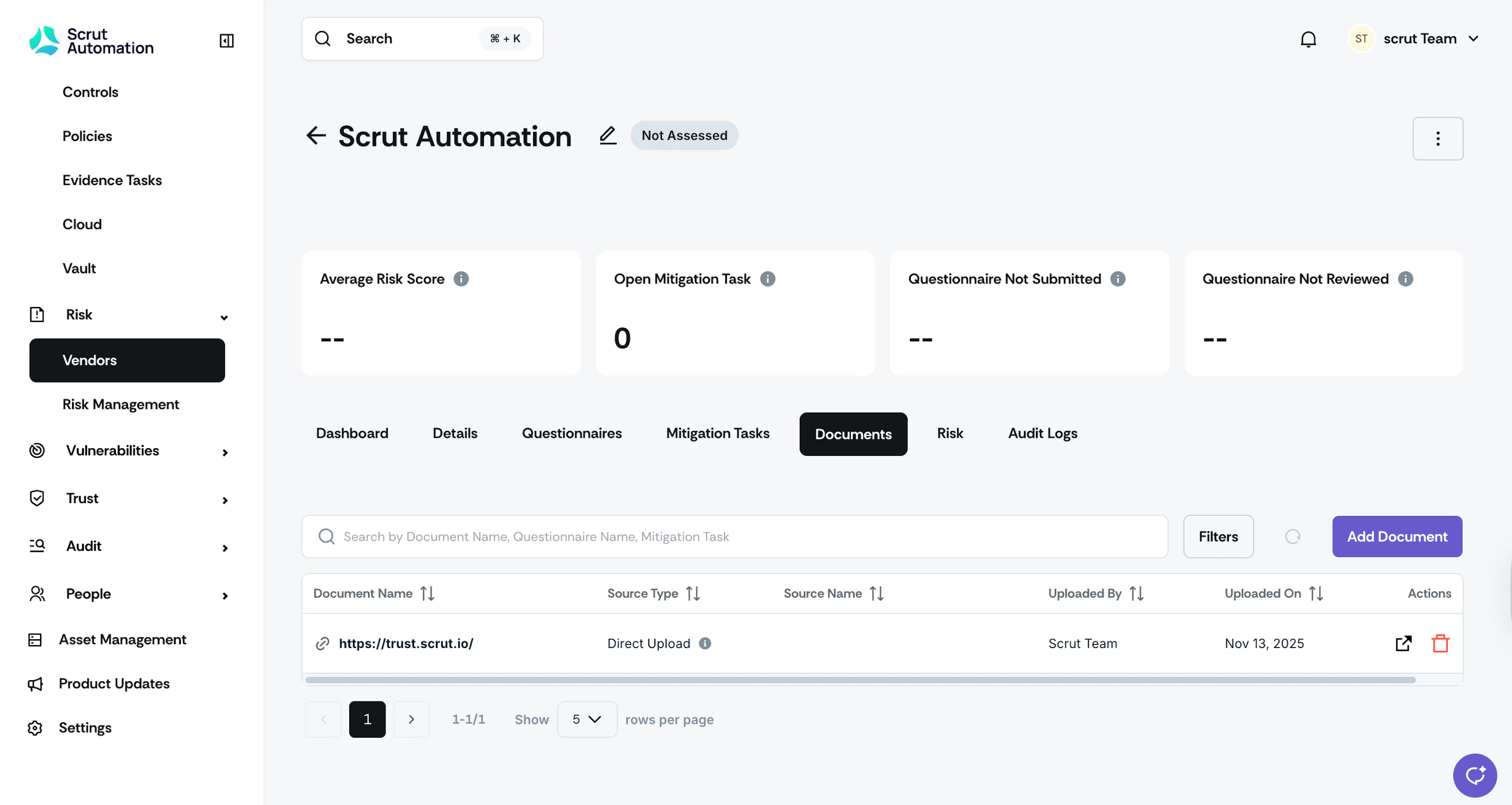
Understand the Vendor Documents Table
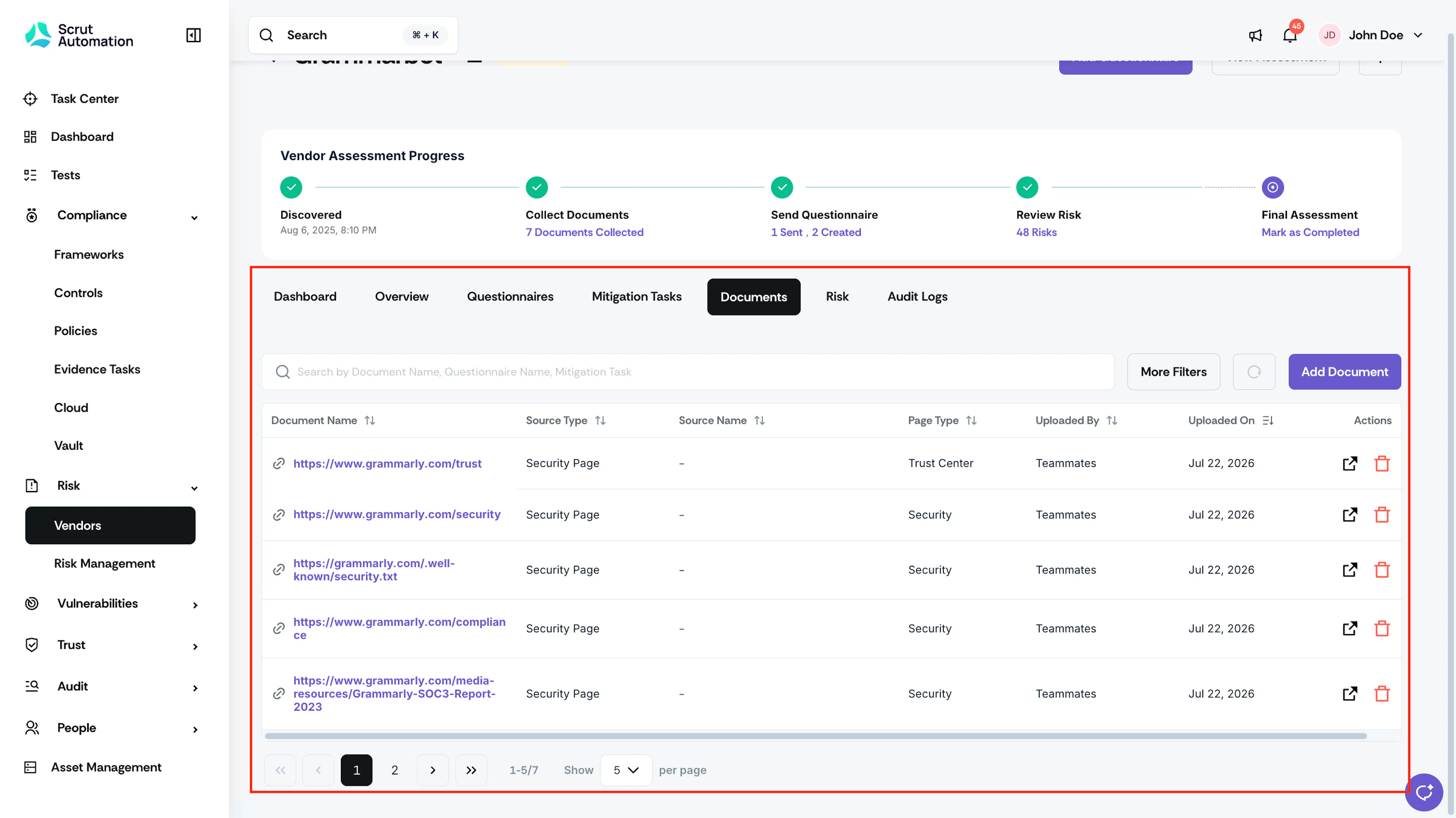
Each row in the table represents one document or link. The columns give you additional information about each document, such as its source and who added it.
-
Source Type shows the document's origin. There are three possible values:
- Direct Upload for documents you or your team added manually, or Scrut fetched automatically
- Security Page for links Scrut Teammates discovered on the vendor's public site
- Questionnaire for attachments the vendor submitted while responding to a questionnaire
- Mitigation Task for documents uploaded against a specific mitigation task
-
Source Name shows the name of the questionnaire or mitigation task to which the document is linked. Click the name to go directly to that questionnaire or task. This field is blank for direct uploads, and for links Scrut Teammates discovers.
Note: For direct uploads, the Source Name is left blank.
-
Page Type shows the kind of page Scrut Teammates found for a discovered link, such as Trust Center or Security. This column is blank for manually added or uploaded items.
-
Uploaded By and Uploaded On show who added the document and when.
-
The Actions column contains the view and delete options for each document.
Note:
Documents with the source type Questionnaire cannot be deleted. These are retained for record-keeping and compliance purposes.