

Download Vendor Documents
Who can use this feature
- Supported on Foundation, Growth, and Scale plans
You can download any document from a vendor's profile to your local system to share with stakeholders as needed.
How to Download a Vendor Document
- Navigate to Risk → Vendors.
- Click the vendor whose document you want to download.
- Click the Documents tab.
- Locate the document you want to download.
- Click the download icon in the Actions column.
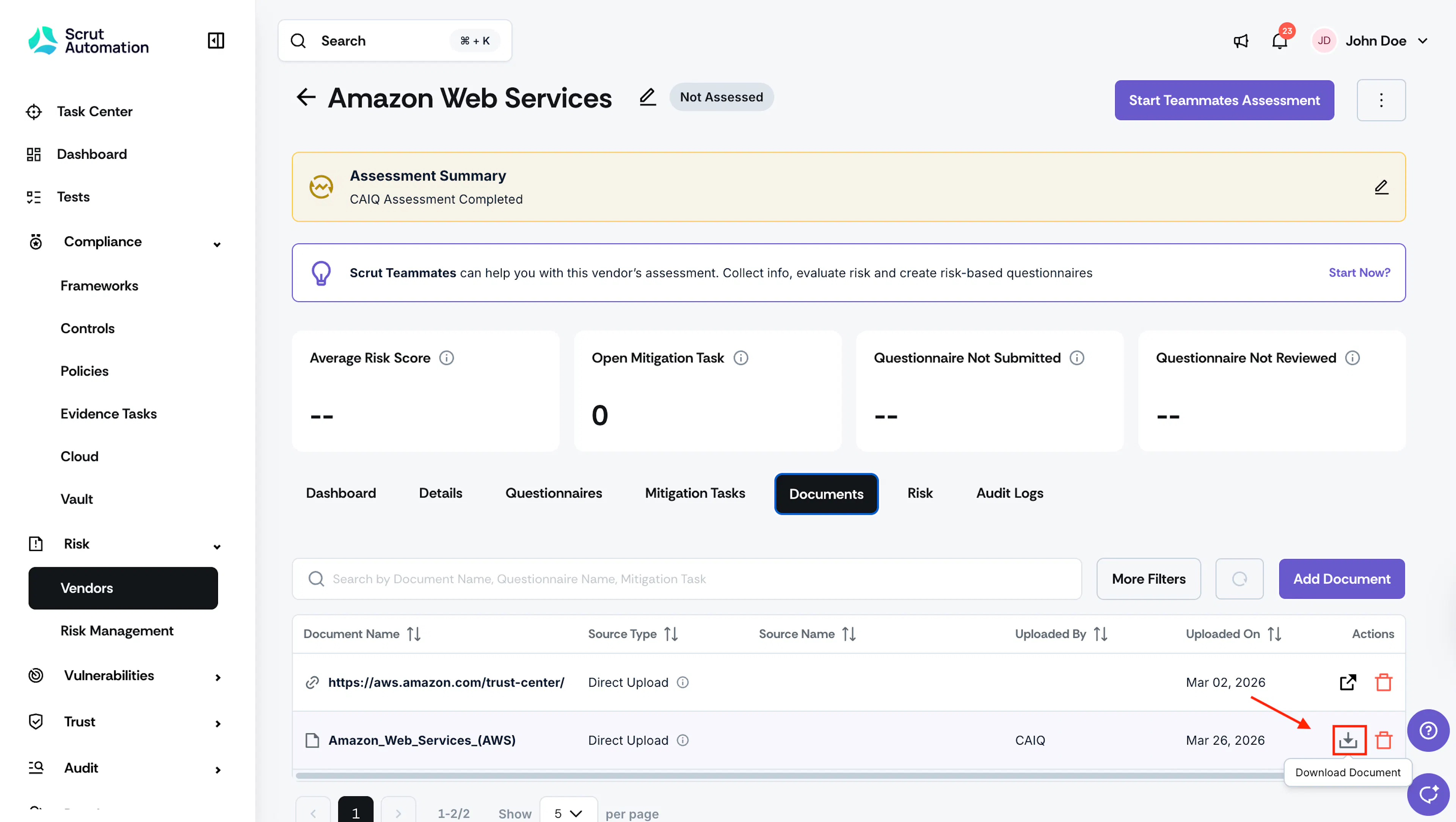
The file downloads to your system.
Was this page helpful?