

Export Vendor Documents
-
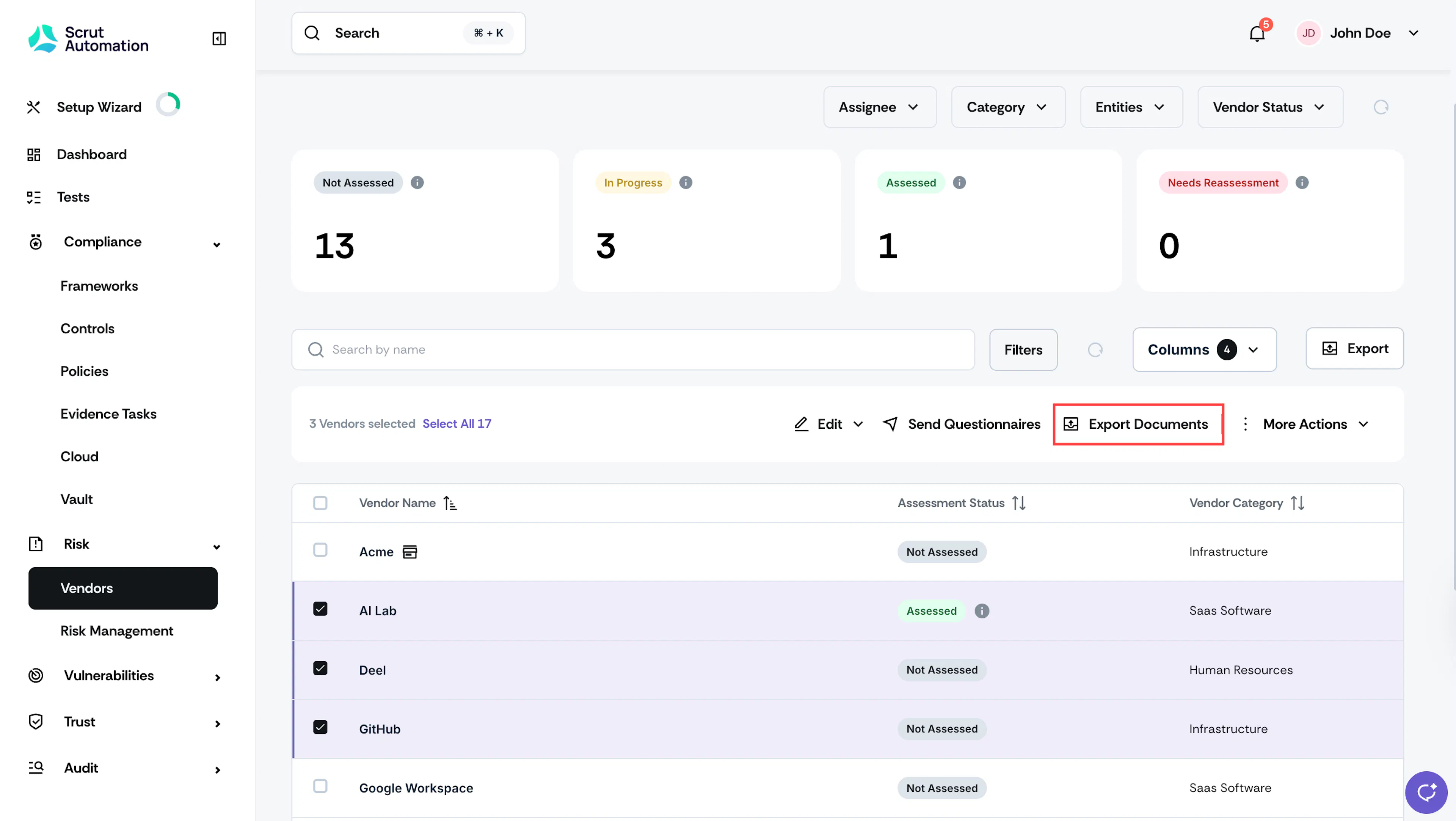
Navigate to Risk → Vendors and go to the Vendors tab.
-
Select the vendor(s) for whom you want to export their associated documents.
-
Click the Export Documents button.
-
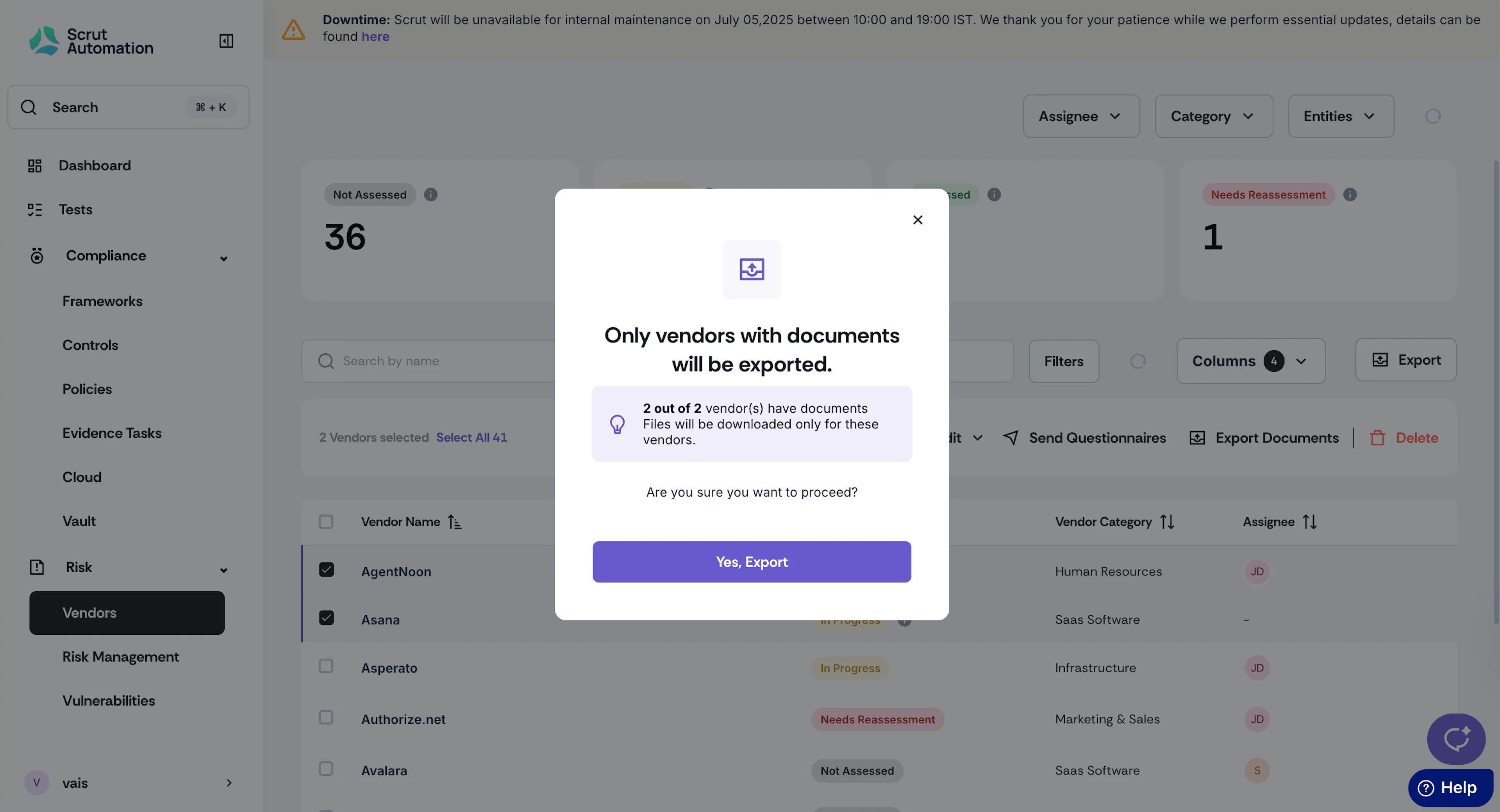
Click Yes, Export to continue.
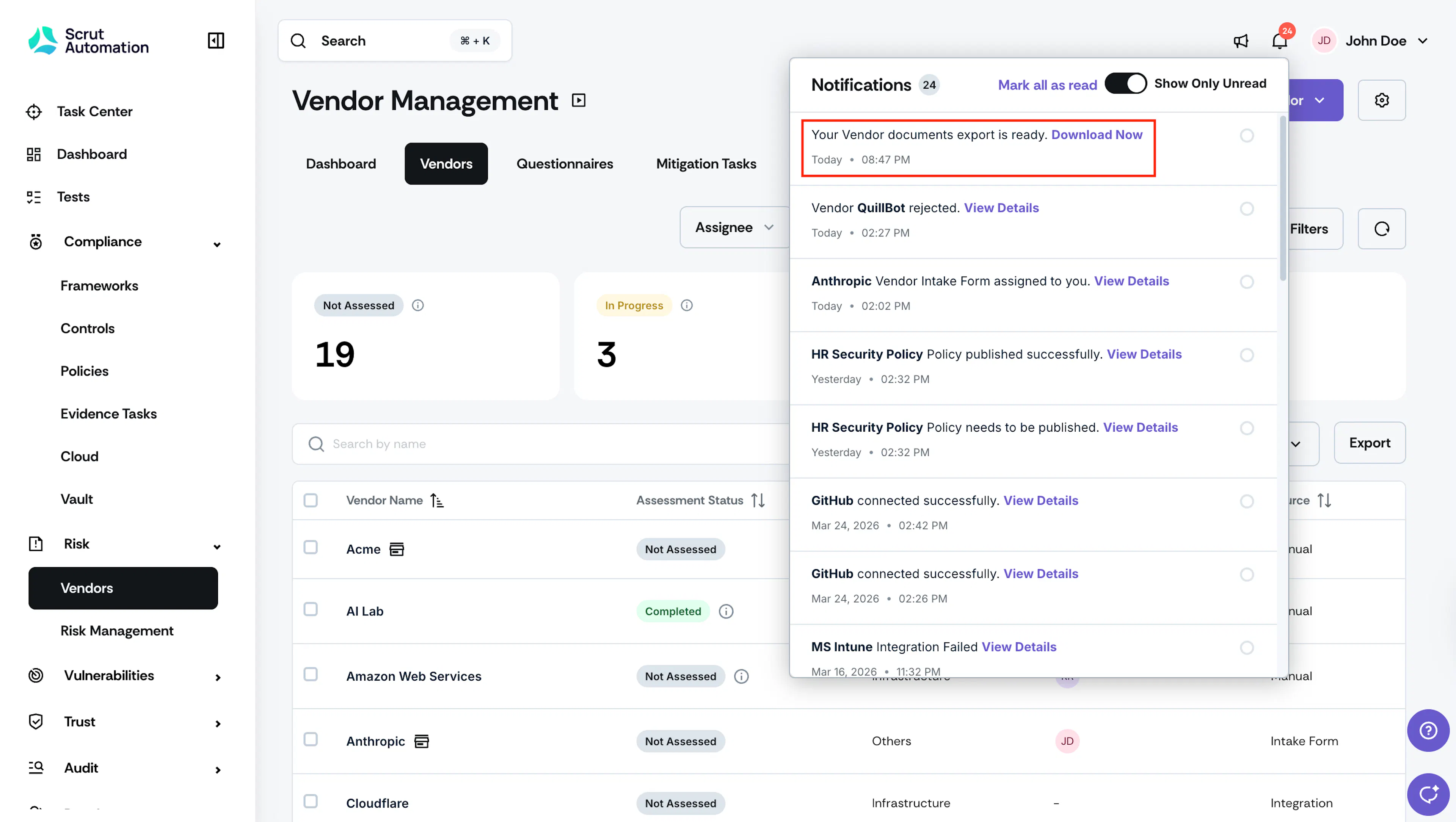
Once the export is ready, you can download it from the notification center.
Was this page helpful?