

Delete Vendor Documents
Who can use this feature
- Supported on Foundation, Growth, and Scale plans
You can permanently delete documents from a vendor's profile when they are no longer needed for your assessment.
How to Delete a Vendor Document
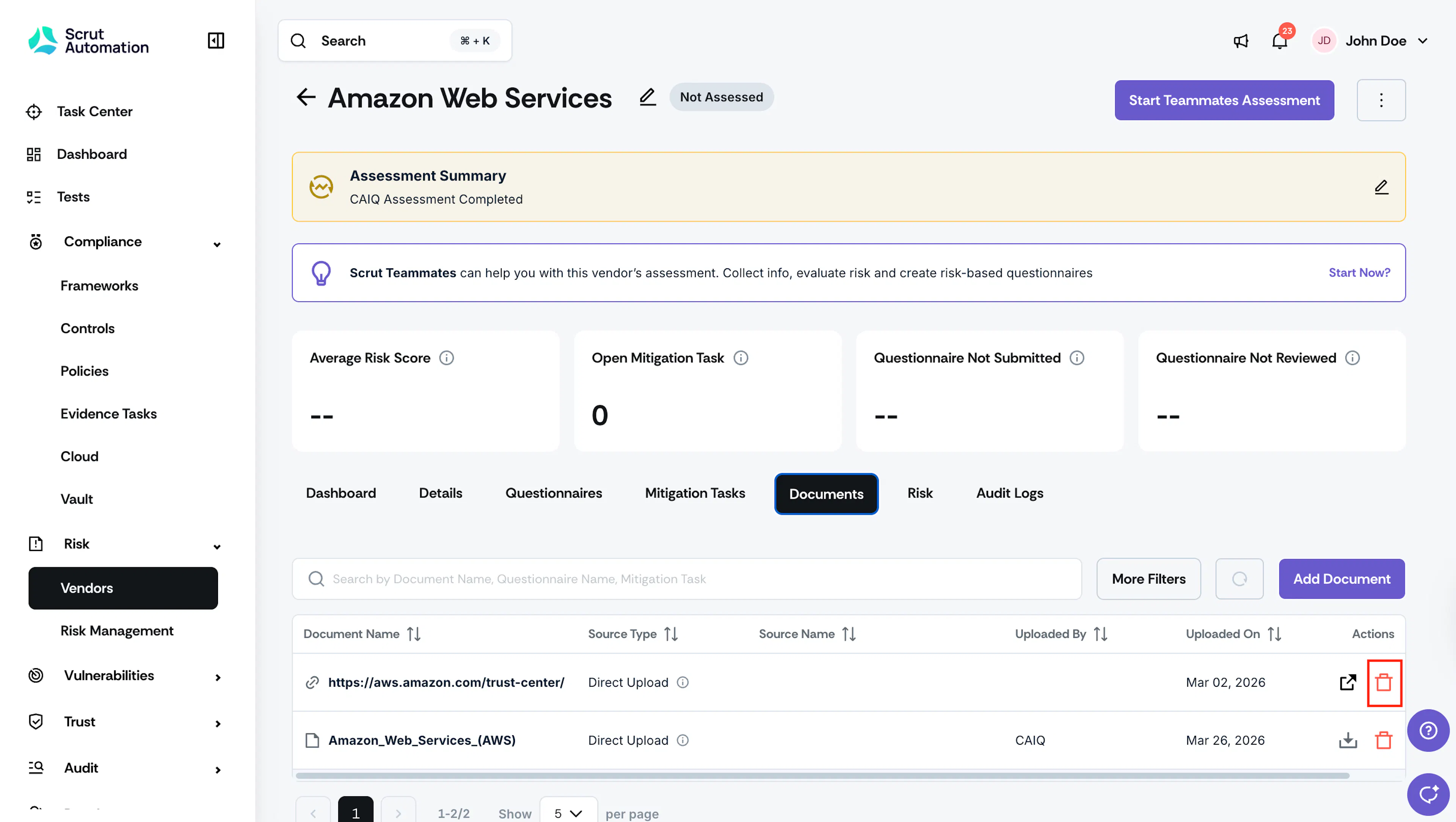
- Navigate to Risk → Vendors.
- Click the vendor whose document you want to delete.
- Click the Documents tab.
- Locate the document you want to delete.
- Click the delete icon in the Actions column.
Important:
Deleting a document is permanent. It cannot be undone.
Note:
Documents with the source type "Questionnaire" cannot be deleted. These are retained for record-keeping and compliance purposes.
Was this page helpful?