

Delete a Vendor Questionnaire Template
Who can use this feature
- Supported on Foundation, Growth, and Scale plans
You can delete a template or remove individual questions from a template when they're no longer needed.
Important:
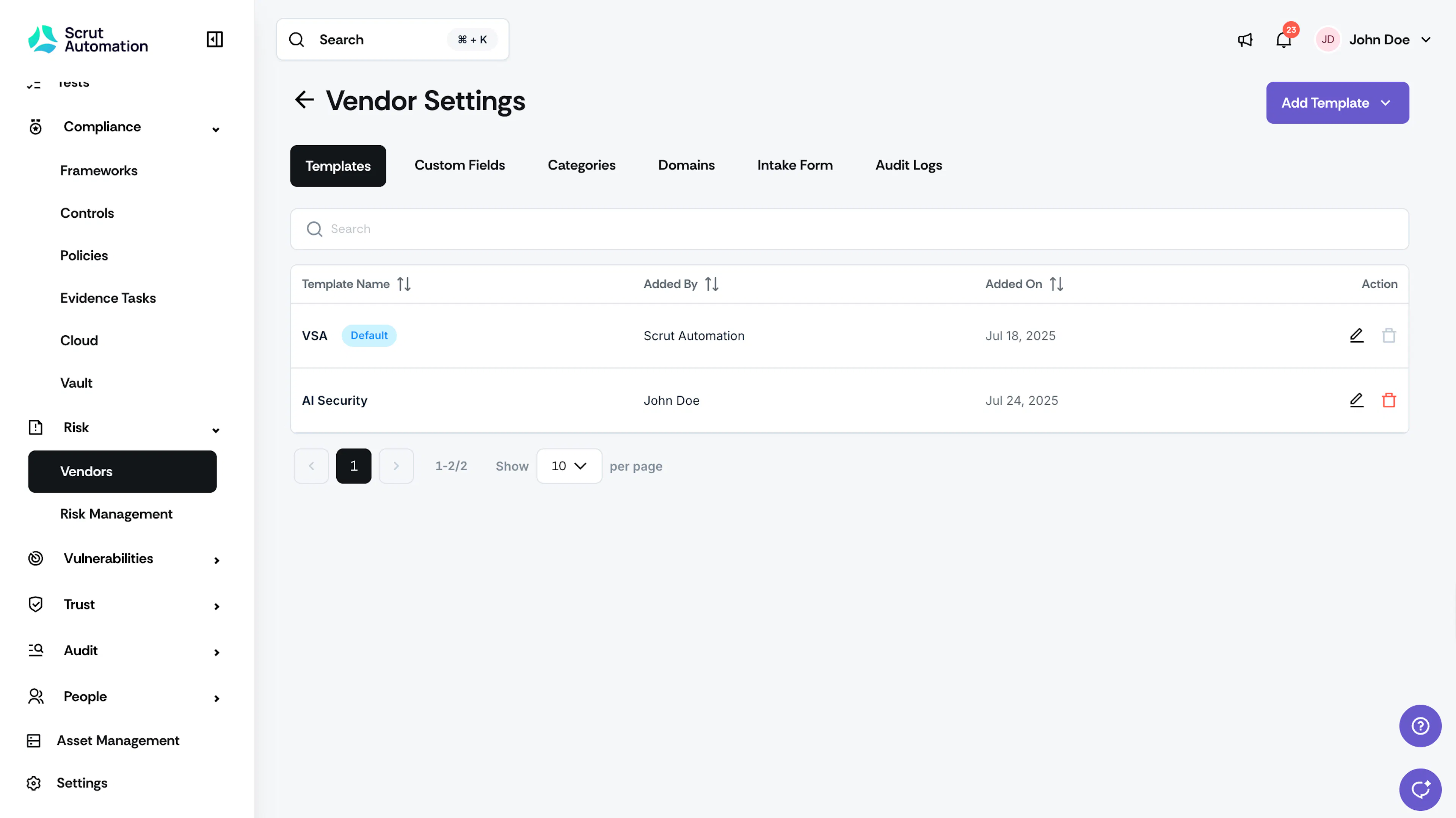
The default VSA template cannot be deleted. This ensures you always have access to a baseline template for vendor assessments.
Delete a Template
-
Navigate to Risk → Vendors using the left navigation panel.
-
Click the Settings icon at the top right of the page.
-
Select the Templates tab.
-
Click the Delete icon next to the template you want to remove.
-
Click Delete in the confirmation window.
The template is permanently deleted.
Delete a Question from a Template
- Navigate to Risk → Vendors using the left navigation panel.
- Click the Settings icon at the top right of the page.
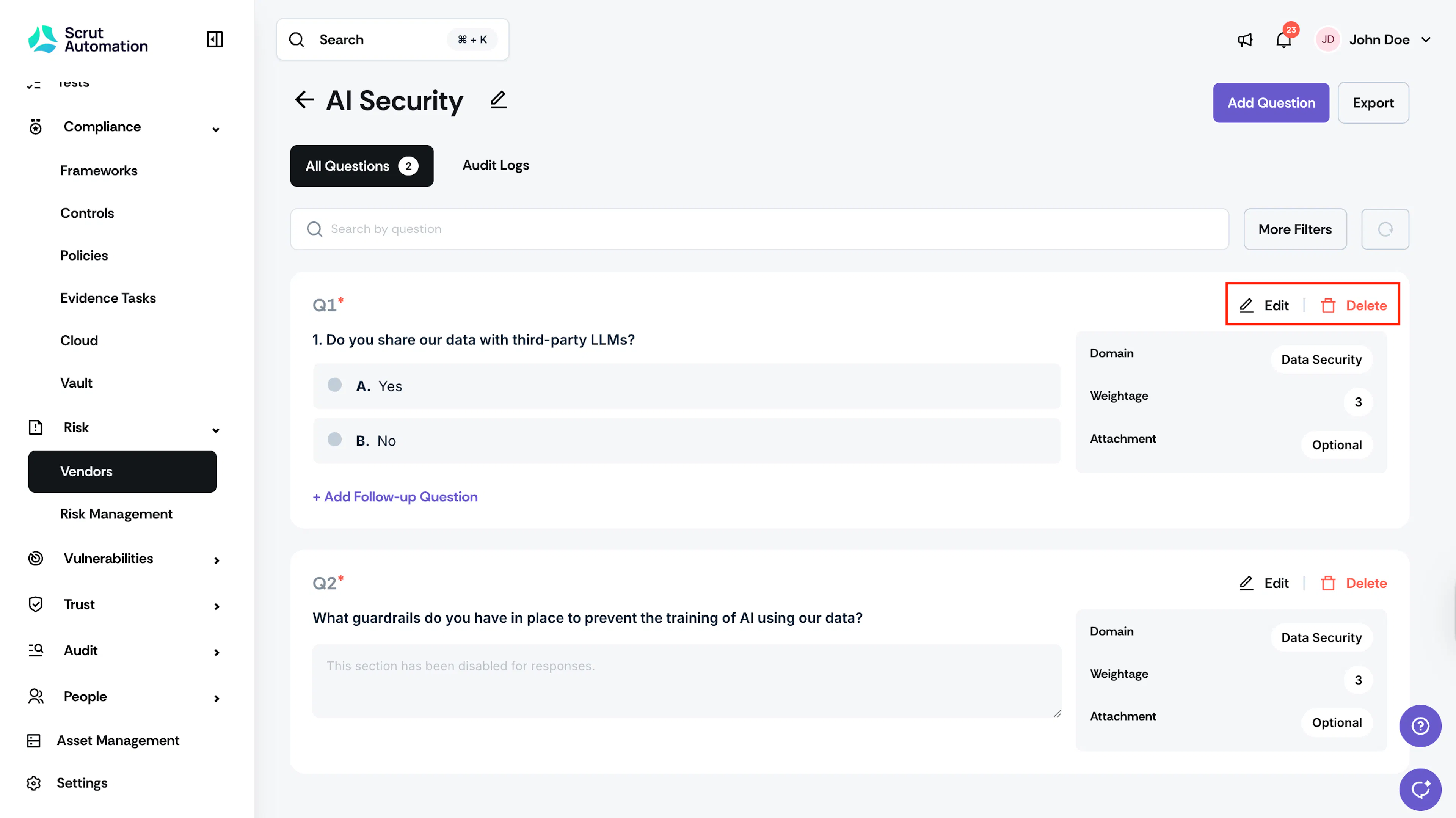
- Select the Templates tab and click the template containing the question you want to delete.
- Click Delete next to the question and confirm your action.
The question is removed from the template. If the question includes conditional follow-up questions, those are deleted as well.
Was this page helpful?