Edit a Vendor Questionnaire Template
Who can use this feature
- Supported on Foundation, Growth, and Scale plans
You can update a template at any time: rename it or modify the questions within it. Changes apply only to future questionnaires and do not affect those already sent.
Edit the Template Name
-
Navigate to Risk → Vendors using the left navigation panel.
-
Click the Settings icon at the top right of the page.
-
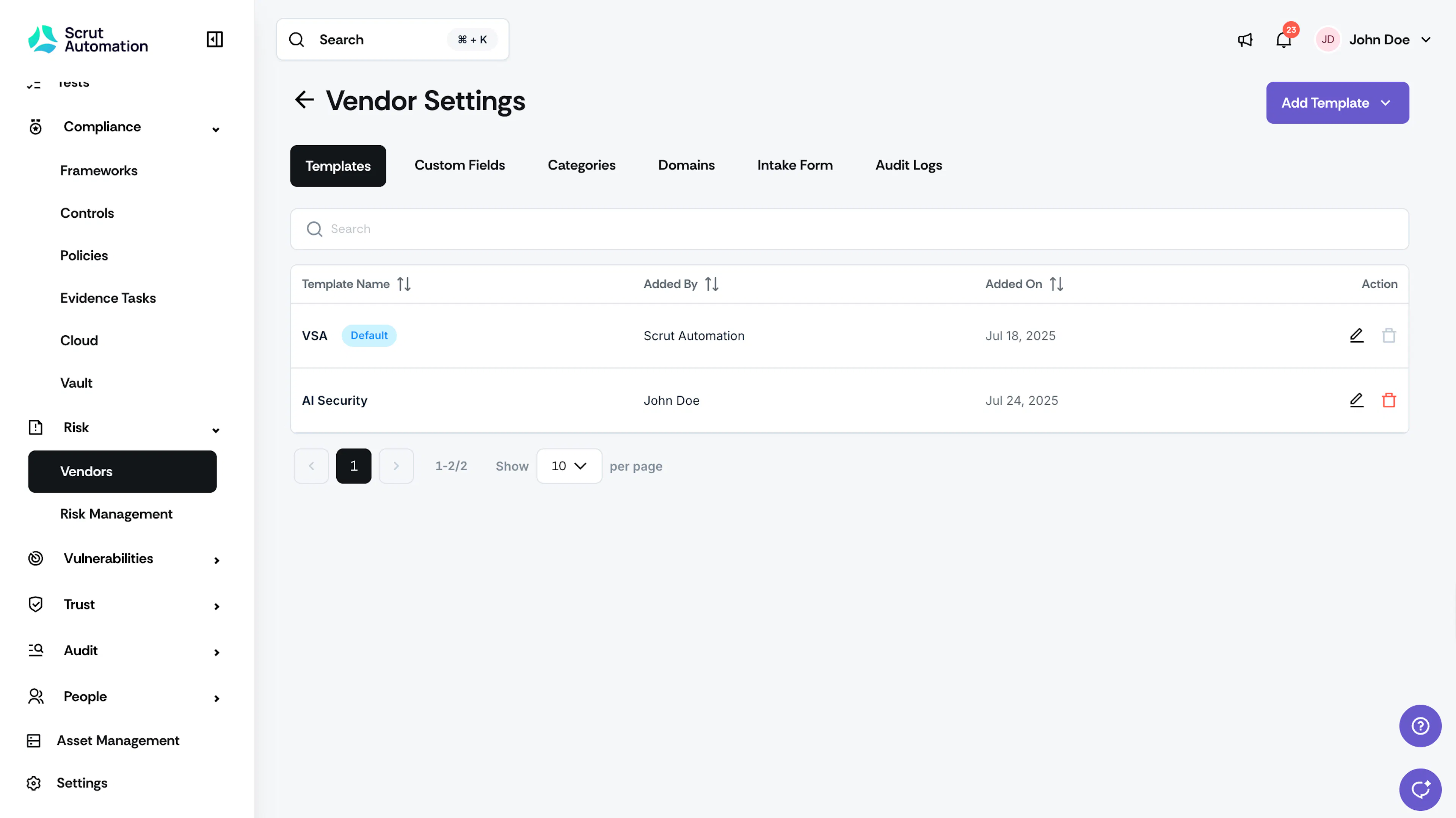
Select the Templates tab.
-
Click the Edit icon next to the template you want to rename.
-
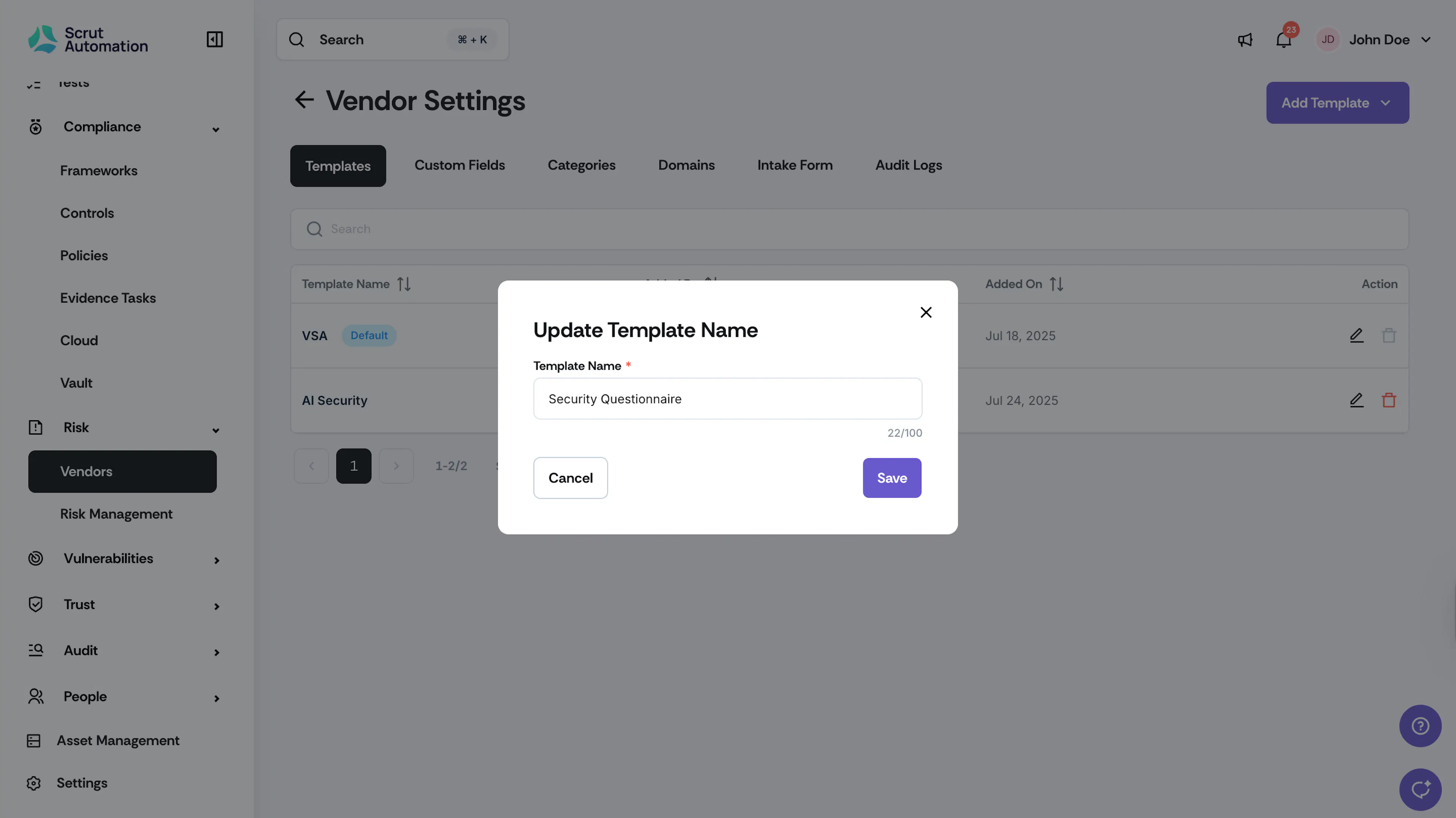
Enter the new name and click Save. The template name is updated immediately.
Edit Questions in a Template
-
Navigate to Risk → Vendors using the left navigation panel.
-
Click the Settings icon at the top right of the page.
-
Select the Templates tab and click the template you want to edit.
-
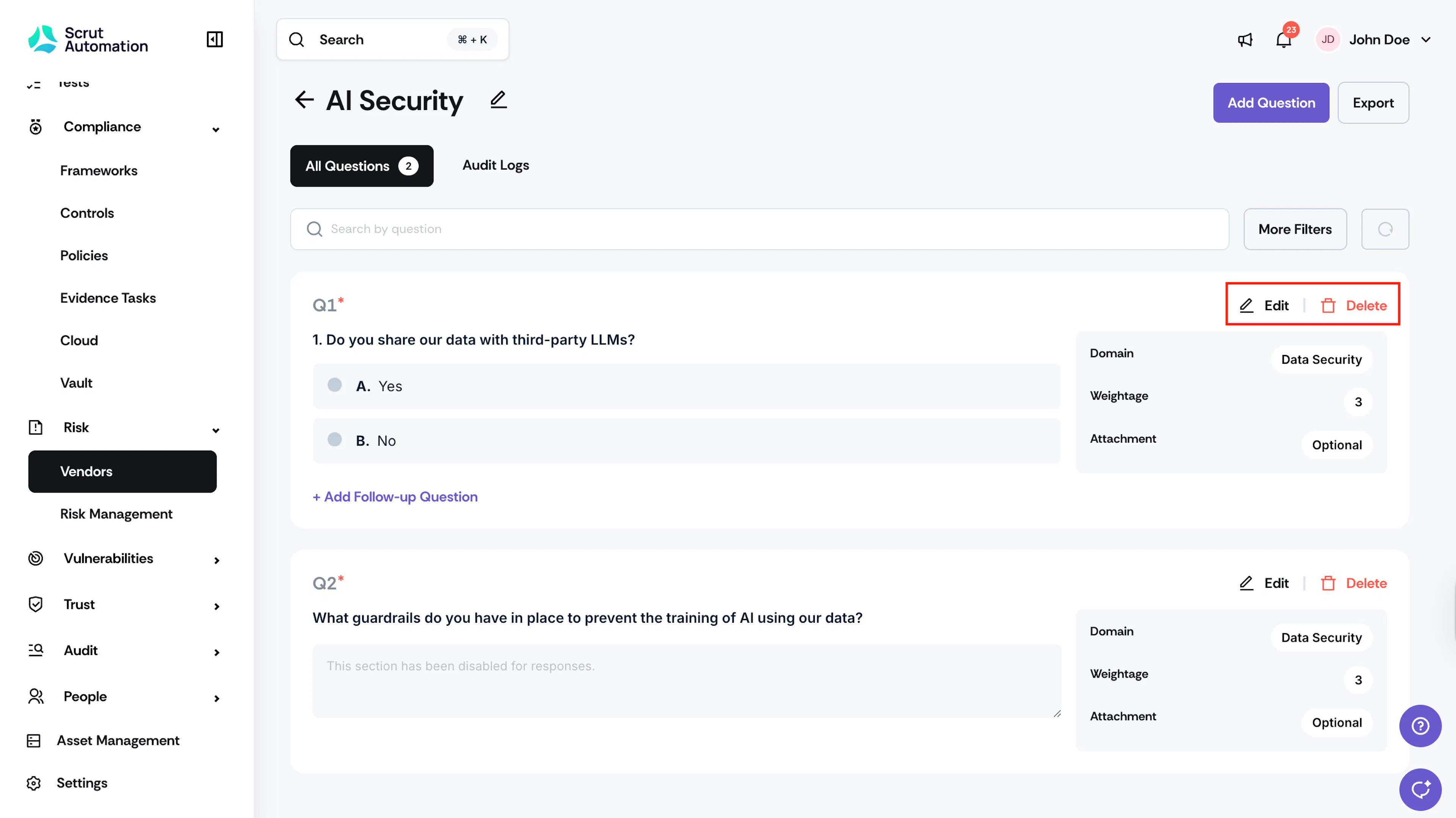
Click the Edit to make changes to the question.
-
Click Delete to remove a question. The template is updated and reflected in all future questionnaires that use it.