

Use the VSA Template
Who can use this feature
- Supported on Foundation, Growth, and Scale plans
The VSA template gives you a ready-to-use foundation for vendor security assessments while offering the flexibility to adapt it to your organization's requirements. This article explains how to customize and use the default VSA template in Scrut.
What Is the VSA Template?
The Vendor Security Alliance (VSA) is a coalition of companies committed to improving internet security. The VSA has designed the Vendor Security Alliance Questionnaire (VSAQ), a standardized and comprehensive method for assessing and streamlining vendor security compliance.
Scrut offers a version of the VSA questionnaire as a default, out-of-the-box template that you can customize and send to your vendors as part of the vendor assessment process.
Customizing the Default VSA Template
The default VSA template is fully customizable to meet your organization’s specific vendor assessment needs.
-
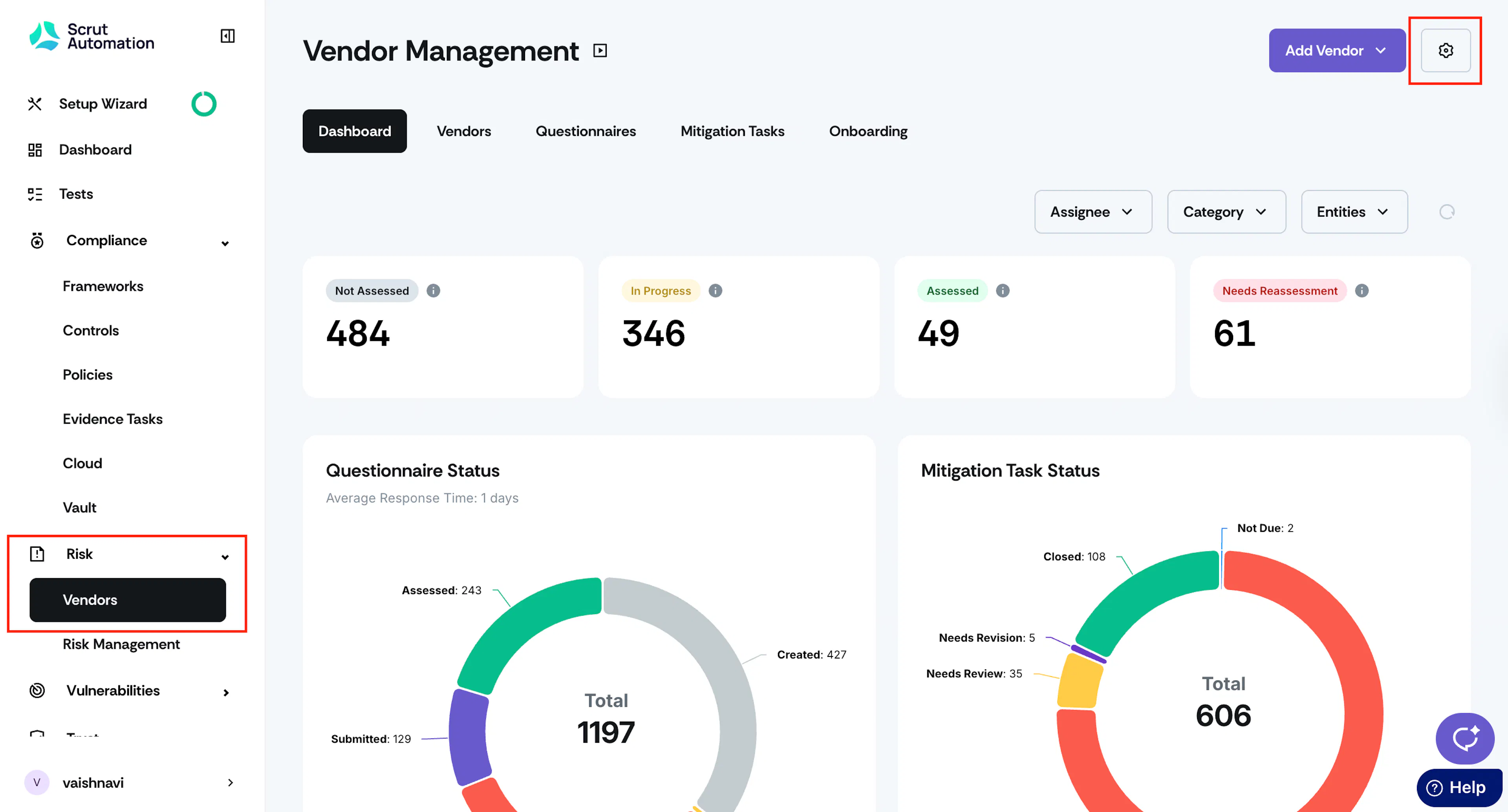
Sign in to Scrut, and go to Risk → Vendors using the left navigation panel.
-
Click the Settings icon at the top right of the Vendor Management page.

-
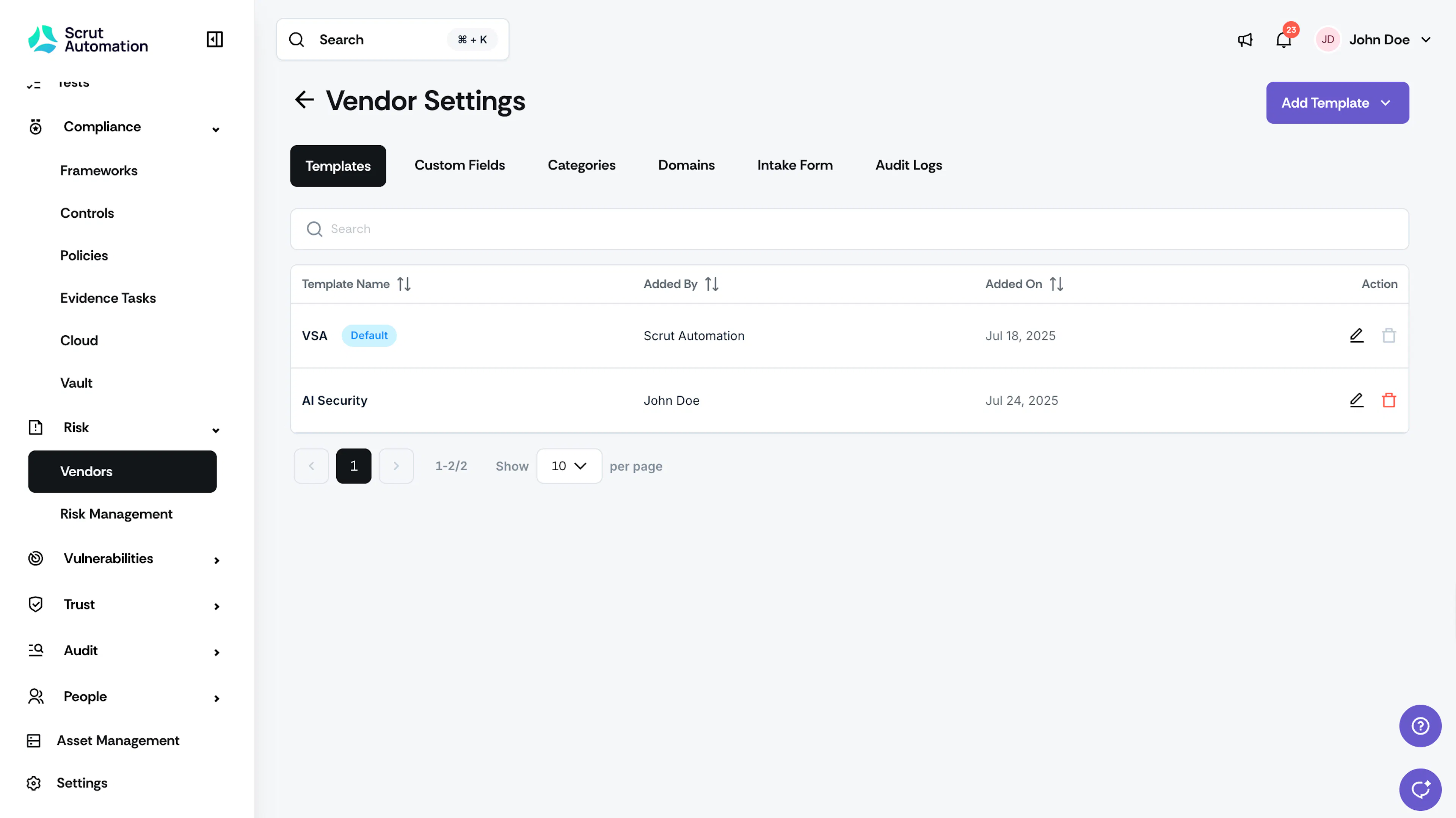
In the Templates tab, you’ll find the VSA template with the default tag. You can perform the following actions.
Modify the Template Name
You can rename the template to match your organization’s terminology. For example, you can change it to Standard Vendor Security Assessment, Third-party Risk Evaluation Questionnaire, etc. Click the Edit icon in the Actions column to change the template’s name.

Add New Questions
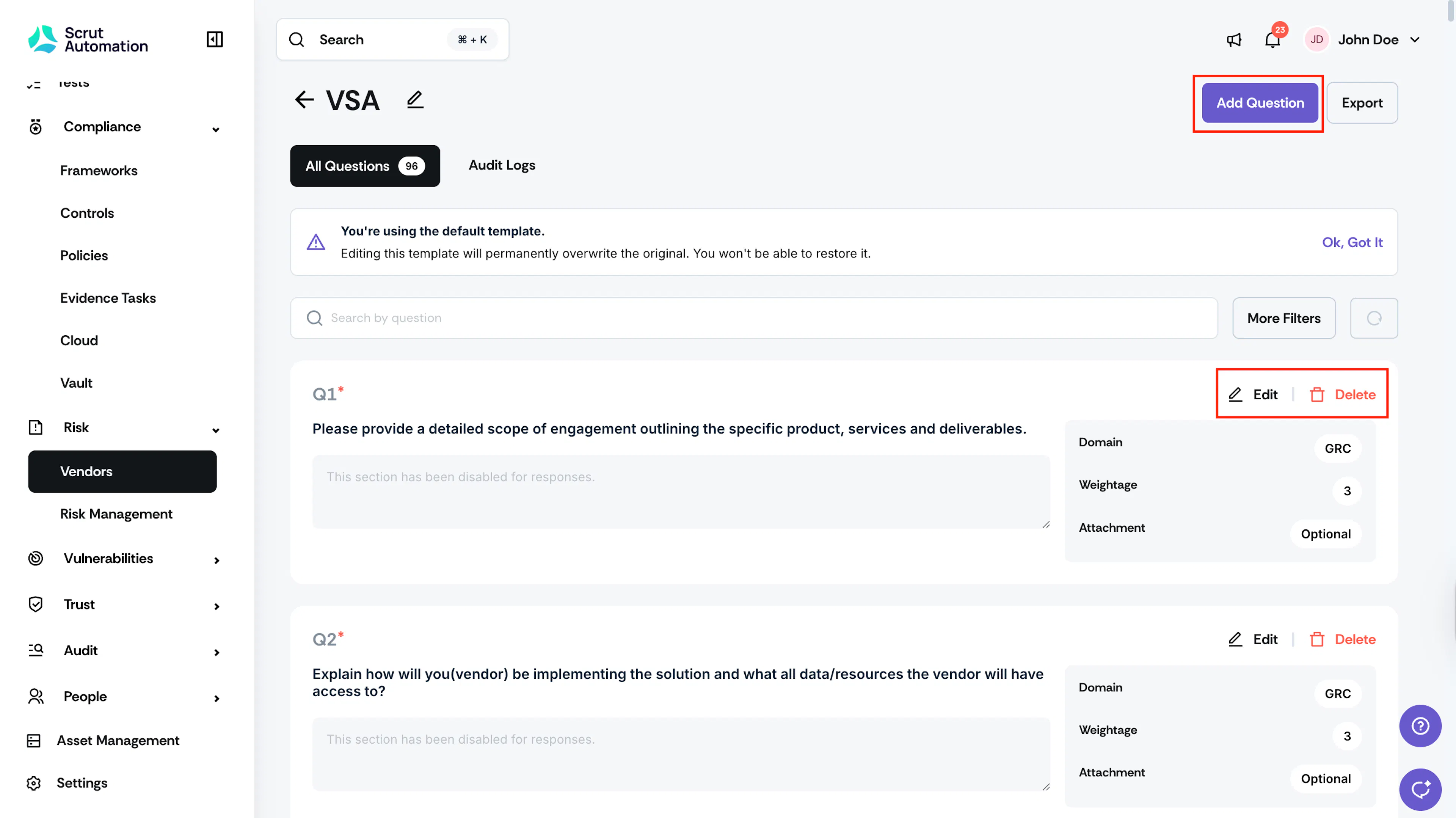
Click to open the VSA template. Click the Add Question button at the top right to include additional security, compliance, or business-specific questions, as needed. Enter the question text, type, domain, and weightage and click Add. Refer to this section for step-by-step instructions on adding questions to the template.
Heads Up!
Any changes made to the VSA template will permanently overwrite the default one.
Edit Existing Questions
Click the Edit icon next to a question to modify question text, type, domain, and weightage.
Delete Questions
Click the Delete icon next to a question to remove questions that aren’t relevant to your assessment process.
Restrictions
You cannot delete the default VSA template. This is to ensure that you always have access to a default vendor assessment template.
How To Use the VSA Template
Follow these steps to use the VSA (default) template when creating a vendor questionnaire:
-
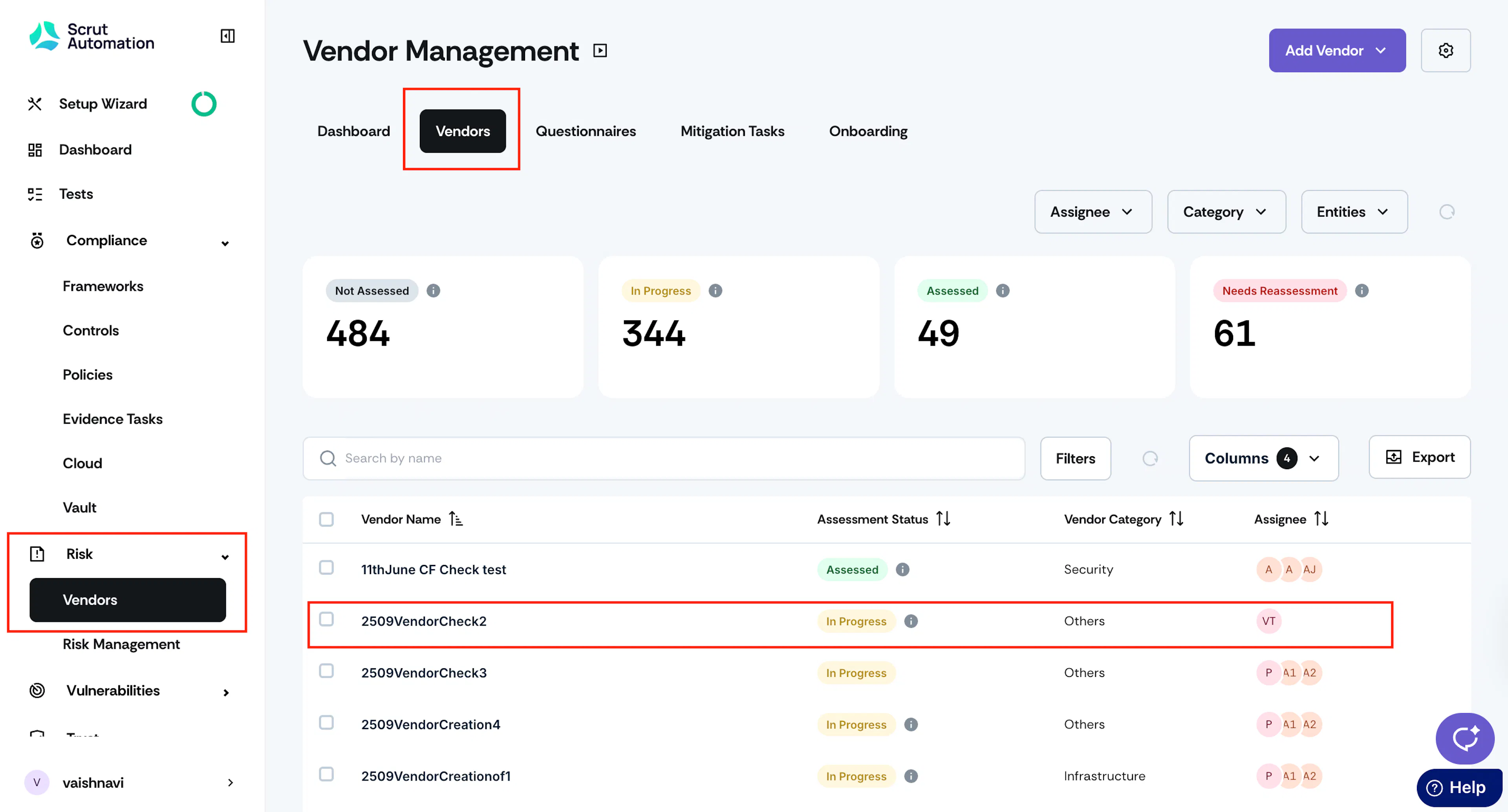
Sign in to Scrut and click Risk → Vendors using the left navigation panel.
-
Go to the Vendors tab, and click on a vendor to whom you want to send the questionnaire.
-
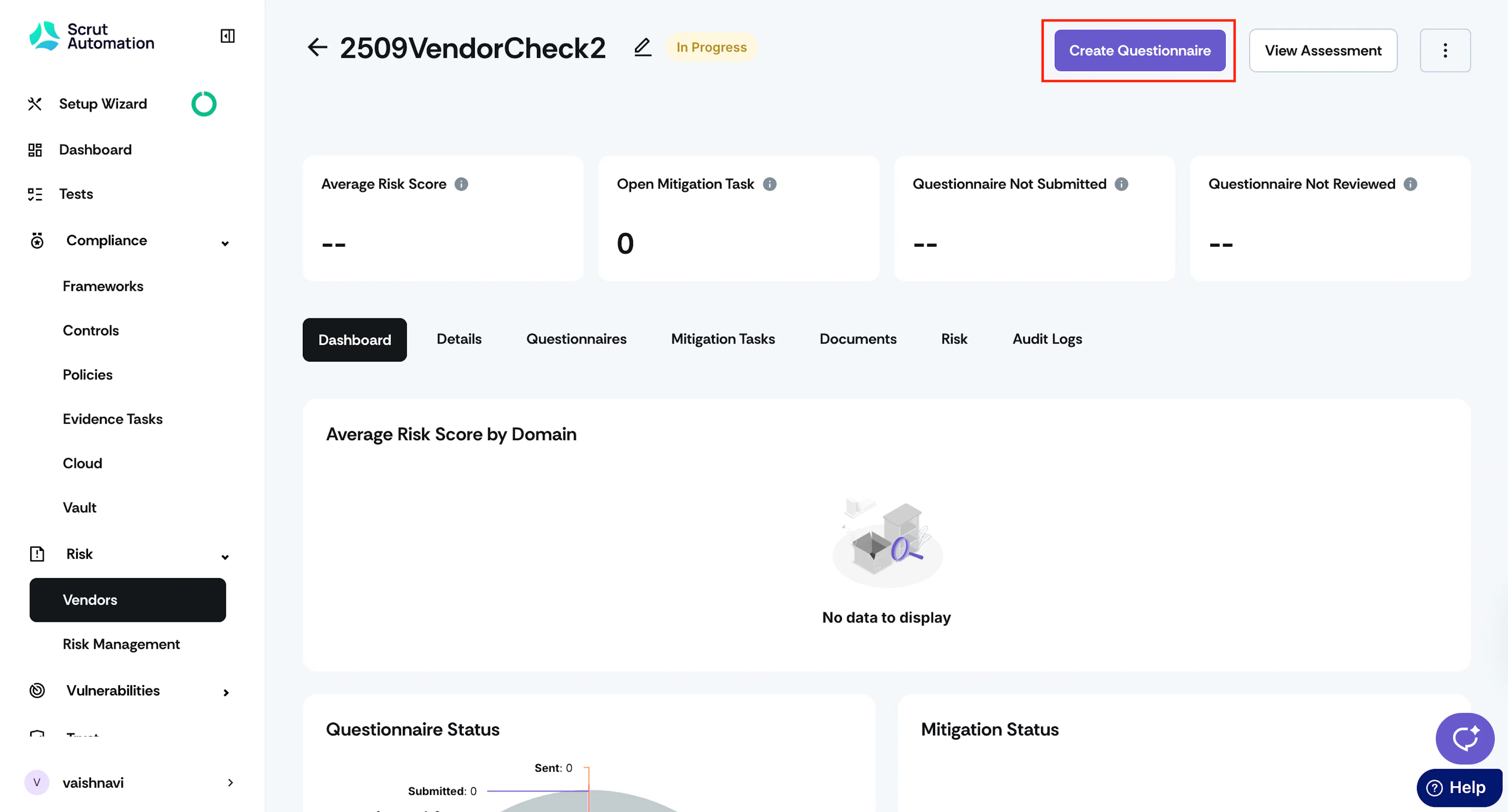
Click the Create Questionnaire button at the top right.
-
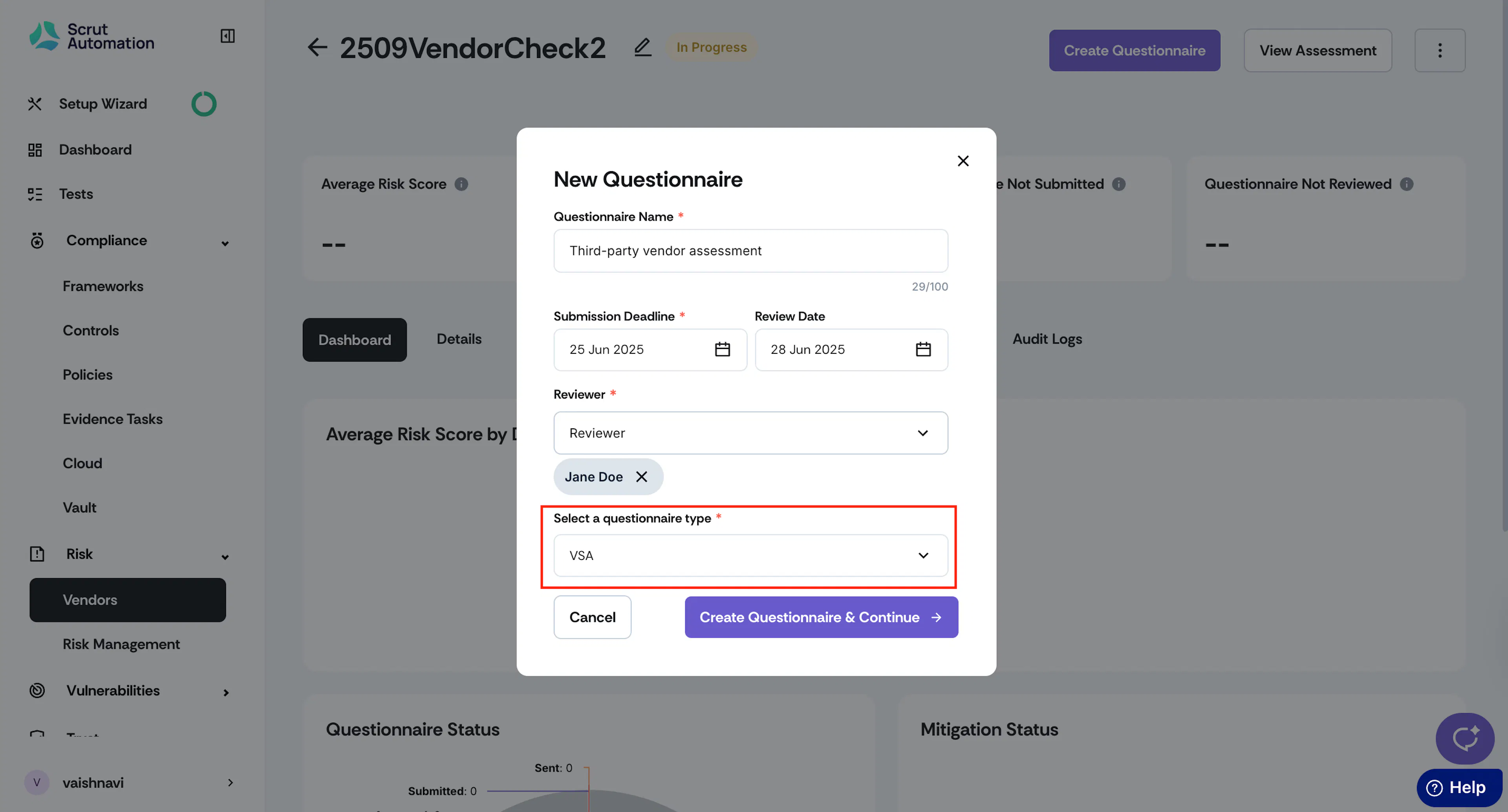
In the Questionnaire Type dropdown, select the VSA (Default) template.
-
Enter the remaining details, then click Create Questionnaire & Continue.
Scrut will populate the questionnaire with your customized questions from the VSA template. Refer to this guide for step-by-step instructions on sending the questionnaire you created to the vendor.