

Delete a Vendor
-
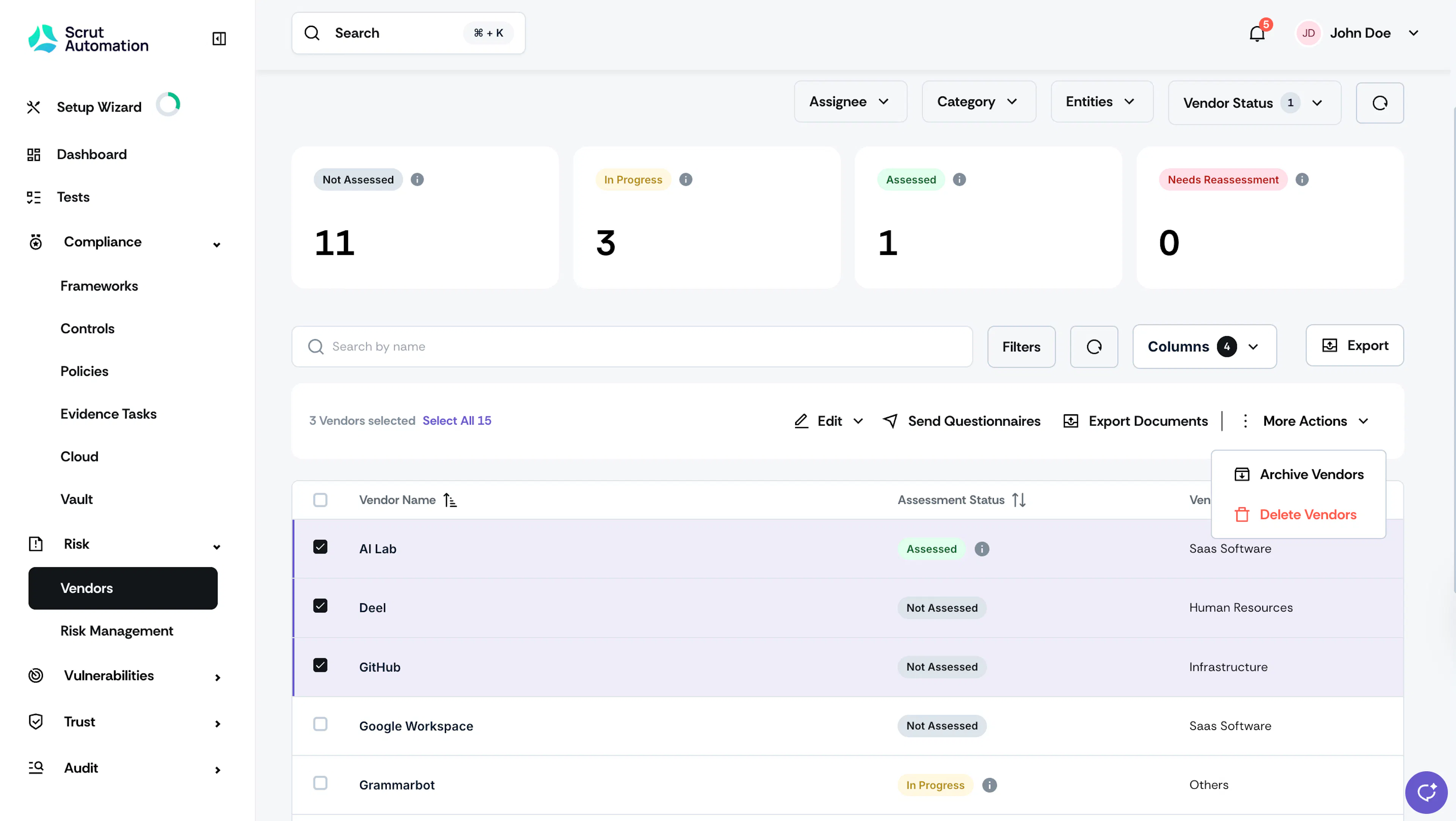
Navigate to Risk → Vendors and go to the Vendors tab.
-
Select the vendor(s) you want to remove from Scrut.
-
Click More Actions and select Delete Vendors.
-
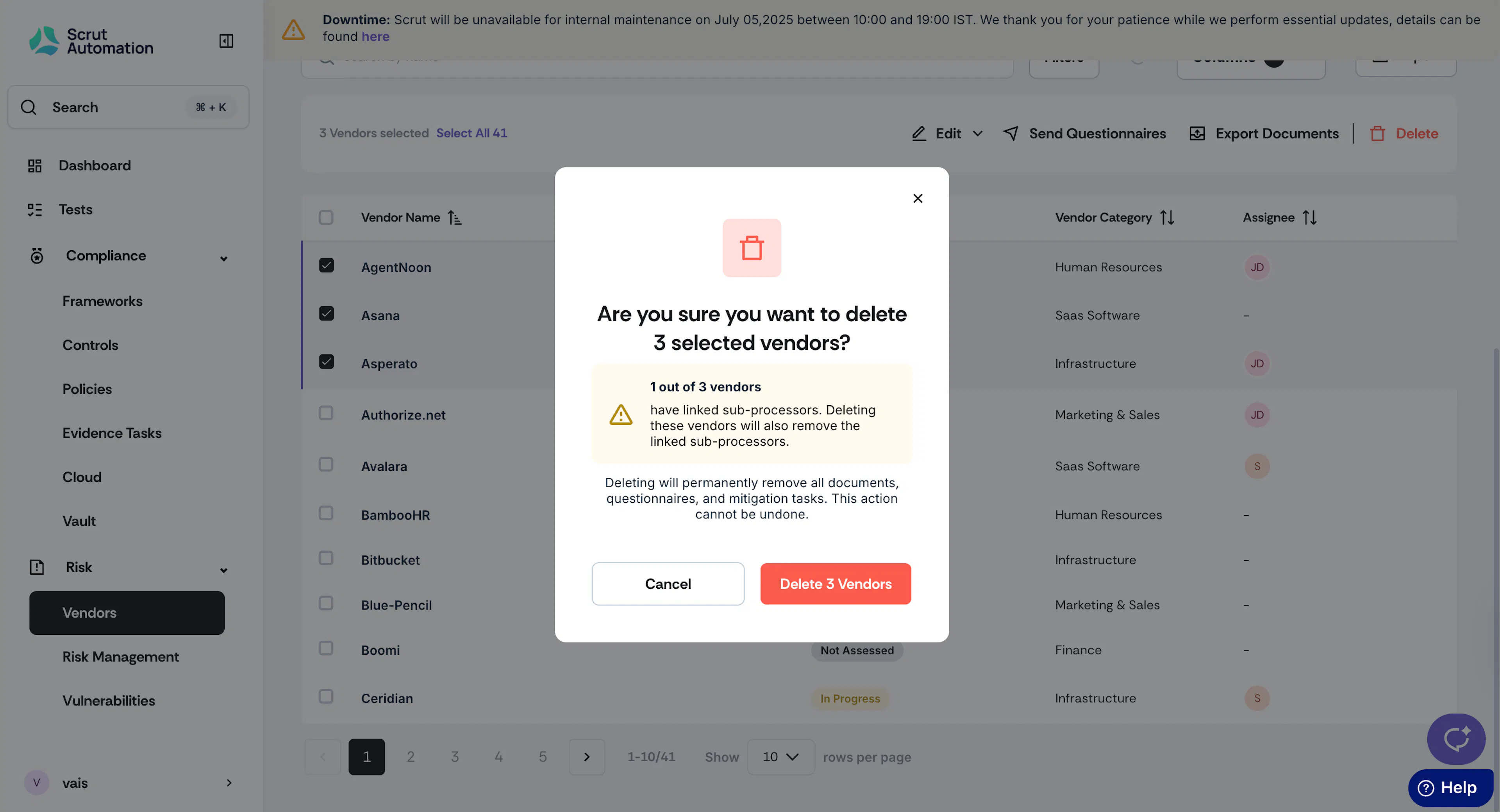
Click Delete to confirm your action.
Important:
- Deleting a vendor will permanently remove all vendor documents, questionnaires, and mitigation tasks. So proceed with caution.
- Deleting a vendor will also delete the linked sub-processors.
Was this page helpful?