Add & Edit Vendor POC Details
Who can use this feature
- Supported on Foundation, Growth, and Scale plans
Managing vendor relationships involves keeping accurate and up-to-date Point of Contact (POC) information. When a vendor's POC changes or additional POCs need to be added, it's crucial to reflect these changes within the Scrut platform for effective communication.
The system now allows you to add multiple POCs, providing greater flexibility and improved coordination. Here's a step-by-step guide on editing and managing POC details:
1. Accessing POC Details:
- Each vendor designates a Point of Contact (POC) for communication and risk assessment purposes.
- In cases of POC changes, it's essential to update this information within the scrut platform.
2. Editing POC Details:
-
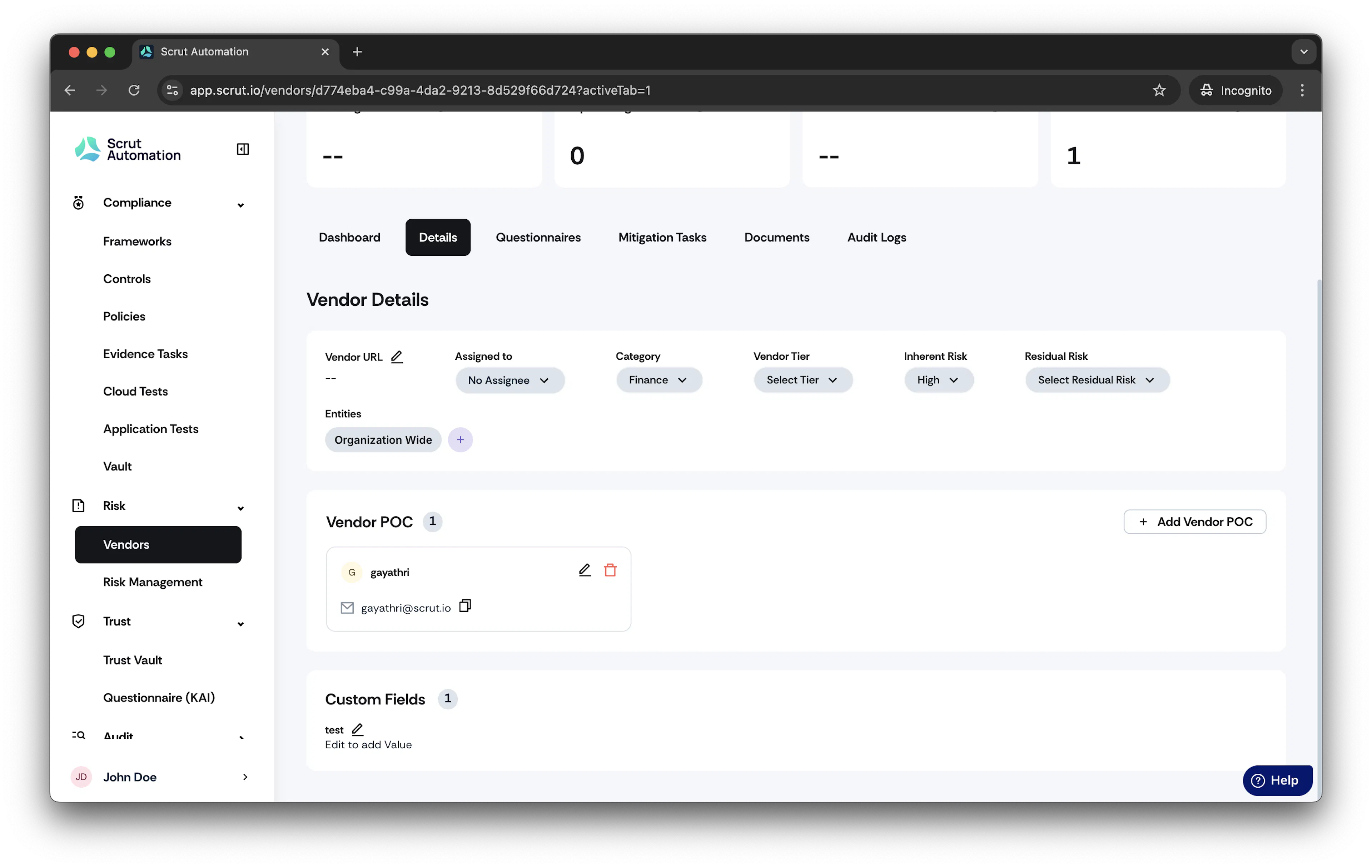
To modify POC details, start by opening the specific Vendor Details page within the scrut platform.
3. Navigating to the POC Details:
-
Once on the Vendor page, go to the Point of Contact section.

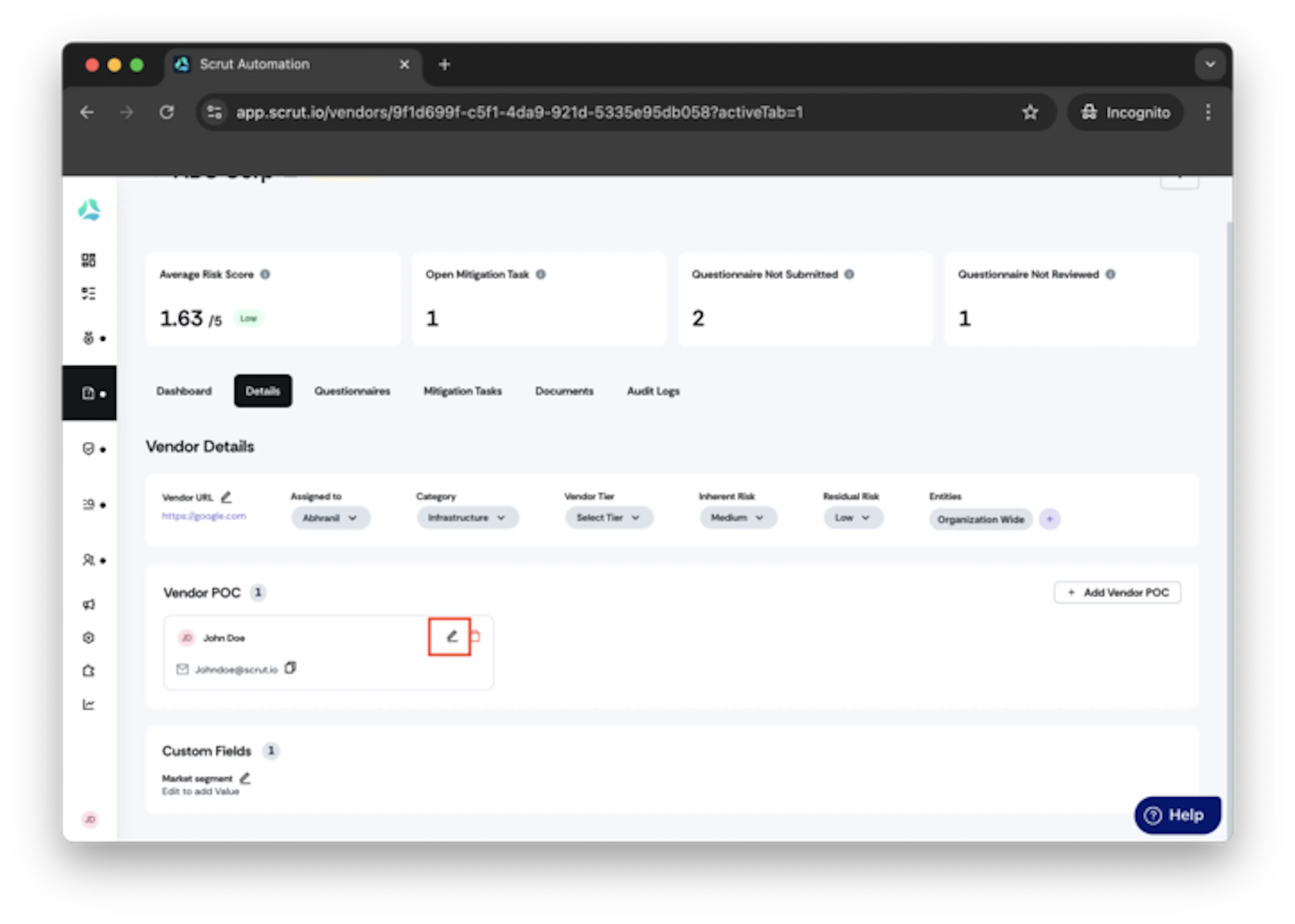
4. Initiating the Edit Process:
-
To edit the POC details, click the Edit icon.
5. Editing POC Information:
-
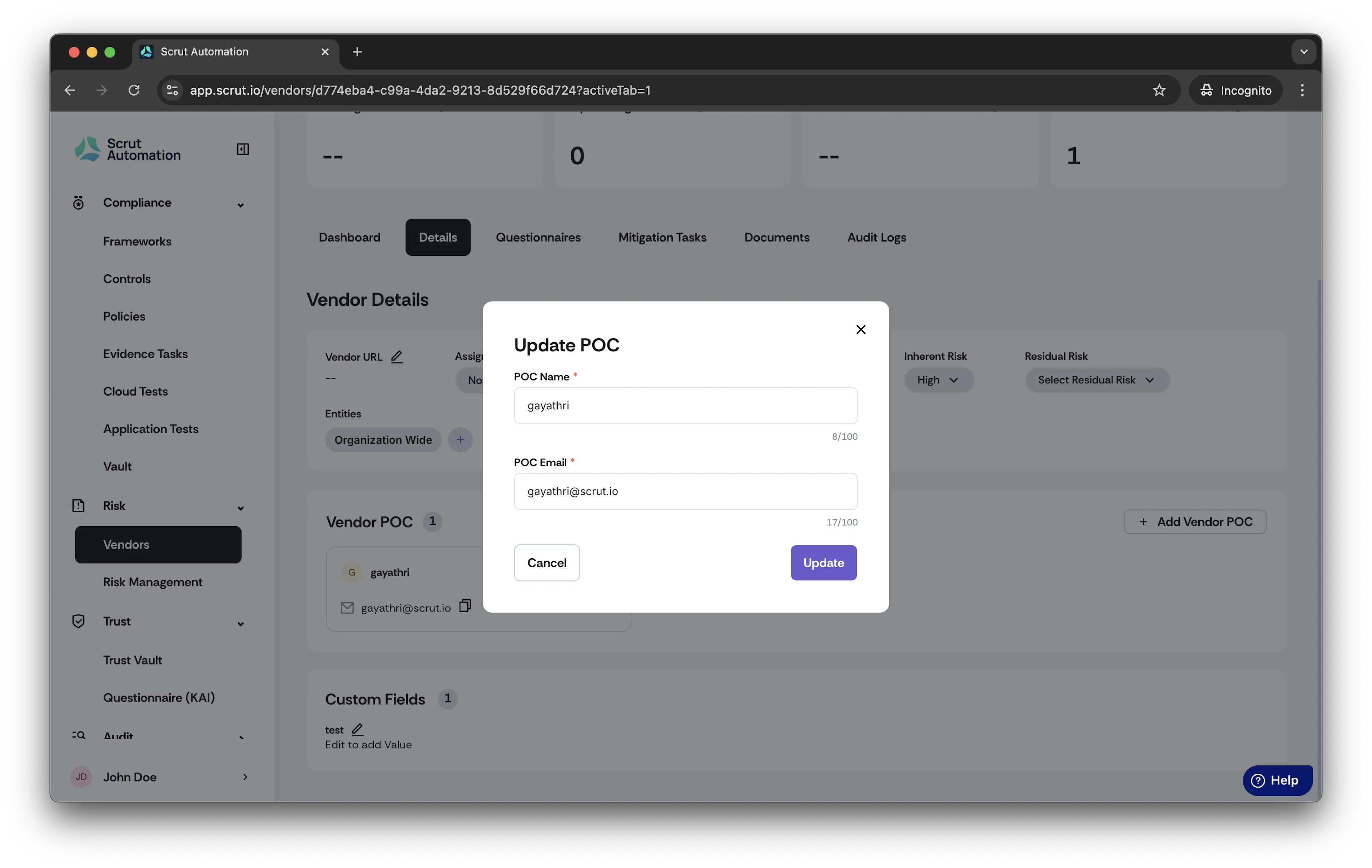
Upon clicking the Edit icon, a pop-up window named Edit POC will appear.
-
Within this window, you can make changes to the POC's name and email address as necessary.
-
After making the desired updates, click the Update button to confirm the changes.
Warning
Editing vendor POC email to another domain is restricted.
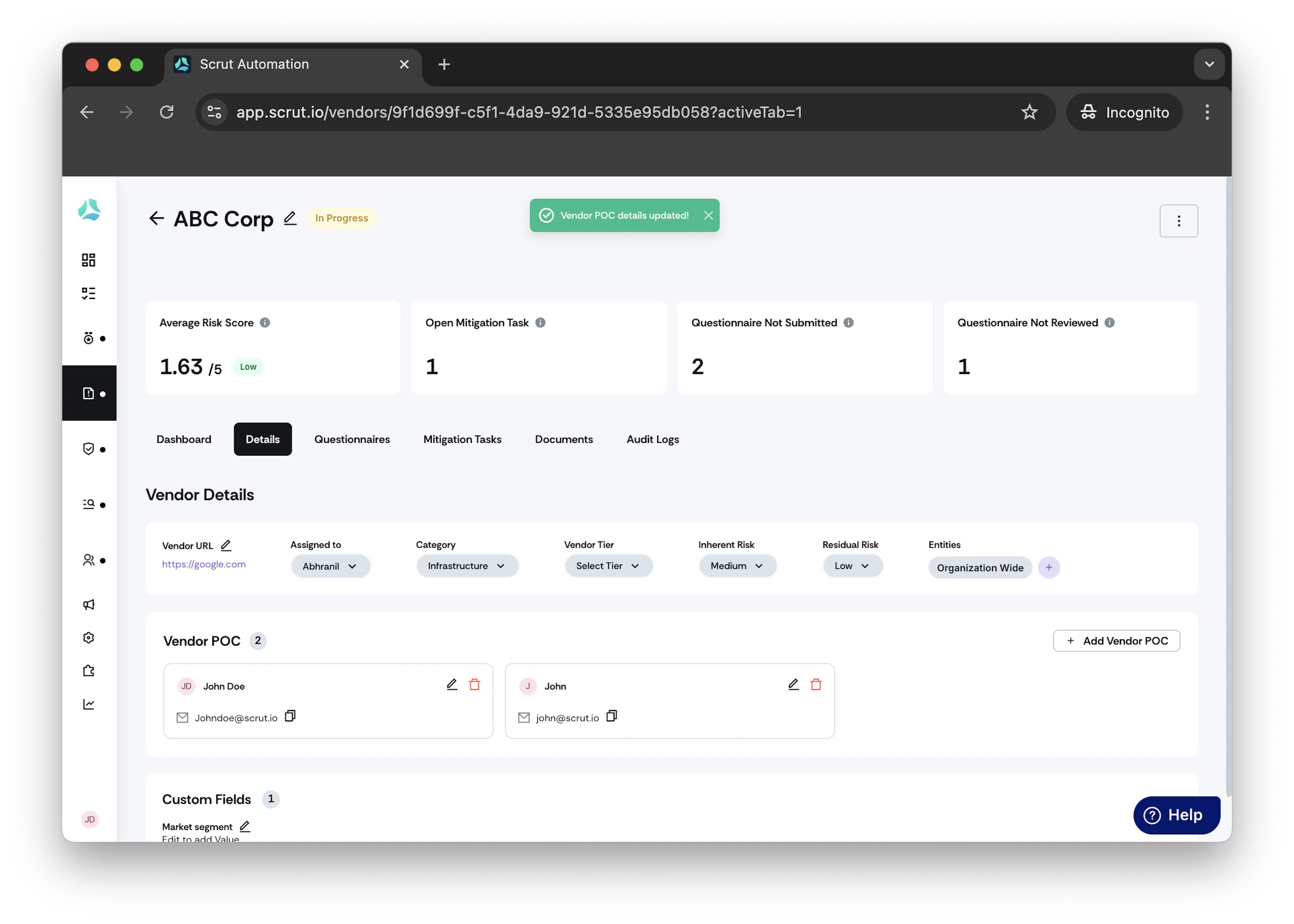
Adding Multiple POC
We can now add multiple POC for a single vendor
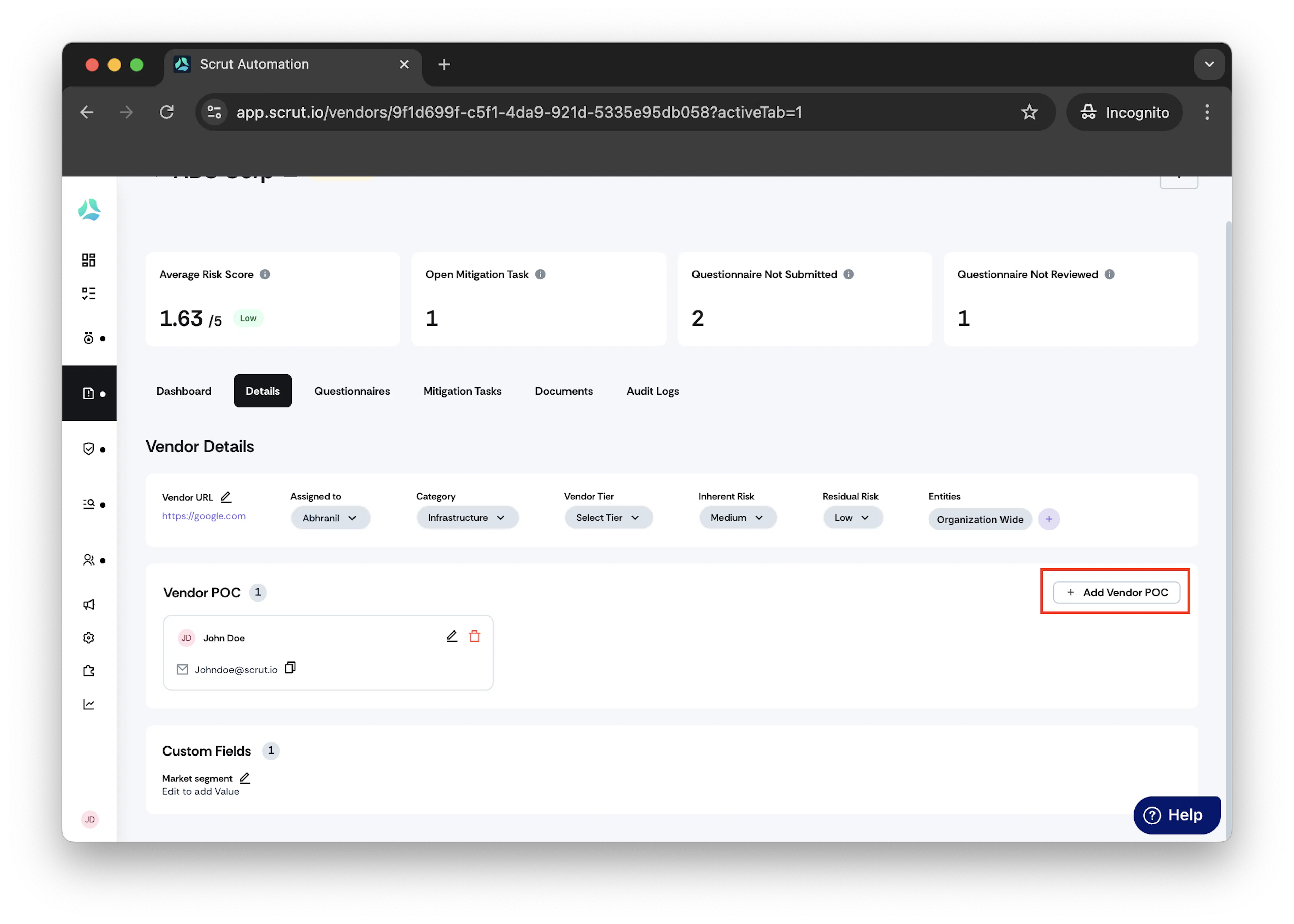
1.Start by opening the specific Vendor Details page within the scrut platform.
2.Once on the Vendor page, go to the Point of Contact section.
3.To add the multiple POC , click the Add Vendor POC icon.
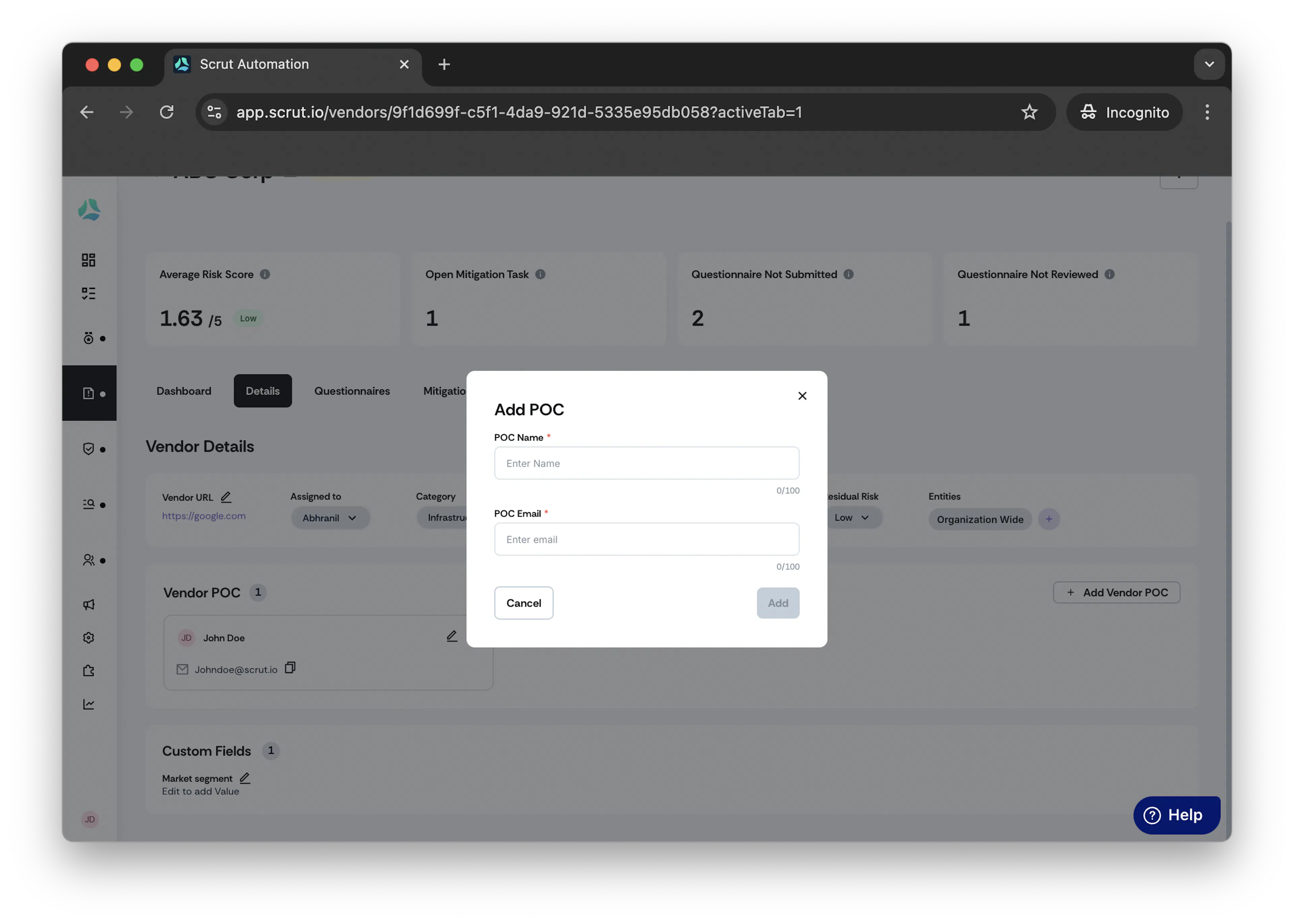
4.After making the desired updates, click the Add button to confirm the changes.
5.You can see multiple POC added.