

Define SLAs for Vulnerability Findings
Who can use this feature
- Available in the AppSec add-on for all plans
Scrut allows you to define SLAs to establish clear timeframes for addressing scan findings. In this guide, you can learn how to define the SLAs for findings based on severity.
What are SLAs?
SLAs (Service Level Agreements) in Scrut are predefined timeframes for resolving identified vulnerabilities (findings). Resolving vulnerabilities within specific timeframes ensures that you meet compliance objectives efficiently.
How To Edit SLAs
- Navigate to the Vulnerabilities module and click the Settings icon on the top right.
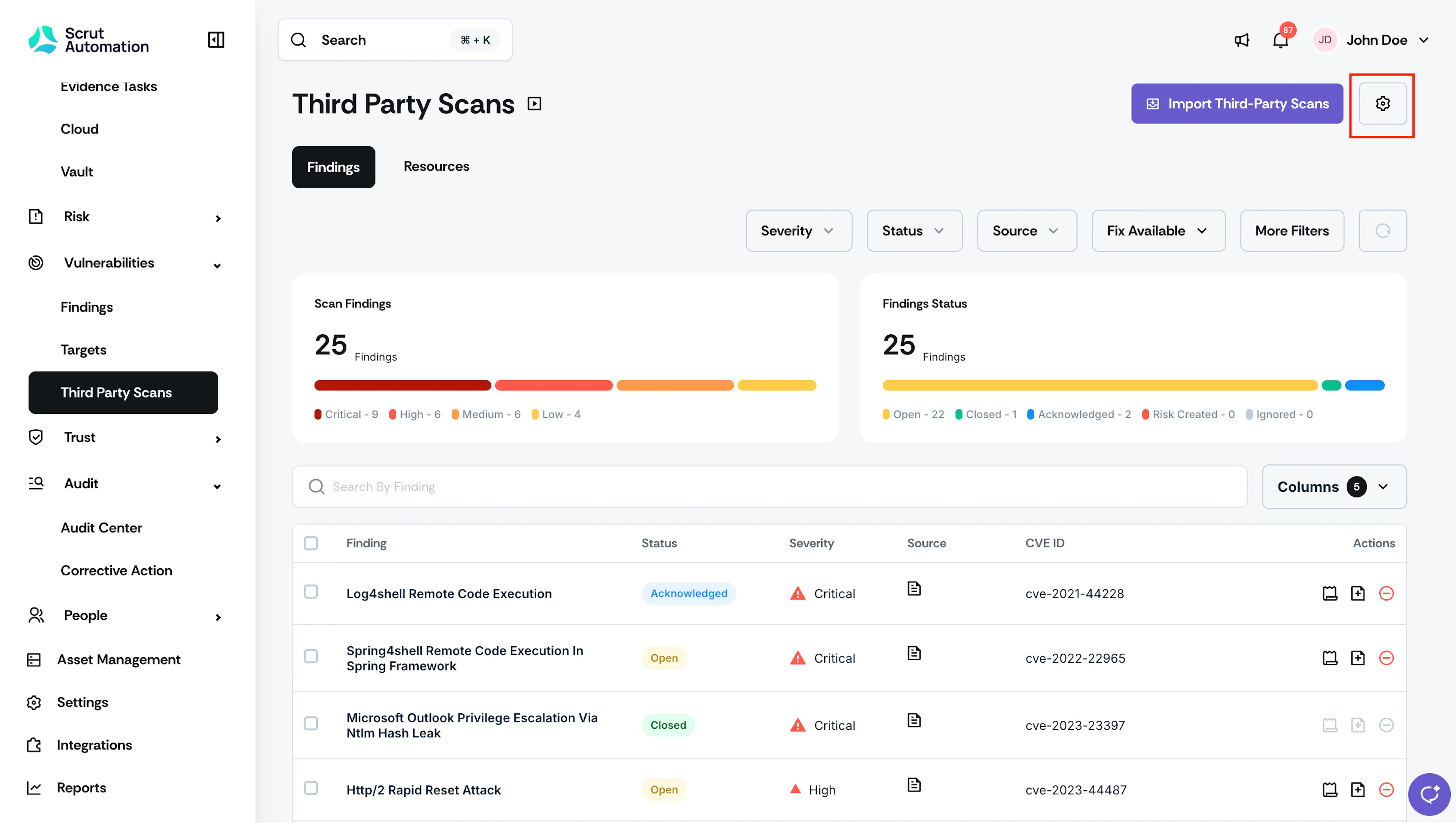
Vulnerability Settings - This opens the Vulnerability Settings page with the SLA tab.
- Scrut categorizes findings into four severity levels: Critical, High, Medium, and Low.
- Click the Edit button to enable the input fields.
- Enter the number of days for each severity level. This is the maximum number of days a finding can remain unaddressed before it is marked accordingly.
- For example, if you set Critical to 7, any finding not resolved within 7 days after First Seen will be marked as Critical. If you set High to 14, any finding not resolved within 14 days after First Seen will be marked as High.
- Click Save.
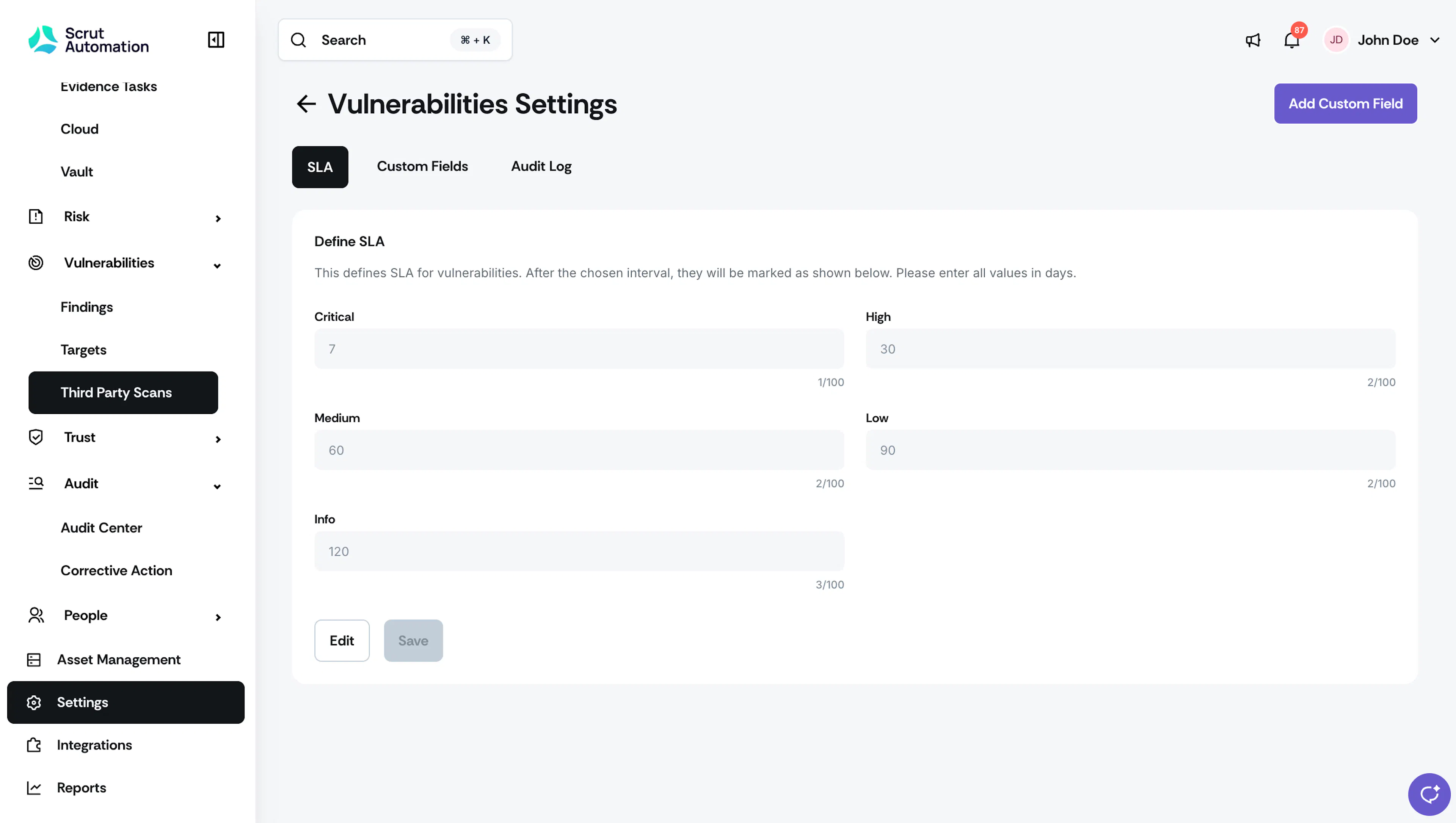
Vulnerability SLA
Best Practices
Ensure that the defined SLAs are realistic and aligned with your team’s capacity to remediate the findings.
Was this page helpful?