

Populate Vulnerabilities Via Third-Party Tools
Who can use this feature
- Supported on Foundation, Growth, and Scale plans
Besides running Scrut’s built-in scanners to detect vulnerabilities, you can also import vulnerabilities directly via third-party tool integrations.
Supported Third-Party Integrations
Scrut supports integrations with the following tools to sync vulnerabilities:
- AWS (AWS Inspector)
- GitHub (GitHub Dependabot)
- Microsoft Defender Endpoint
- Qualys
- SentinelOne
- Snyk
- SonarCloud
How To Set Up Third-Party Vulnerability Scanning
Step 1: Set Up Integrations
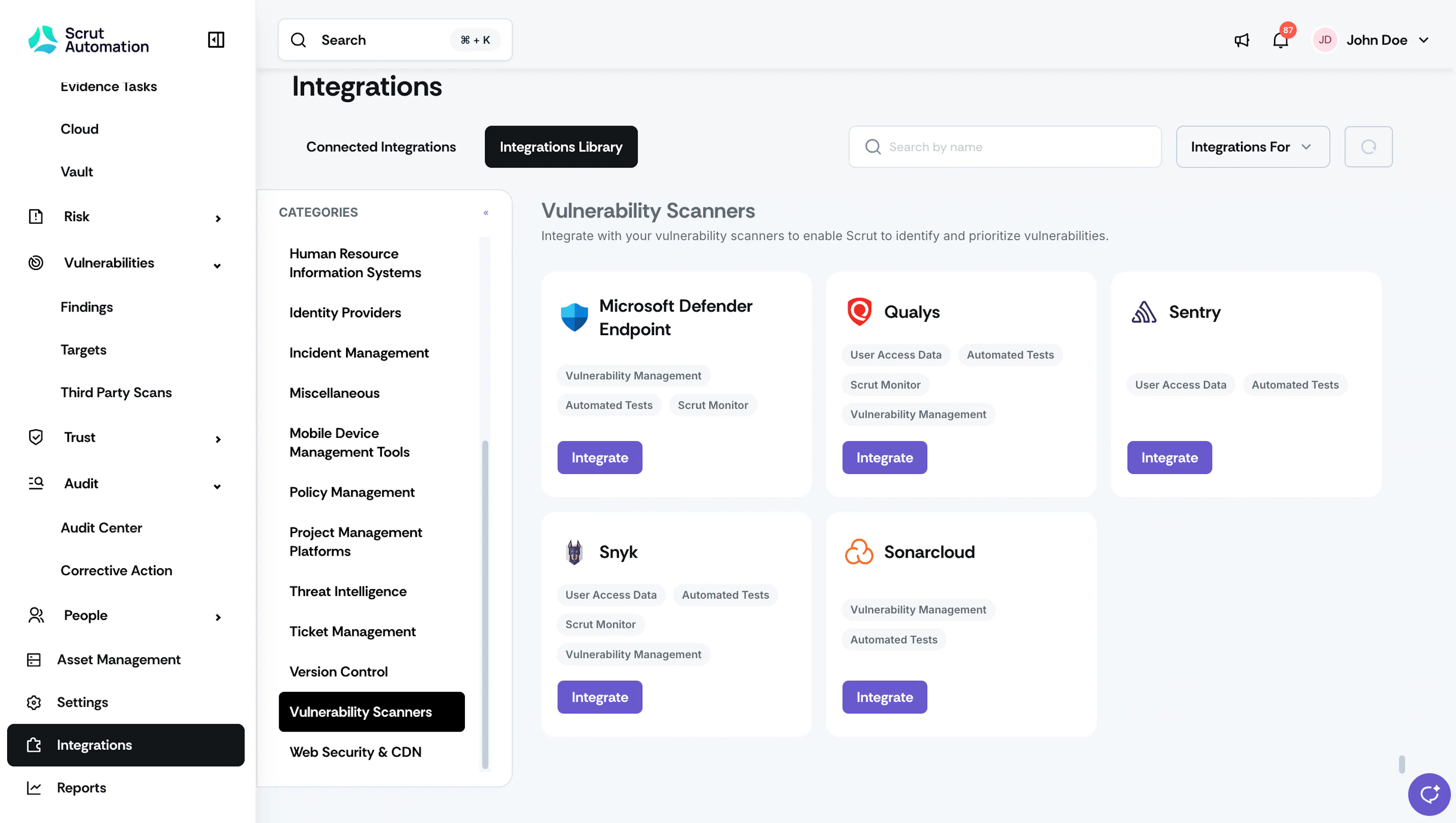
- Click Integrations on the left navigation panel in Scrut.
- Search for your desired security tool (AWS, GitHub, MS Defender Endpoint, Qualys, SentinelOne, Snyk, SonarCloud)
- Follow the integration setup process for your chosen tool. Refer to these step-by-step integration guides for more information.
Step 2: Access Third-Party Scan Results
Once the integrations are done and the data sync is completed:
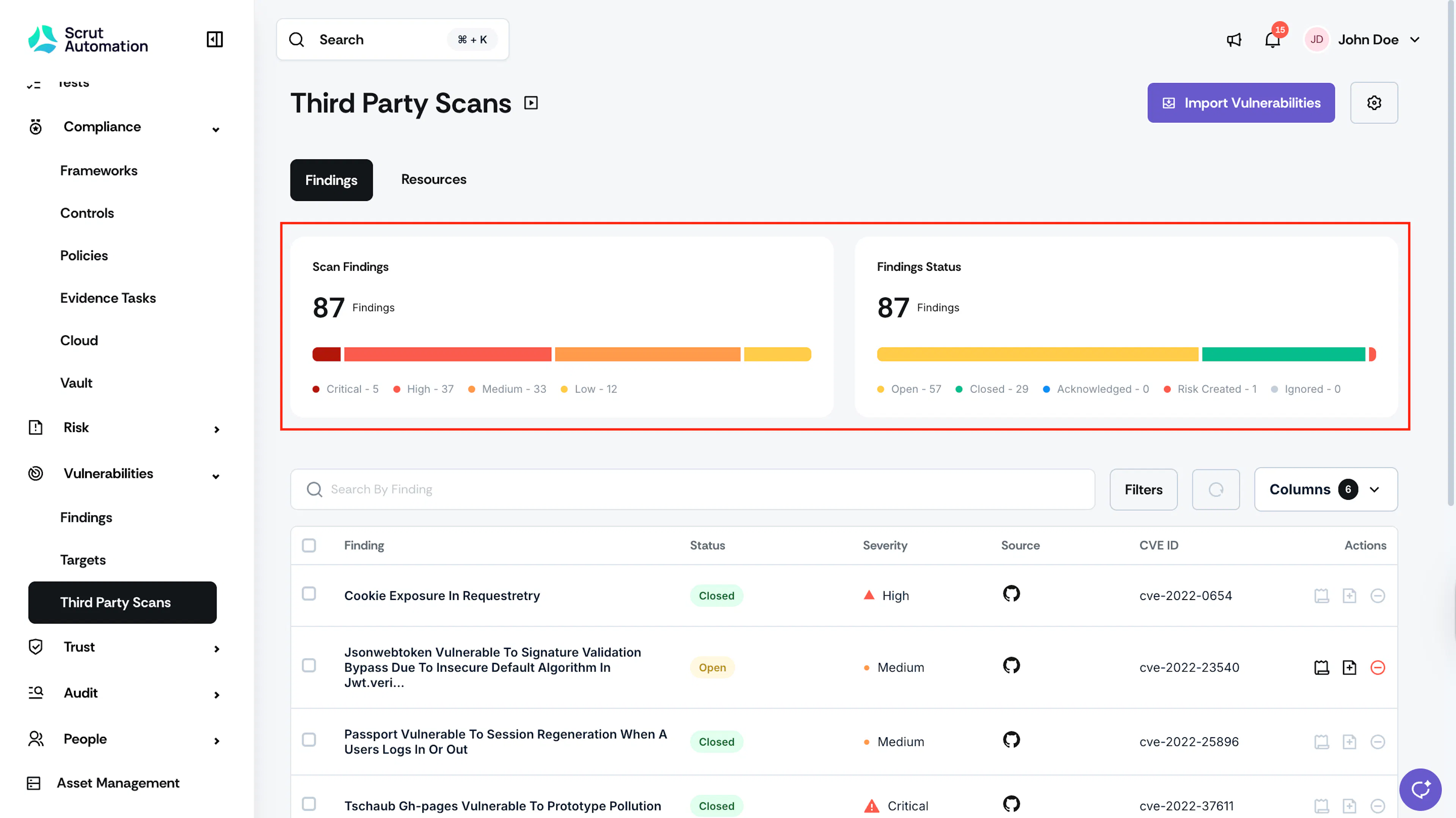
- Go to Vulnerabilities → Third Party Scans.
- Scrut will automatically fetch and list the vulnerabilities identified by your integrated tools in the table on this page.
Was this page helpful?