

Integrate Snyk
To populate the vulnerabilities, Scrut needs to be integrated with Snyk.
How To Integrate Snyk with Scrut
-
Sign in to Scrut and click Integrations on the left navigation panel.
-
Navigate to the Integrations Library tab and choose Vulnerability Scanners in the Categories section.
-
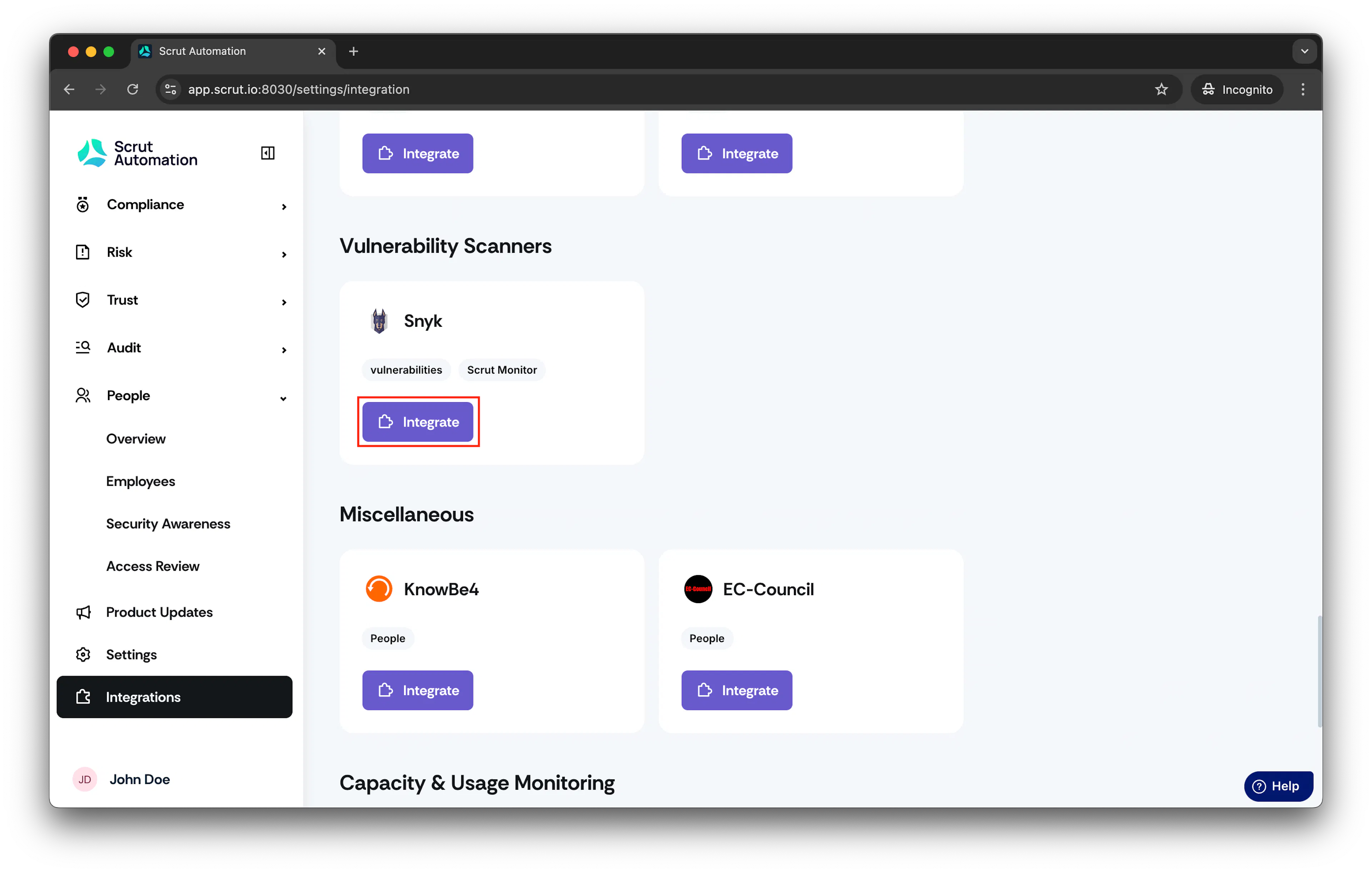
Scroll to the Snyk tile and click Integrate.
-
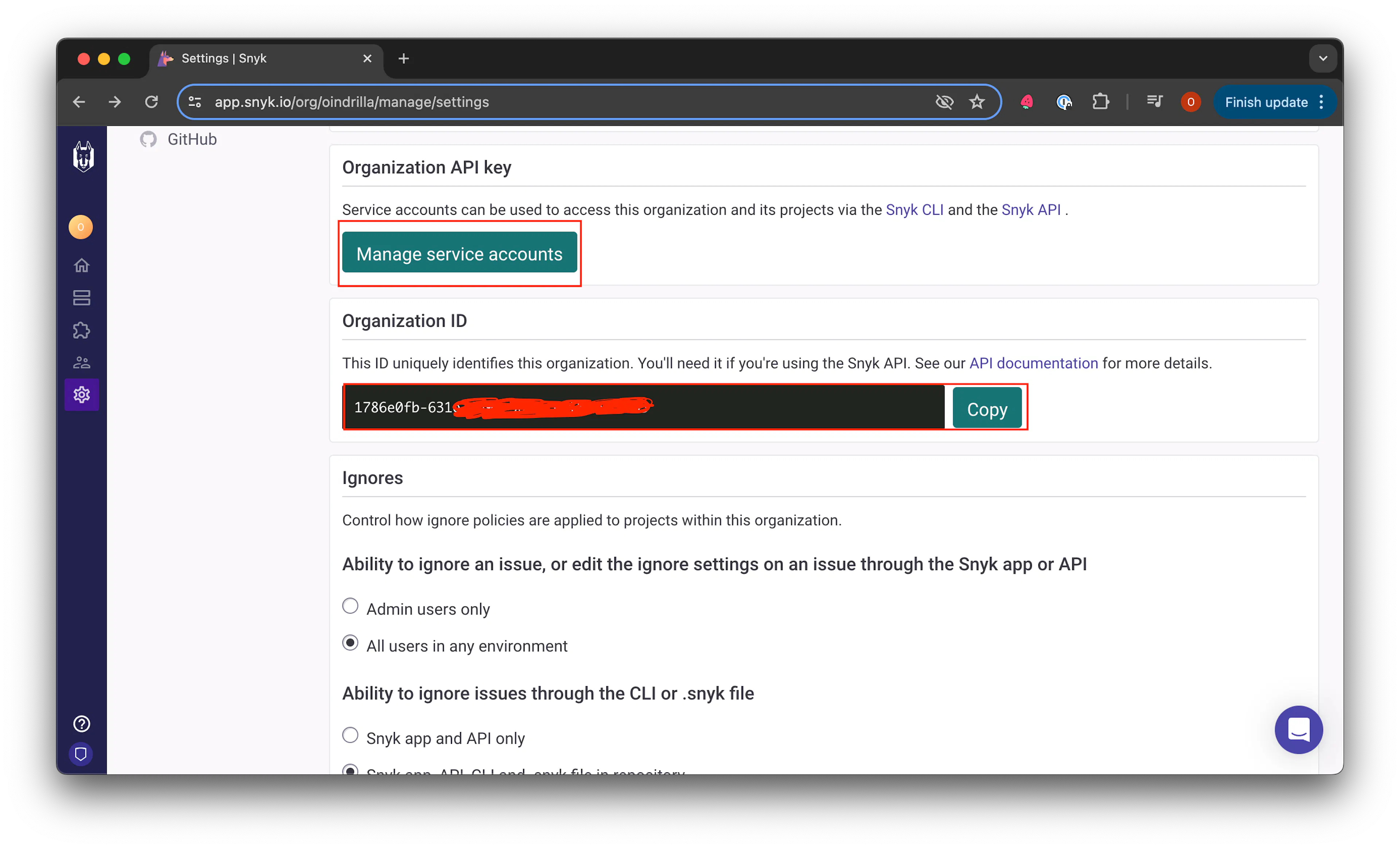
Open your Snyk account, navigate to Settings, and then select General.
-
Copy the Organization ID.
-
Generate the API Key by clicking on Manage Service Accounts.
-
Paste the credentials in your Scrut Integration Page.
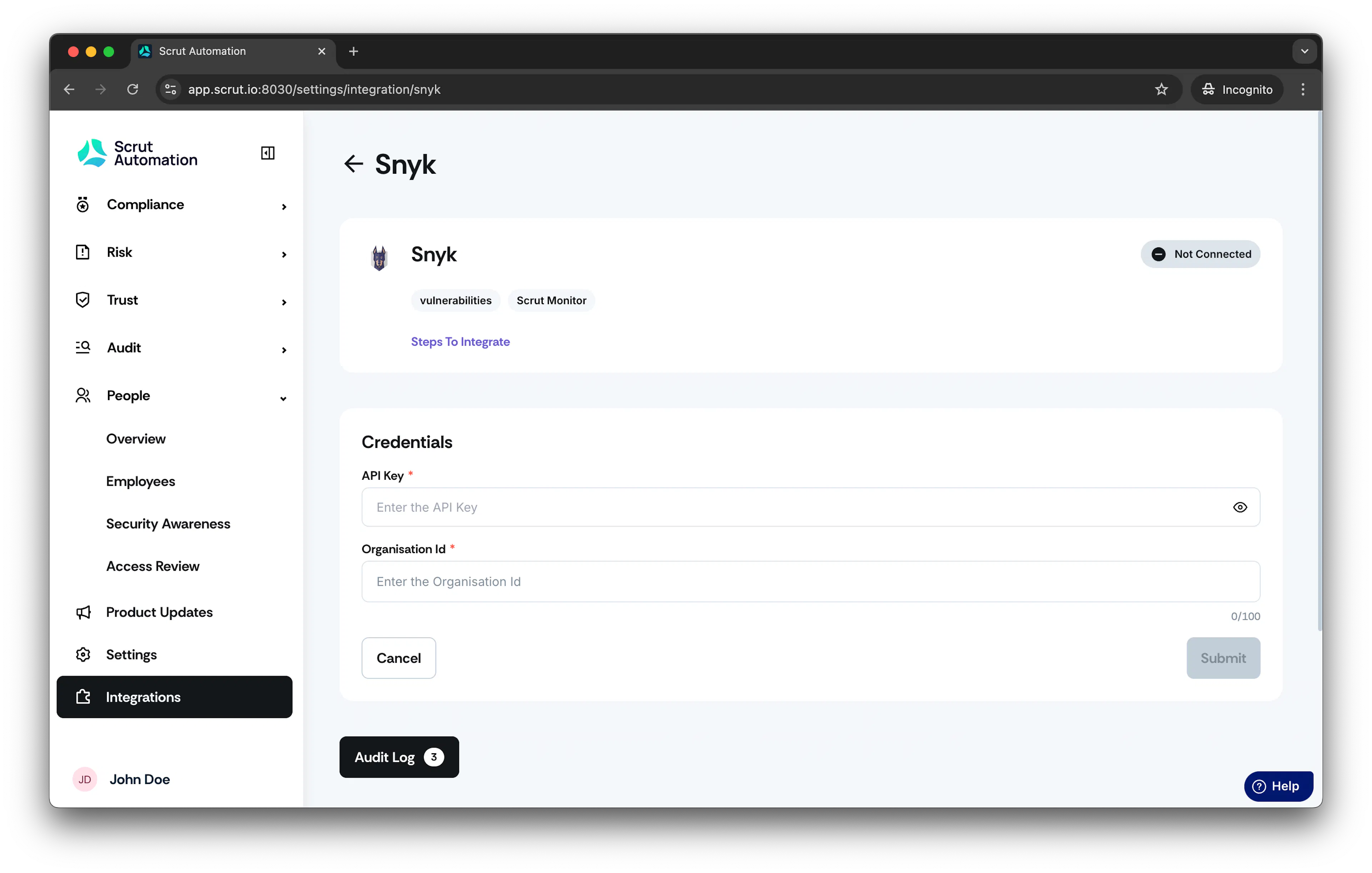
- Click Connect.
- Integration is successful!
Was this page helpful?