

Integrate Aikido
Learn how to integrate your Aikido account with Scrut.
What Does This Integration Do in Scrut?
- Vulnerability Management: This integration imports vulnerability data from Aikido into Scrut's Third-Party Scans page, enabling you to track, assign, and remediate vulnerabilities directly in Scrut.
Prerequisites
Before setting up the integration, ensure you have:
- An active Aikido account with permissions to create an API client
- Admin access to Scrut (or Contributor with access to the Integration module)
Permissions and Access Requirements
Scrut requires the following permissions in your Aikido instance:
- users: read
- repositories: read
- issues: read
Sync Frequency
Data syncs automatically every 24 hours. You can also manually trigger a sync from the integration settings page when needed.
Integration Setup
Step 1: Generate API Client Credentials in Aikido
-
Log in to your Aikido account.
-
Navigate to Settings → Integrations or click Integrations on the left nav bar.
-
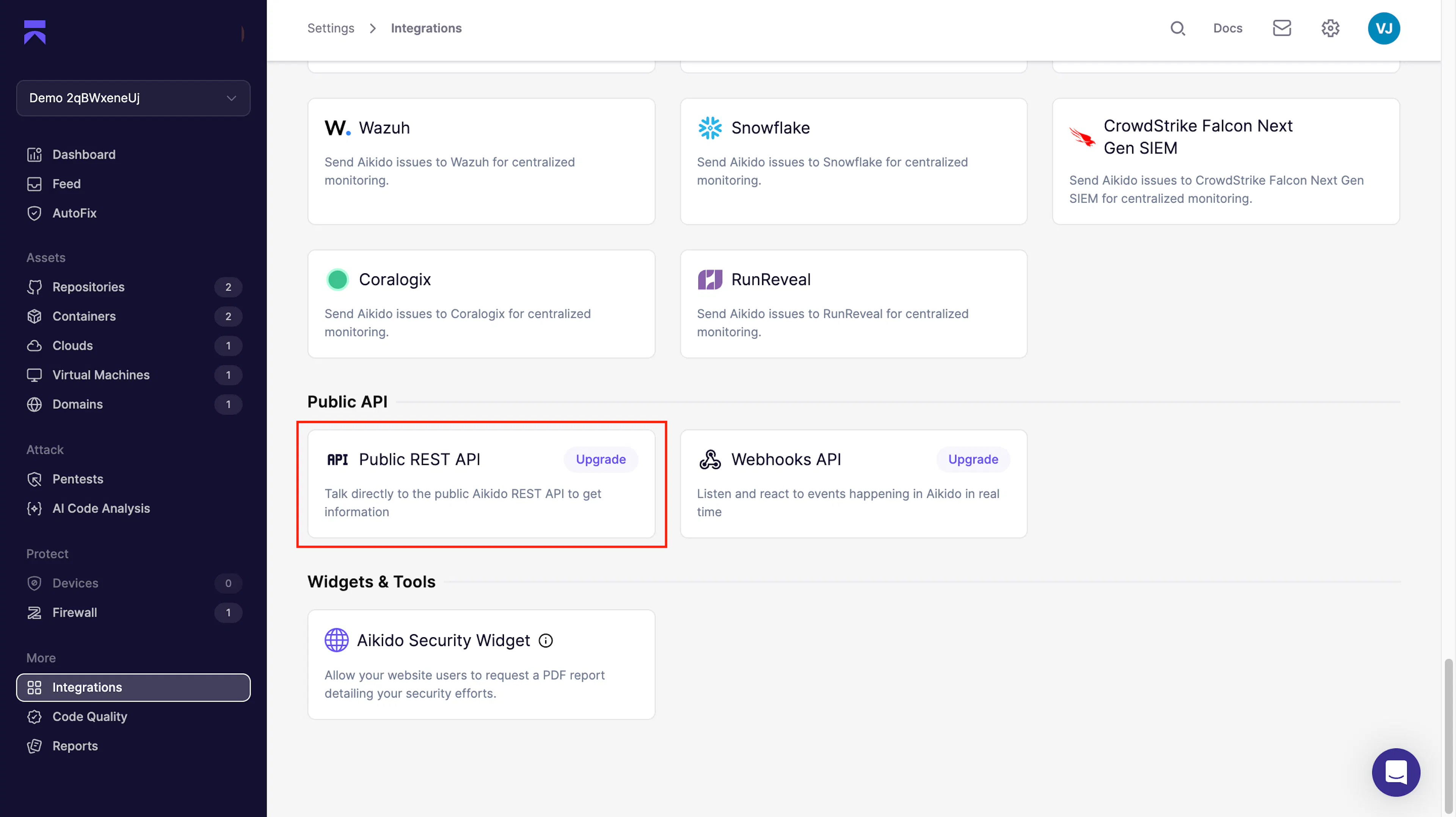
Under Public API, find the Public REST API card and click it.
-
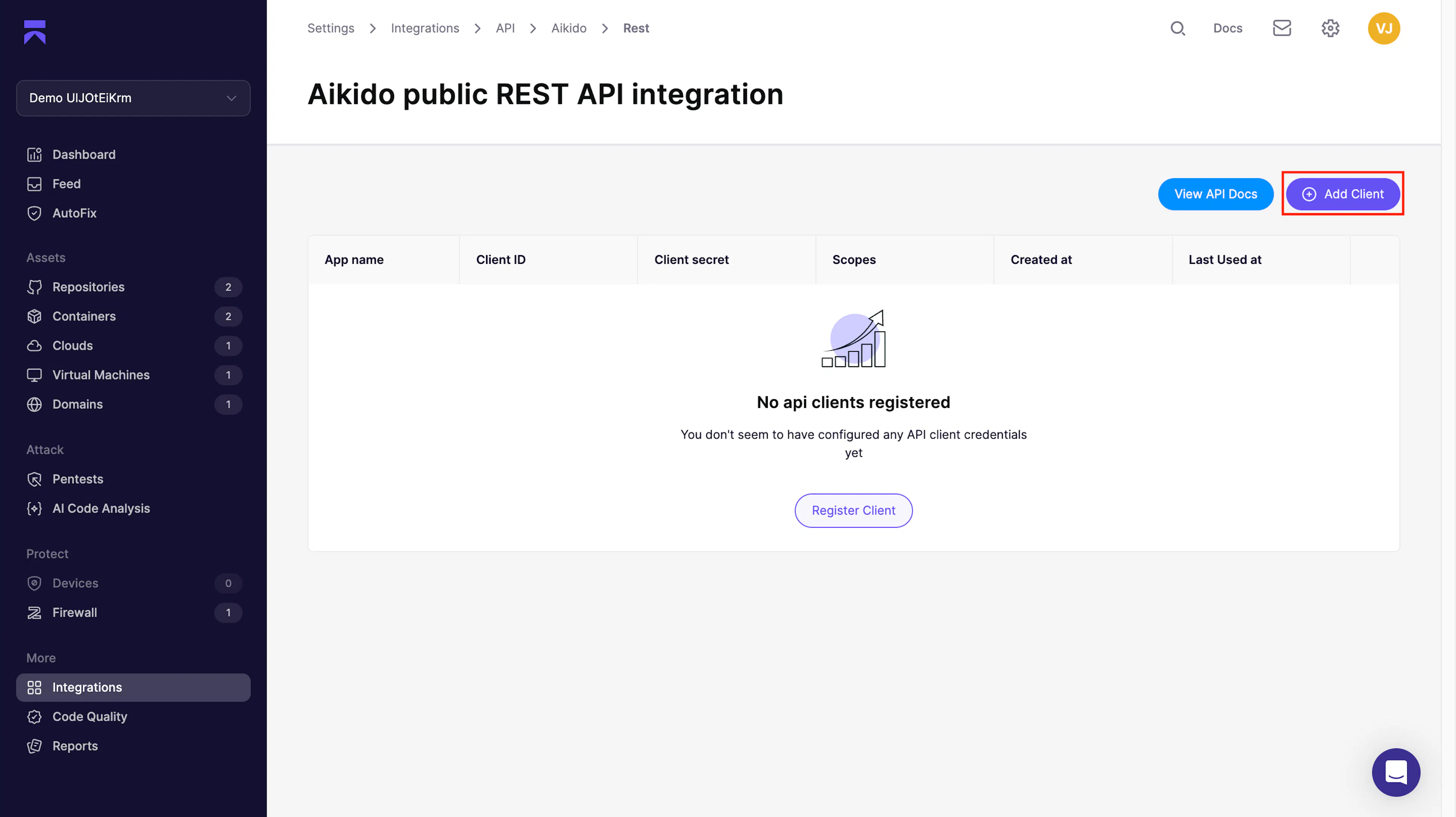
On the Aikido public REST API integration page, click Add Client.
-
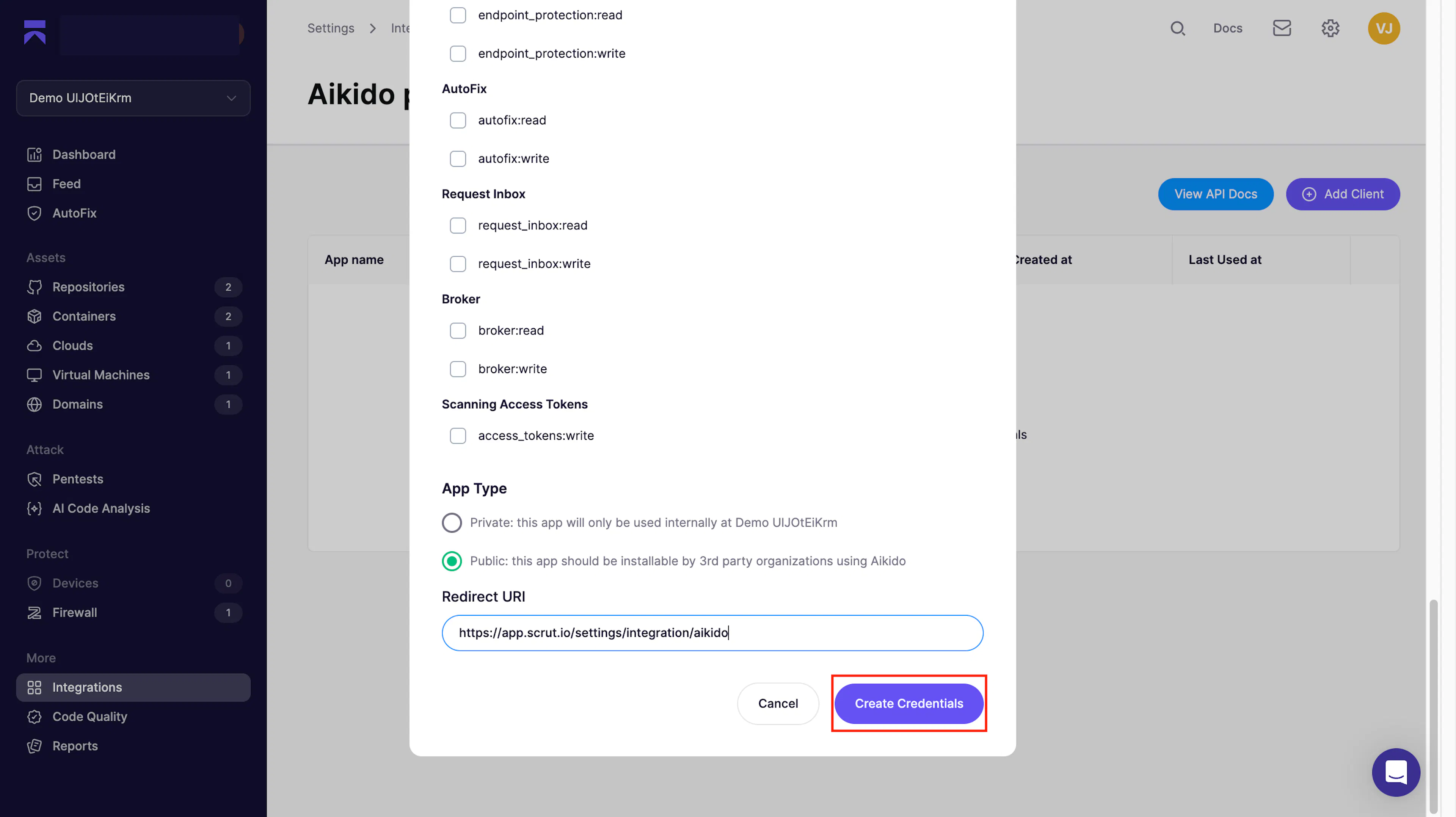
In the Create API client credentials dialog, enter an app name. For example, Scrut Integration.
-
Under Select the scopes for the credentials, select the following read-only scopes for the application:
- users: read
- repositories: read
- issues: read
-
Under App Type, select Public; this app should be installable by 3rd-party organizations using Aikido.
-
In the Redirect URI field, enter the appropriate URL based on your Scrut instance region.
-
Click Create Credentials.
-
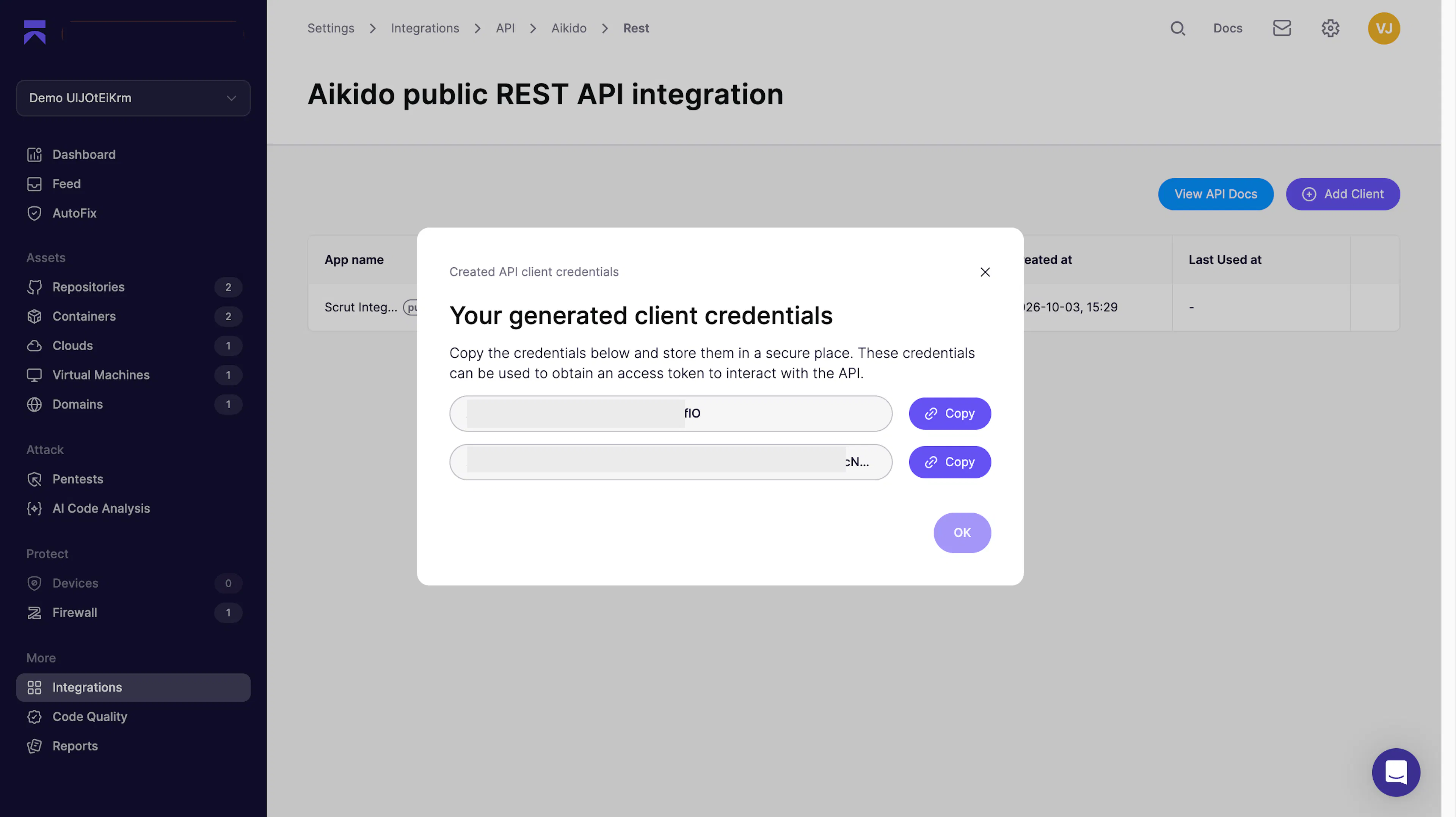
Copy the Client ID and Client Secret shown in the dialog and store them somewhere secure.
Important: Aikido displays the client secret only once. You cannot retrieve it after you close this dialog, so copy it before clicking OK.
Step 2: Add the Credentials in Scrut
- Log in to your Scrut account.
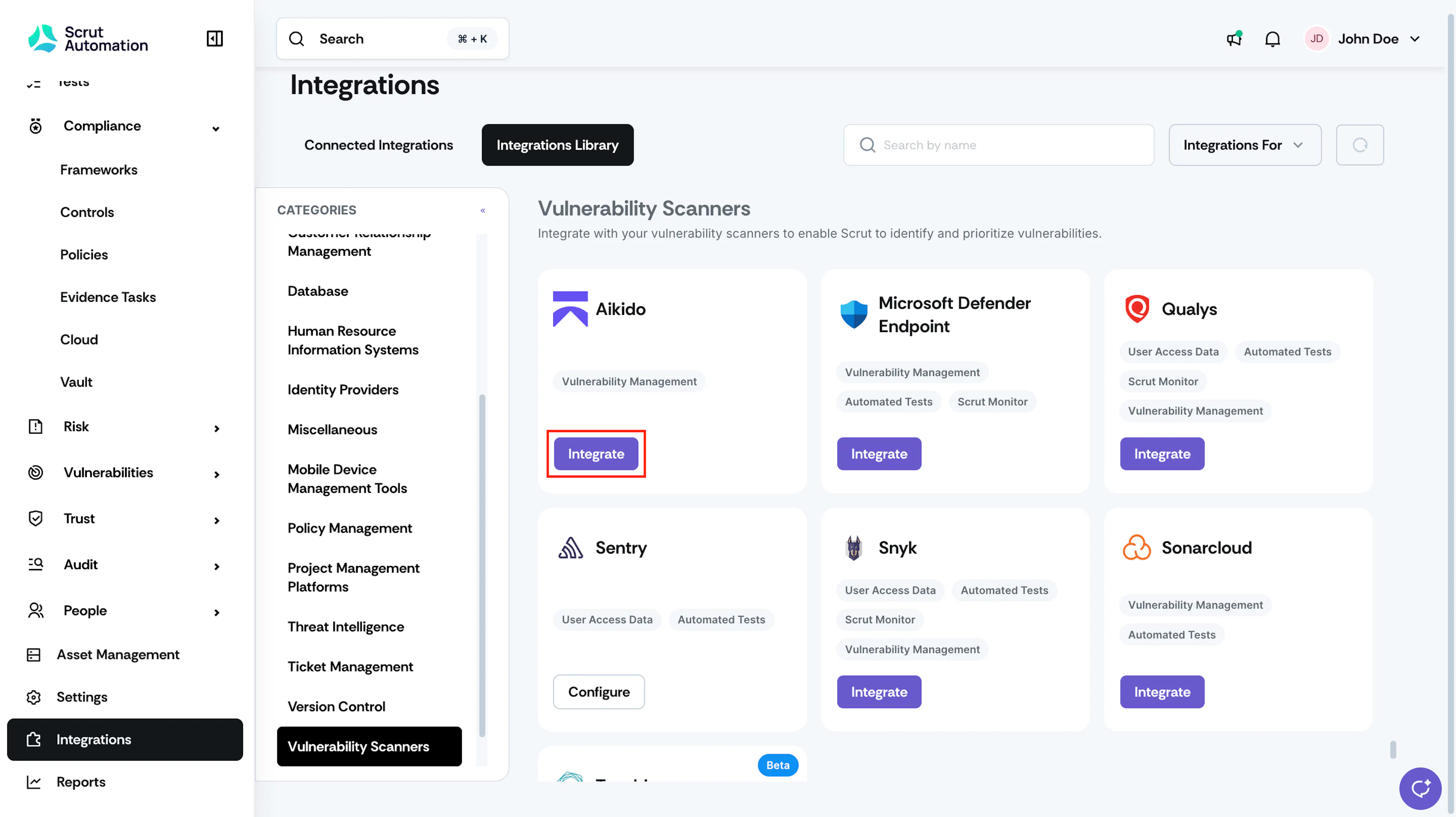
- Navigate to Integrations → Integrations Library.
- Under the Vulnerability Scanners category, find the Aikido card and click Integrate.
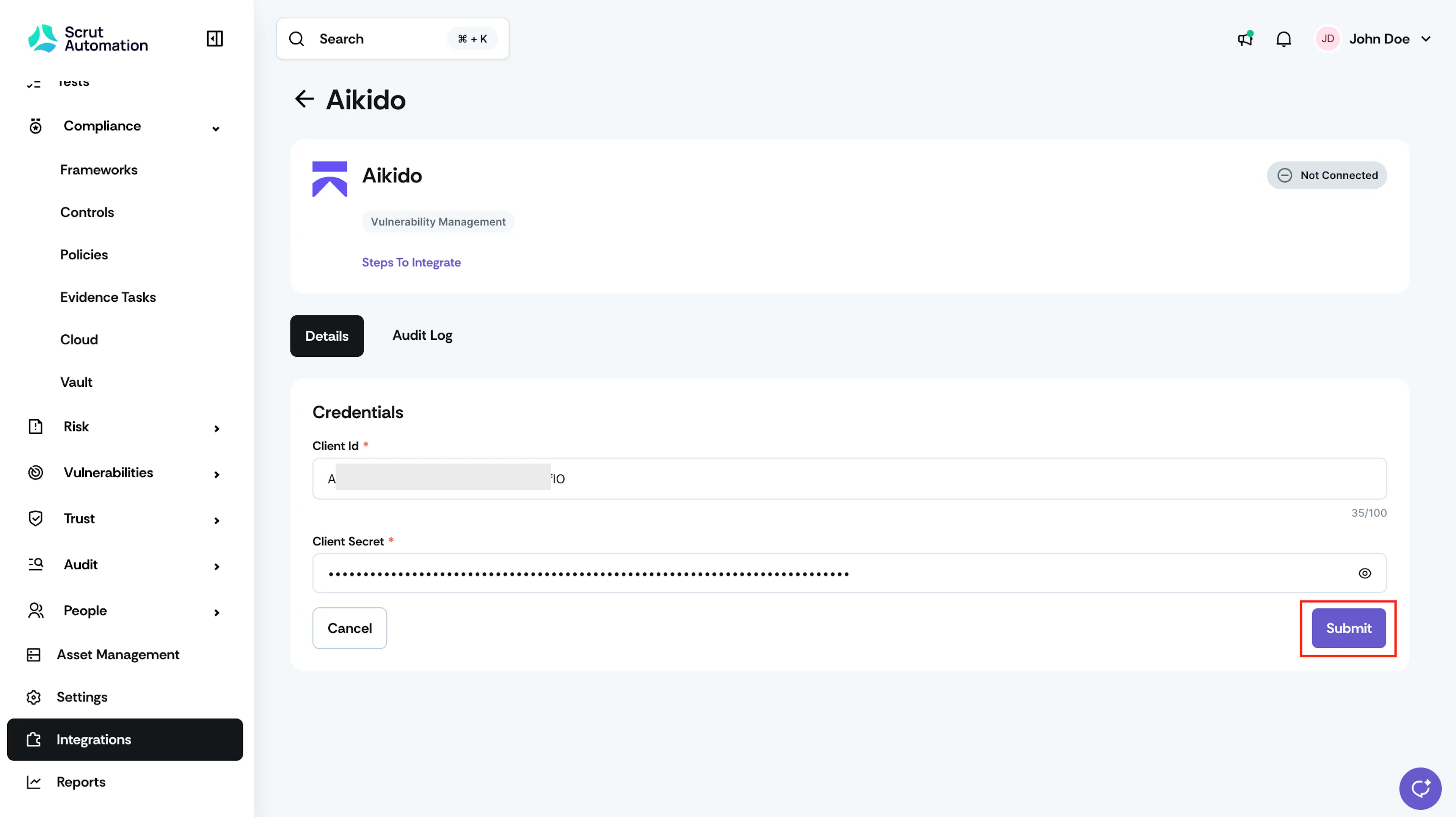
- On the Aikido integration page, under Credentials, paste the Client ID and Client Secret you copied from Aikido.
- Click Submit.
Step 3: Authorize Scrut in Aikido
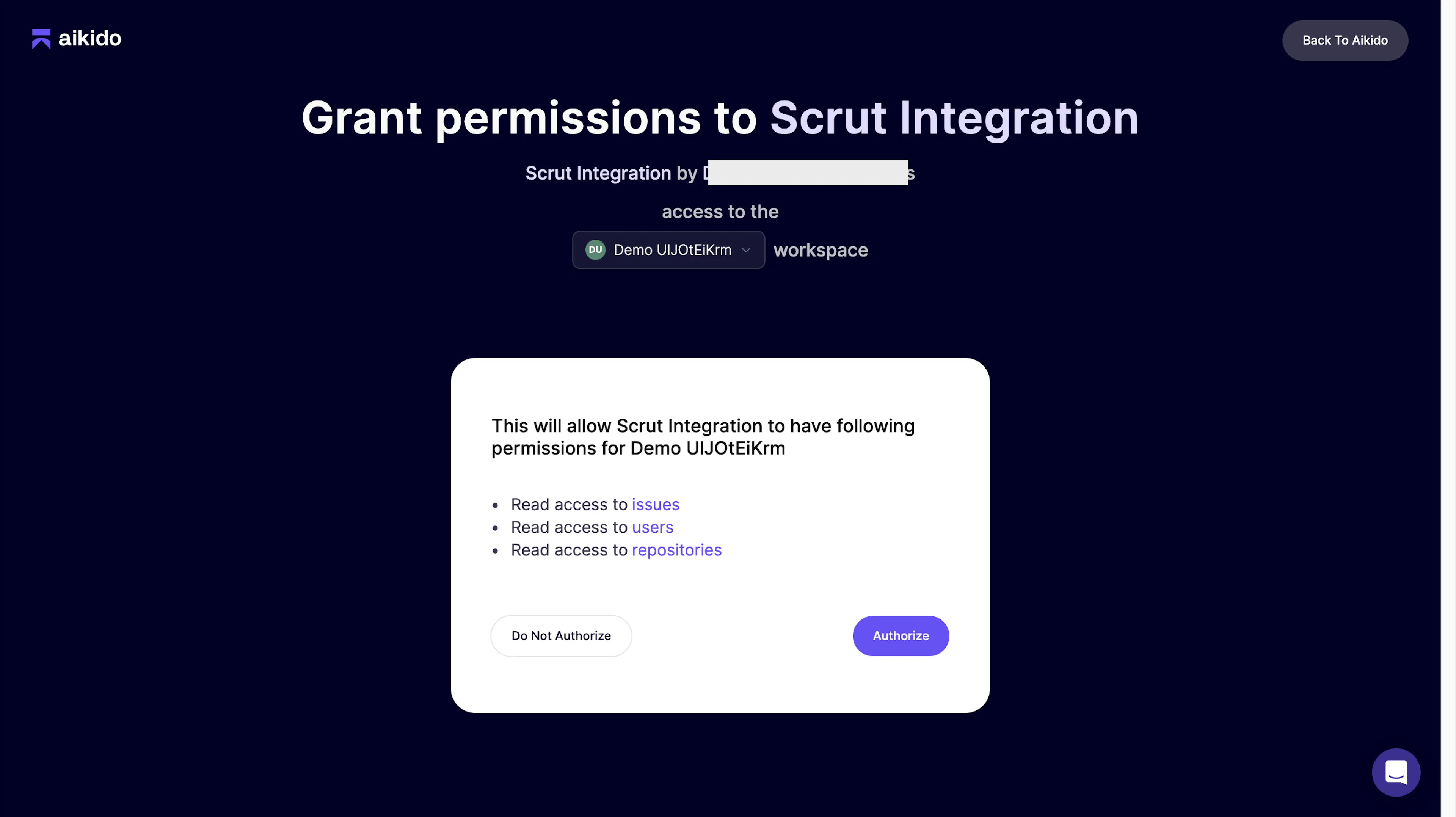
- Scrut redirects you to the Grant permissions to Scrut Integration page in Aikido.
- Confirm that the correct workspace is selected in the workspace dropdown.
- Review the permissions Scrut requests, then click Authorize to complete the connection.
- Watch for the connection success notification.
What Happens Next?
Initial sync
After integration, Scrut immediately starts syncing data from your Aikido instance. However, the initial sync may take several minutes, depending on the volume of data in your Aikido instance.
View synced vulnerabilities in Scrut
Once the initial sync is over,
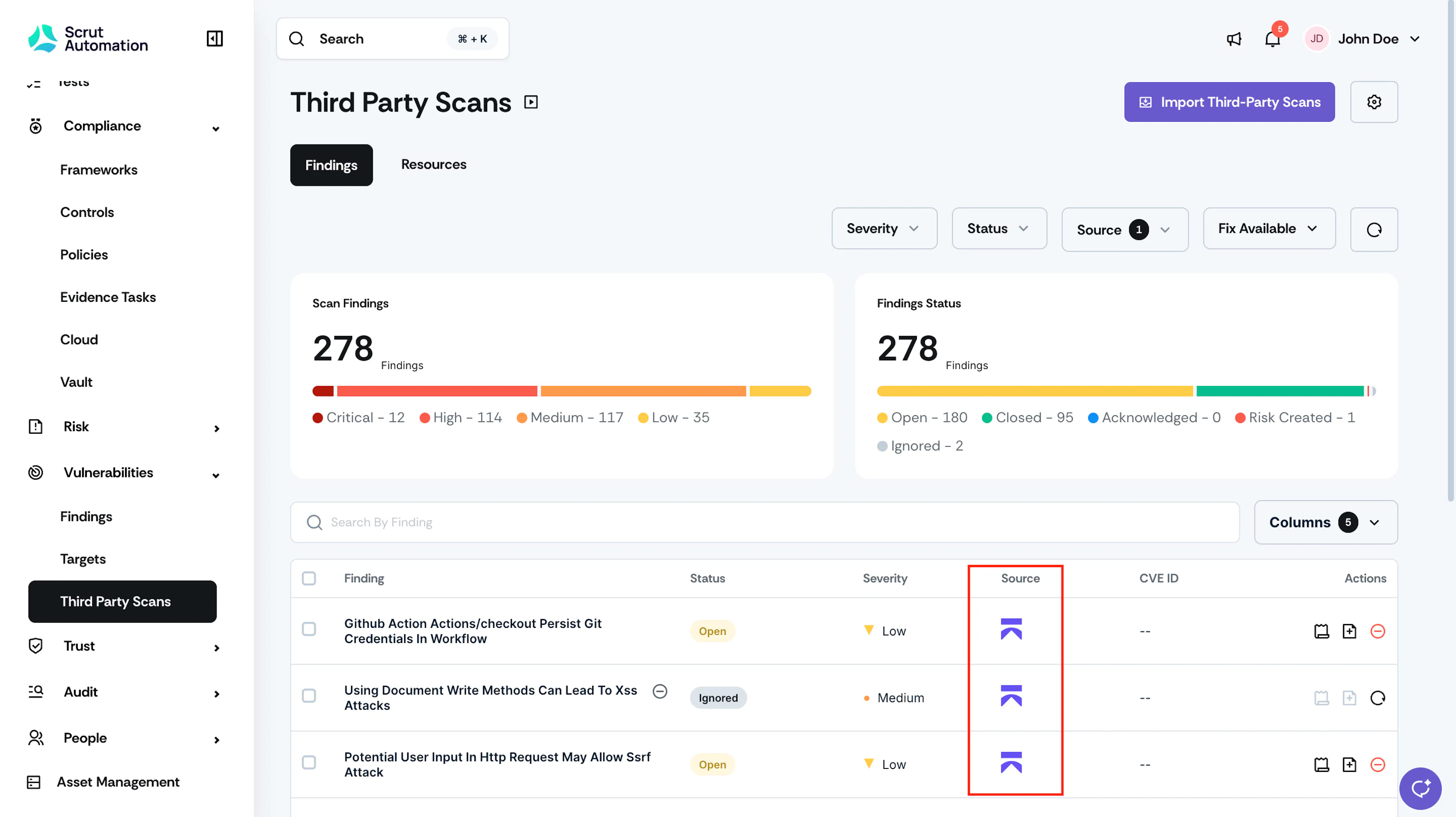
- In Scrut, navigate to Vulnerabilities → Third-Party Scans.
- Filter the data by Source: Aikido.
- Confirm whether vulnerabilities are listed with names, severities, CVEs (where applicable), and affected assets.
Troubleshooting
If you have any issues connecting Aikido with Scrut, contact our support team at support@scrut.io.