

Assign and Manage Integration Owners
Who can use this feature
- Supported on Foundation, Growth, and Scale plans
An integration owner connects, sets up, and manages an integration in Scrut. When you assign someone as an integration owner:
- They get access to Scrut (if not already a user).
- If the integration isn't connected, the owner is notified to finish setup in Task Center → My Tasks.
- Connection and sync alerts go to owners. If there is no owner, all admins get alerts.
- When you start an access review, the owner is set as the reviewer for that app by default.
An integration can have more than one owner. Owners don't restrict anyone else: other users with access to the Integrations module can still configure the integration.
Assign Owners to Multiple Integrations
Use Manage Owners to assign owners to several integrations at once, including integrations that aren't connected yet.
- Navigate to Integrations.
- Click Manage Owners.
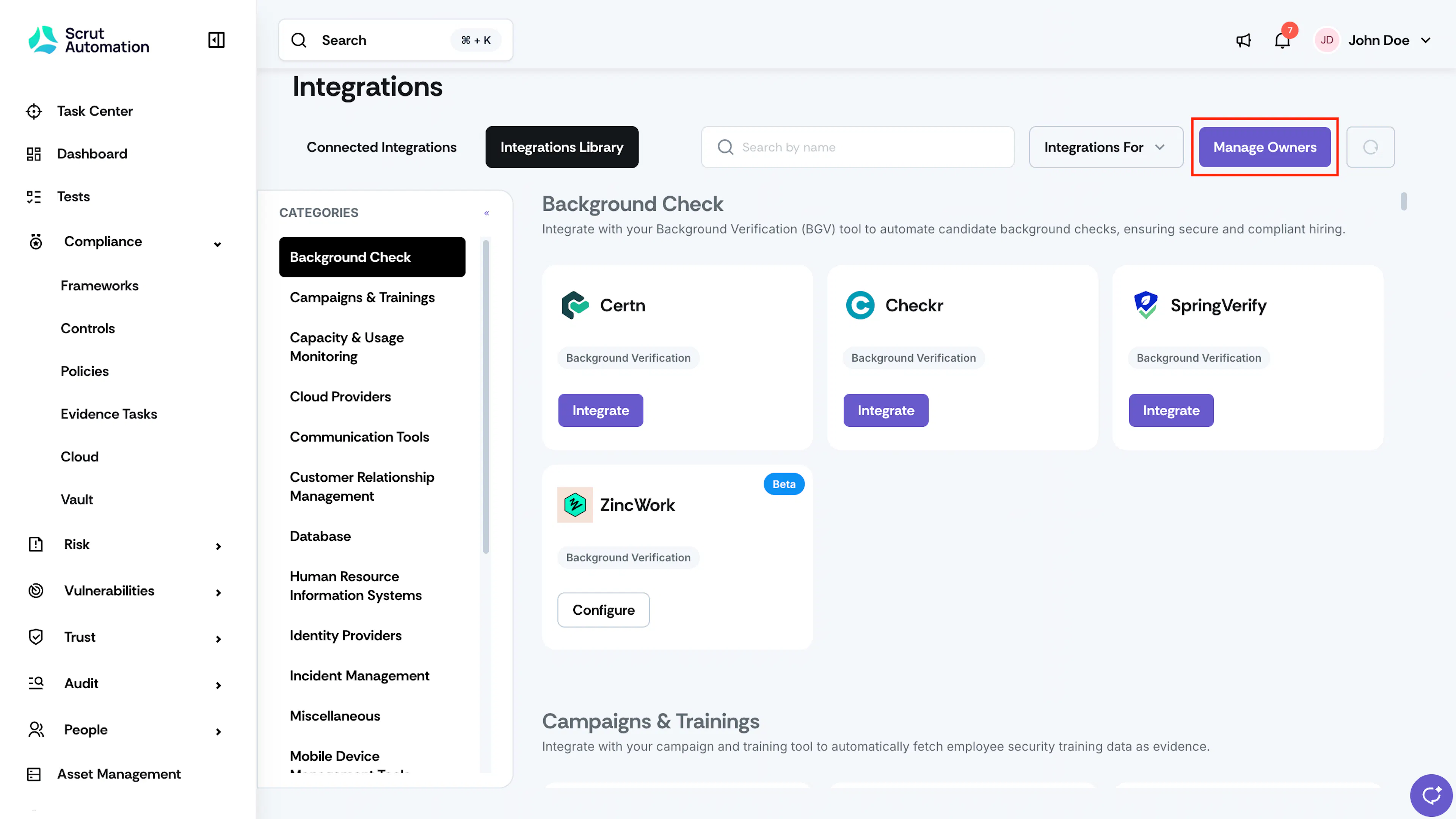
Integration Manage Owners - In the Assign Integration Owners window, go to the card for the integration you want to assign.
- Search for an existing user or add a new user.
- Repeat steps 3 to 5 for each integration.
- Click Assign Owners.
- Click Select Integrations to add owners for other integrations that are not yet connected.
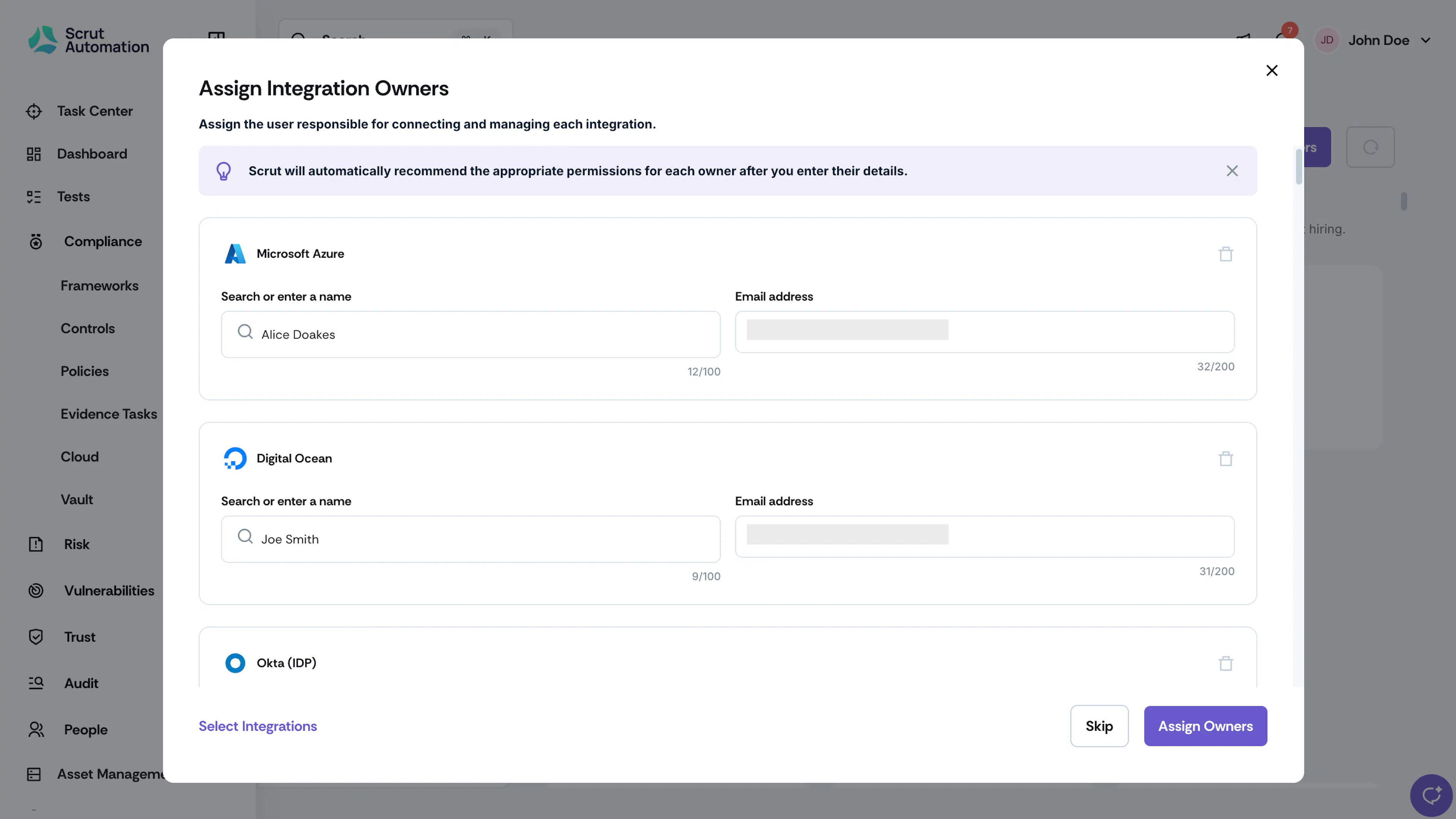
Integration Assign Owners
Edit Owners for a Connected Integration
- Navigate to Integrations → Connected Integrations.
- Click Configure on the integration card.
- Next to Owner, click the edit icon.
- Remove an existing owner, or add new owners as needed.
- Click Save.
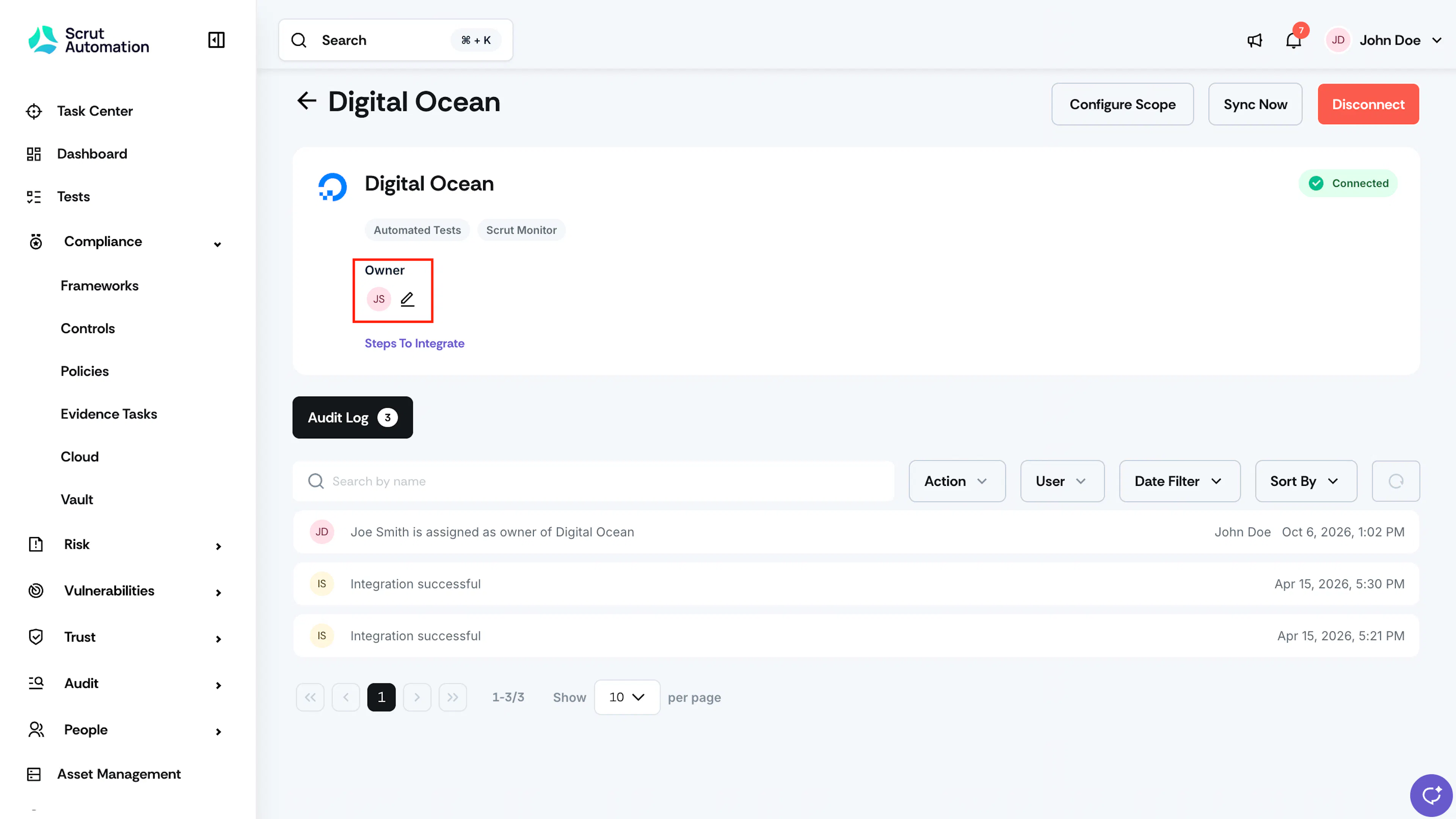
Integration Edit Owners
FAQs
Contact support@scrut.io or your CSM for further assistance.
Was this page helpful?