

Access Policy Settings
-
Sign in to Scrut, click Compliance → Policies on the left navigation panel.
-
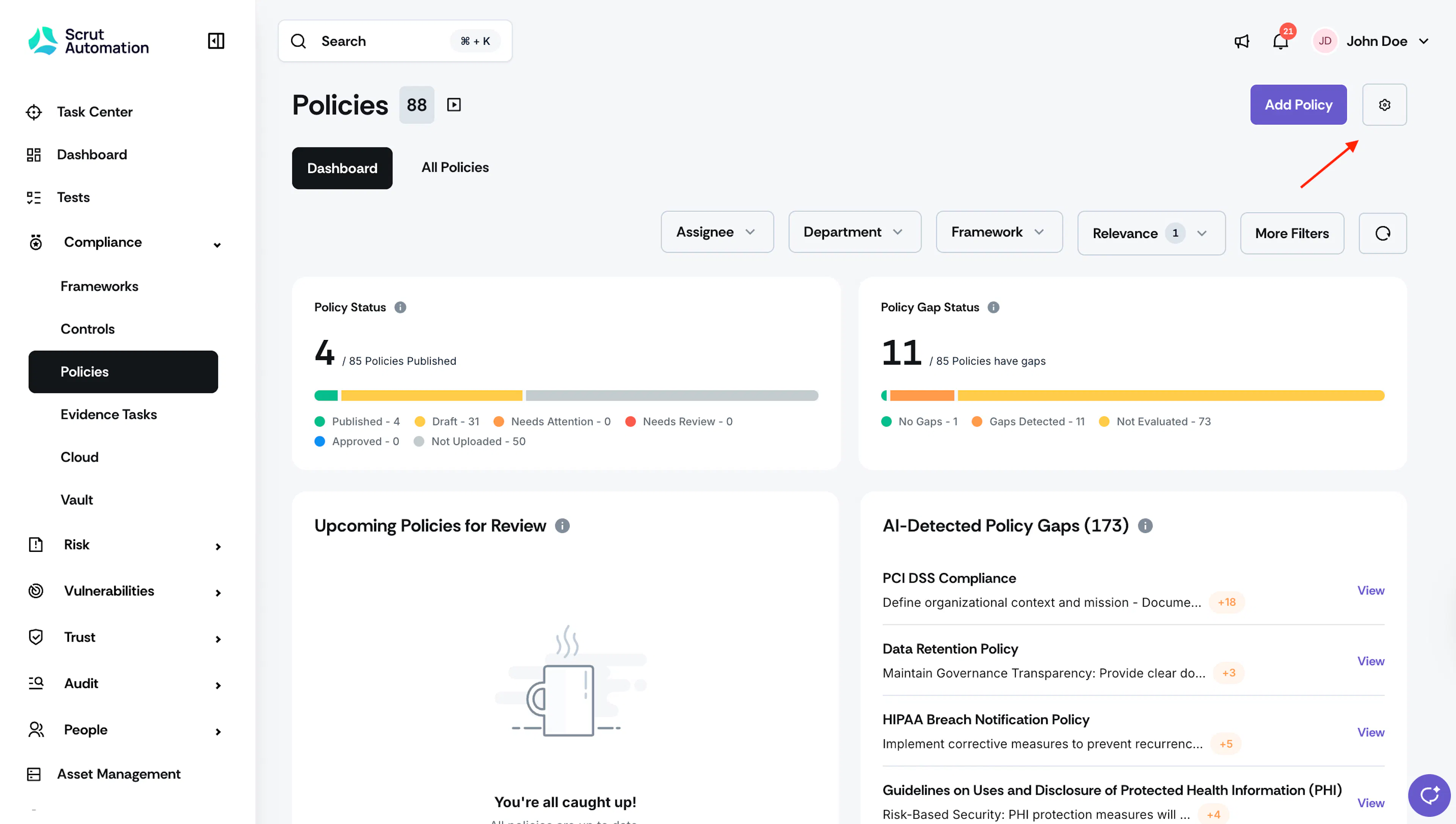
Click the Settings icon on the top-right of the Policy module.

-
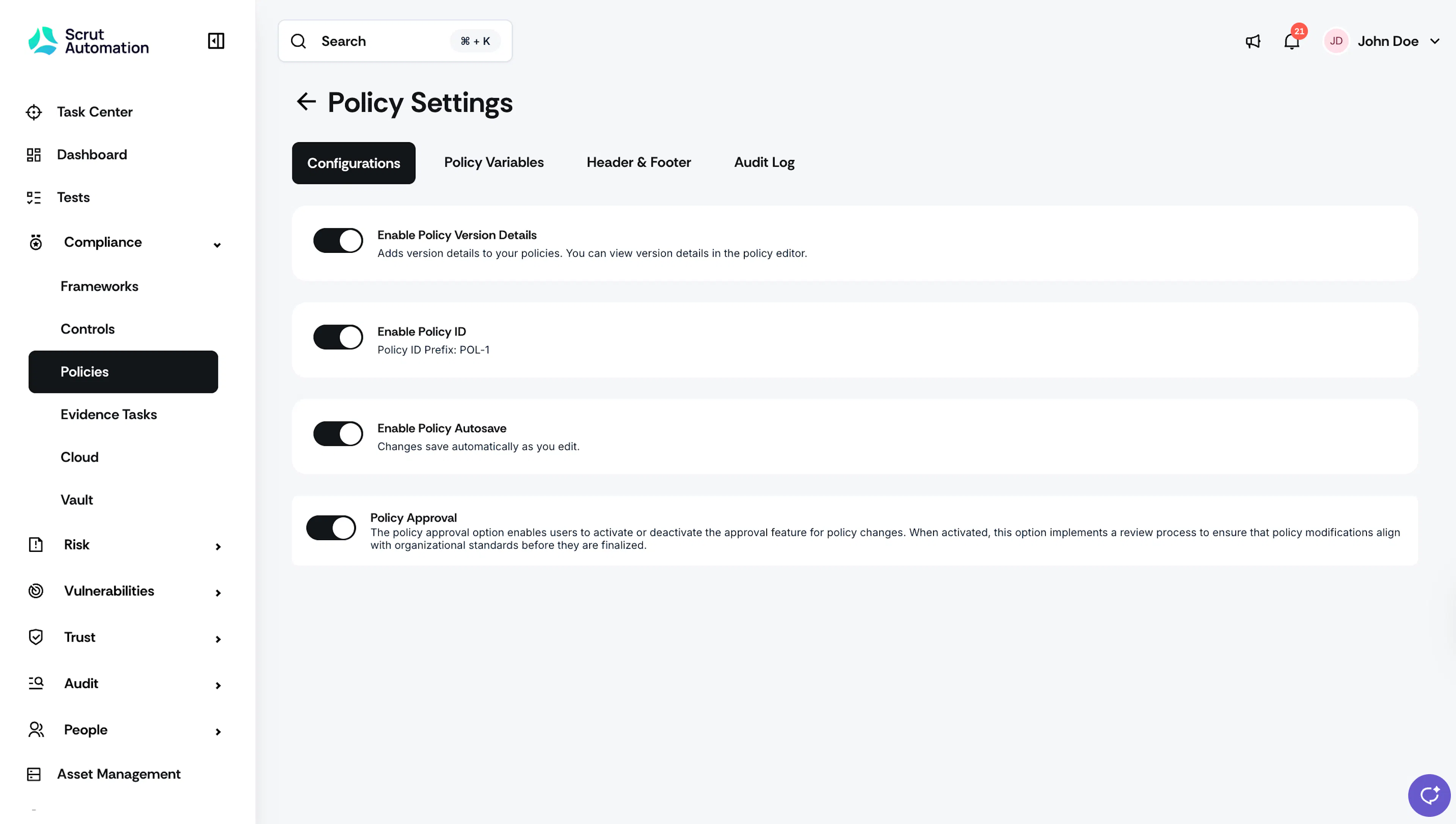
This brings you to the Policy Settings page, where you can configure policy settings as required.
Audit Log
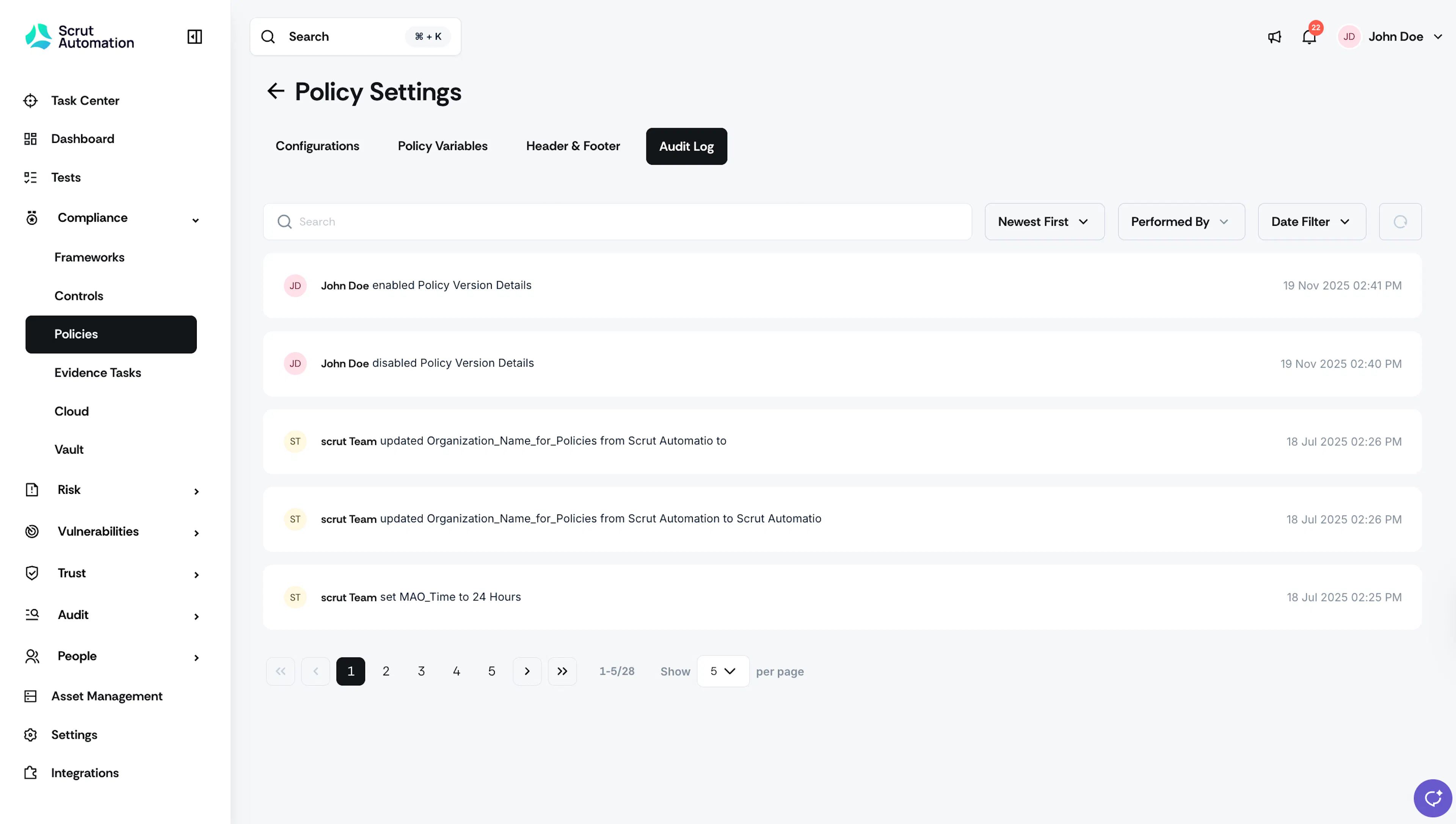
The Audit Log in the Policy Settings page captures all user actions related to policy settings.
Was this page helpful?