

Delete a User
Permanently remove a user from Scrut.
Who can use this feature
- Supported on Foundation, Growth, and Scale plans
Delete a user to remove them from Scrut permanently. You can only delete a user after you deactivate them.
Important: Deleting a user is permanent. You can't undo it or reactivate the user. Their account, associated data, access, and task assignments are permanently removed. To remove a user's access for a while instead, deactivate them.
Before You Start
- Deactivate the user.
- Reassign their open tasks to an active user, so their work isn't left without an owner.
Delete a User
- Navigate to Settings → Manage Users & Roles.
- On the Users tab, click the delete icon in the Actions column for the deactivated user.
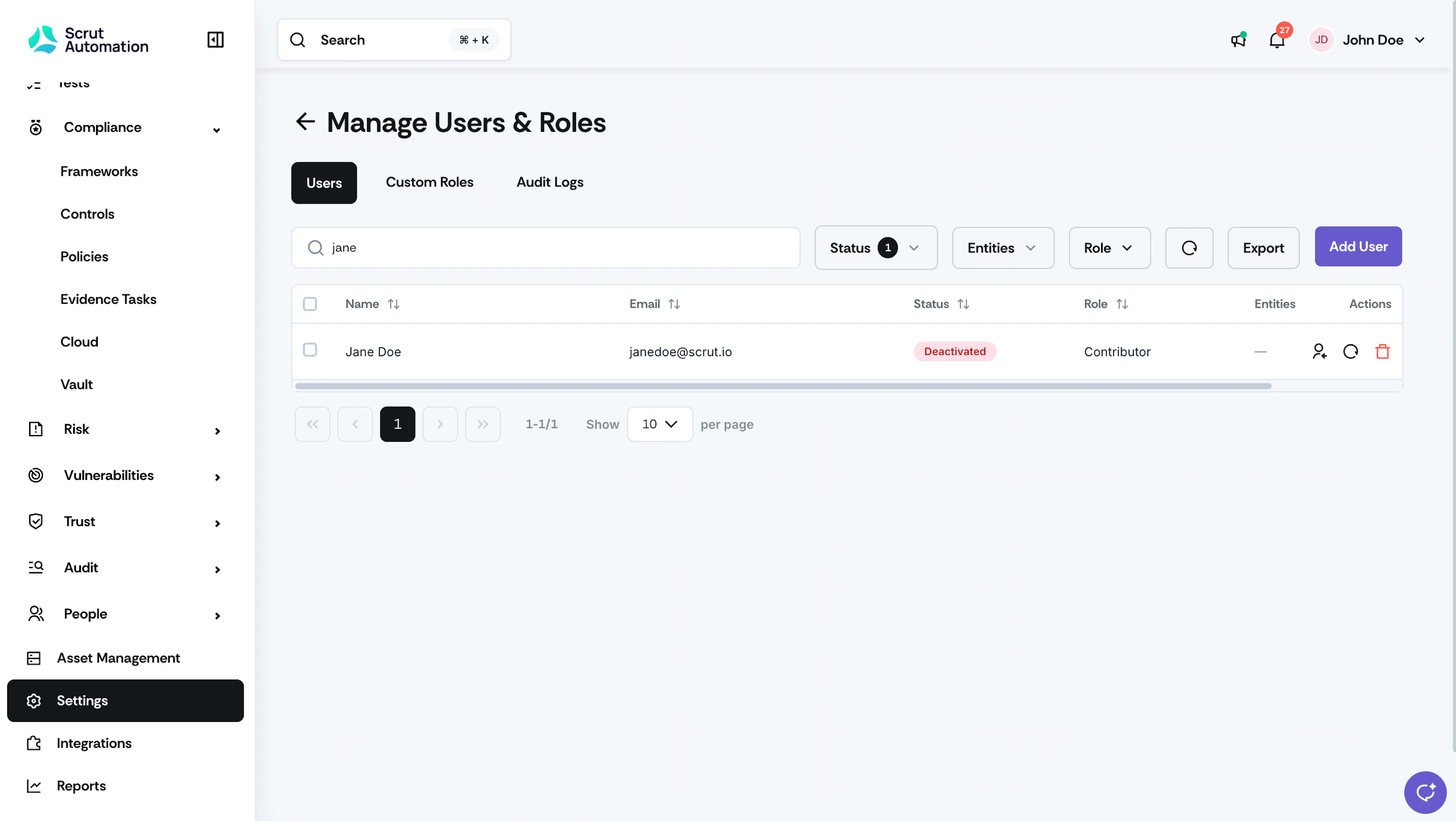
Delete icon for a deactivated user - Enter Delete in the Type Delete to Confirm field.
- Click Delete User.
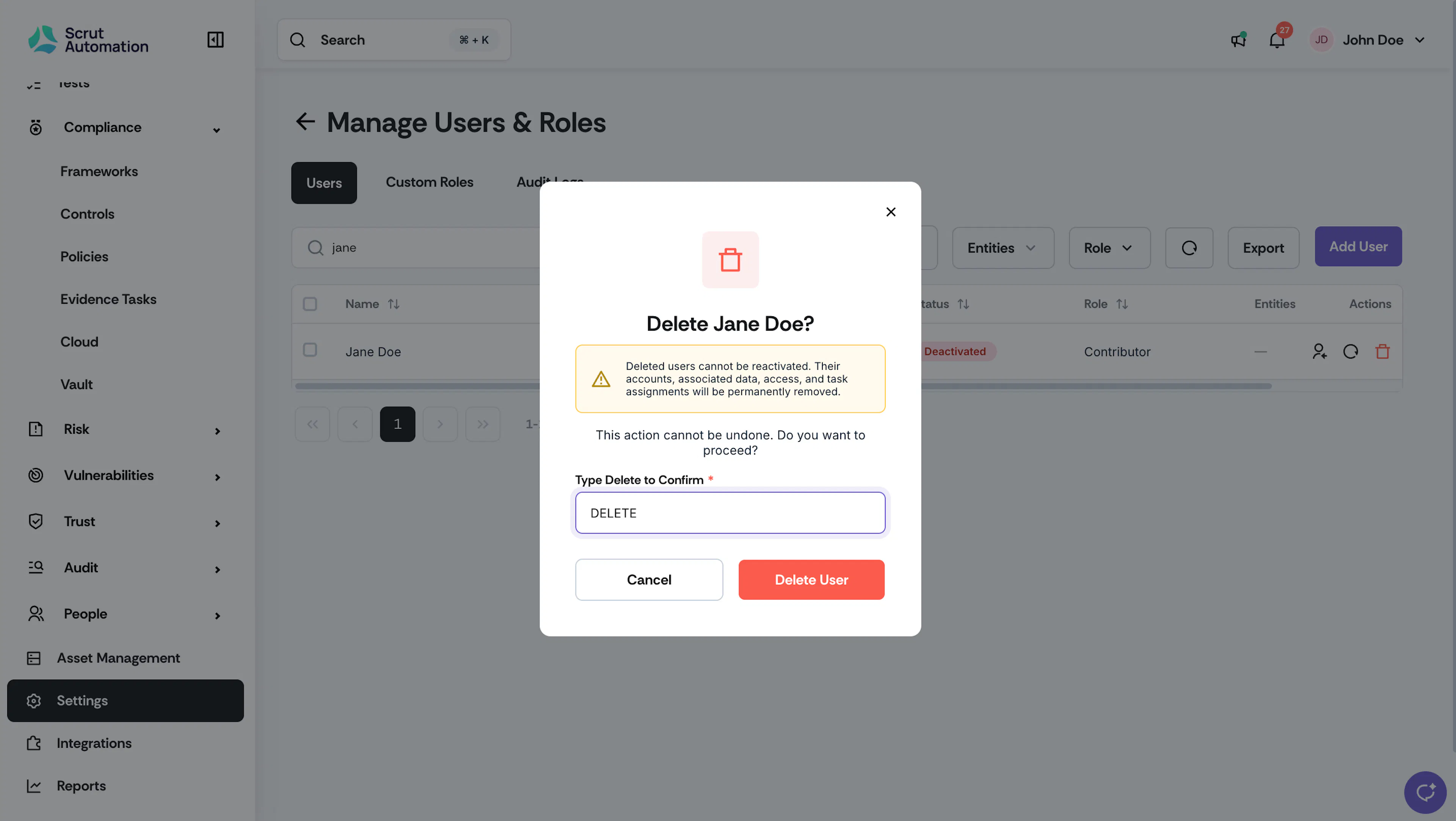
Delete user confirmation with Type Delete to Confirm field
The user is removed from the Users tab.
Contact support@scrut.io or your CSM for further assistance.
Was this page helpful?