

Understand Evidence Statuses
Each evidence task in Scrut moves through a set of statuses during its lifecycle. Understanding these statuses helps you stay on top of compliance tasks and take the right action at the right time.
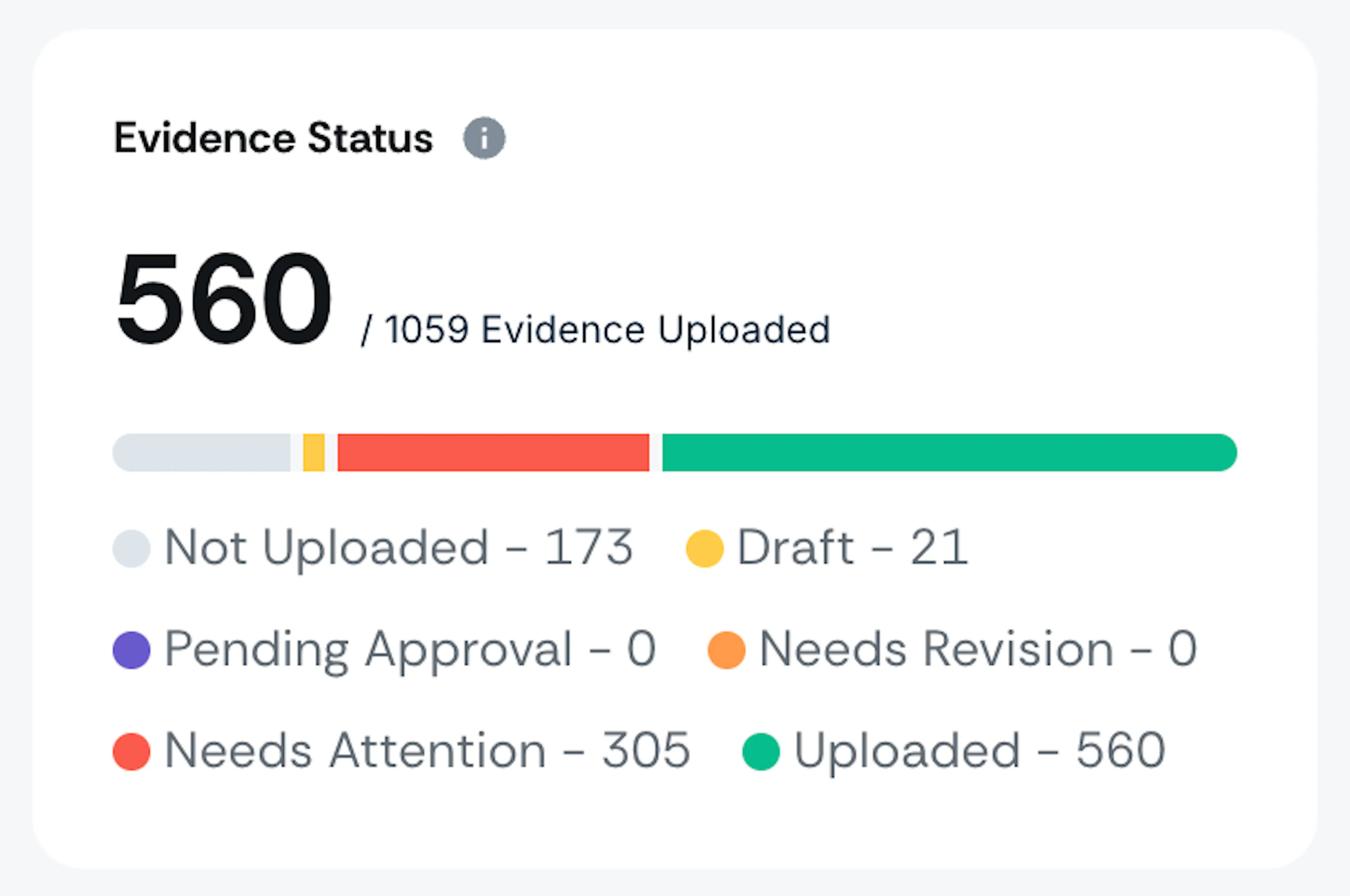
Evidence Statuses
| Status | Definition | Who takes action? |
|---|---|---|
| Not Uploaded | No attachments have been added to this task for any period (current or past). | Assignee |
| Draft | Attachment added for the current period. • Attachments may or may not exist for older periods. • Note: Attachments from earlier periods don’t have any effect on the Draft status. | Assignee |
| Pending Approval* | Evidence submitted and awaiting reviewer approval. | Approver |
| Needs Revision* | The approver has reviewed the submission and requested changes. You'll need to update the attachments and resubmit. | Assignee |
| Uploaded | The task is complete. An attachment has been added to the current period and marked as complete. | Assignee |
| Needs Attention | A task enters Needs Attention when the current period has no attachment, for one of two reasons: • Its Next Review Date has passed. This applies to tasks that reached Uploaded status, since a Next Review Date is set then. • It has no Next Review Date yet, and attachments exist only for older periods. This applies only to tasks that have never reached Uploaded status. | Assignee |
*Only applicable when the evidence approval workflow is enabled.
No Action Needed
If a period does not require an attachment, you can mark it as No Action Needed and enter a reason for justification. This removes the period from the incomplete evidence count.
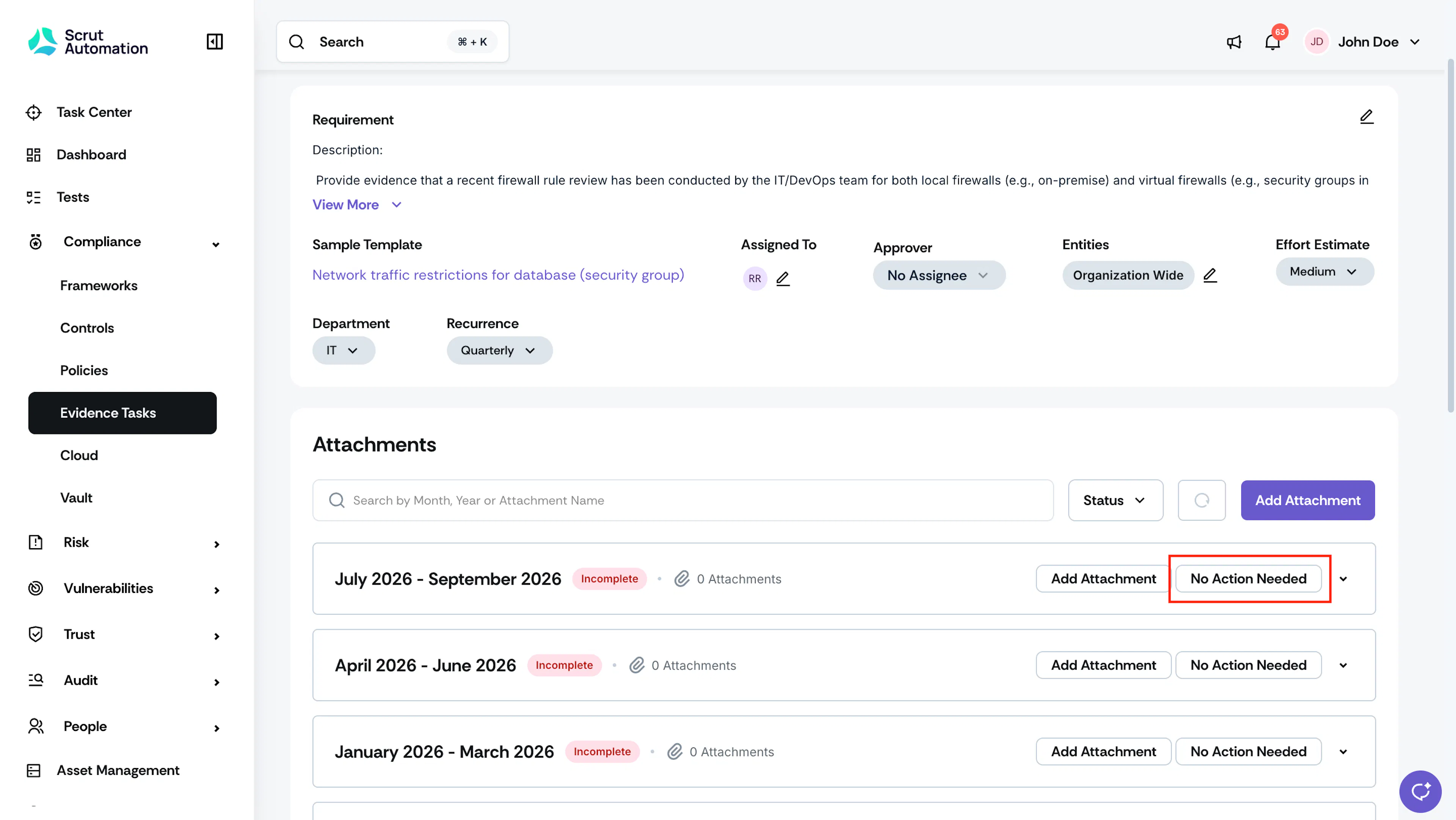
- A period can have either an attachment or a justification, not both.
- You can mark a period as No Action Needed regardless of the task's current status.
- If you add an attachment to a period that already has a justification, a confirmation modal will appear. Confirming this modal removes the justification and replaces it with the attachment.
- If the task's recurrence changes, the justification is not retained.
Status Changes
Status changes are automatically triggered. Here are a few common triggers:
- Uploading an attachment to the current period for an evidence task with Needs Attention status moves it to Draft status.
- Uploading a new attachment to the current period while the task is in Pending Approval or Uploaded status will move the task back to Draft.
- If a task is in Uploaded status and its Next Review Date passes without a new attachment for the current period, the task automatically moves to Needs Attention.
- Deleting or archiving an attachment from the current period reverts the task to one of the following statuses:
- If no attachments remain in any period, the task returns to Not Uploaded.
- If attachments exist only in older periods, it moves to Needs Attention.
- Marking as Completed (approval workflow off) moves the task directly to Uploaded.
- Sending for Approval (approval workflow on) moves the task from Draft to Pending Approval.
- Approving a submission moves the task to Uploaded.
- Requesting a revision moves the task from Pending Approval to Needs Revision.
When the Approval Workflow Is Turned Off
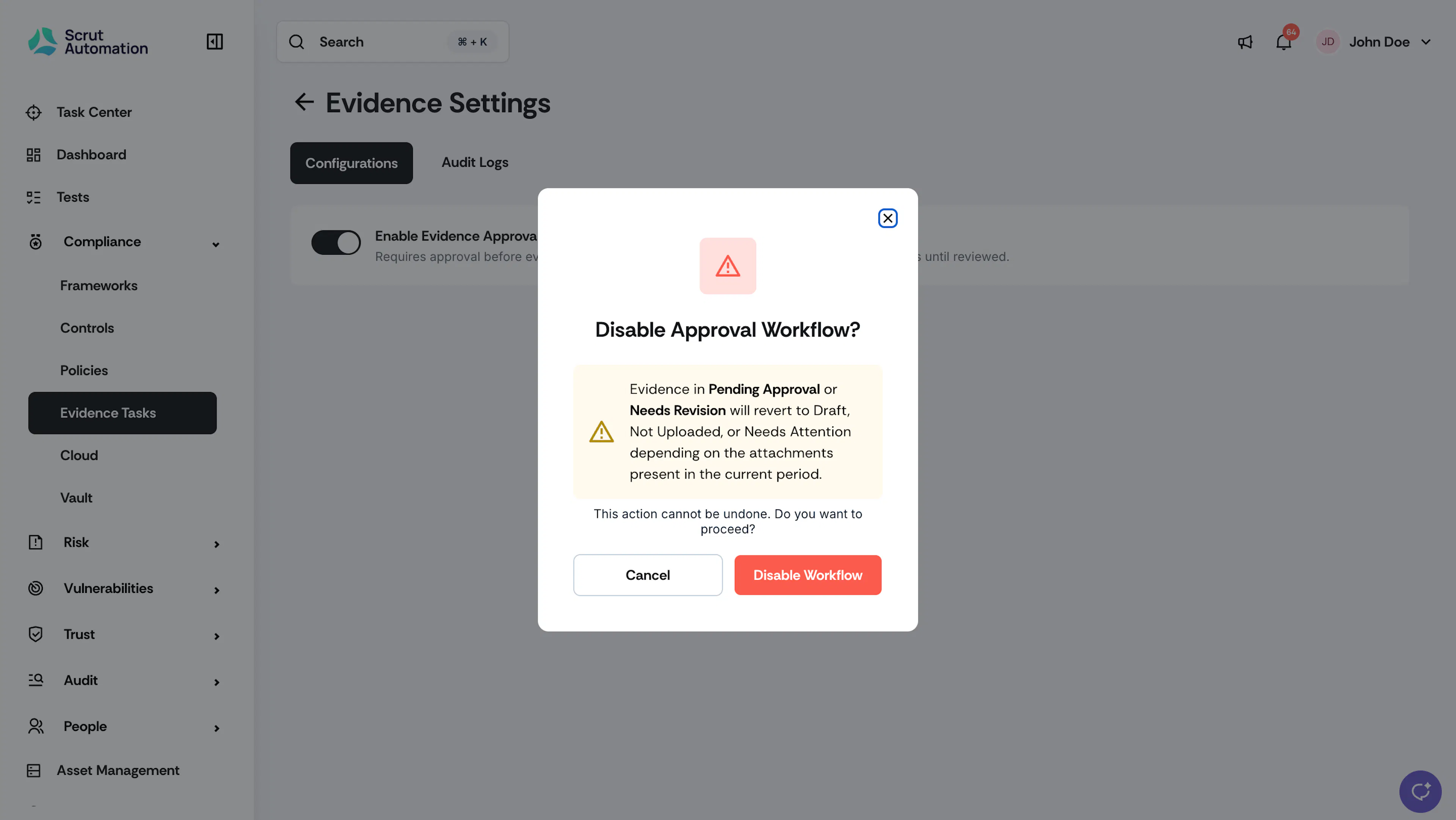
Turning off the Evidence Approval Workflow affects tasks in active approval states:
- Any tasks currently in Pending Approval or Needs Revision are automatically moved back to Draft. A warning is displayed before this change occurs, and the action is recorded in the Audit Log.
- The Approver field is hidden from task tables, filters, detail pages, and creation forms.
- If you turn the workflow back on, tasks do not automatically return to their previous Pending Approval or Needs Revision states. The previously assigned approver is retained and reappears once the workflow is active again.
Contact support@scrut.io or your CSM for further assistance.
Was this page helpful?