

Mark a Vendor as Active
Active vendors are those with whom you currently conduct business. This includes any vendor currently providing you with services or products. It is important to mark these vendors as Active to ensure you have an up-to-date record of all your ongoing vendor relationships.
Mark a Single Vendor as Active
-
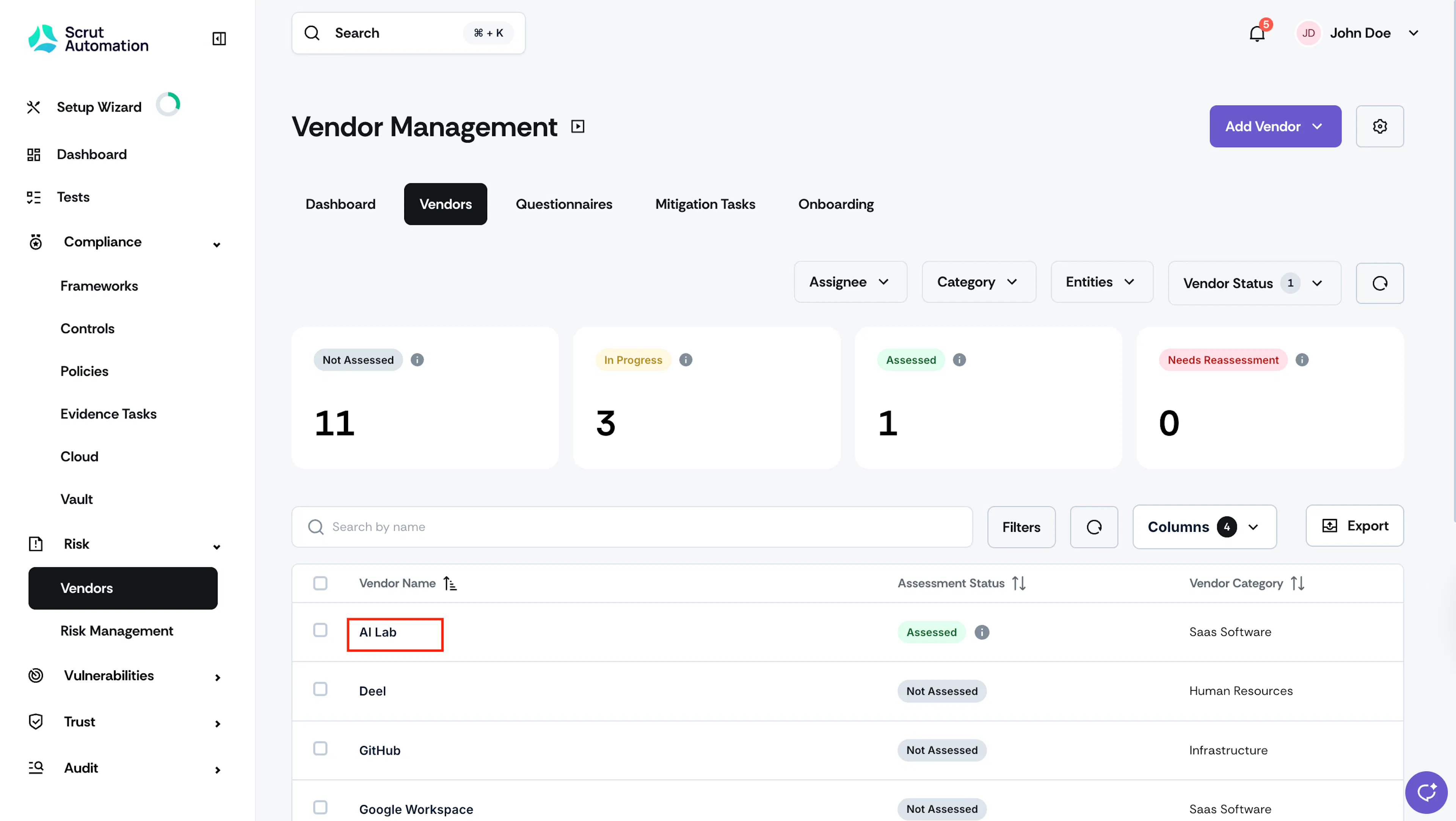
Click Risk → Vendors and go to the Vendors tab.
-
Select your preferred vendor from the table.
-
Once you’re on the vendor page, click the More Actions (three-dots) icon and select Mark as Active.
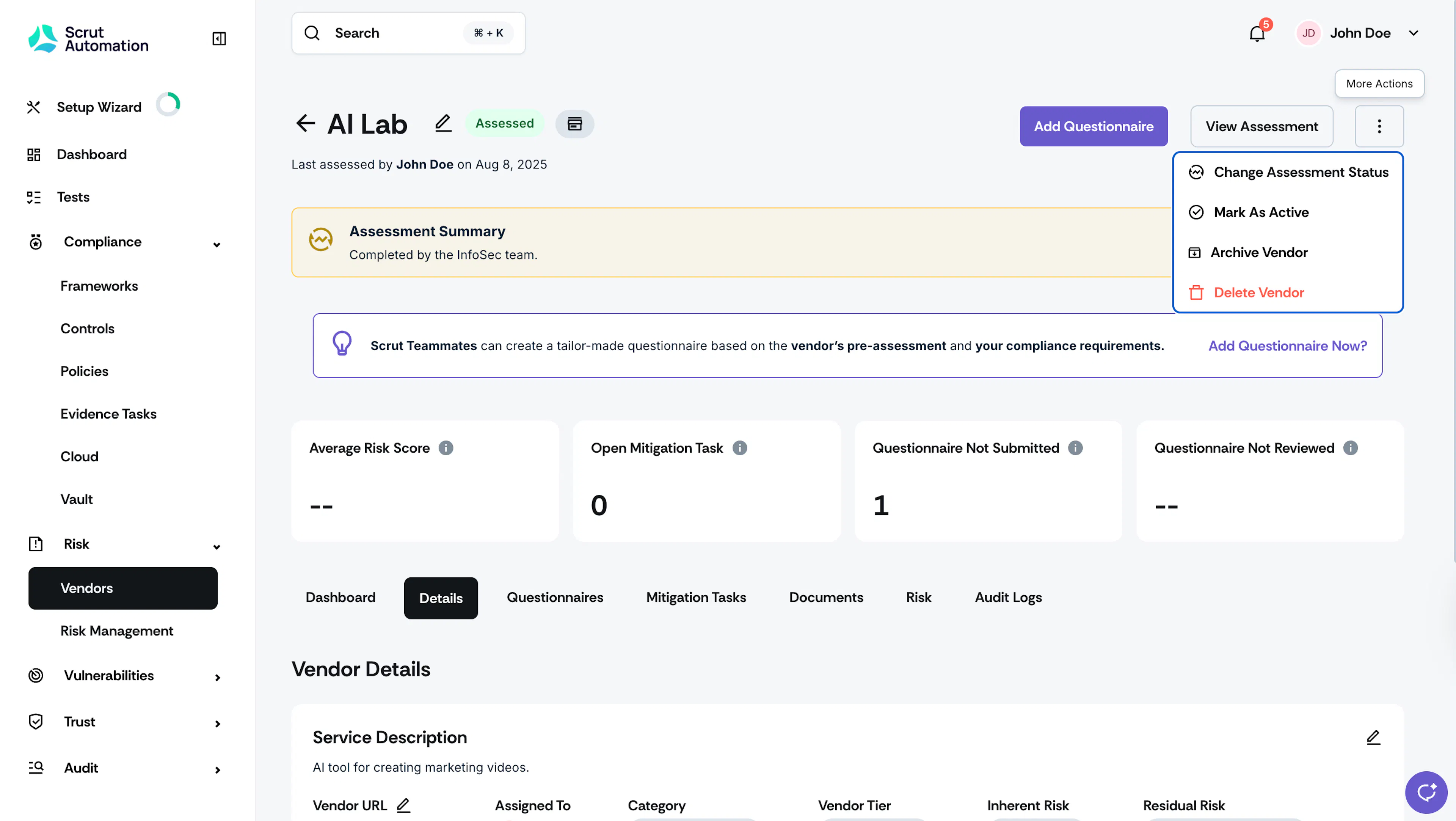
Scrut changes the vendor status from prospective to active, and the vendor will be added to your Active Vendors list.
Mark Multiple Vendors as Active
- Click Risk → Vendors and go to the Vendors tab.
- Select your desired vendors from the table.
- Click the More Actions button and click Mark as Active.
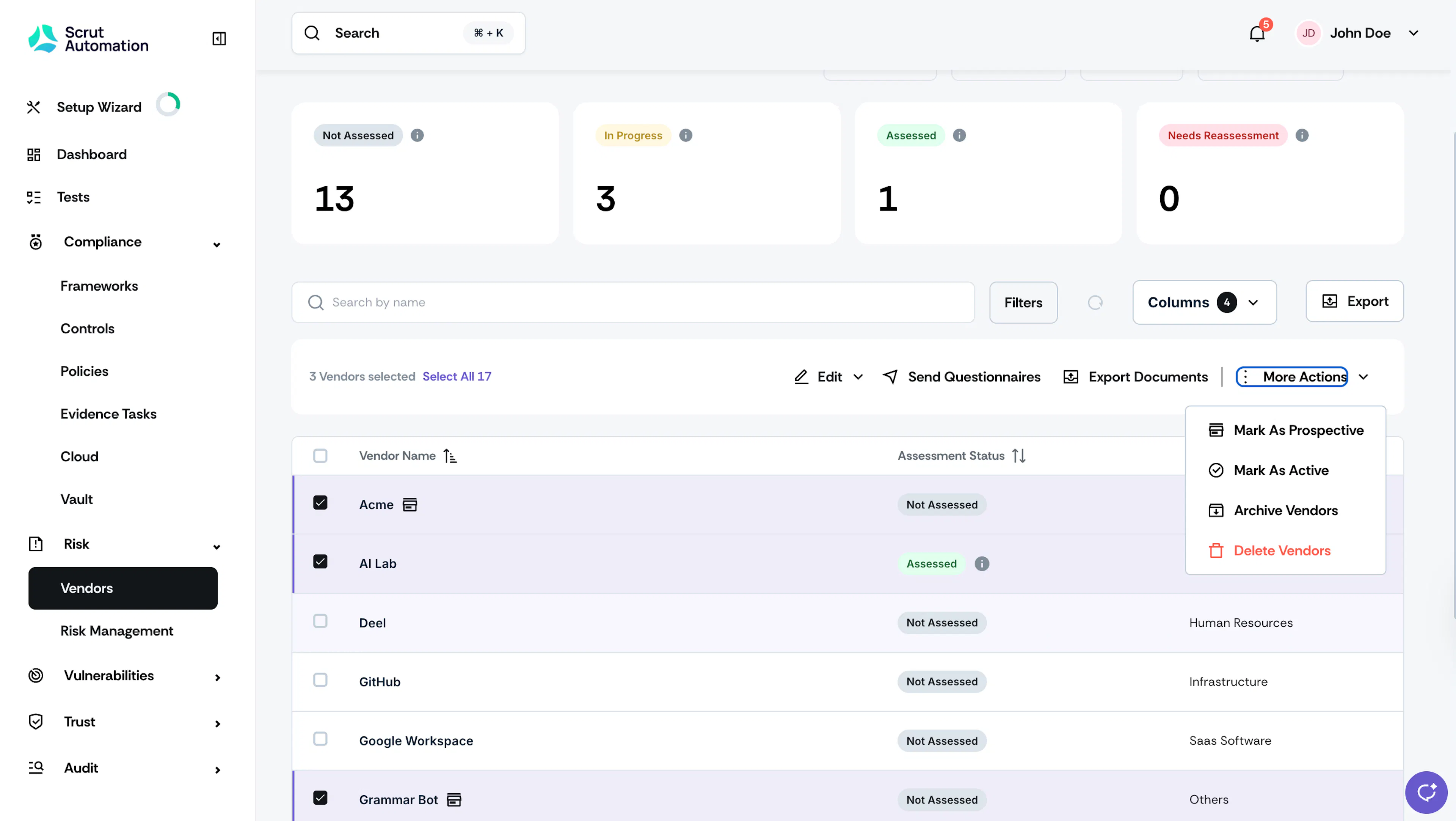
Scrut moves the selected vendors to the Active Vendors list.
Was this page helpful?