

How to Change Vendor Status
You can easily update vendor statuses to reflect their current status in your procurement process. Vendors can be marked as:
- Prospective
- Active
- Archived
These statuses are reversible. This means you can move a vendor from active to prospective, vice versa, archive and unarchive, etc., depending on your business needs.
Viewing Vendors By Their Status
- Navigate to Risk → Vendors and go to the Vendors tab.
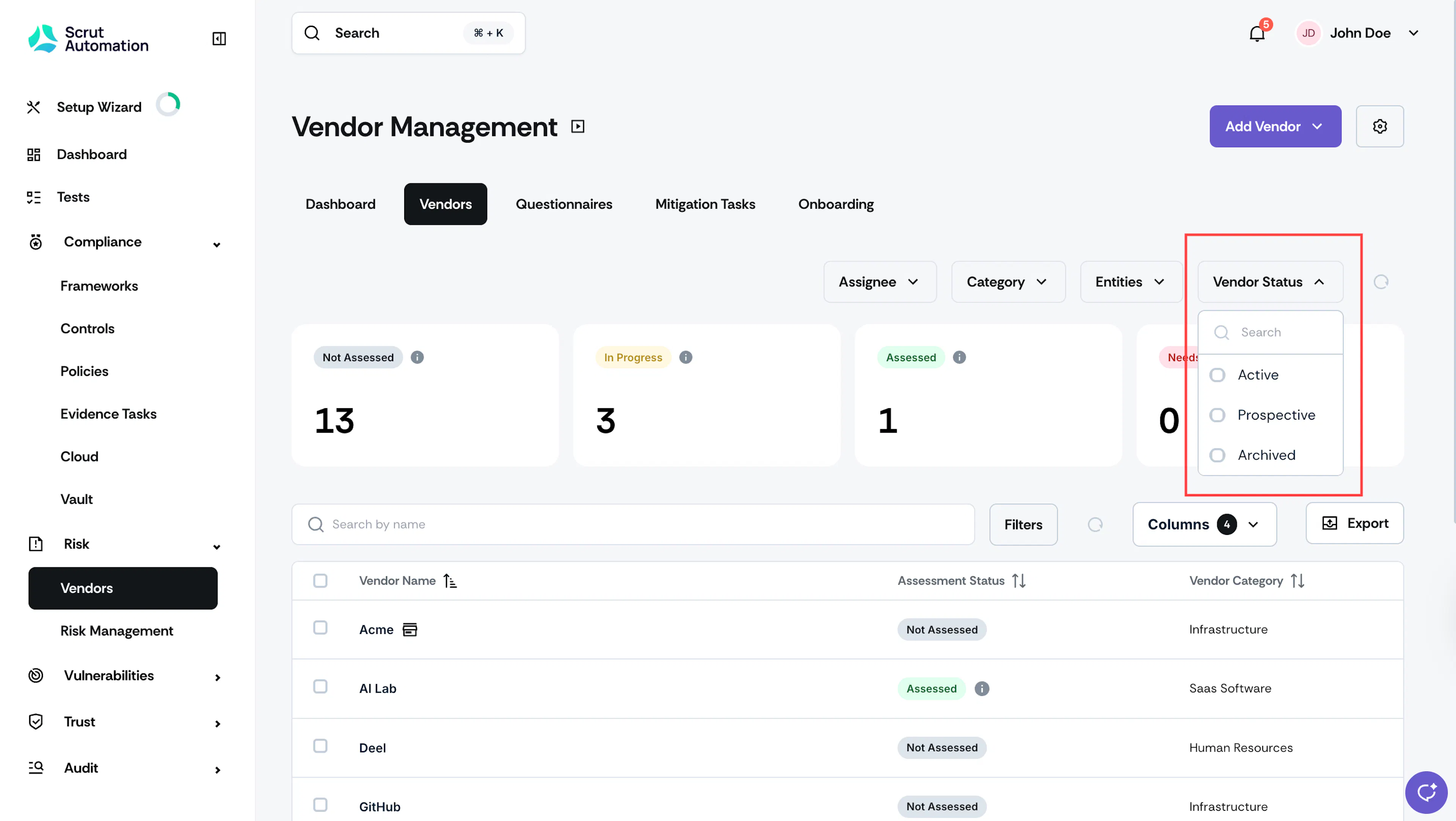
- Use the Vendor Status filter to narrow the list to show vendors with specific statuses.
Heads Up!
By default, this filter is set to show only Active Vendors. You can unselect the Active Vendors to view other statuses or select multiple statuses simultaneously to get a more comprehensive view of your vendor landscape.
How To Change Vendor Status
Moving Between Status Types
You can change vendor statuses at any time based on your business relationship:
- Prospective to Active: Once you've completed your evaluation and decide to avail the services of a prospective vendor, change their status to Active.
- Active to Prospective: If you're no longer actively working with a vendor but want to keep them available for future consideration, change their status to Prospective.
- Prospective to Archived: Prospective vendors can be archived when they're no longer being considered.
- Active to Archived: Active vendors can be archived when you’re no longer using their services.
- Archived to Unarchived: You can unarchive a vendor if you’re resuming their services.
Was this page helpful?