

Mark a Vendor as Prospective
Prospective vendors are potential vendors you’re evaluating but haven’t yet been approved for active business. It is important to mark these vendors as Prospective, so that you have an accurate record of all your vendor relationships.
Mark a Single Vendor as Prospective
-
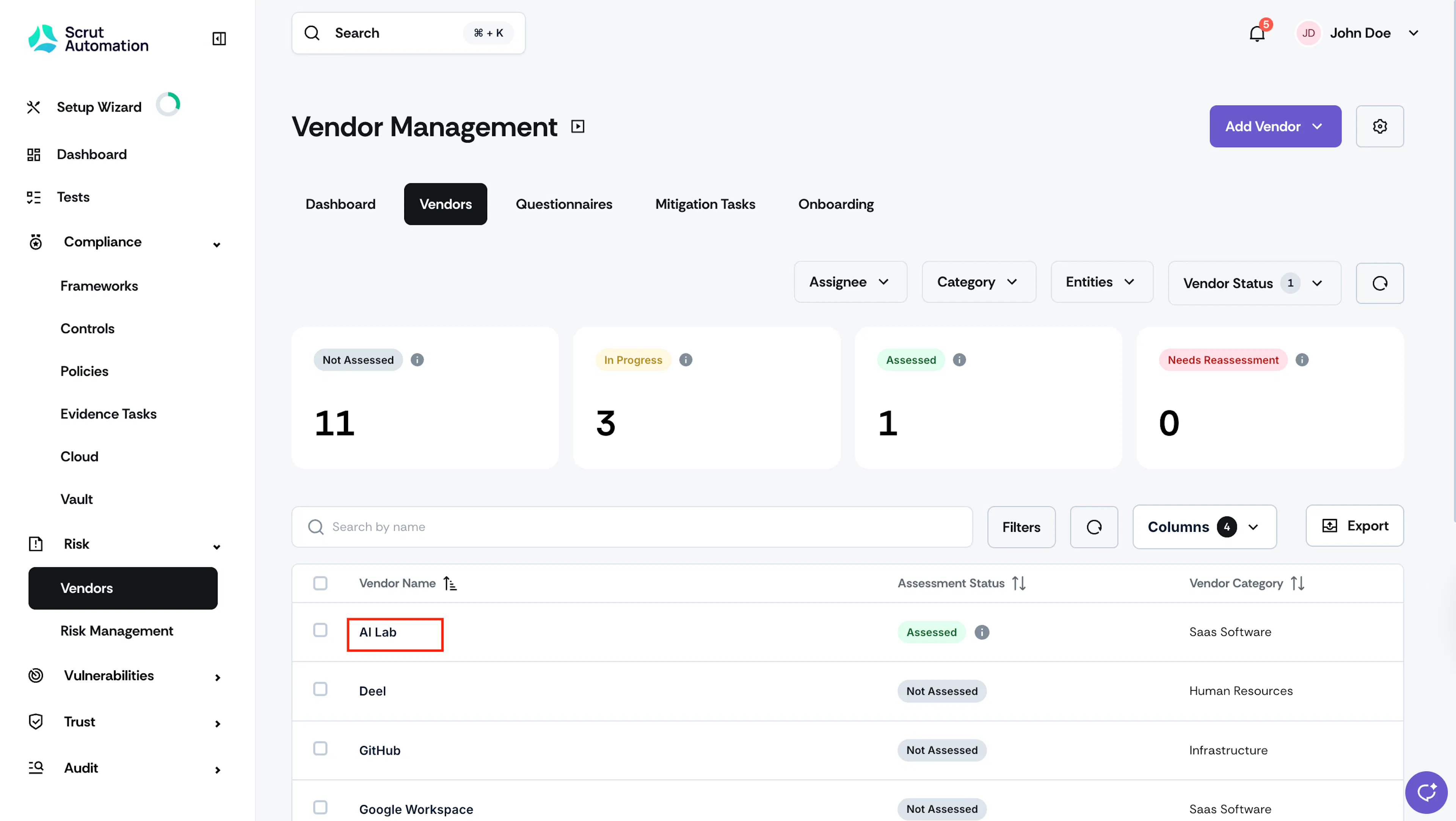
Click Risk → Vendors and go to the Vendors tab.
-
Select your preferred vendor from the table.
-
Once you’re on the vendor page, click the More Actions (three-dots) icon and select Mark as Prospective.
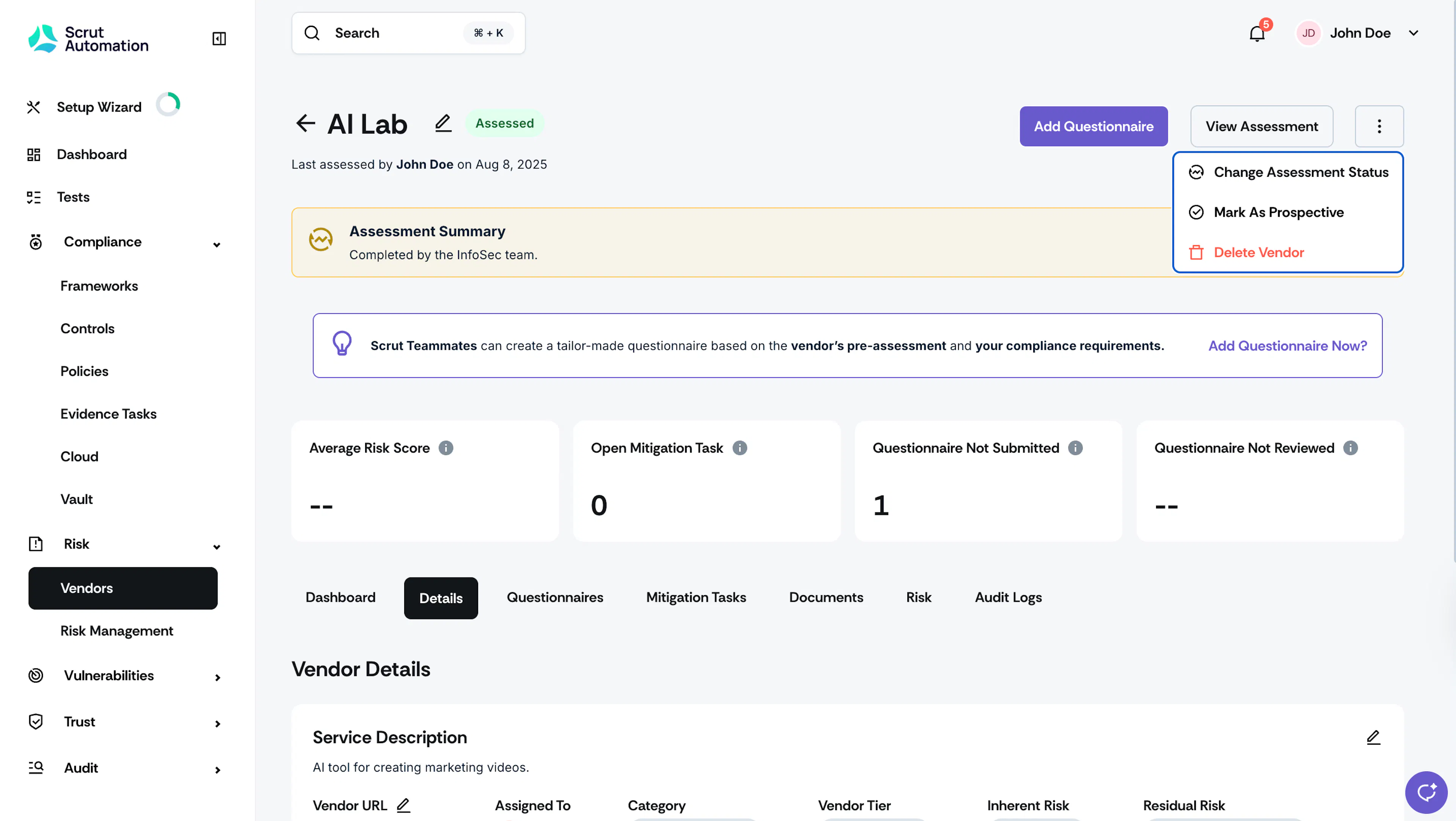
Scrut changes the vendor status from active to prospective, and adds the vendor to your Prospective Vendors list.
Mark Multiple Vendors as Prospective
- Click Risk → Vendors and go to the Vendors tab.
- Select your desired vendors from the table.
- Click the More Actions button and click Mark as Prospective.
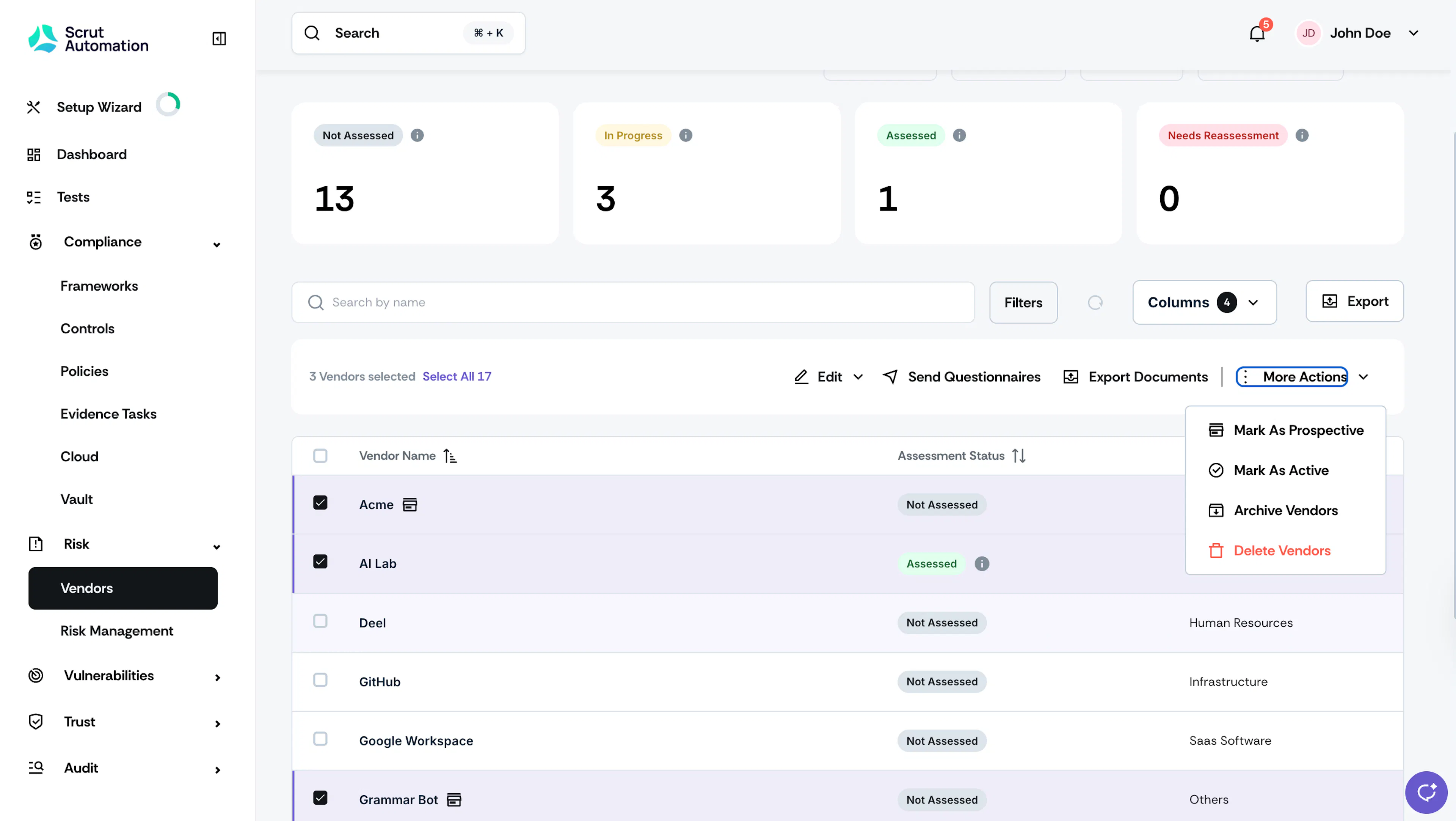
Scrut moves the selected vendors to the Prospective Vendors list.
Was this page helpful?