

Set Recurrence and Review Date for Evidence Tasks
Scrut enables systematic, timely reviews of your audit evidence, ensuring it stays accurate and compliant with the latest industry guidelines.
How the Evidence Review Workflow Works
-
Admin Sets an Evidence Review Cycle: After an evidence task moves to the Uploaded status, you can set a specific review cycle. This cycle defines when and how often the evidence should be examined for accuracy and compliance.
-
On the Day of Evidence Review: When the scheduled review date arrives, the evidence task status changes from "Uploaded" to "Needs Attention." The designated assignee receives a notification reminding them to take action.
-
Assignee Reuploads the Evidence: The assignee, responsible for the review, uploads the updated evidence.
- If enabled, this triggers the approval workflow and the evidence is sent to an approver.
- If the approval workflow is not enabled, the evidence moves directly to the Uploaded status.
How to Set Recurrence for Evidence Tasks
You can set the review cycle in two ways:
Set Recurrence for an Evidence Task
-
Sign in to Scrut and click Compliance → Evidence Tasks on the left navigation panel.
-
Go to the All Evidences tab and select the evidence task for which you want to add a review cycle.
-
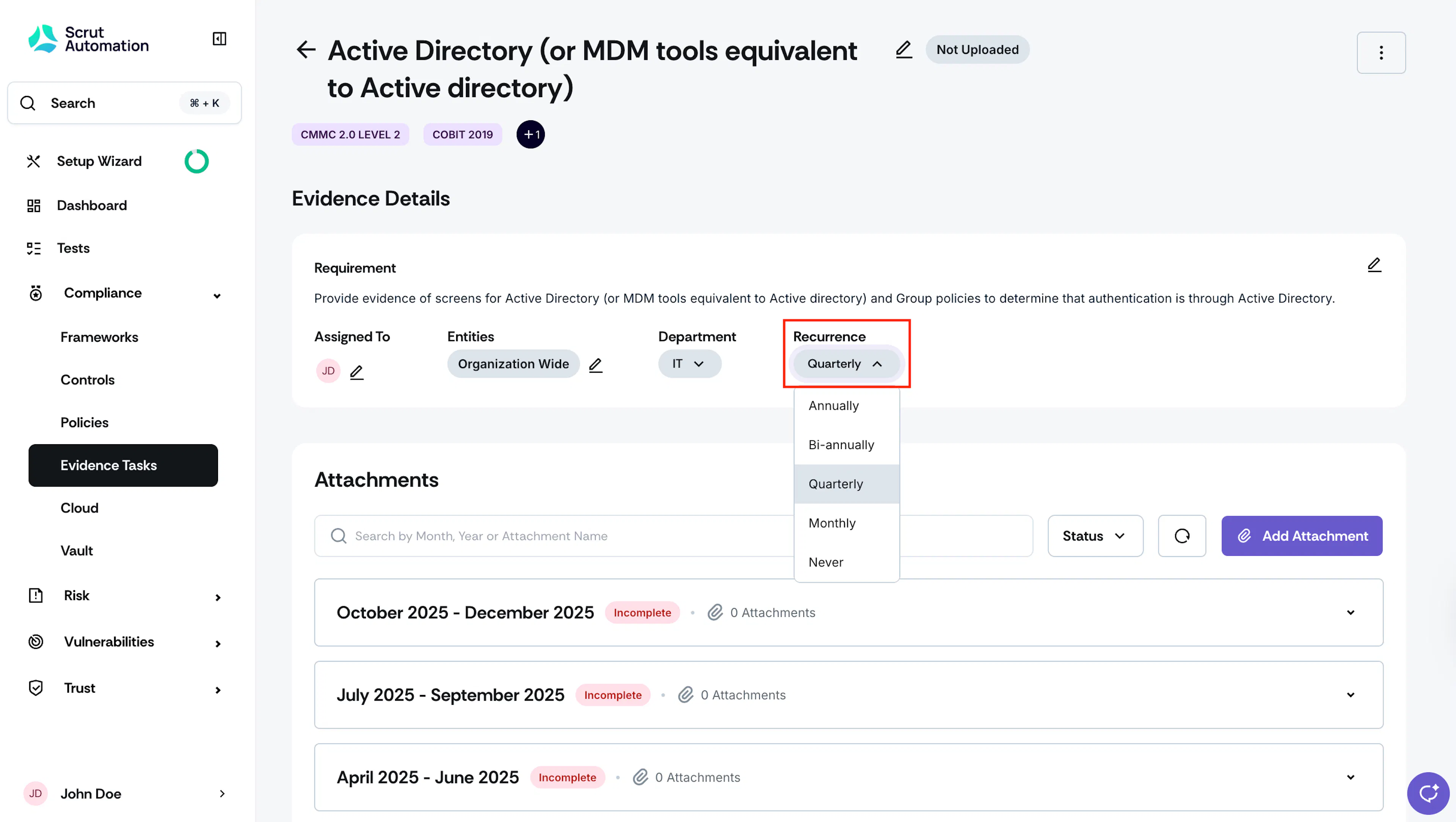
From the Recurrence dropdown menu, choose the desired recurrence interval.
Set Recurrence for Multiple Evidence Tasks
Scrut also gives you the flexibility to set the review cycle for multiple evidence tasks at once:
-
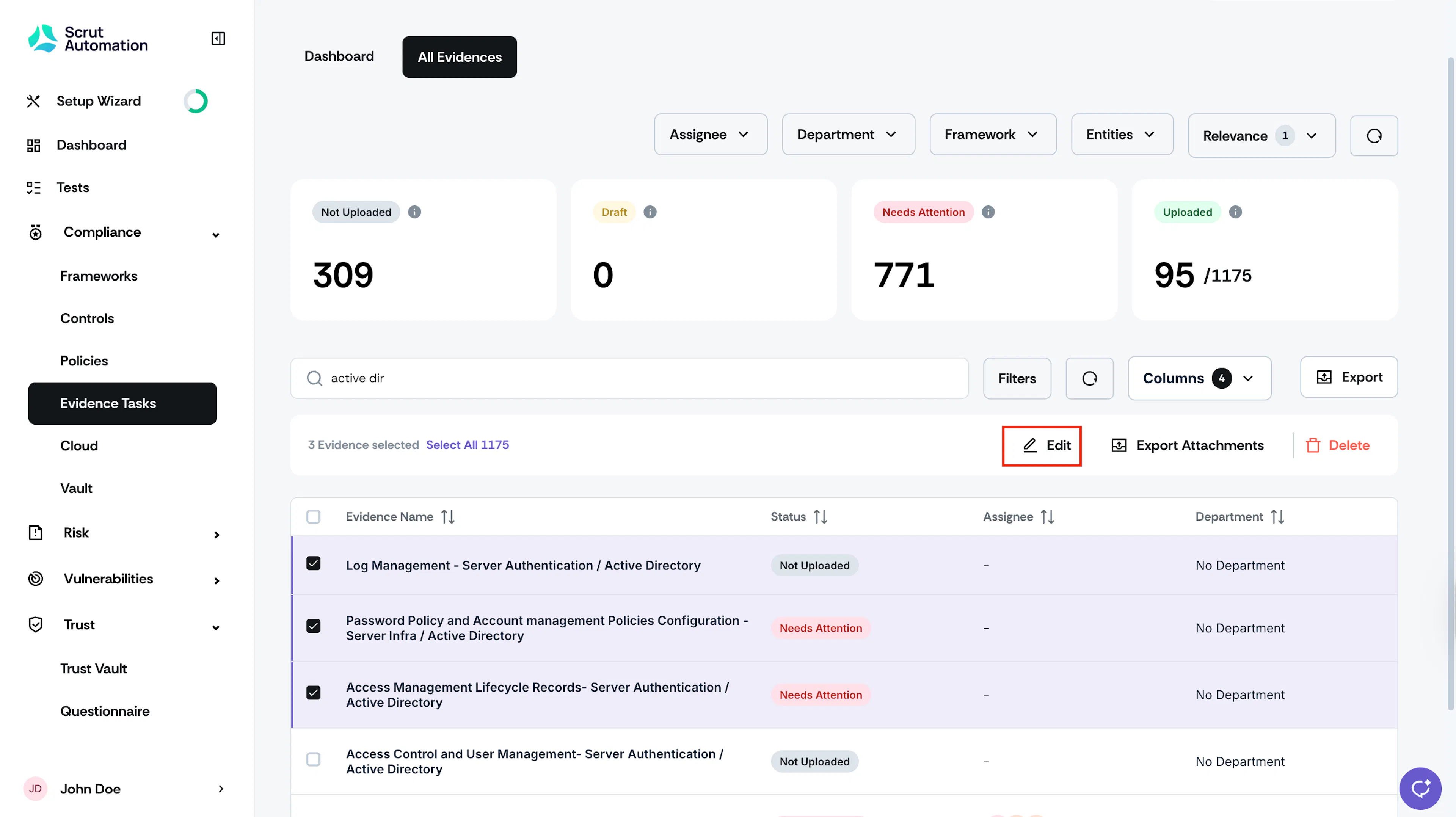
Go to the All Evidences tab and select the evidence tasks for which you want to set the review cycle.
-
Click the Edit button at the top of the Evidence Tasks table.
-
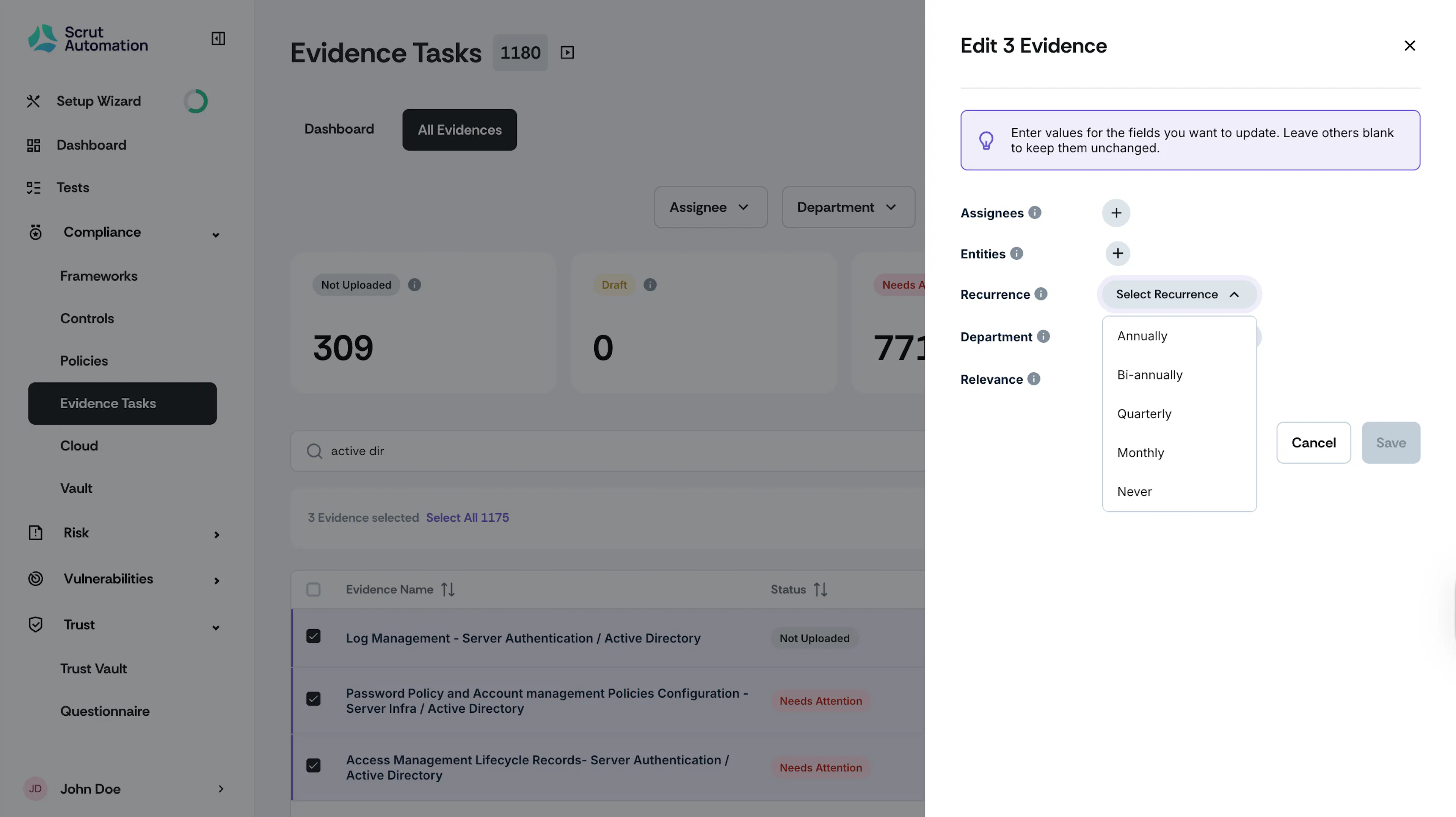
Click the + icon next to the Recurrence field and choose the desired recurrence interval.
-
Click Save to complete the bulk assignments.
Note:
If you wish to retain the existing values for fields like Department, Recurrence, Entities, and Relevance, simply leave them unchanged. Scrut will only update the fields you've modified in this window, ensuring that the other values remain intact.
Review Date Calculation
The Next Review Date for an evidence task is calculated from the end of each recurrence period, not from the evidence upload or approval date. Scrut sets it a fixed number of days before the period ends, giving you time to complete the review before the deadline.
| Recurrence | Default Next Review Date | Example |
|---|---|---|
| Monthly | 7 days before the end of the month | August (ends 31st) → • Default review date: 24 Aug |
| Quarterly | 15 days before the end of the quarter | Apr–Jun period → • Default review date: 15 Jun |
| Bi-Annually | 30 days before the end of the half-year period | Jan–Jun period → • Default review date: 31 May |
| Annually | 45 days before the end of the year | Jan–Dec period → • Default review date: 16 Nov |
Heads Up!
A task doesn't automatically move to Needs Attention status when a new evidence period starts. If it was in Uploaded status for the previous period, it remains in Uploaded status and shows Due on [date] until the Next Review Date passes. After which, the evidence period shows as Due Today, Overdue by [No. of days].
Editing the Next Review Date
You can edit the Next Review Date manually, including while the task is still in Uploaded status, but only within a set window around the period's end date. The date picker only allows dates inside this window; dates outside it aren't selectable.
| Recurrence | Editable Range (around period end) |
|---|---|
| Monthly | 7 days before or after the period’s end date |
| Quarterly | 15 days before or after the period’s end date |
| Bi-Annually | 30 days before or after the period’s end date |
| Annually | 45 days before or after the period’s end date |
Why this limitation?
Scrut limits this range because a Next Review Date set too far from the period's end leaves the task flagged as Needs Attention for much of the cycle, which understates your actual compliance progress. This reflects Scrut's audit-readiness recommendation, not an arbitrary restriction.
Note: Changing a task's Recurrence resets its Next Review Date to the new period's default. Any custom date you'd set is discarded. You can edit it again afterward, within the new period's range.