

Evidence Approval Workflow
Who can use this feature
- Supported on Foundation, Growth, and Scale plans
The evidence approval workflow adds an extra layer of oversight to evidence management. When it is turned on, an approver must review and approve any evidence submitted by an assignee before it counts as accepted evidence.
Turn the Evidence Approval Workflow On or Off
-
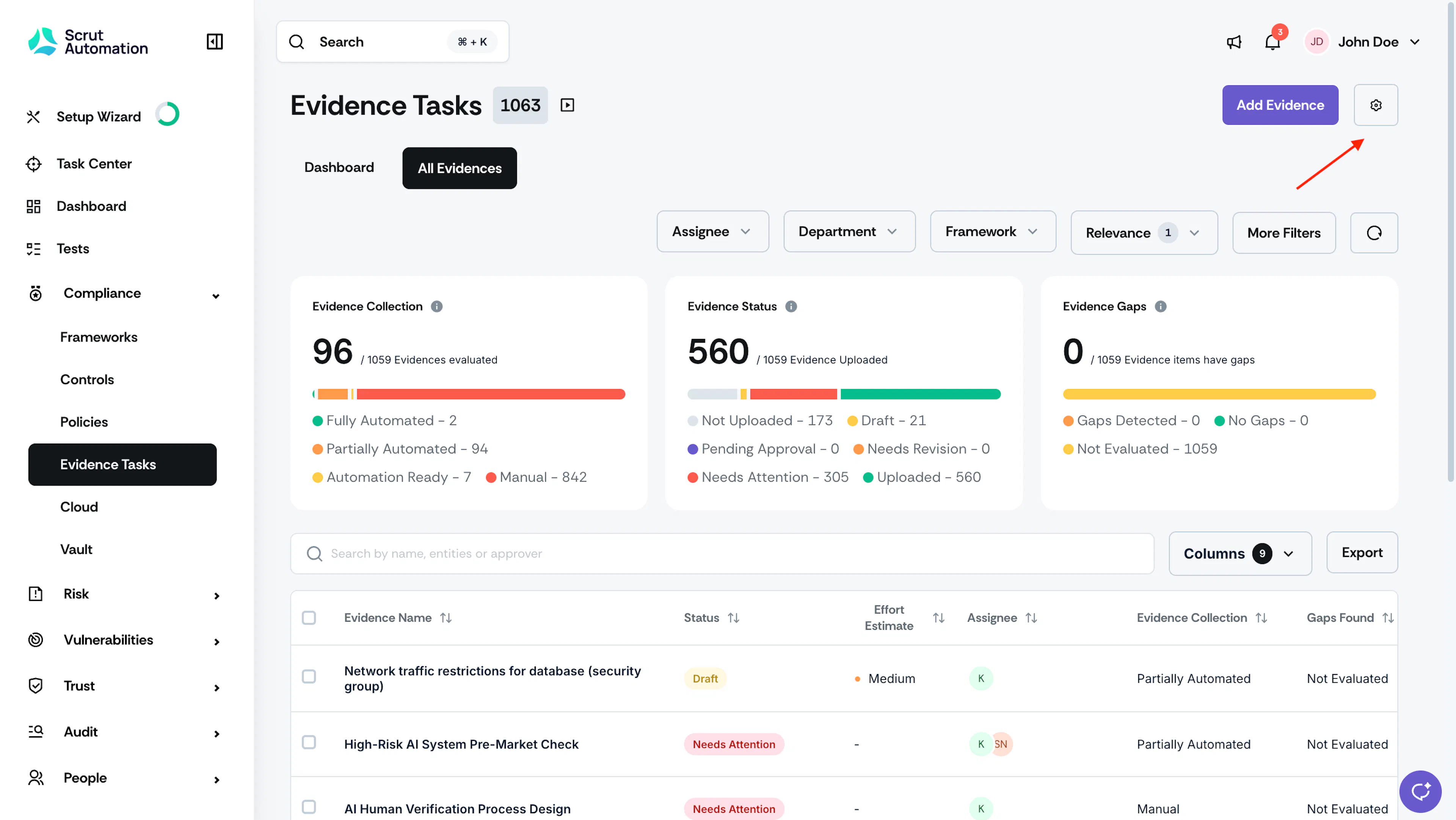
Navigate to Compliance → Evidence Tasks.
-
Click the Settings icon in the top right corner.
-
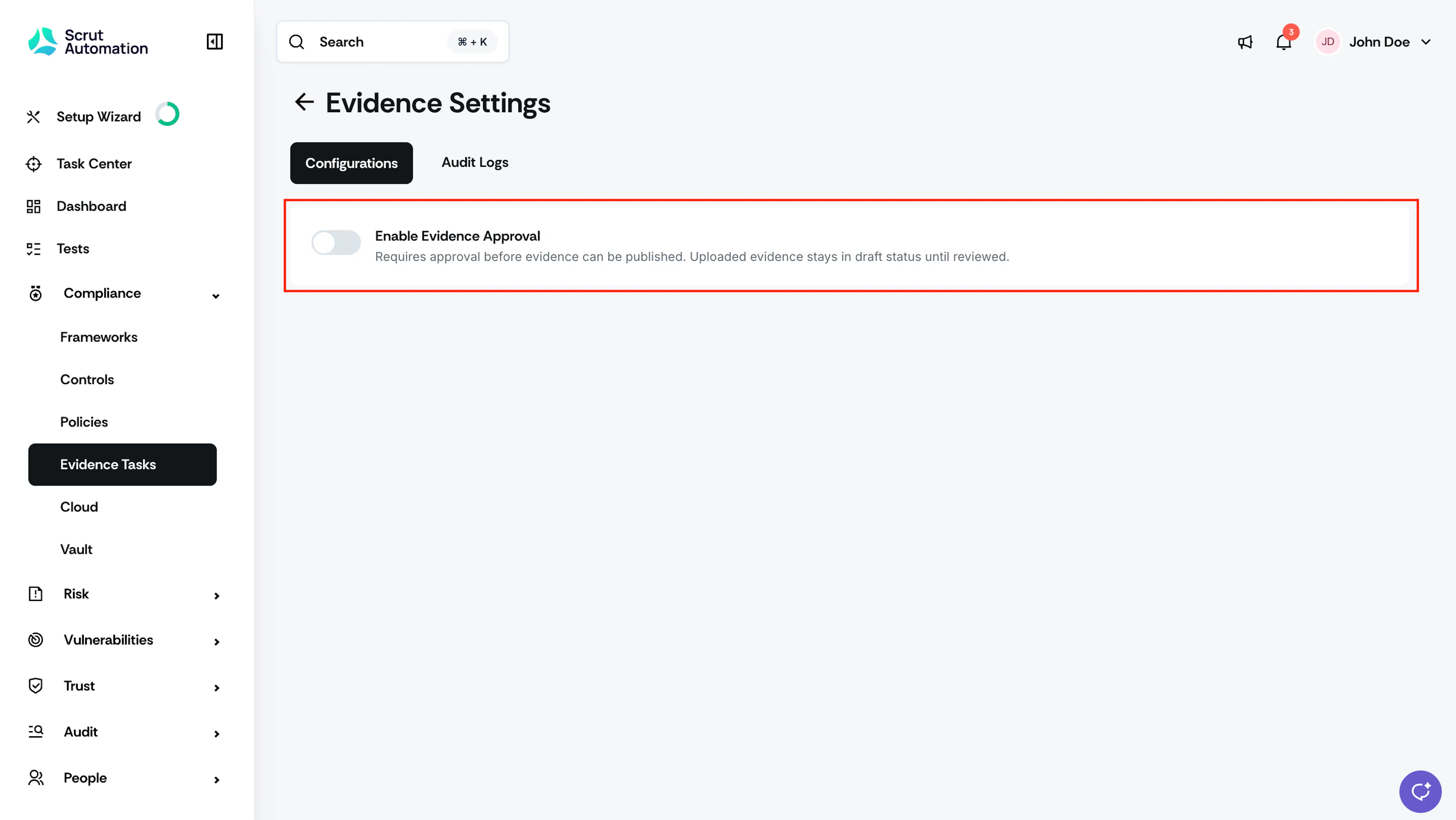
Turn the Evidence Approval toggle on or off.
How the Workflow Works When Turned On
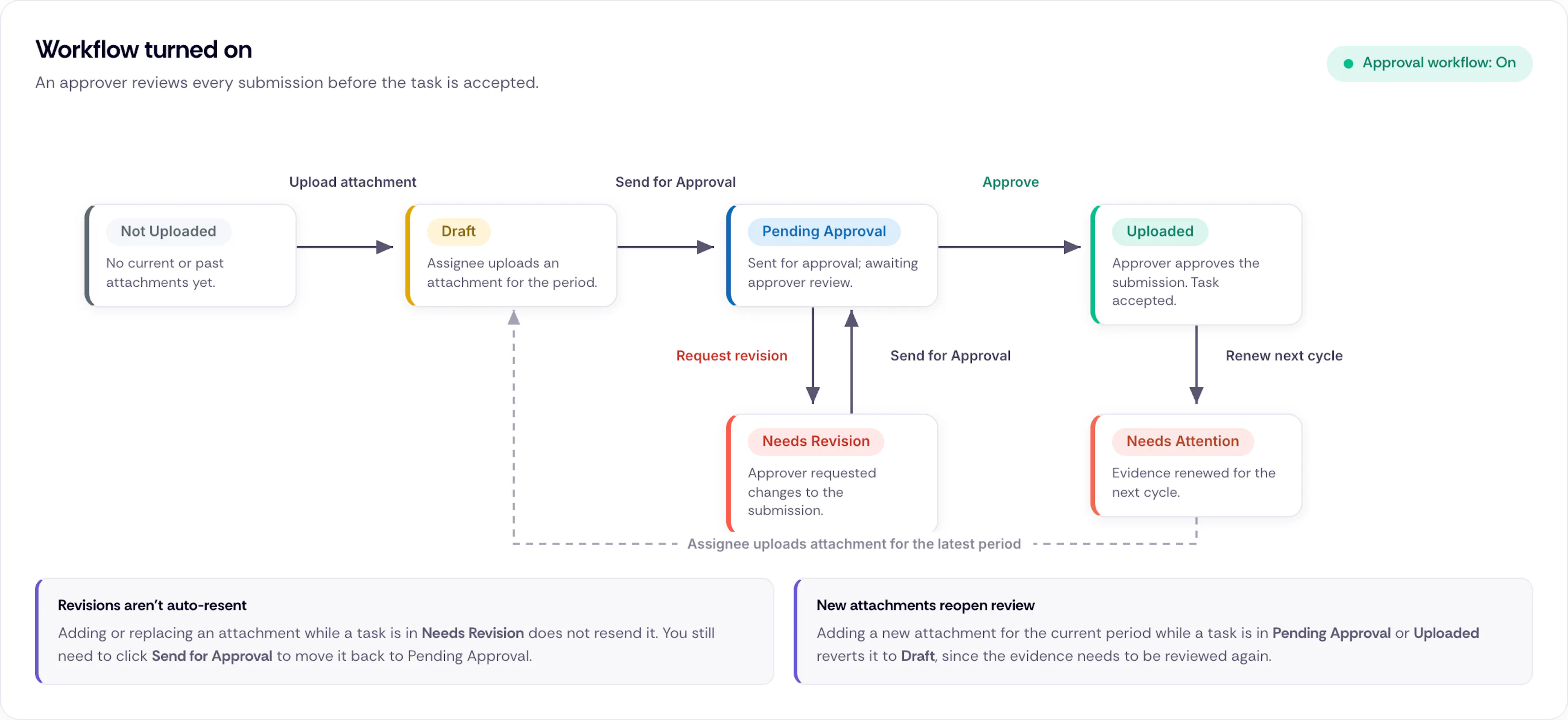
When the Evidence Approval Workflow is on, an evidence task moves through the following stages before it is accepted.
-
When no attachments (current or past) are present for an evidence task, the task is in Not Uploaded status.
-
An assignee uploads an attachment for the current period. The task moves to Draft.
-
The assignee clicks Send for Approval. The task moves to Pending Approval.
-
The approver reviews the submission.
- Approving it moves the task to Uploaded.
- Requesting a revision moves the task to Needs Revision.
-
If a revision is requested, the assignee updates the attachment and clicks Send for Approval again. The task moves back to Pending Approval.
-
When the evidence is renewed for the next cycle, it moves to Needs Attention.
Note:
- Adding or replacing an attachment while a task is in Needs Revision does not automatically resend it for approval. You still need to click Send for Approval to move the task back to Pending Approval.
- Adding a new attachment to the current period while a task is in Pending Approval or Uploaded reverts it to Draft, since the evidence needs to be reviewed again.
How the Workflow Works When Turned Off
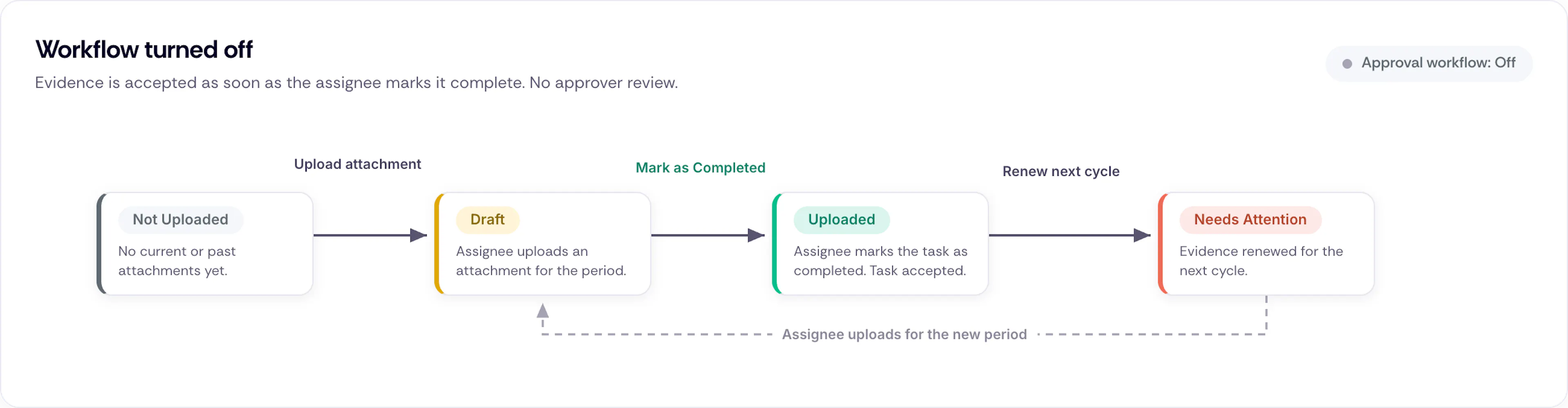
When the Evidence Approval Workflow is off, evidence does not need an approver review.
- When no attachments (current or past) are present for an evidence task, the task is in Not Uploaded status.
- An assignee uploads an attachment for the current period. The task moves to Draft.
- The assignee clicks Mark as Completed. The task moves to Uploaded.
- When the evidence is renewed for the next cycle, it moves to Needs Attention.
This lets evidence become available faster, though it removes the additional layer of oversight.
Heads Up!
Turning off the workflow after you've enabled it affects tasks already in progress. See What Happens When You Turn the Workflow Off for details.
Reach out to support@scrut.io or contact your CSM for further assistance.