

Clone a Policy
Who can use this feature
- Supported on Foundation, Growth, and Scale plans
Cloning creates a new policy from an existing one, carrying over the control and requirement mappings of the source policy, so you do not have to rebuild them from scratch.
How To Clone a Policy
-
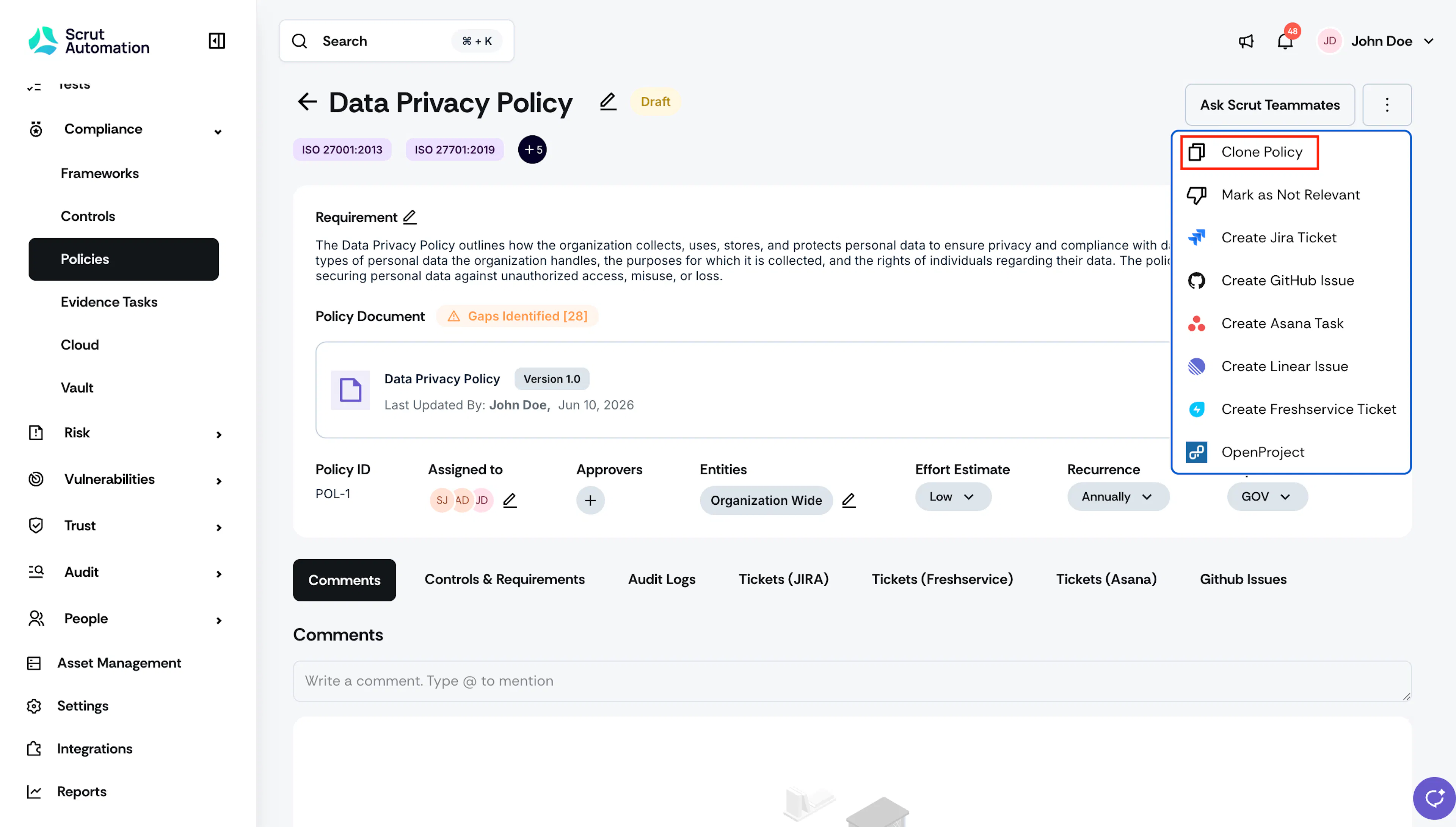
Navigate to Compliance → Policies → All Policies and open the policy for which you want to create a copy.
-
On the policy detail page, click the three-dot icon at the top-right, and click Clone Policy.
-
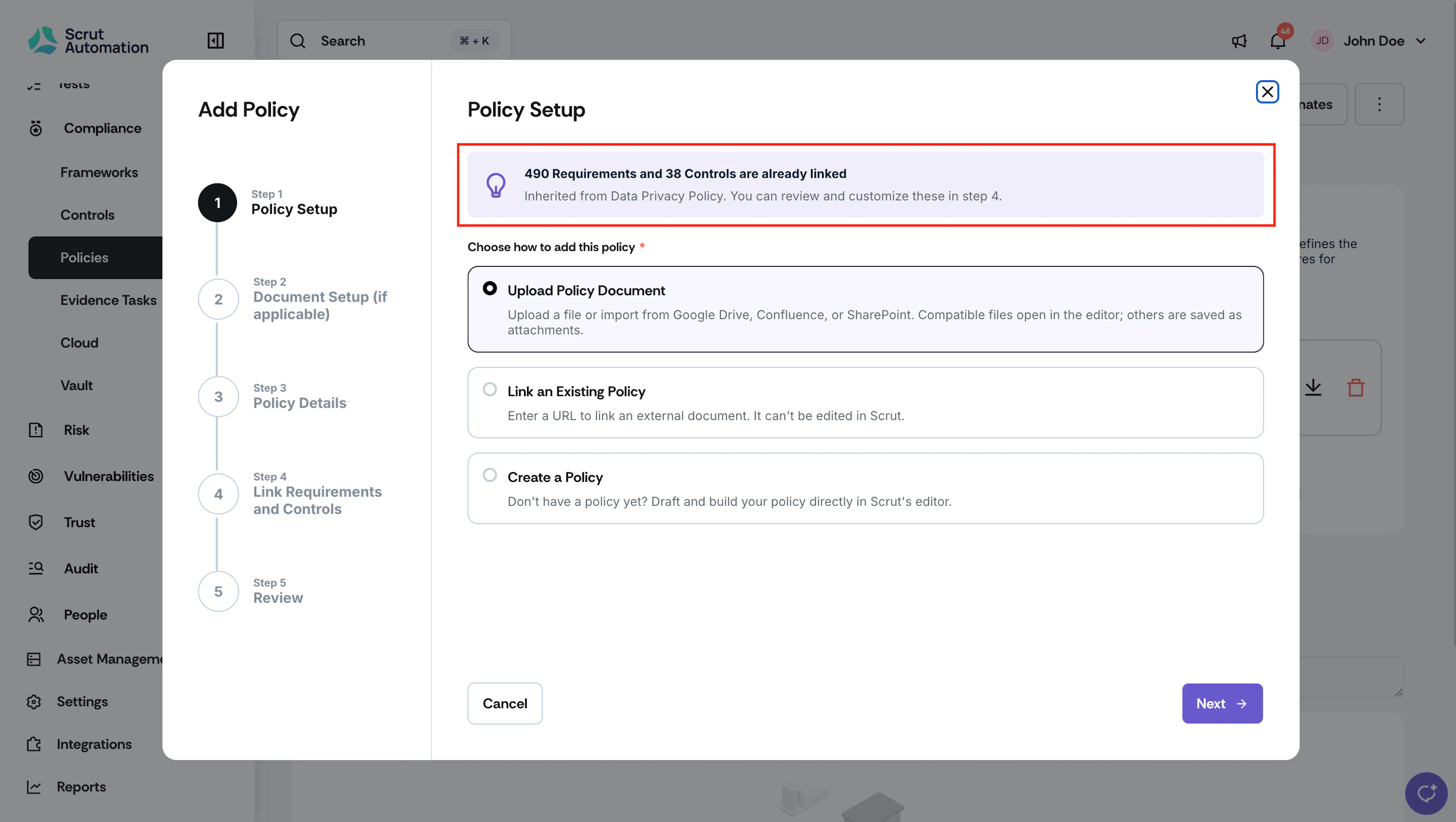
Scrut opens the Policy Setup wizard, pre-filled with details from the source policy. Review the callout showing how many requirements and controls are already linked from the source policy.
-
Select how you want to set up the new policy's document: Upload Policy Document, Link an Existing Policy, or Create a Policy.
-
Complete the Document Setup step, if it’s applicable. This step depends on the option you chose in step 4.
-
Update the Policy Name field. Scrut pre-fills this as "Clone - [Source Policy Name]."
Note: Policy names must be unique. If the name already exists, Scrut blocks you from cloning until you edit the name.
-
Review the pre-filled fields, and edit any that need to change for the new policy.
-
On the Link Requirements and Controls step, review the requirements and controls already selected based on the source policy. Select or clear checkboxes to adjust the mappings for the new policy.
-
On the Review step, confirm all the details.
-
Click Save.
Scrut creates the new policy and takes you directly to it.
What Gets Copied
The following details carry over from the source policy:
- Linked controls and requirements
- Description
- Department
- Assignee(s). The assigned user also receives a new task for the cloned policy.
- Recurrence
- Effort estimate
- Relevance
- Approvers, if the policy approval workflow is on. Approval status resets to pending.
What Does Not Get Copied
- Policy document (The cloned policy starts with no policy document)
- Inline editor body content (Scrut does not carry over drafted policy text)
- Jira or other project management tool links
- Comments and audit history
- Version history
Points to Note:
- Once created, the cloned policy is fully independent, with its own artifact ID. Editing, publishing, or deleting the source policy does not affect the clone, and changes to the clone do not carry back to the source.
- The cloned policy starts in the Not Uploaded status, regardless of the source policy's status.
FAQs
Reach out to support@scrut.io or contact your CSM for further assistance.