

Clone an Audit
Who can use this feature
- Supported on Foundation, Growth, and Scale plans
Cloning an audit lets you reuse an existing audit's configuration for a new cycle. When you clone an audit, Scrut pre-populates the audit creation form with the original audit's controls, framework, audit type, audit team, and entities, so you only need to fill in the date details and make any adjustments before saving.
How to Clone an Audit
-
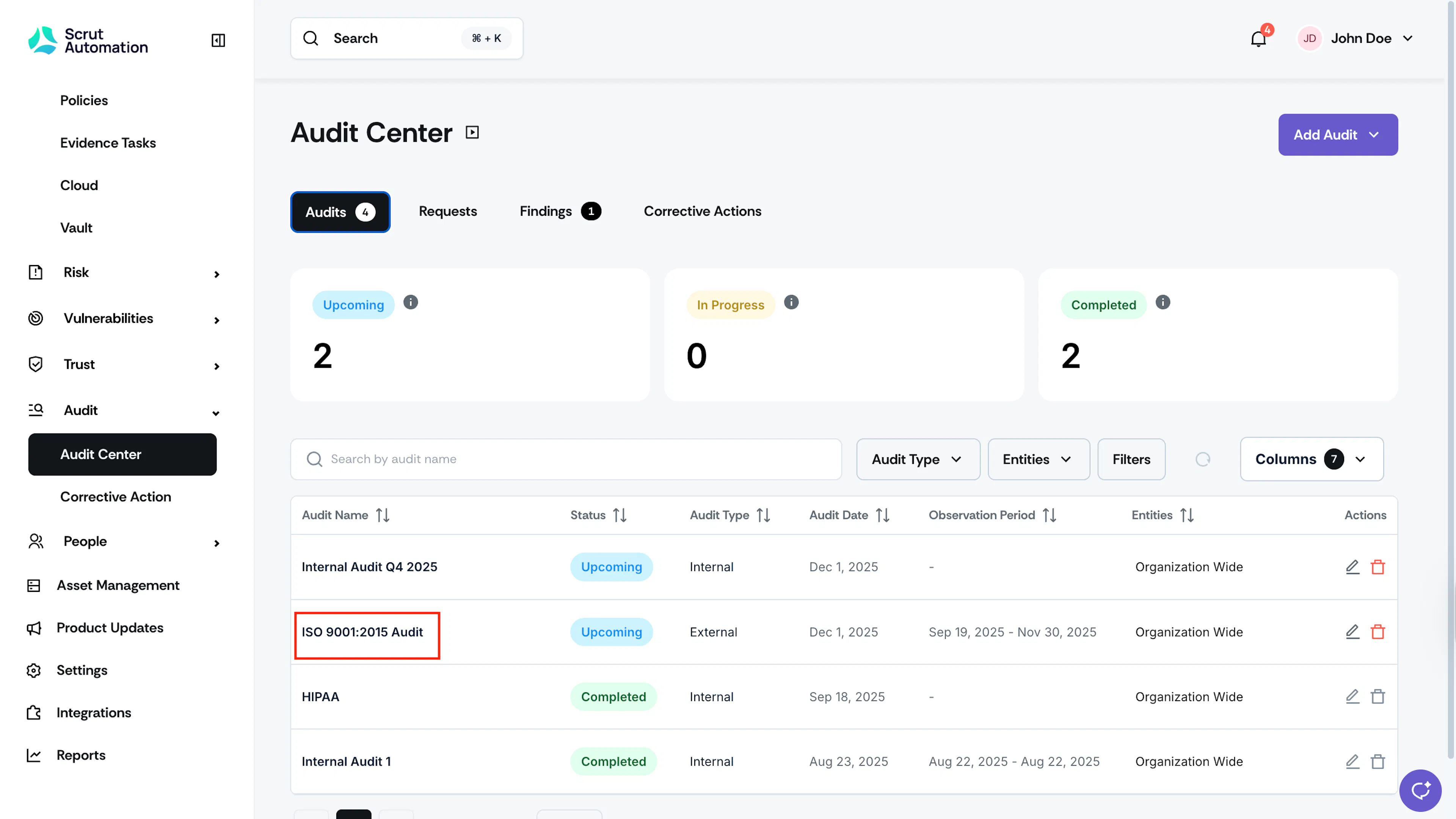
Navigate to Audit → Audit Center.
-
Click the audit you want to clone.
-
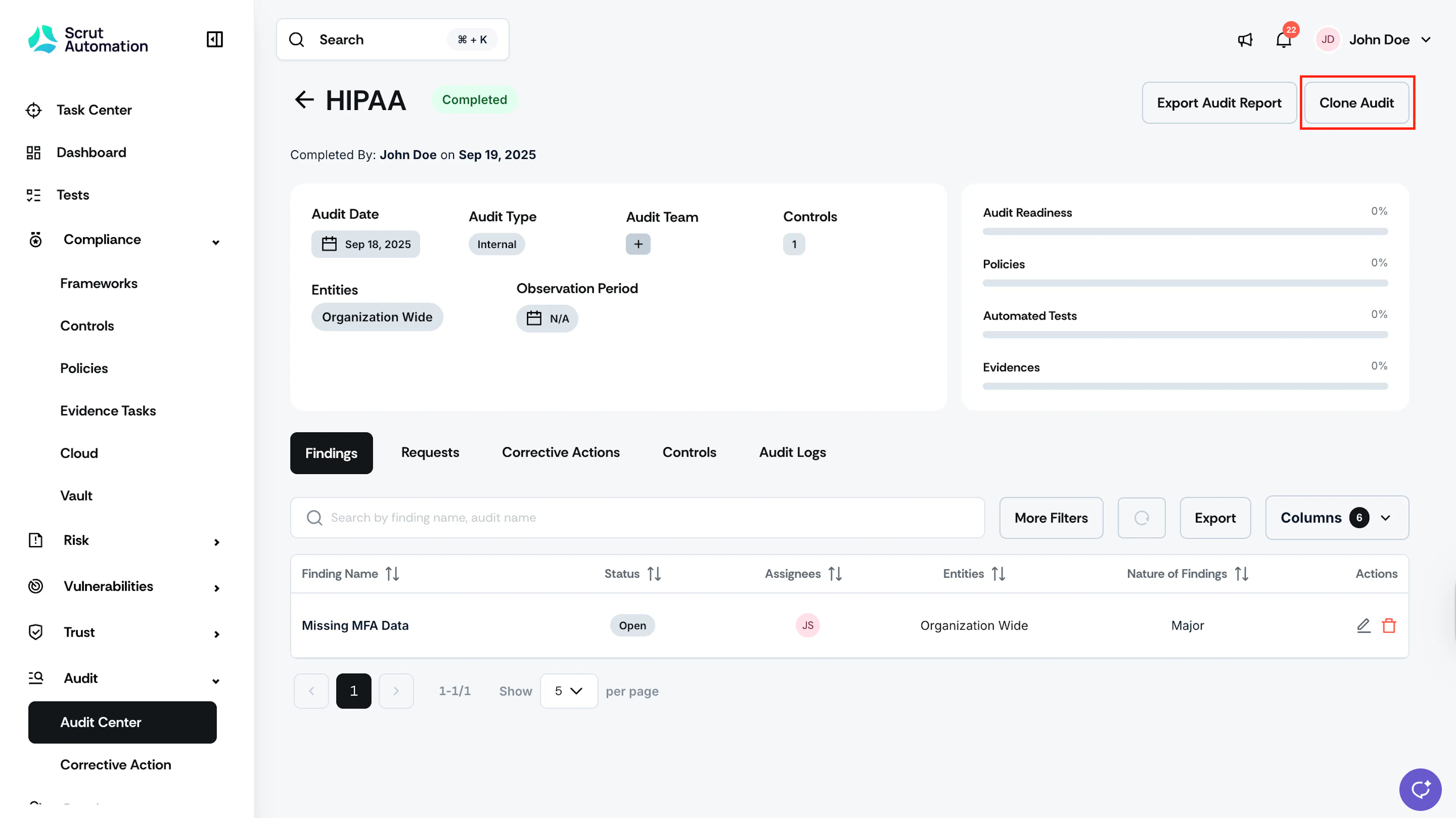
Once you’re on the audit details page, click the Clone Audit button in the top-right corner.
-
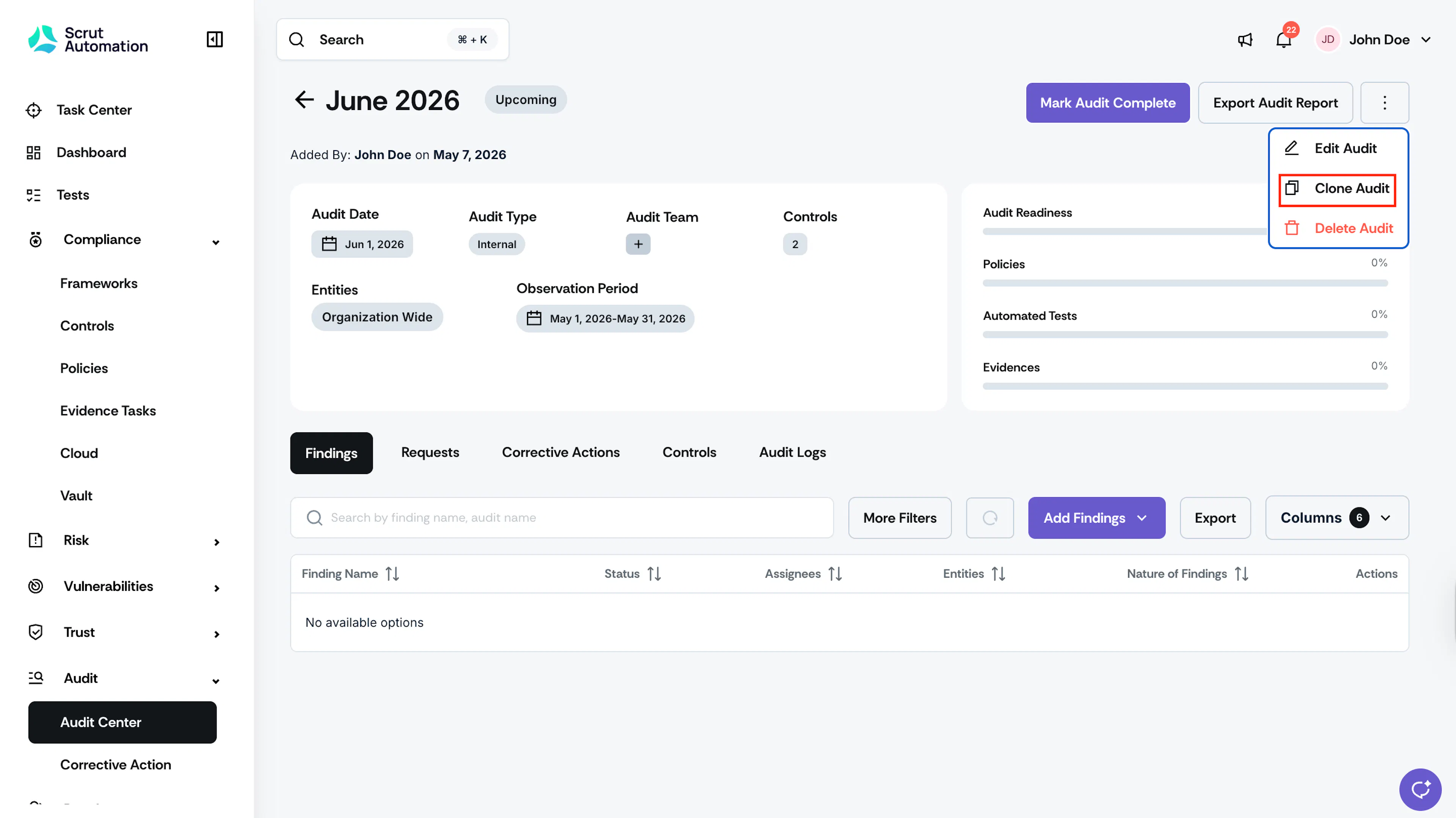
For upcoming and in-progress audits, click the three-dot menu icon in the top-right corner and select Clone Audit.
-
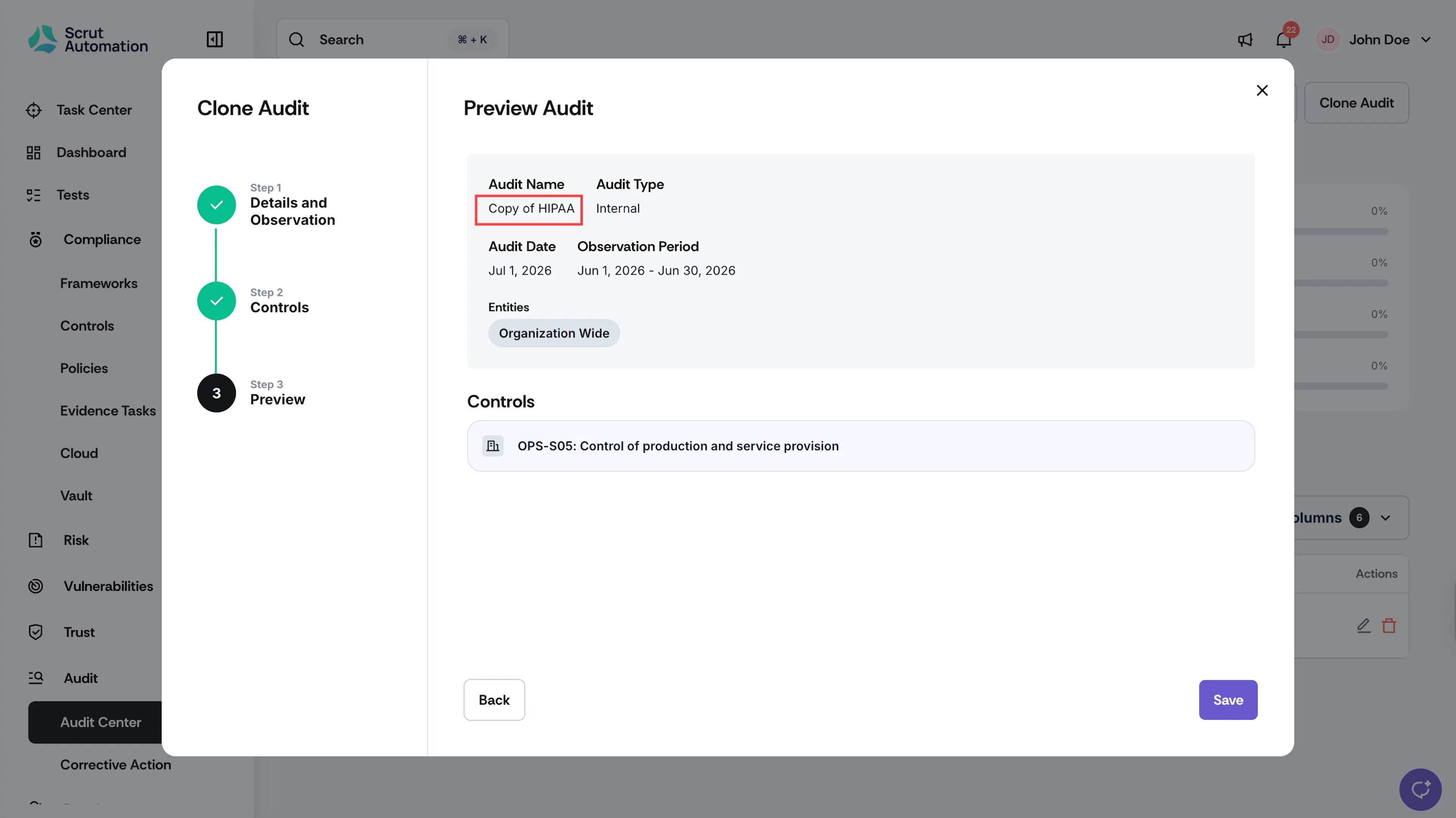
In the audit creation form, review the pre-populated fields: framework or controls list, audit type, audit team, entities, and the audit name (Shown as a copy of the original audit).
Heads Up! Certain fields are inherited from the original audit and cannot be edited.
-
Enter the Audit Date and Observation Period for the new audit cycle.
-
Adjust any other fields as needed.
-
Click Save.
-
The new audit appears in your Audit Center listing and is ready for the new cycle.
Points to note:
- The cloned audit always starts with a fresh status. The status is not carried over from the original and is recalculated based on the new audit date.
- Attachments, including audit scope, audit plans, and other supporting documents, are not carried over when you clone an audit. Upload them again on the new audit if needed.
Reach out to support@scrut.io or contact your CSM for further assistance.