

Understand Audit Details Page
Who can use this feature
- Supported on Foundation, Growth, and Scale plans
Heads Up! The revamped audit experience only applies to Newly Created and Upcoming audits as of 17 September 2026. In-Progress and Completed audits started before this date will continue to display the legacy audit experience.
The Audit Details page presents all the information related to a specific audit.
How to Access the Audit Details Page
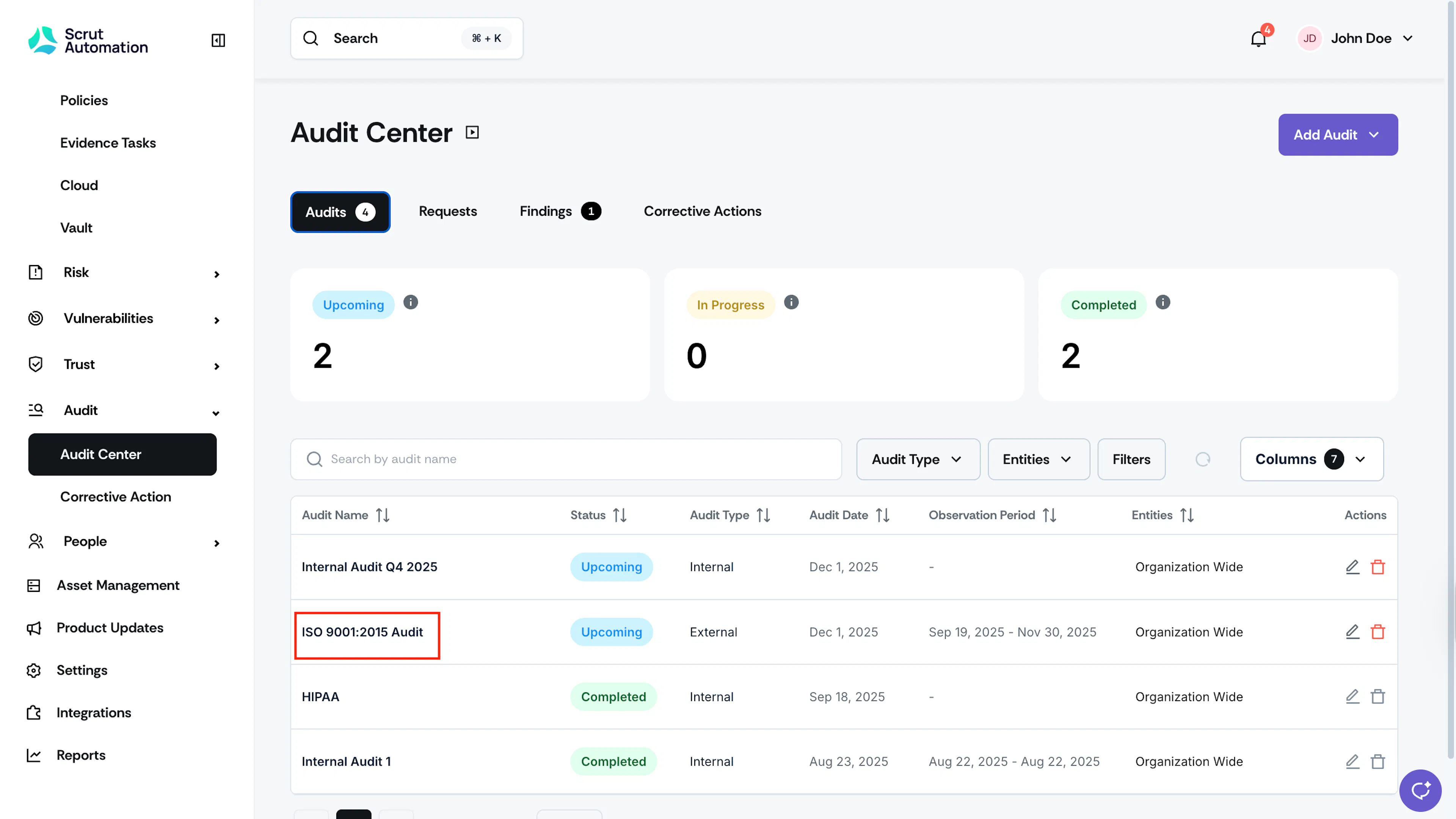
- Sign in to Scrut and click Audit → Audit Center on the left navigation panel.
- Click on any audit to view its details. This opens the Audit Details page, which provides all audit information.
Key Information
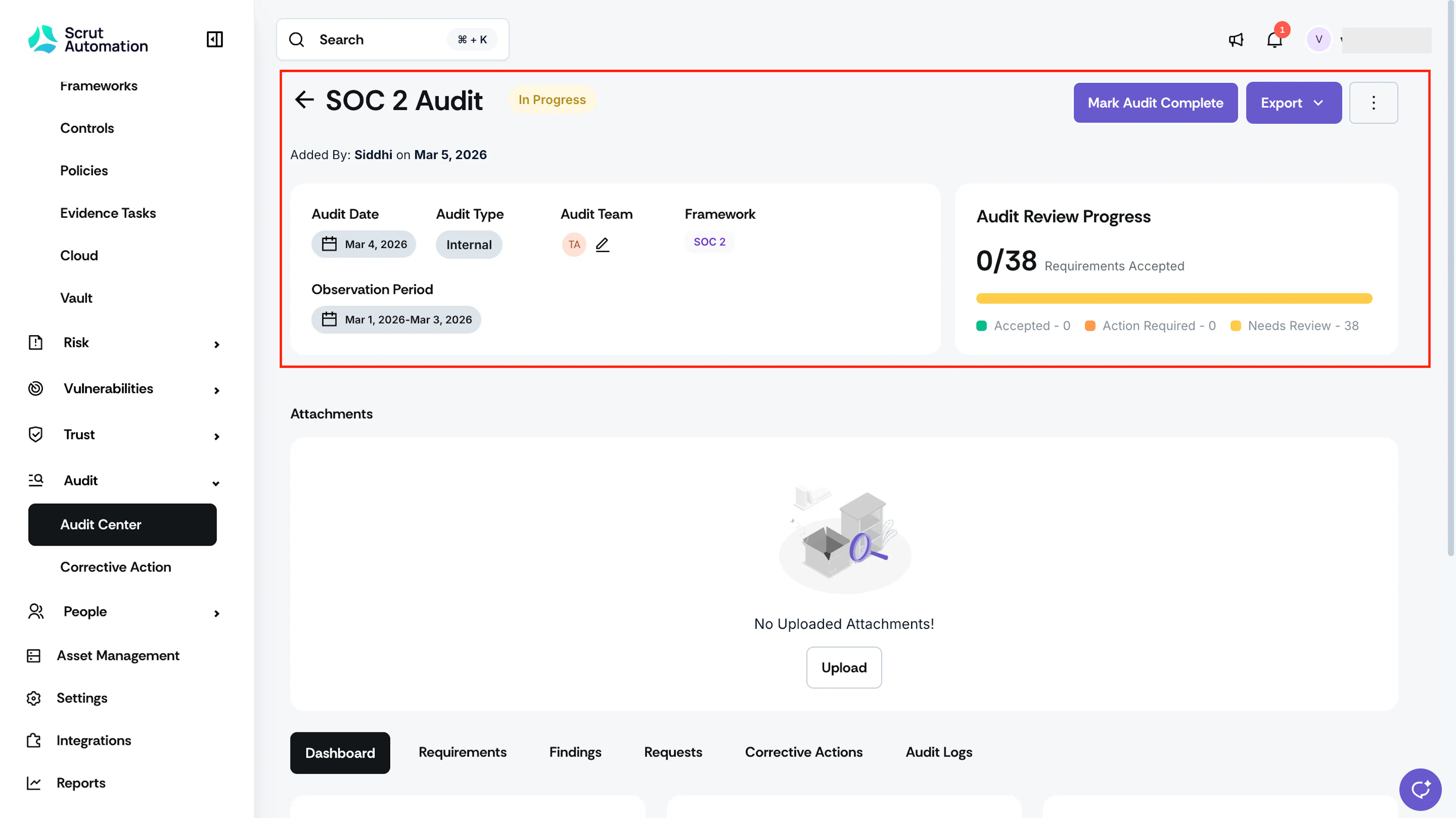
Here you can find key audit details including:
- Audit Name and Status: Name of the audit and its current status
- Added By: The person who created the audit and the date of creation
- Audit Date: The date on which the audit will occur
- Audit Type: Whether the audit is Internal or External
- Audit Team: Represents the auditors and internal stakeholders who collaborate with you to complete audit activities
- Framework: Shows the framework on which the audit is carried out
- Entities: Entities represent the multiple entities, such as subsidiaries, business units, or product lines, to which the audit belongs.
- Observation Period: Represents the audit period for which you are being audited. The evidence you've collected will be scoped based on these dates.
- Audit Review Progress: Shows the number of requirements marked Accepted out of the total requirements in the audit, along with a breakdown of how many are Accepted, Action Required, and Needs Review.
Export the Audit
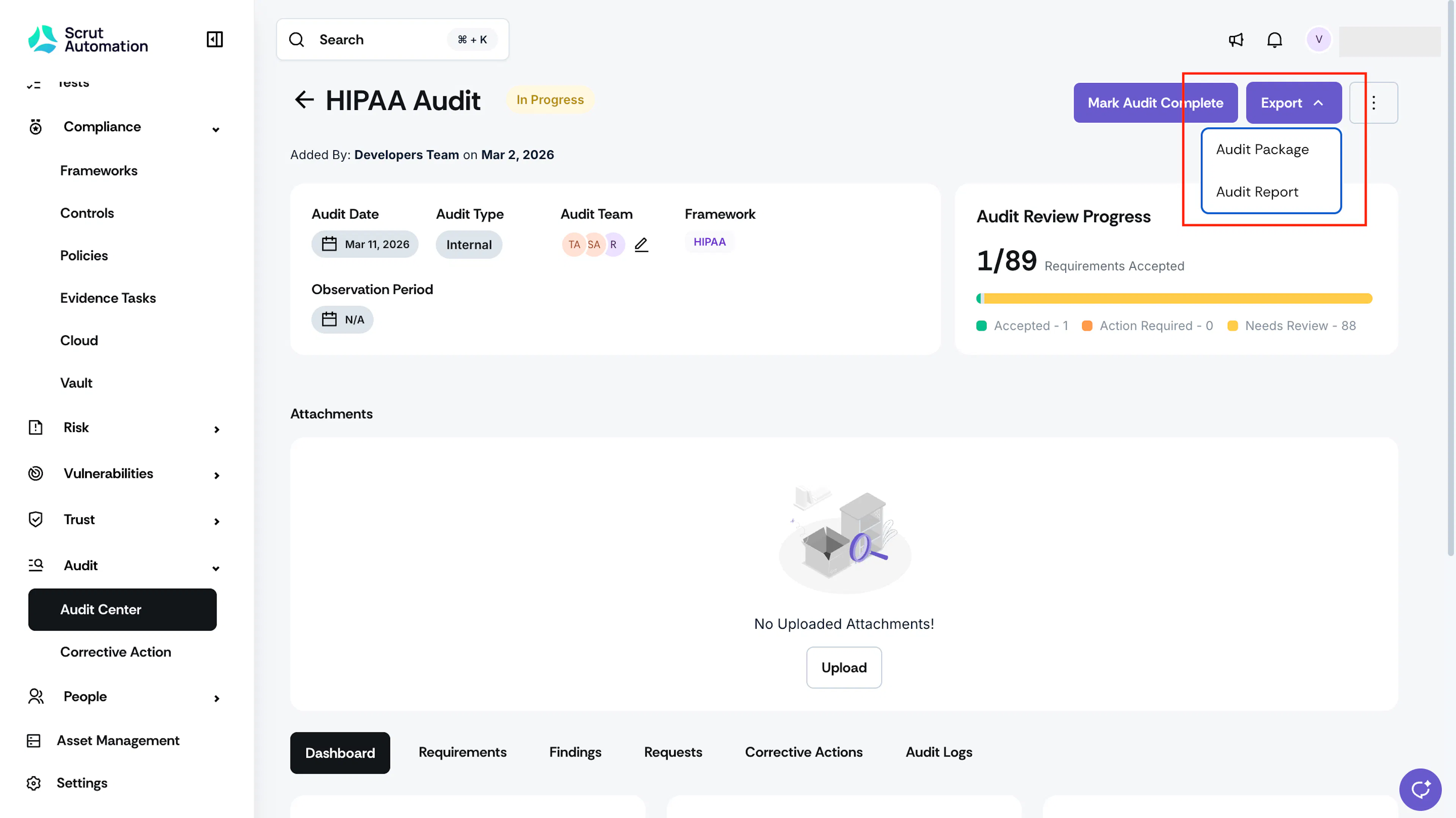
Use the Export dropdown at the top of the Audit Details page to download an offline copy of the audit.
- Audit Package: Available only for audits in the revamped audit experience. Downloads a complete, folder-by-folder export of the audit as a single zip file, including every linked policy, evidence, test, finding, request, and corrective action. Learn more.
- Audit Report: Downloads a summary of the audit's progress that you can share with stakeholders. Learn more.
Attachments
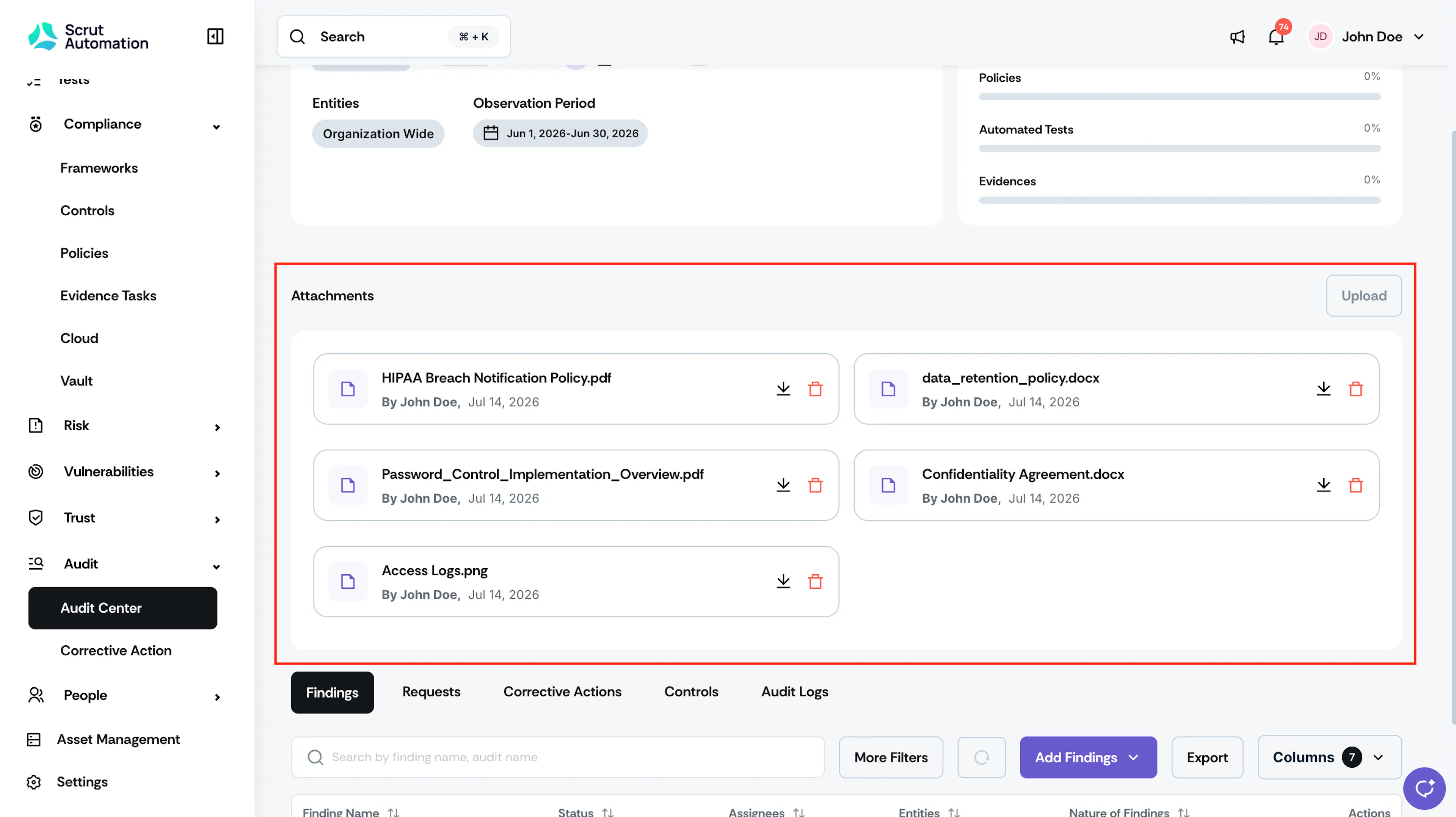
Use the Attachments section to upload and manage audit scope, audit plans, audit schedules, and other supporting documents related to the audit. Attachments are visible to everyone with access to the audit. See Add Audit Scope and Other Attachments for the full list of supported document types and how to manage them.
Dashboard
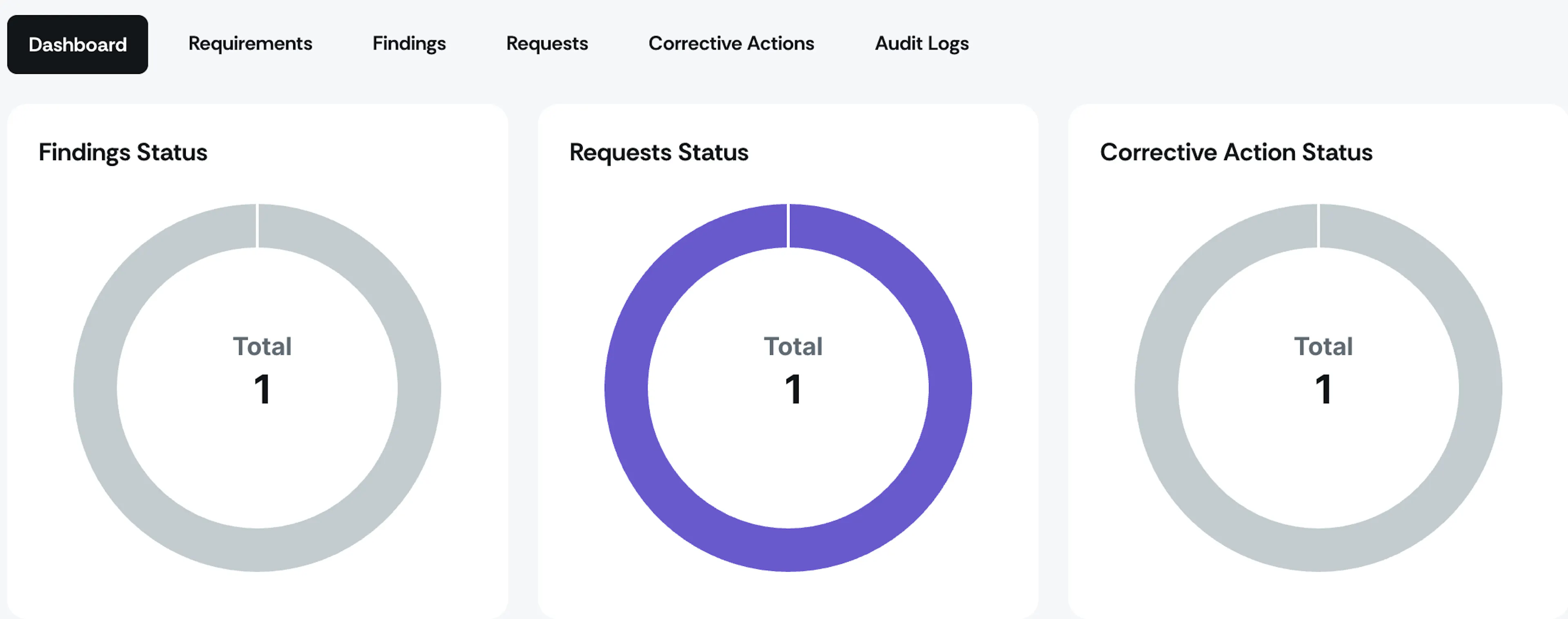
The Dashboard tab shows a summary view of the audit, including an overview of findings, requests, and corrective actions. For detailed, consolidated views, use the separate Findings, Requests, and Corrective Actions tabs.
Requirements
The Requirements tab lists every requirement in scope for the audit. Click a requirement to expand it and view its linked artifacts, such as policies, evidence, and tests. Click View More on any artifact to see its attachments and additional details.
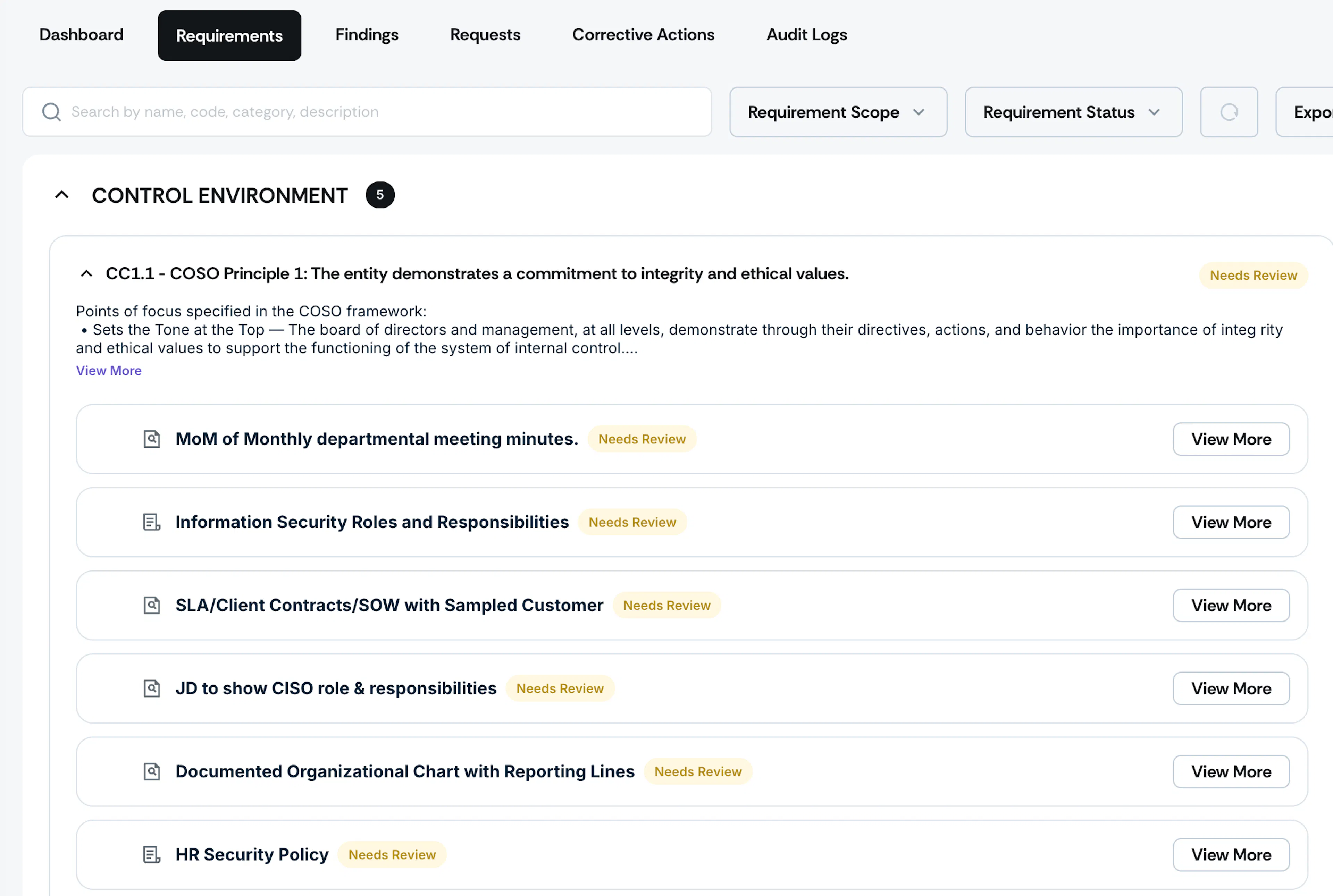
Requirement Statuses
Each requirement's status reflects the combined status of its linked artifacts, as explained below.
- Needs Review: This is the default status for every requirement, meaning review has not started or is not yet complete. A requirement also shows this status if at least one linked artifact is still Needs Review.
- Accepted: A requirement shows this status once all its linked artifacts have been marked Accepted.
- Action Required: A requirement shows this status when all its linked artifacts have an open finding or request.
Reviewing Requirement Artifacts
For each artifact:
- Auditors can click Mark as Accepted to mark it as satisfying the requirement.
- Add a finding directly against it if you identify a gap or discrepancy.
- Create a request against it if you need additional evidence or documentation from the audit team.
Once a finding or request exists for an artifact, the artifact displays a counter showing how many are open. To add a custom control or an additional artifact to a requirement, contact your organization's Admin or your Scrut CSM.
Heads Up! Once you mark an audit complete, its requirements, artifacts, findings, and requests become read-only. You cannot change any status or add a new finding or request. Corrective actions linked to the audit remain editable. See Mark an Audit Completed for full details.
Findings
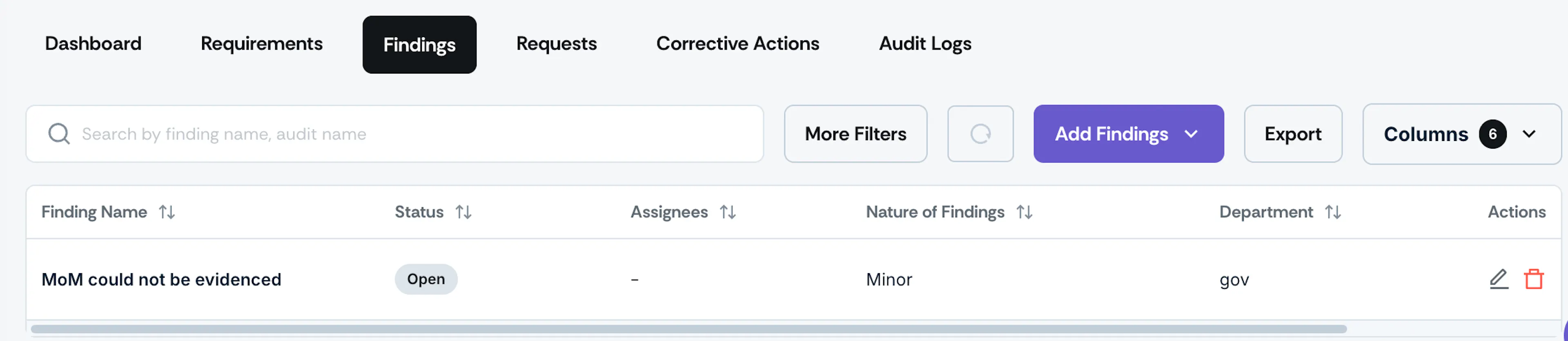
The Findings tab shows all findings created for this audit, making it easy to manage everything in one place.
Requests
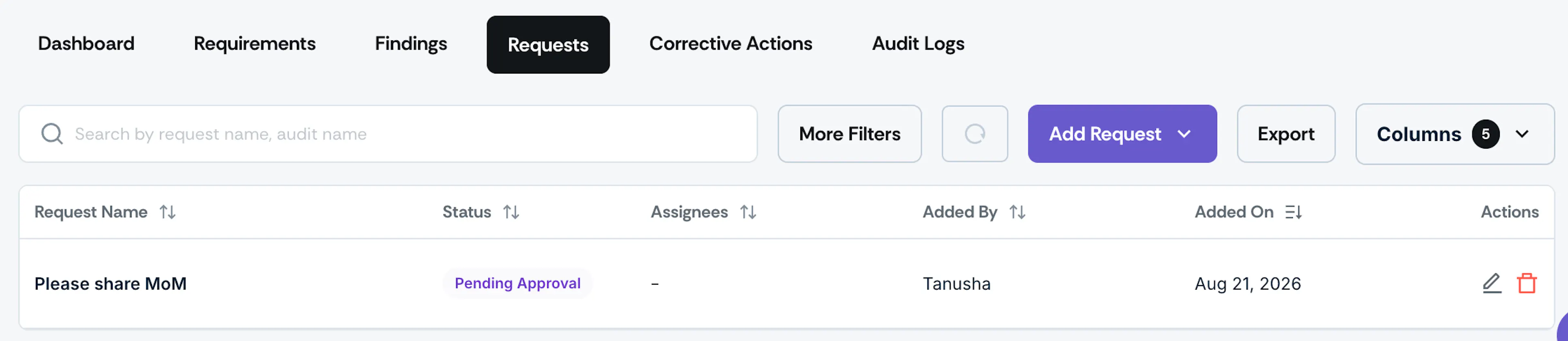
Auditors can create requests for any audit-related data from admins or other users.
Corrective Actions
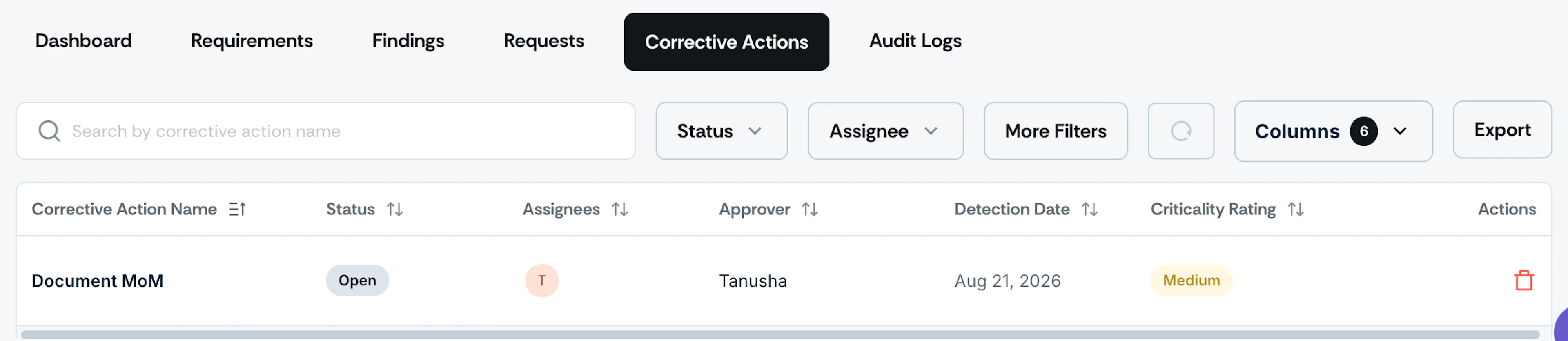
Corrective actions created for the audits will be listed along with their details.
Audit Logs
Go to the Audit Logs tab to review all changes made, including who made them and when. The logs provide comprehensive visibility into every action, ensuring a detailed record of the audit lifecycle.
Contact support@scrut.io or your CSM for further assistance.
Heads Up! The legacy audit experience only applies to ongoing and completed audits as of 17 September 2026. For upcoming audits, see the revamped audit experience.
The Audit Details page presents all the information related to a specific audit.
How to Access the Audit Details Page
- Sign in to Scrut and click Audit → Audit Center on the left navigation panel.
- Click on any audit to view its details.
- This opens the Audit Details page, which provides all the information about an audit.
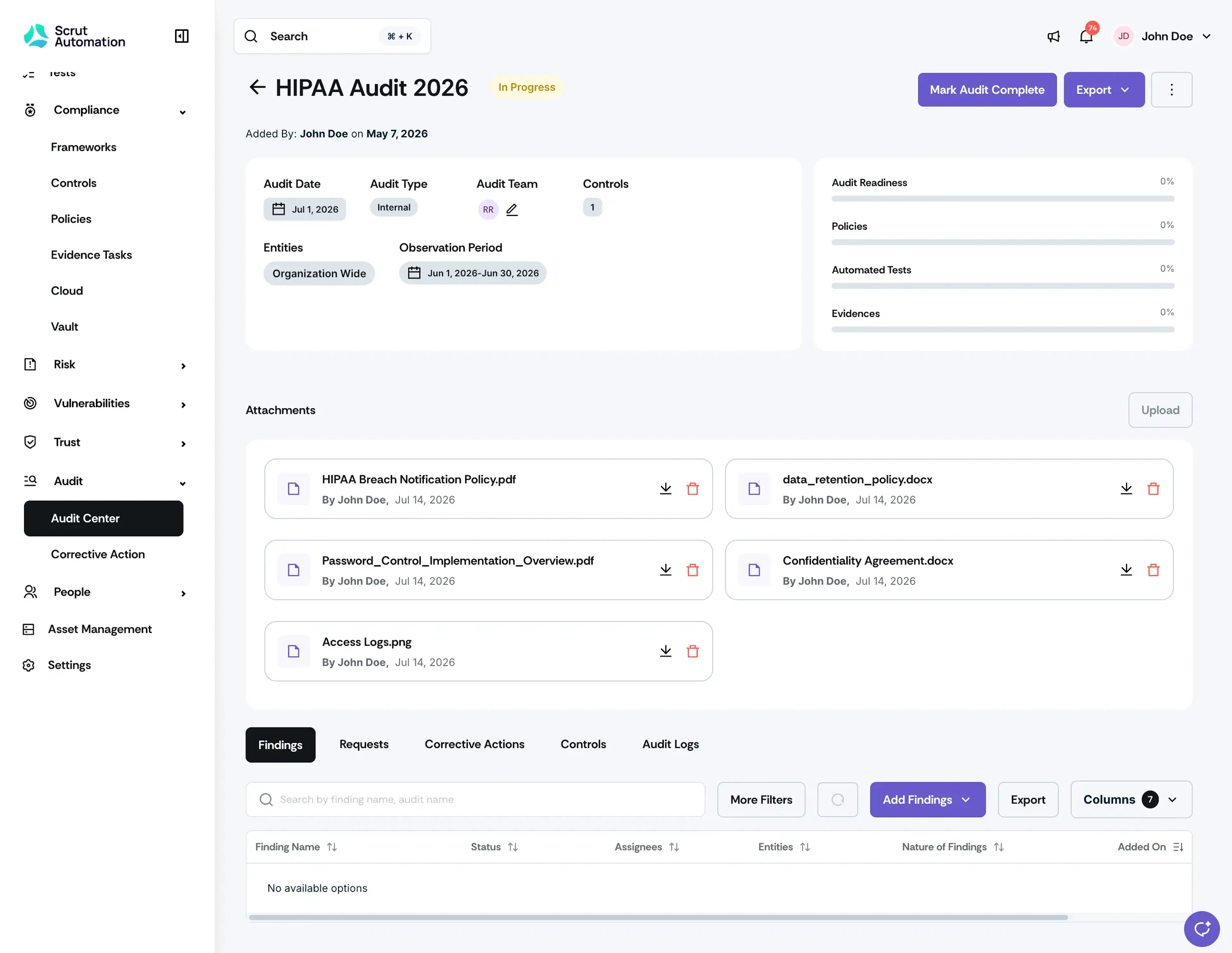
Key Information
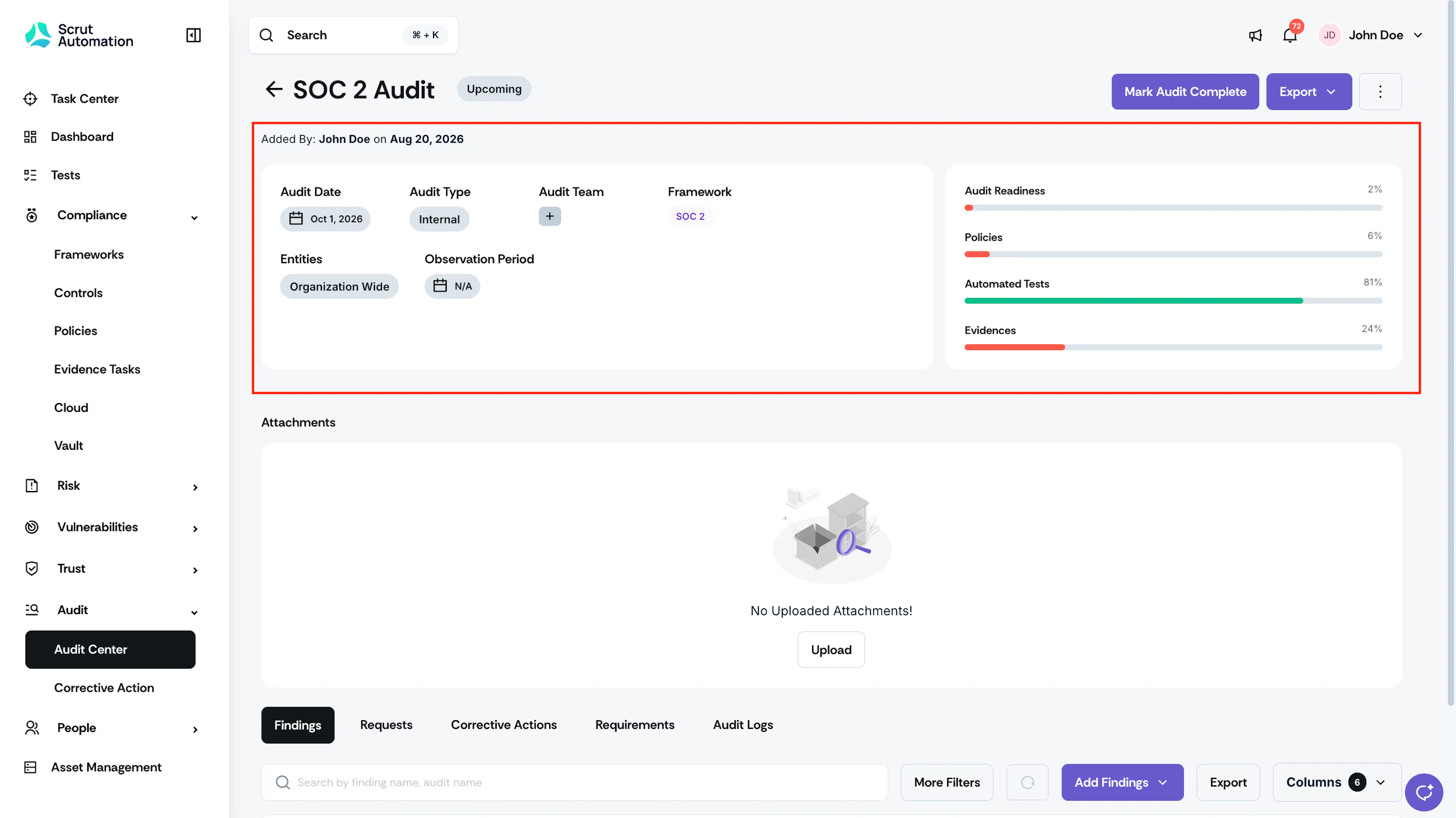
- Audit Name and Status: The name of the audit and its current status
- Added By: The person who created the audit
- Audit Date: The date on which the audit will occur
- Audit Team: Represents the auditors and internal stakeholders who collaborate with you to complete audit activities
- Framework: Shows the framework on which the audit is carried out
- Entities: Entities represent the multiple entities, such as subsidiaries, business units, or product lines, to which the audit belongs.
- Observation Period: Represents the audit period for which you are being audited. The evidence you've collected will be scoped based on these dates.
- Audit Readiness: The percentage of controls compliant with the framework and audit. For a completed audit, this percentage reflects the value frozen when the audit was marked complete, not your organization's current live compliance.
- Artifacts: You will find the percentage of Policies, Evidence, and Tests compliant for this audit.
Attachments
Use the Attachments section to upload and manage audit scope, audit plans, audit schedules, and other supporting documents related to the audit. Attachments are visible to everyone with access to the audit. See Add Audit Scope and Other Attachments for the full list of supported document types and how to manage them.
Tabs
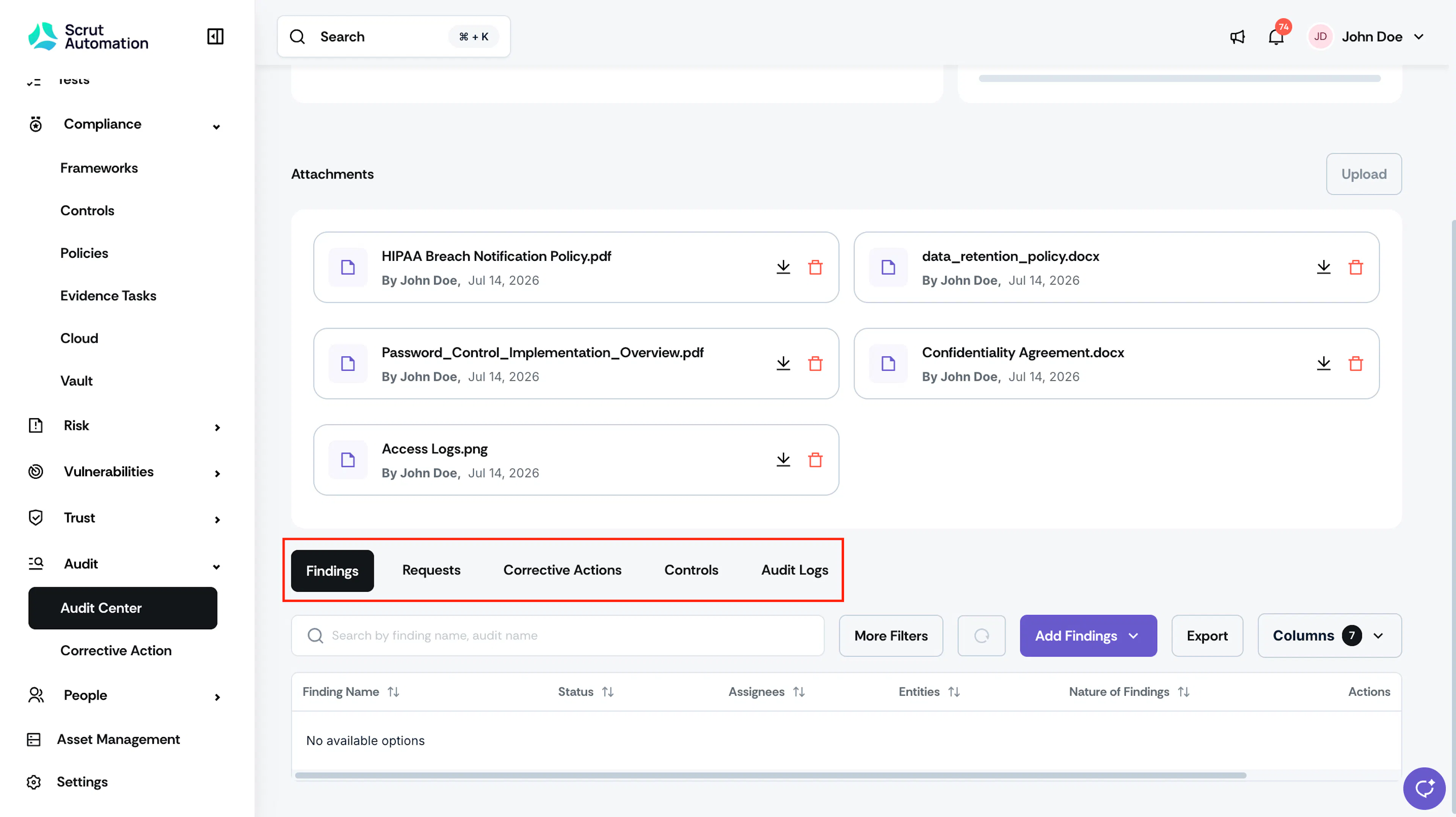
Discover even deeper insights by navigating through the following tabs:
- Findings: Auditors can list audit findings by adding them, making it easy to manage everything in one place.
- Requests: Auditors can create requests for any data from admins or other users related to the audit.
- Corrective Actions: Corrective actions created for audits are listed with their details.
- Controls: This tab is present for audits created by controls. It shows the list of controls being audited.
- Audit Logs: Go to the Audit Logs tab to review all changes made, including who made them and when. The logs provide comprehensive visibility into every action, ensuring a detailed record of the audit lifecycle.
Heads Up! Once you mark an audit complete, its requirements, artifacts, findings, and requests become read-only. You cannot change any status or add a new finding or request. Corrective actions linked to the audit remain editable. See Mark an Audit Completed for full details.