Create an Audit By Control
Who can use this feature
- Supported on Scale plan
-
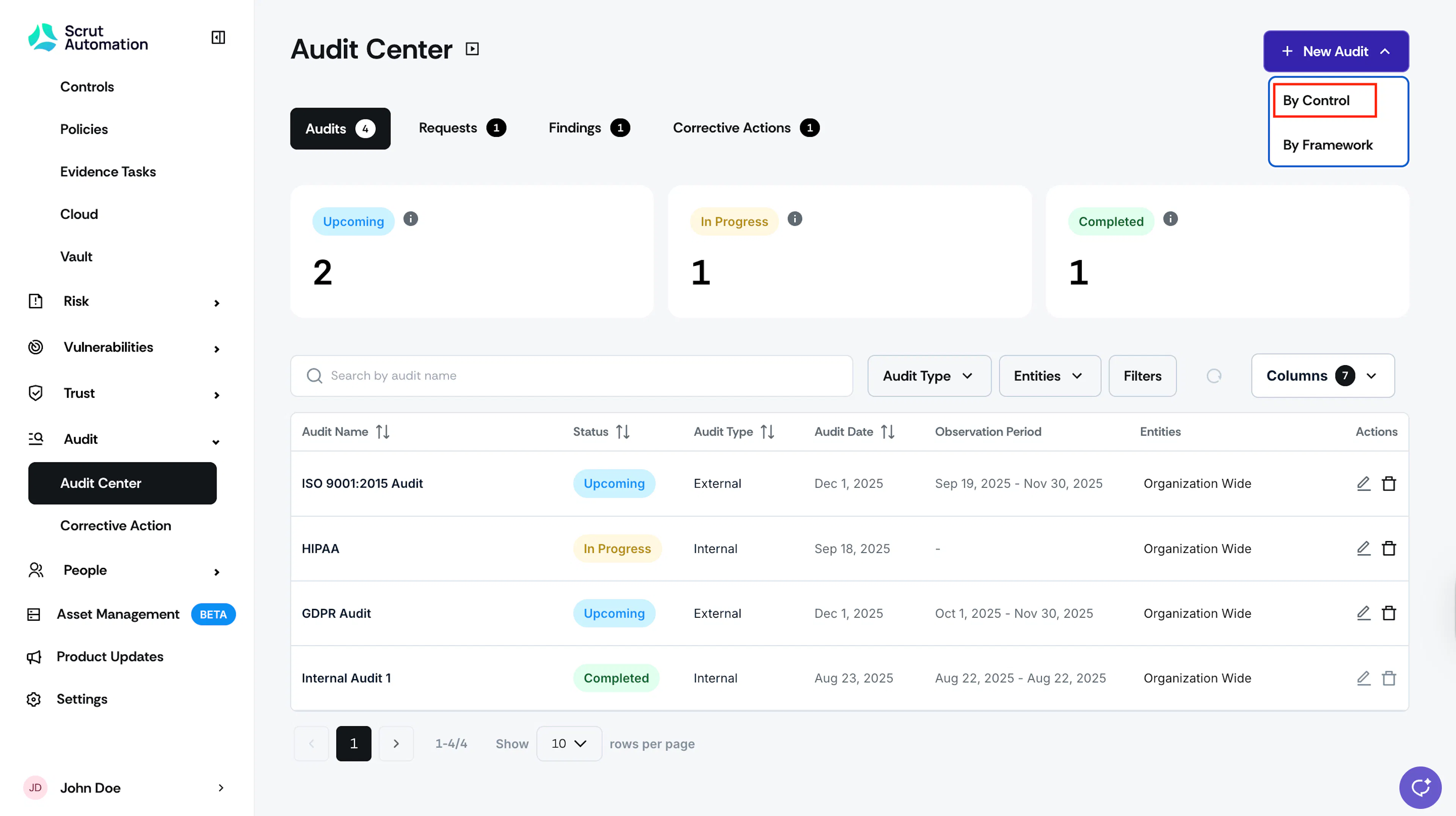
Sign in to Scrut and click Audit → Audit Center on the left navigation panel.
-
Click the +New Audit button and select By Control in the dropdown.
-
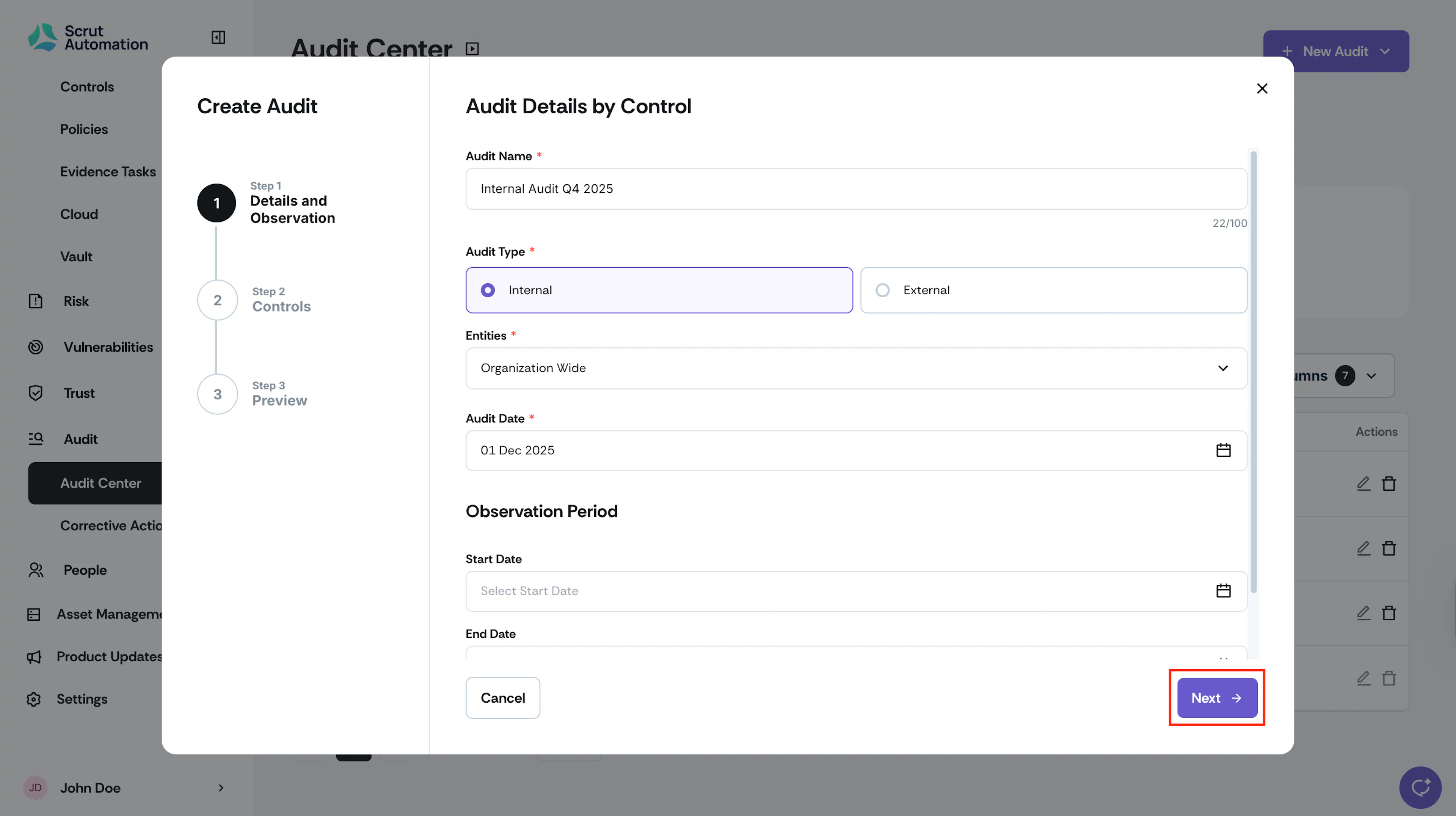
Enter a name for the audit.
-
Choose the Audit Type:
- Internal: Conducted within your organization
- External: Conducted by a third-party audit firm
-
From the Entities dropdown, select the organizational entity or entities that the audit belongs to.
-
In the Audit Date field, select the specific date when the audit will take place.
-
In the Observation Period field, select the Start Date and End Date and set an observation period for the audit project to the period for which you are being audited. The evidence you’ve collected will be scoped based on these dates.
-
Click Next.
-
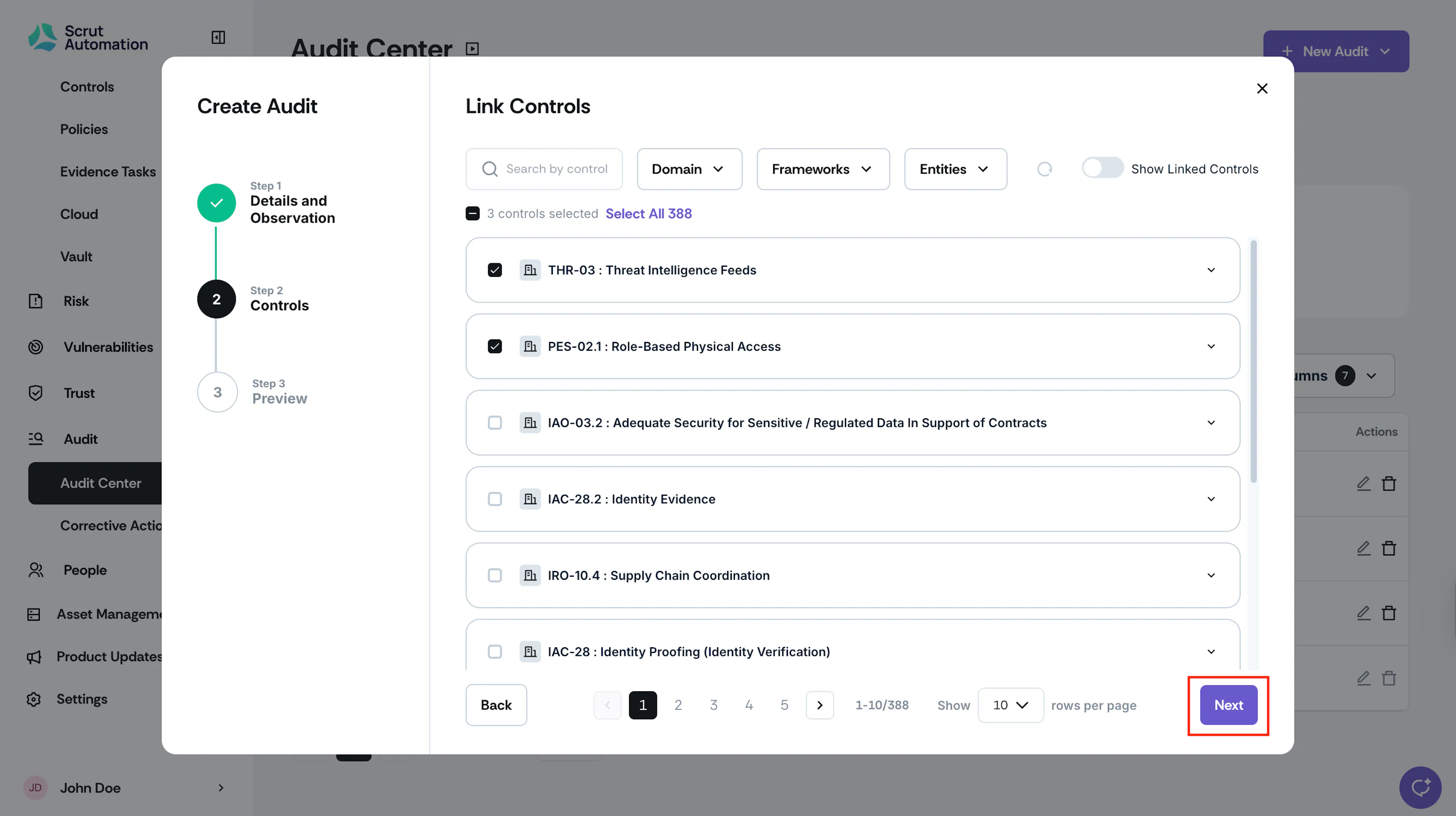
Select the controls by which you want to create the audit. Use the filters and the search bar at the top of the modal to quickly find specific controls. Once you’ve selected the required controls, click Next.
-
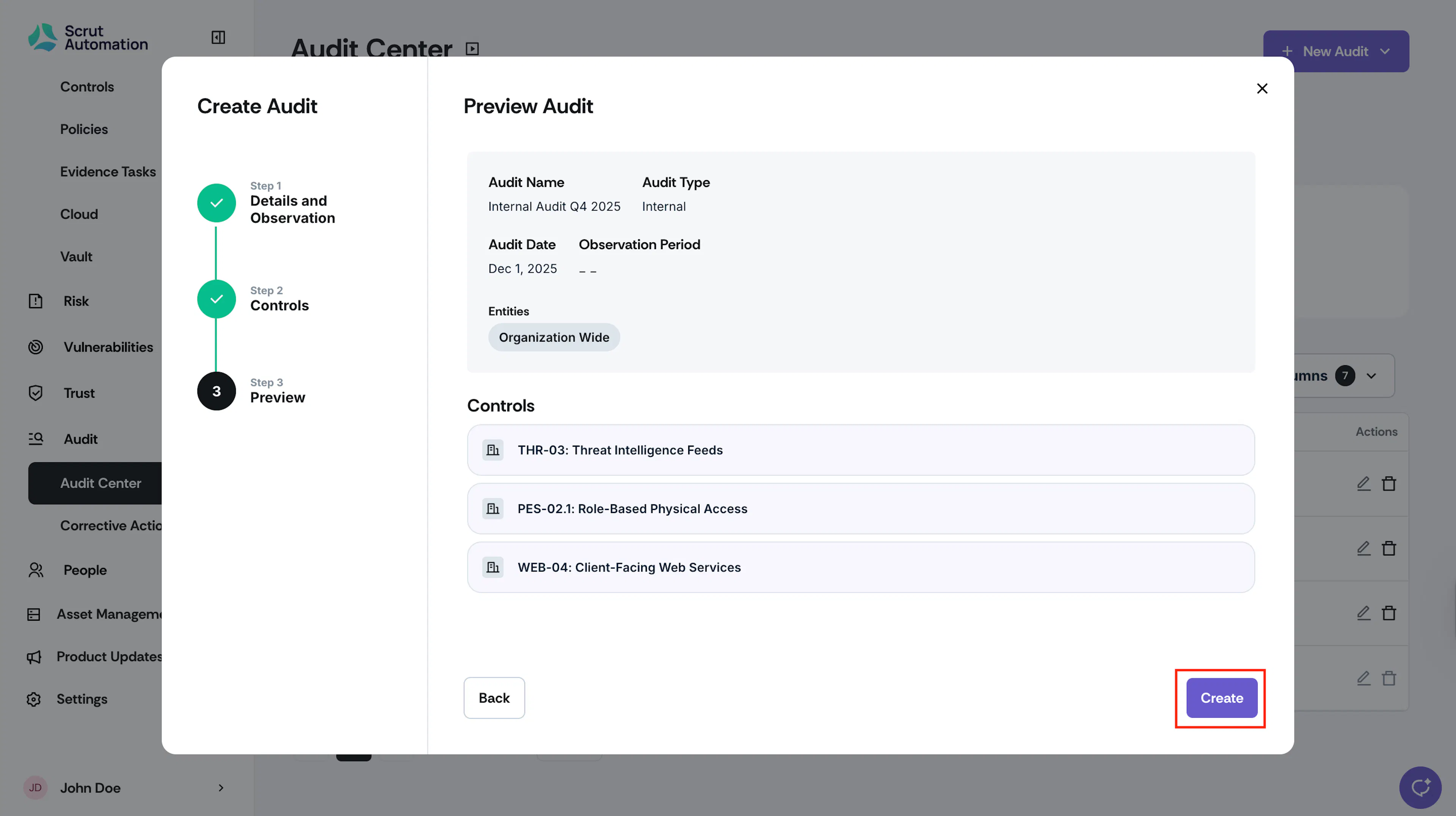
Click Create.
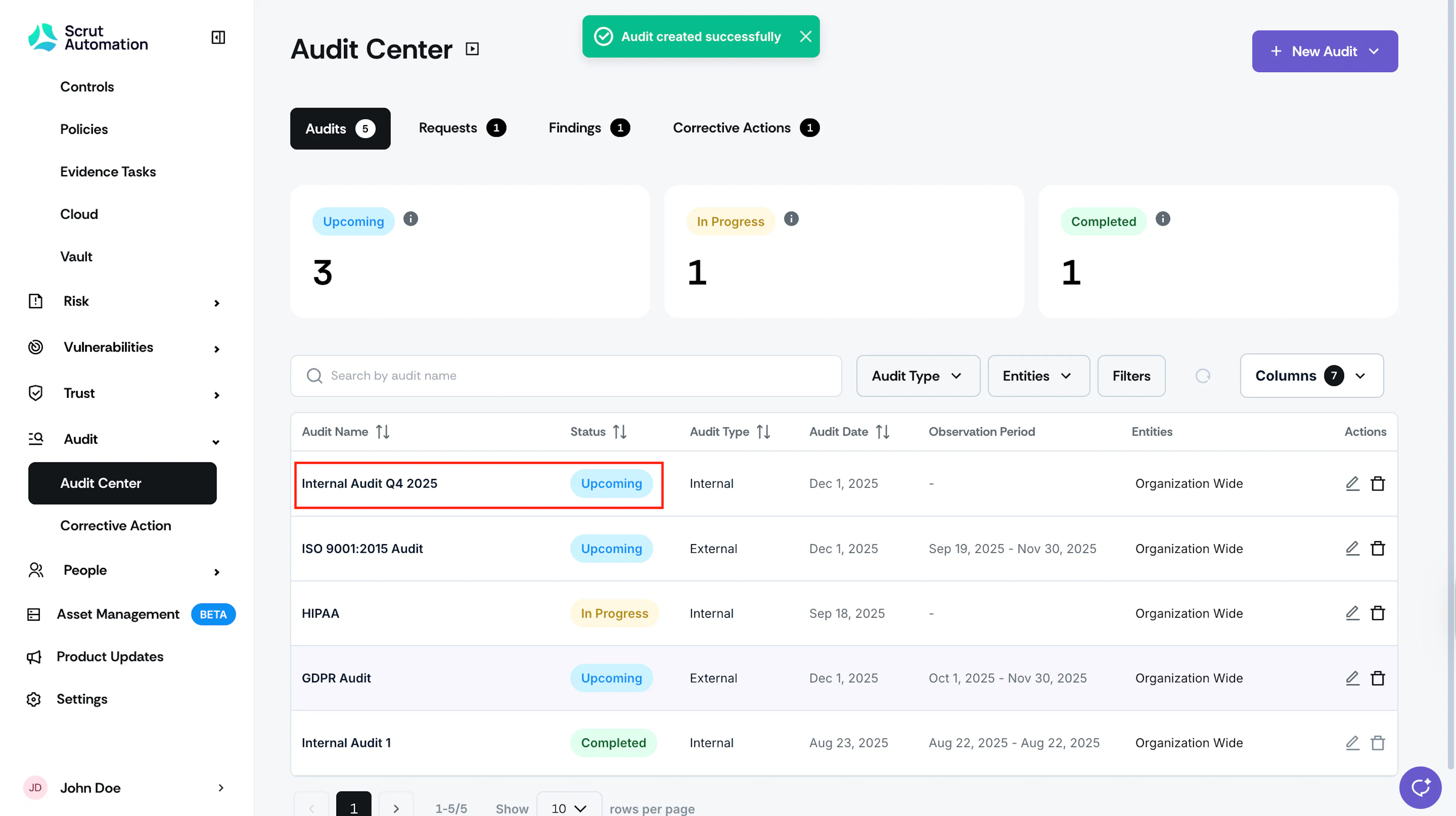
Note:
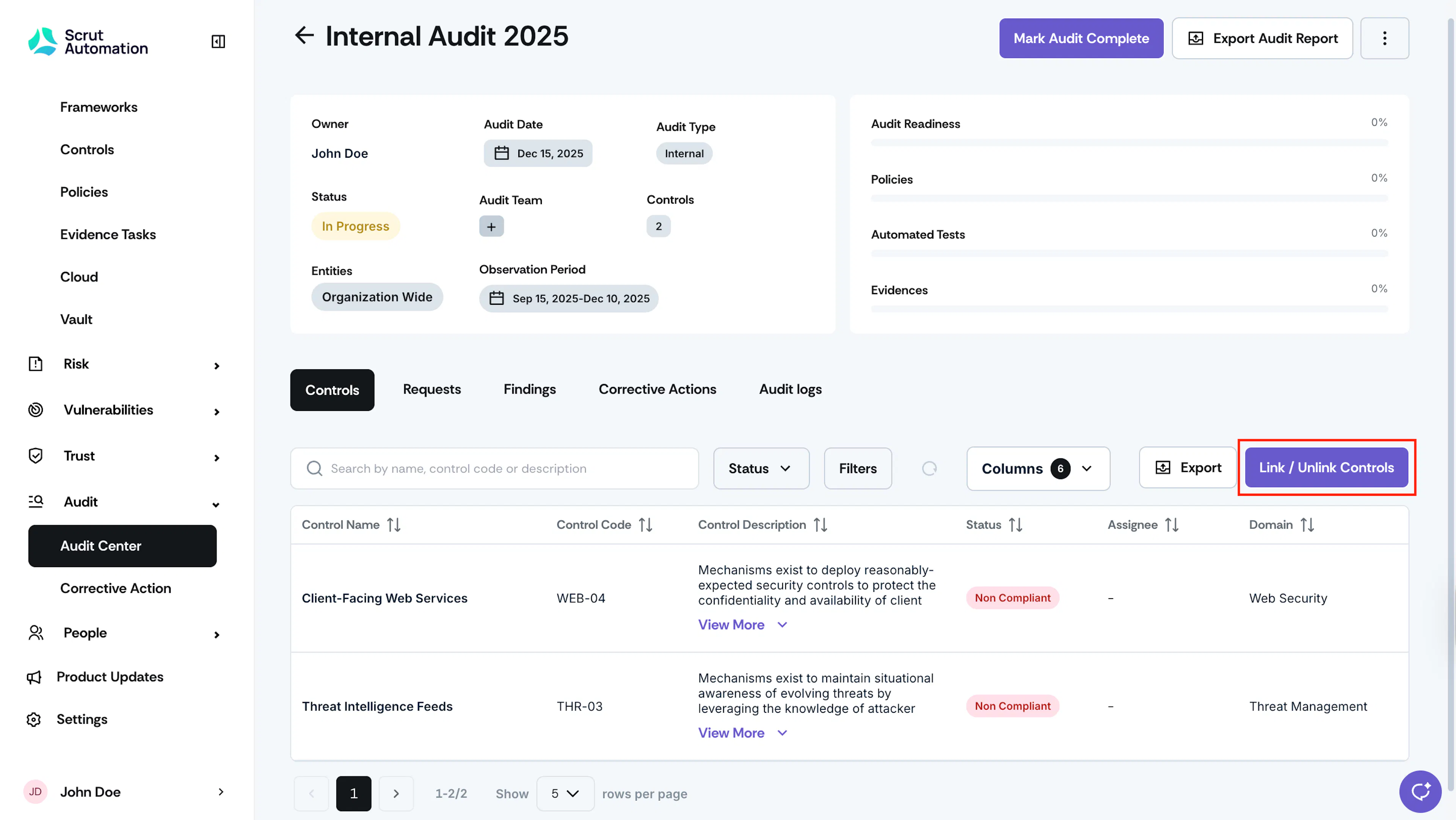
After creating an audit by controls, you can view the control details, such as name, code, and description, in the Controls tab within the audit. These represent the specific criteria defined by the selected framework, ensuring clarity and alignment with compliance objectives.
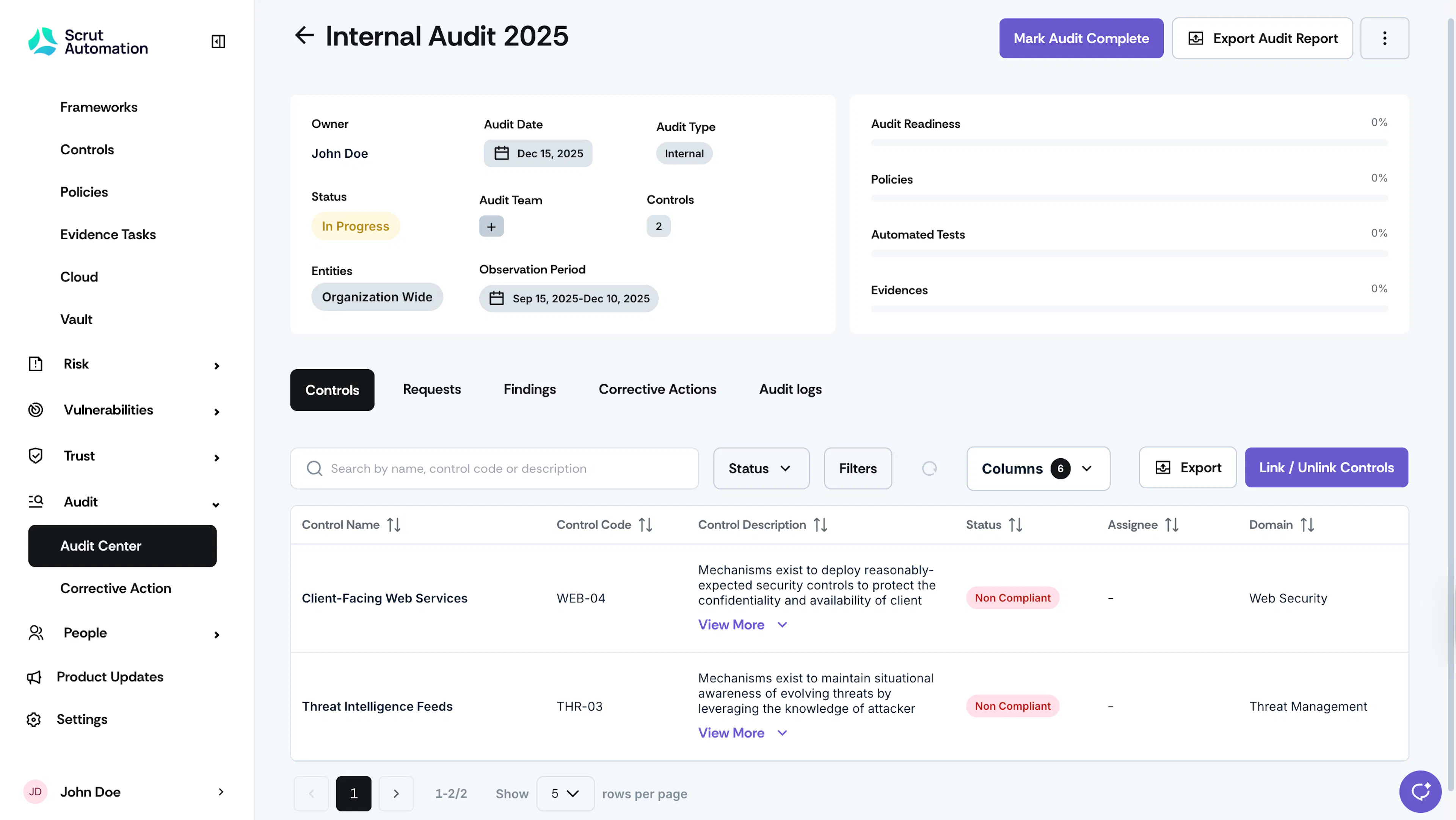
Click the Link/Unlink Controls button to add or remove controls from the audit.