

Create an Audit By Framework
Who can use this feature
- Supported on Foundation, Growth, and Scale plans
Method 1: Via the Audit Center
- Sign in to Scrut and click Audit → Audit Center on the left navigation panel.
- Click the Add Audit button and select By Framework in the dropdown.
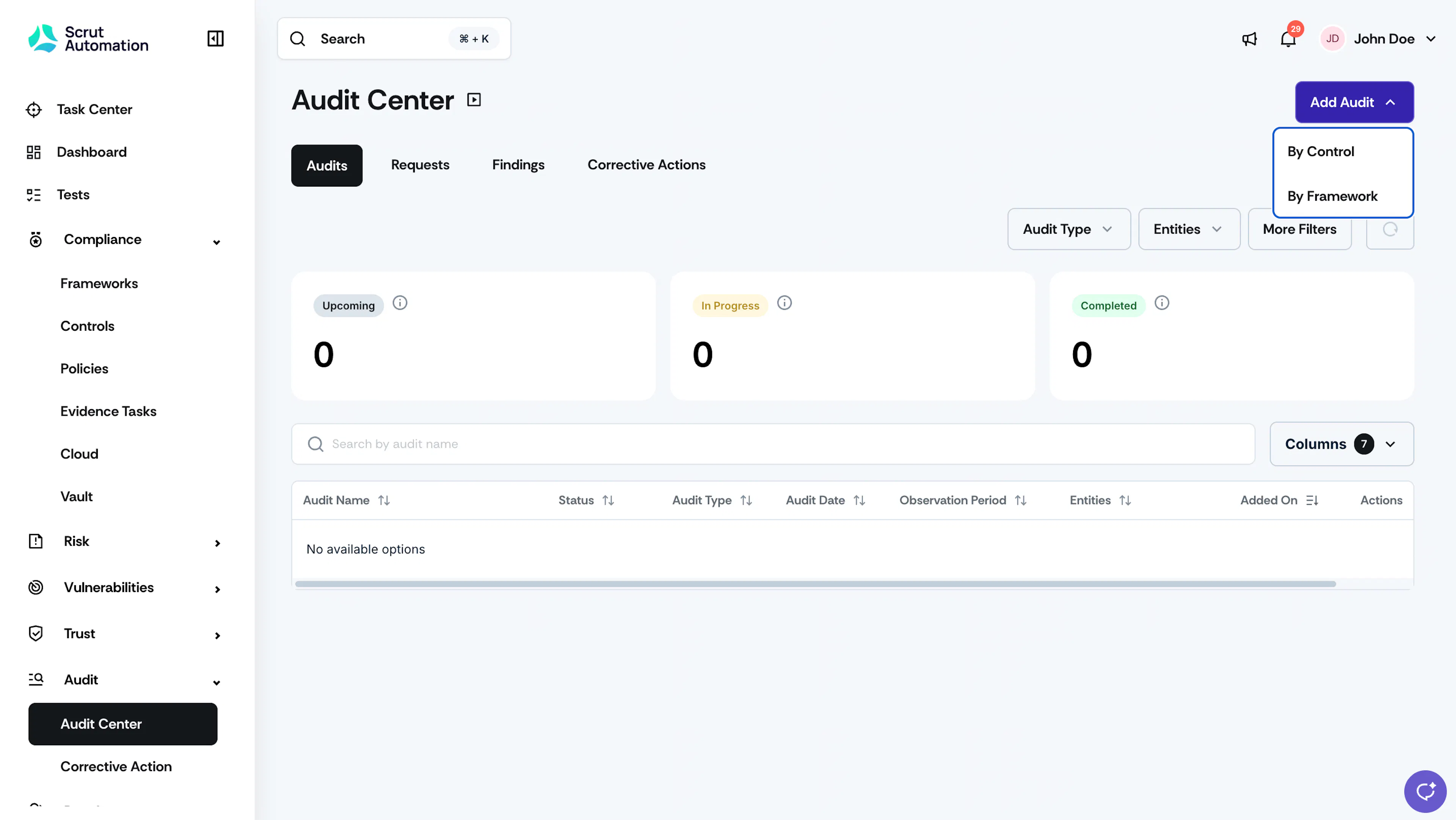
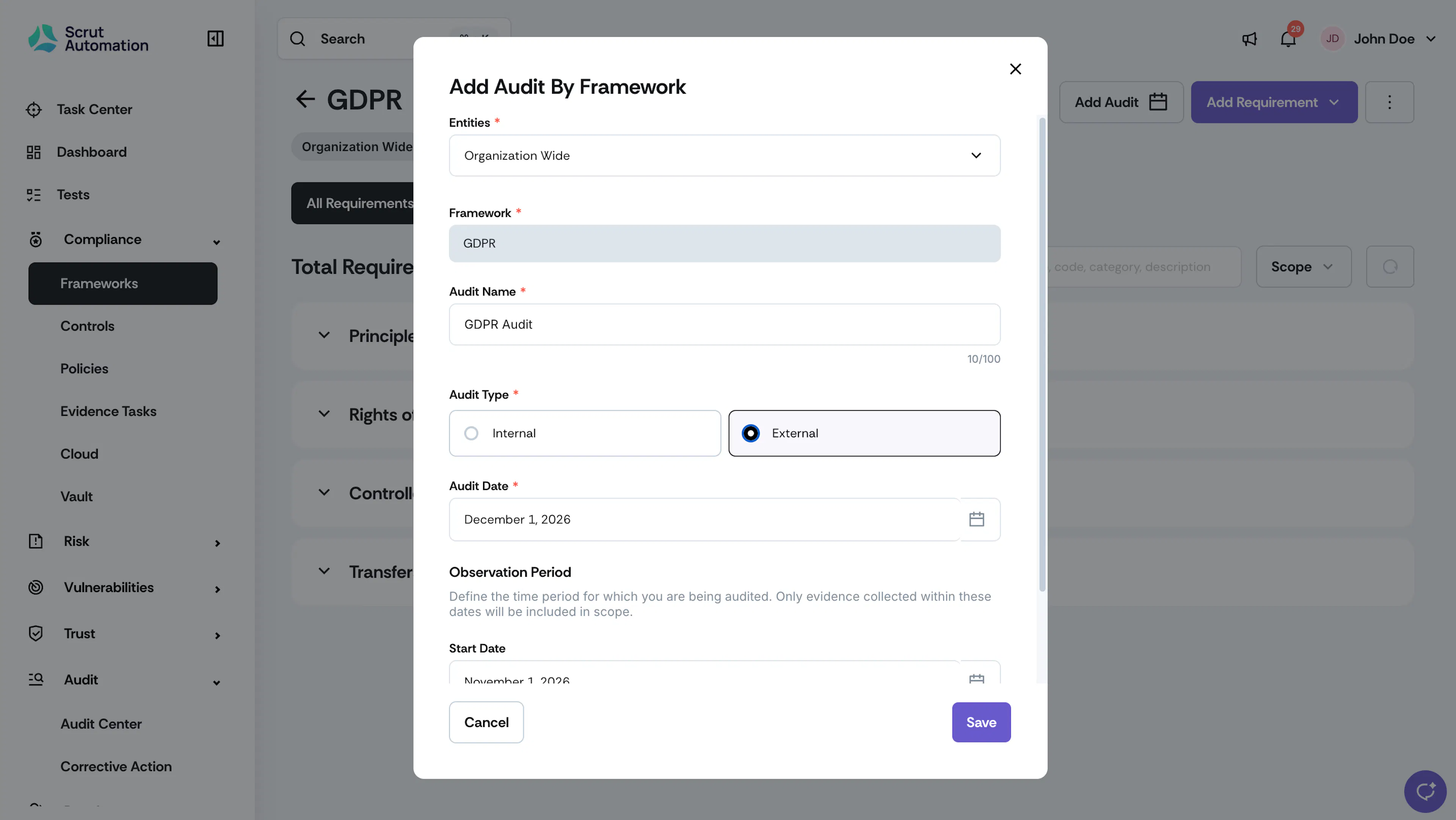
Add Audit - Select the framework that you want to audit.
- Enter a name for the audit.
- Choose the Audit Type:
- Internal: Conducted within your organization
- External: Conducted by a third-party audit firm.
- Note: Only one active external audit is allowed per framework at a time. However, you can create multiple internal audits as needed.
- From the Entities dropdown, select the organizational entity or entities that the audit belongs to.
- In the Audit Date field, select the specific date when the audit will take place.
- In the Observation Period field, select the Start Date and End Date and set an observation period for the audit project to the period for which you are being audited. The evidence you’ve collected will be scoped based on these dates.
- Click Create.
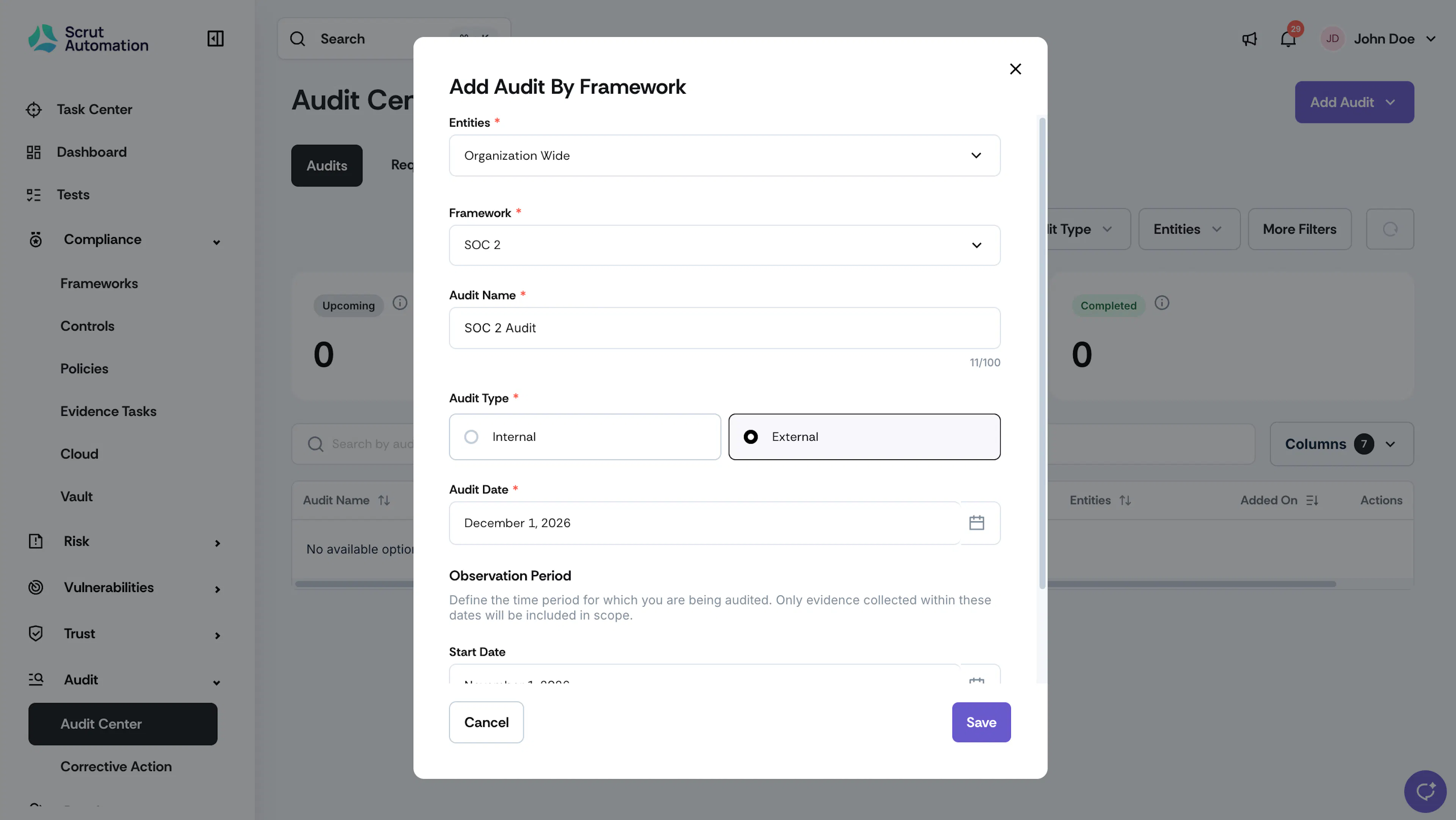
Add Audit by Framework
Heads Up!
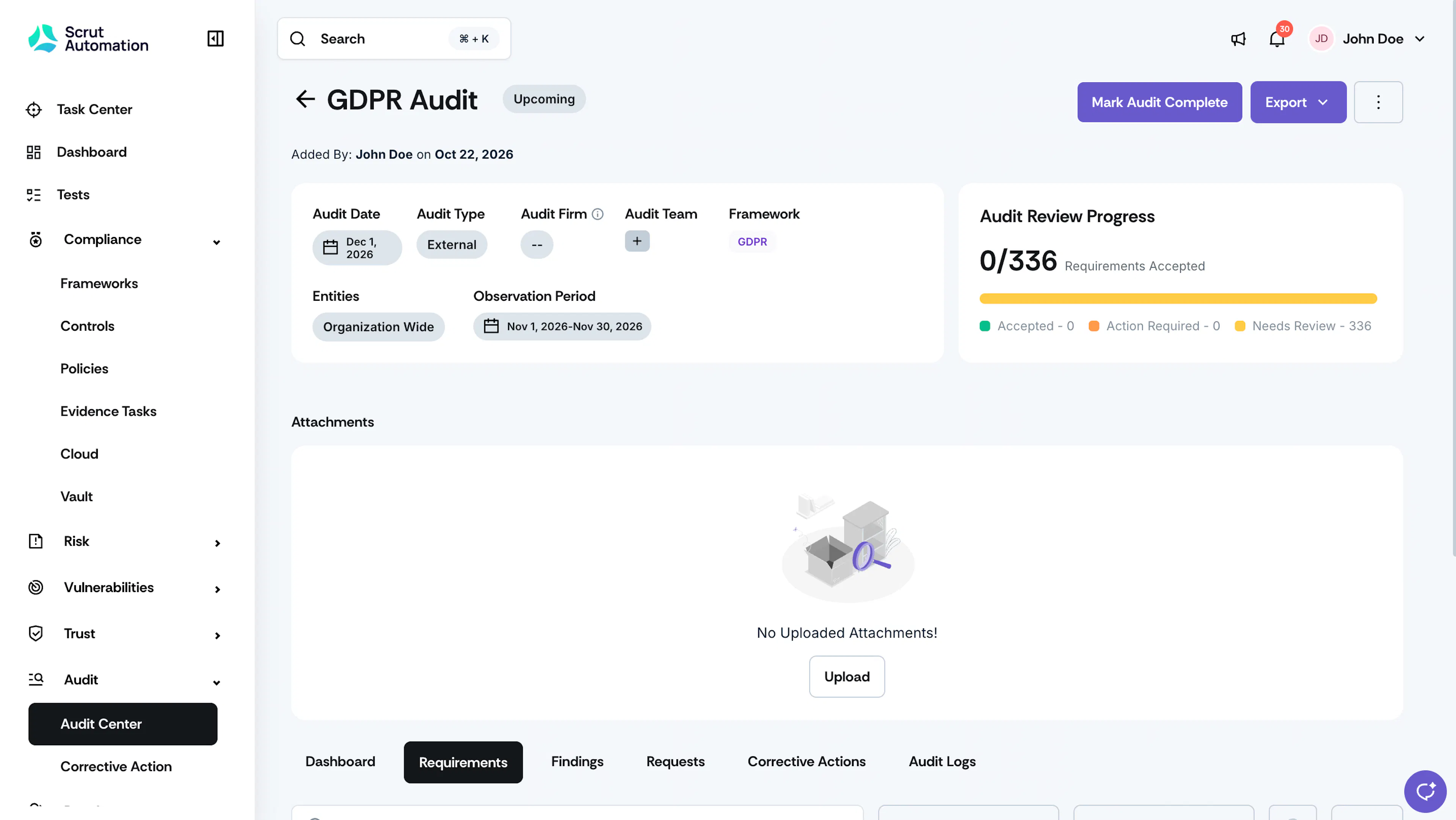
When you create an audit, its status is initially set to Upcoming. The status changes to In Progress when findings or requests are added, or when the audit date arrives.
Method 2: Via the Framework Details Page
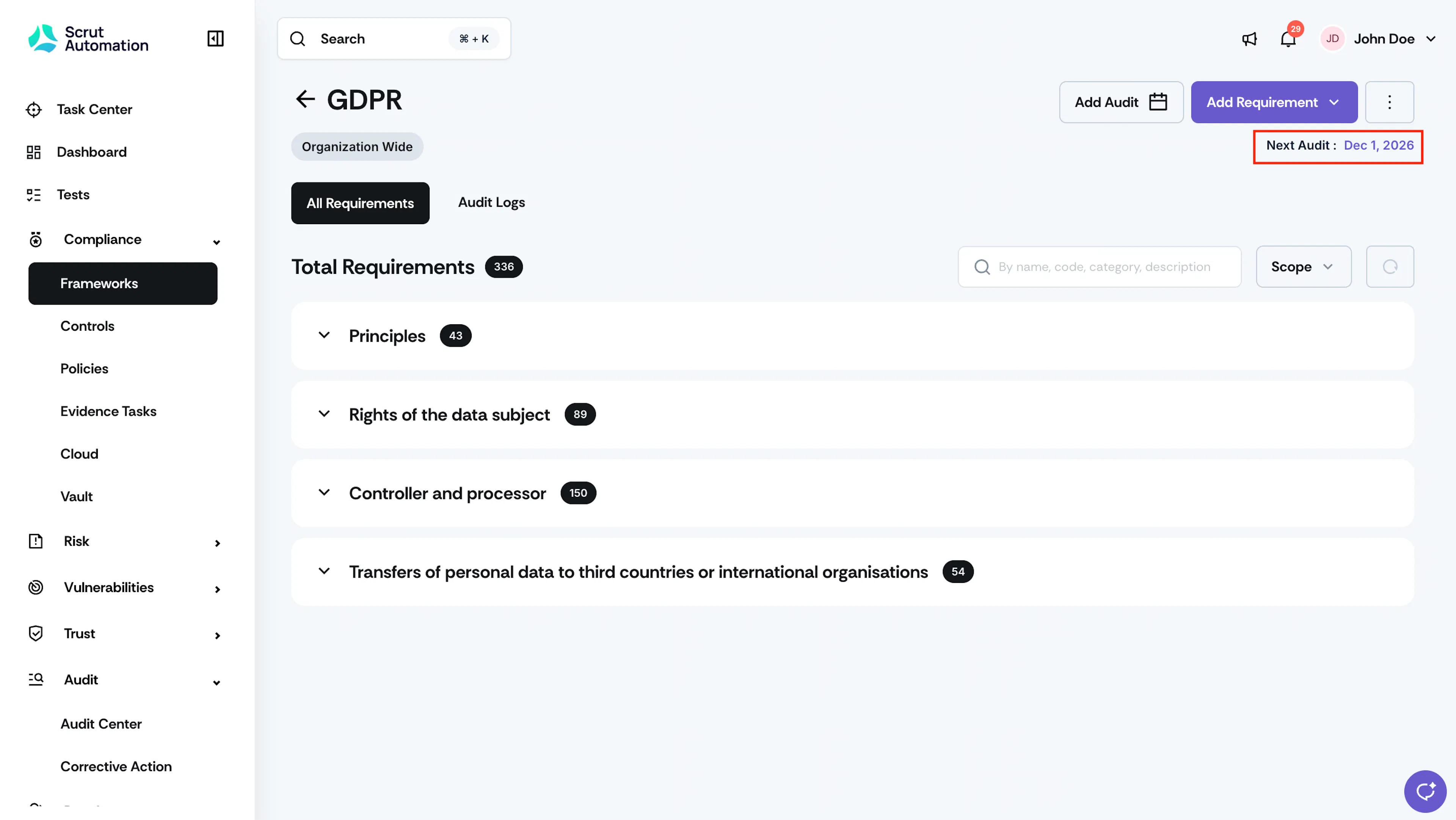
You can also create an audit for a framework directly from the Framework details page.
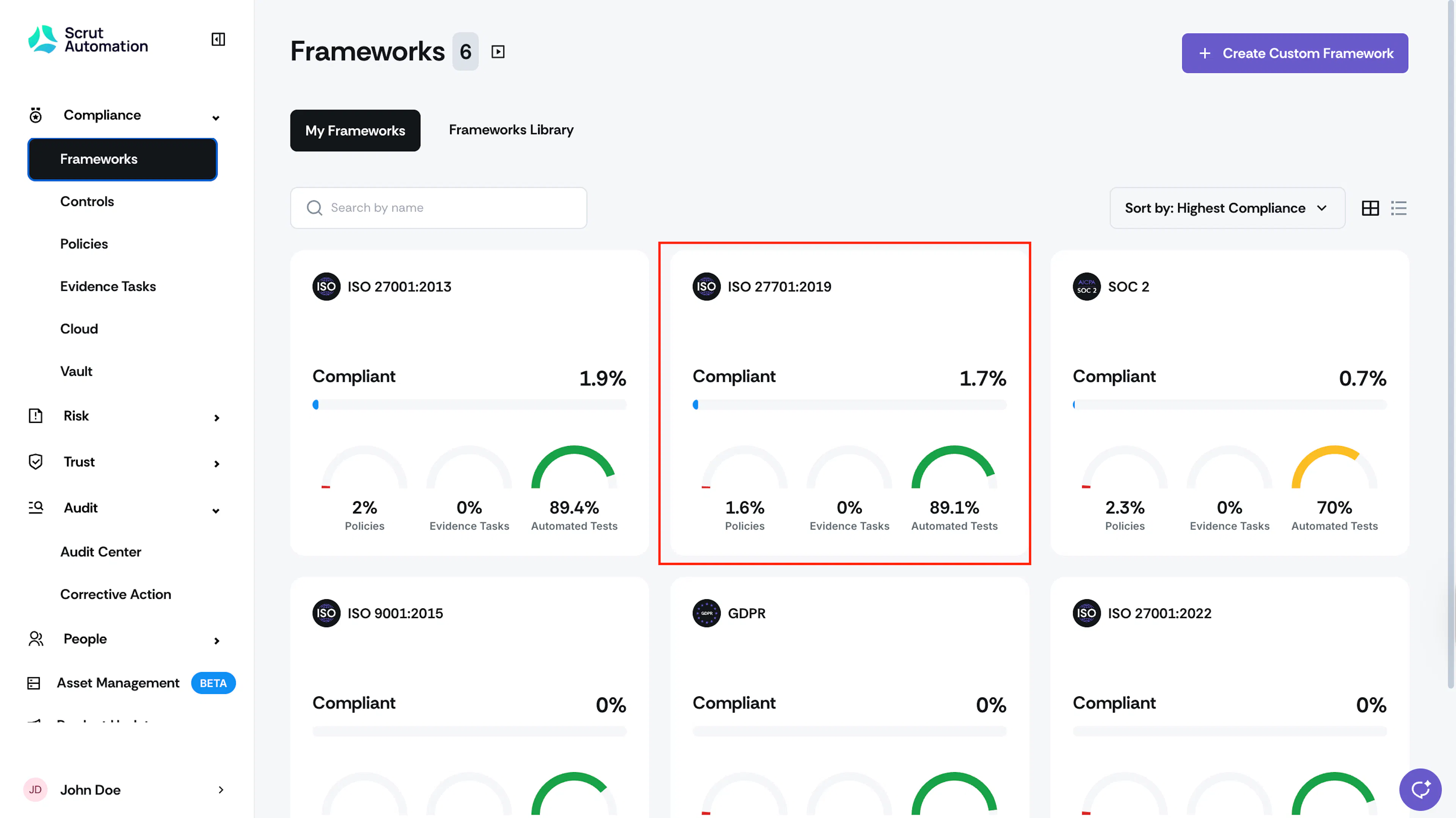
- Click Compliance → Frameworks on the left navigation panel.
- Click the Framework for which you want to create an audit. This takes you to the Framework details page.
- Click the Add Audit button at the top.
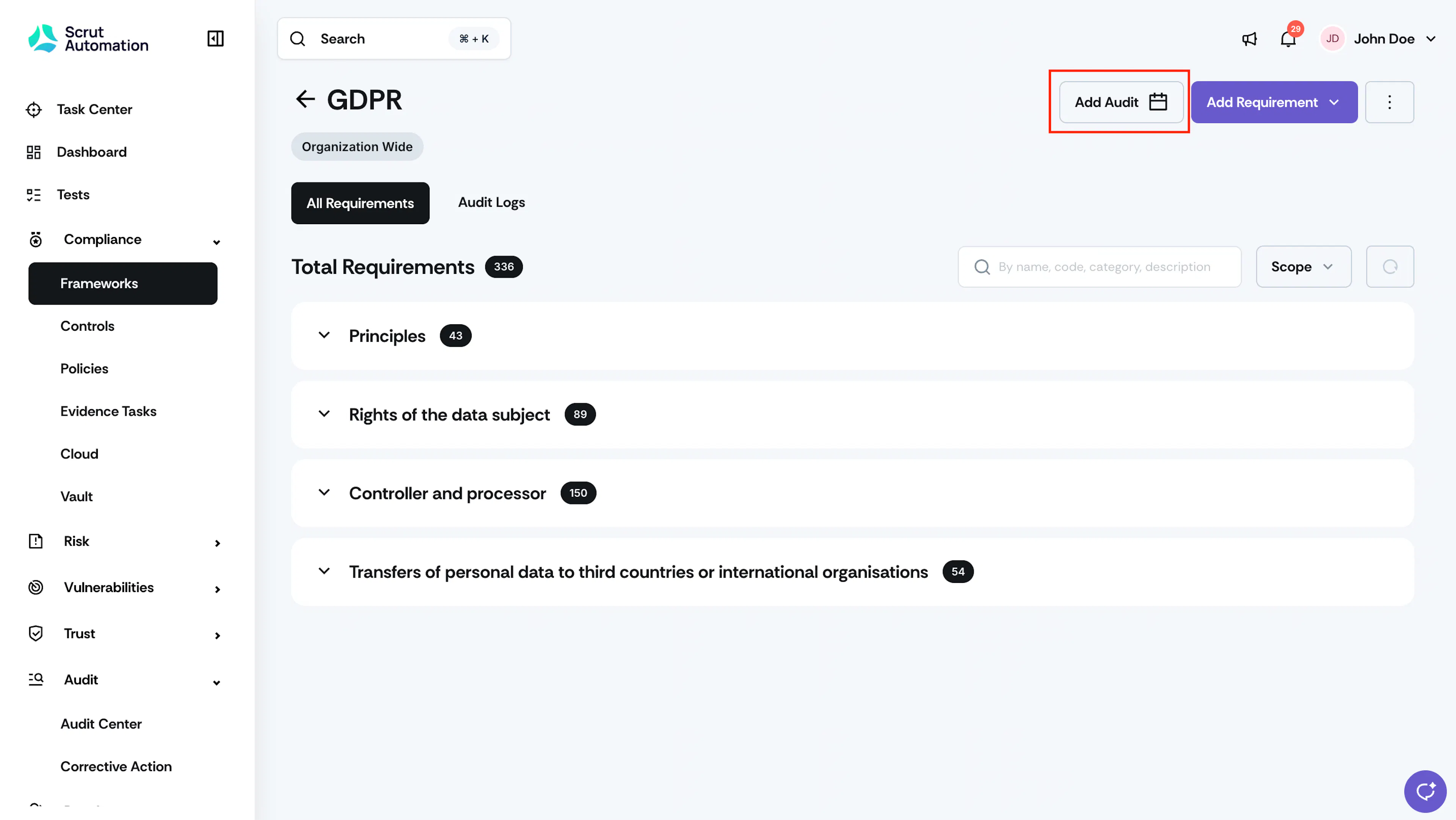
Add Audit from Frameworks Page - Enter the audit details and click Save.
The audit details you create are available on both the Framework details page and in the Audit Center.
Was this page helpful?