

Edit and Delete an Audit
Who can use this feature
- Supported on Foundation, Growth, and Scale plans
Editing an Audit
-
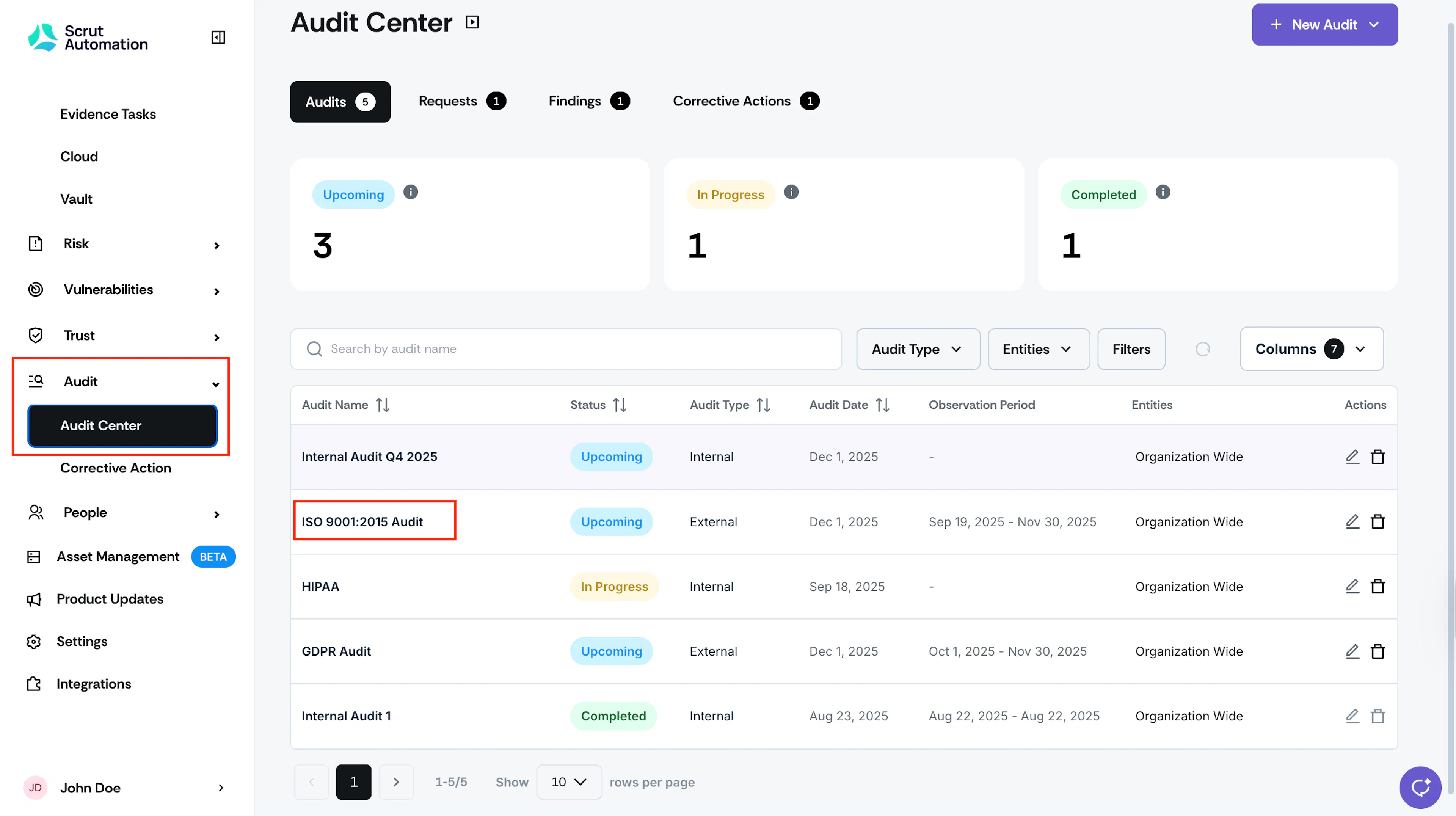
Sign in to Scrut, and click Audit → Audit Center on the left navigation panel.
-
Click on the audit you want to edit.
-
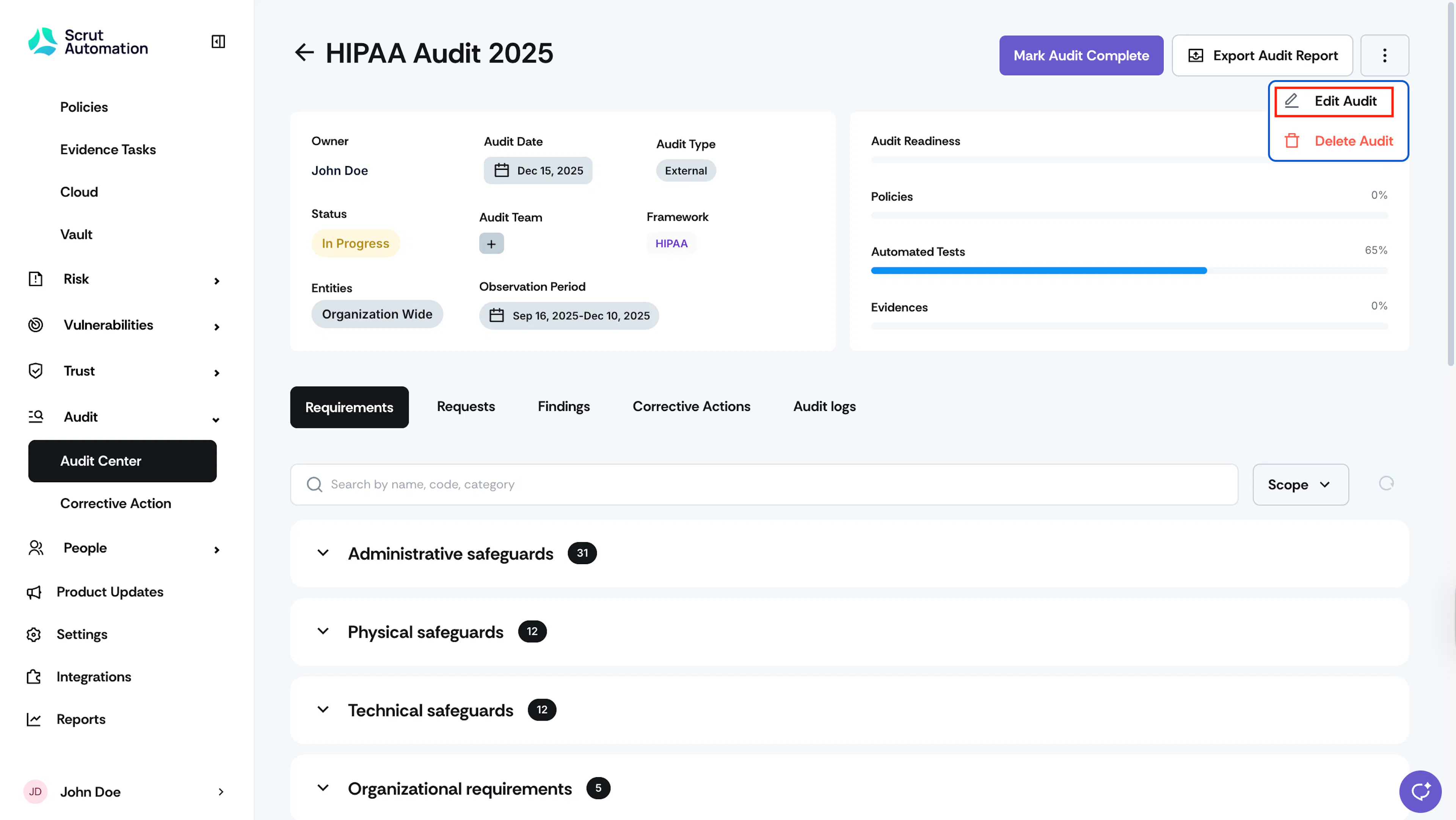
Click the three-dots icon on the top-right.
-
Click Edit Audit.
-
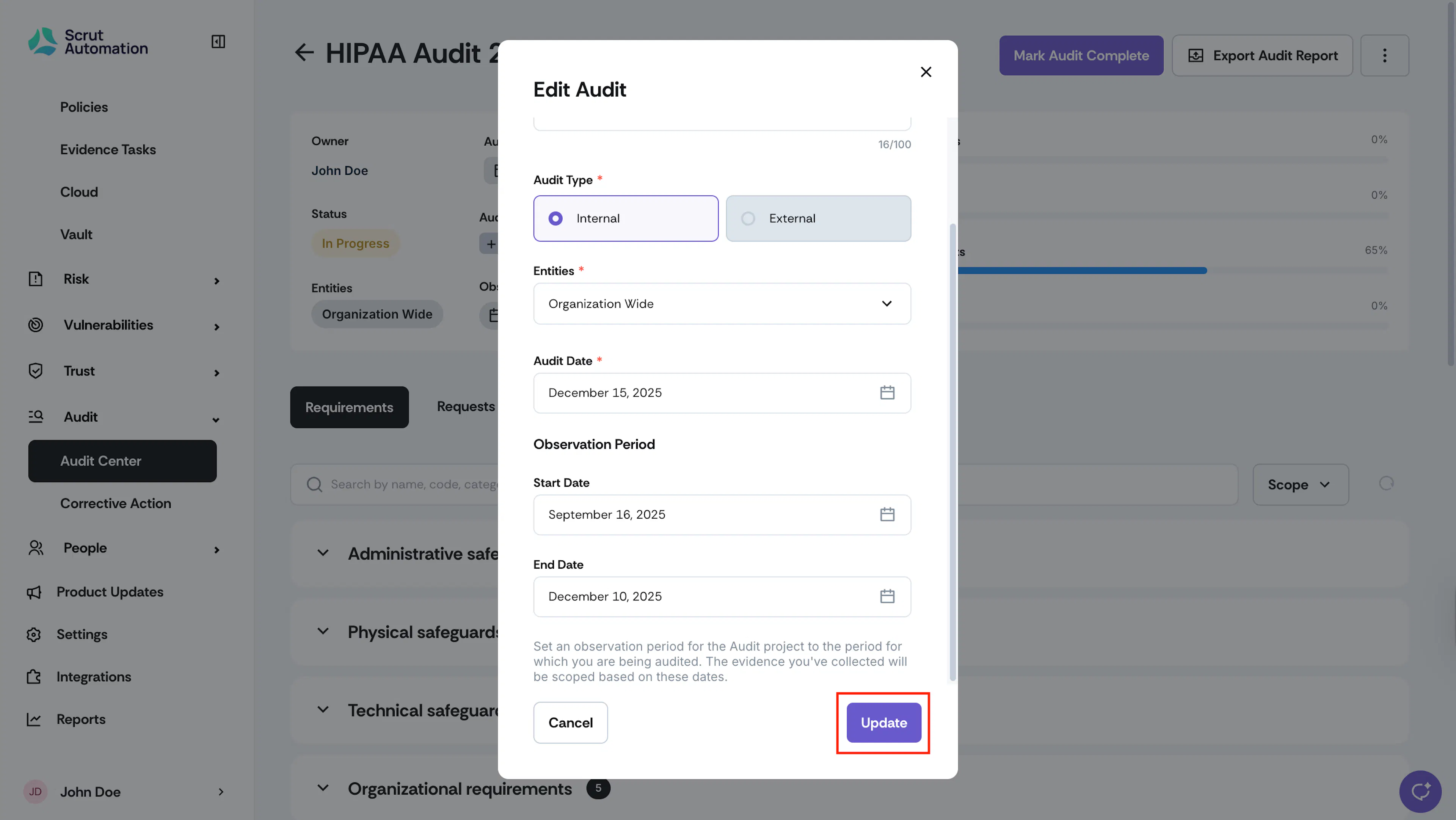
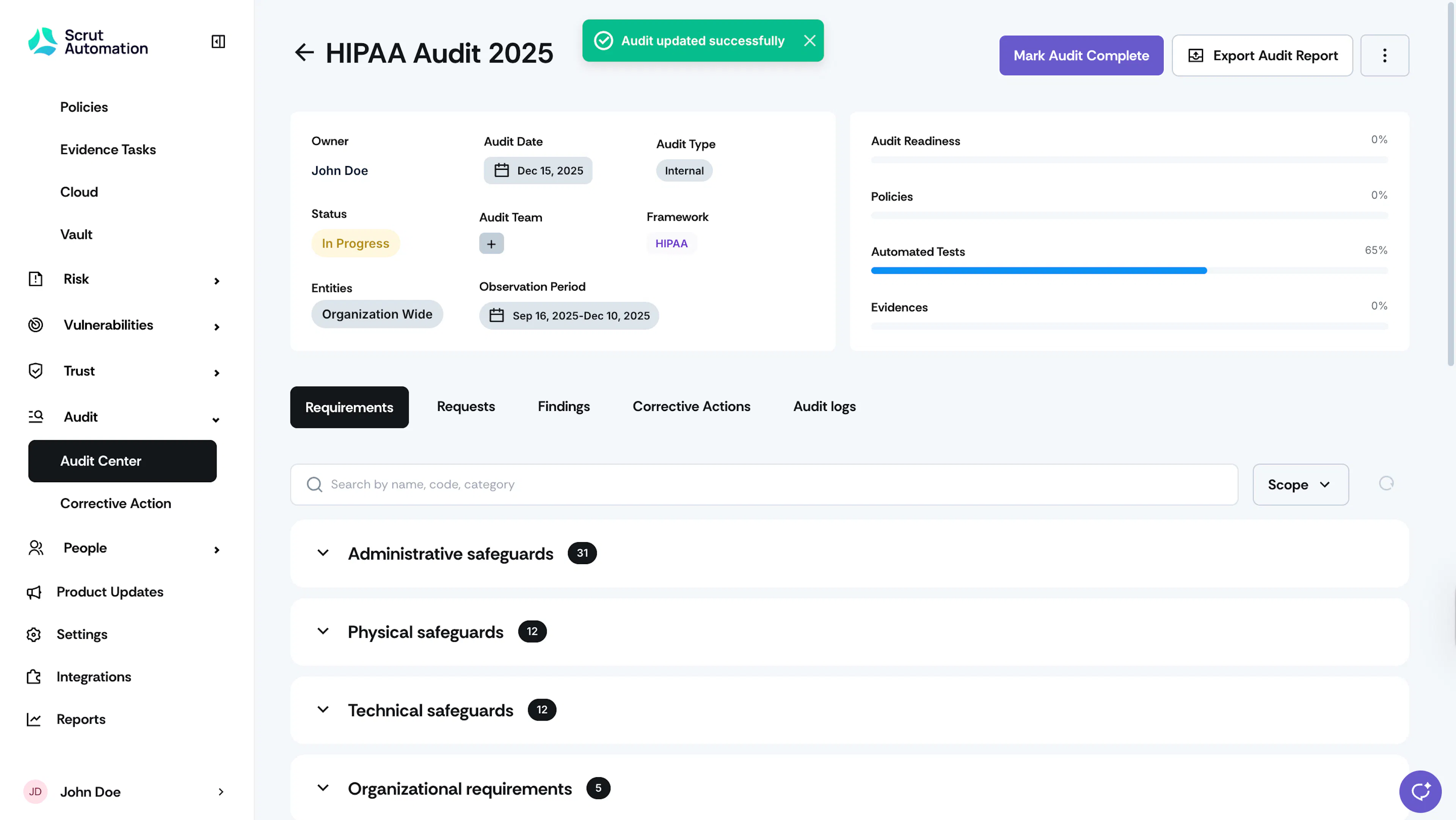
Make the required changes and click Update.
Deleting an Audit
-
Sign in to Scrut, and click Audit → Audit Center on the left navigation panel.
-
Click on the audit you want to delete.
-
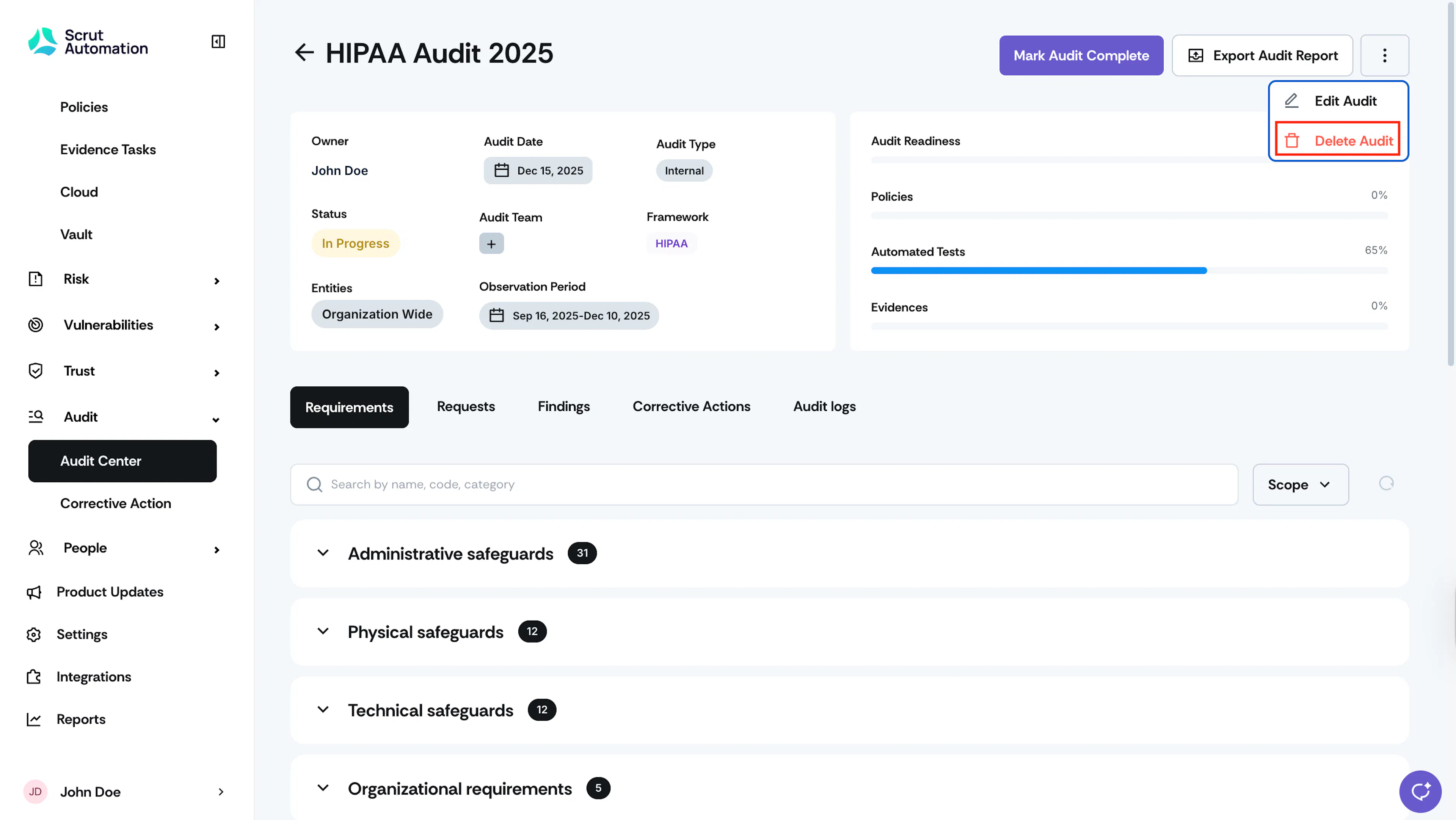
Click the three-dots icon on the top-right.
-
Click Delete Audit.
-
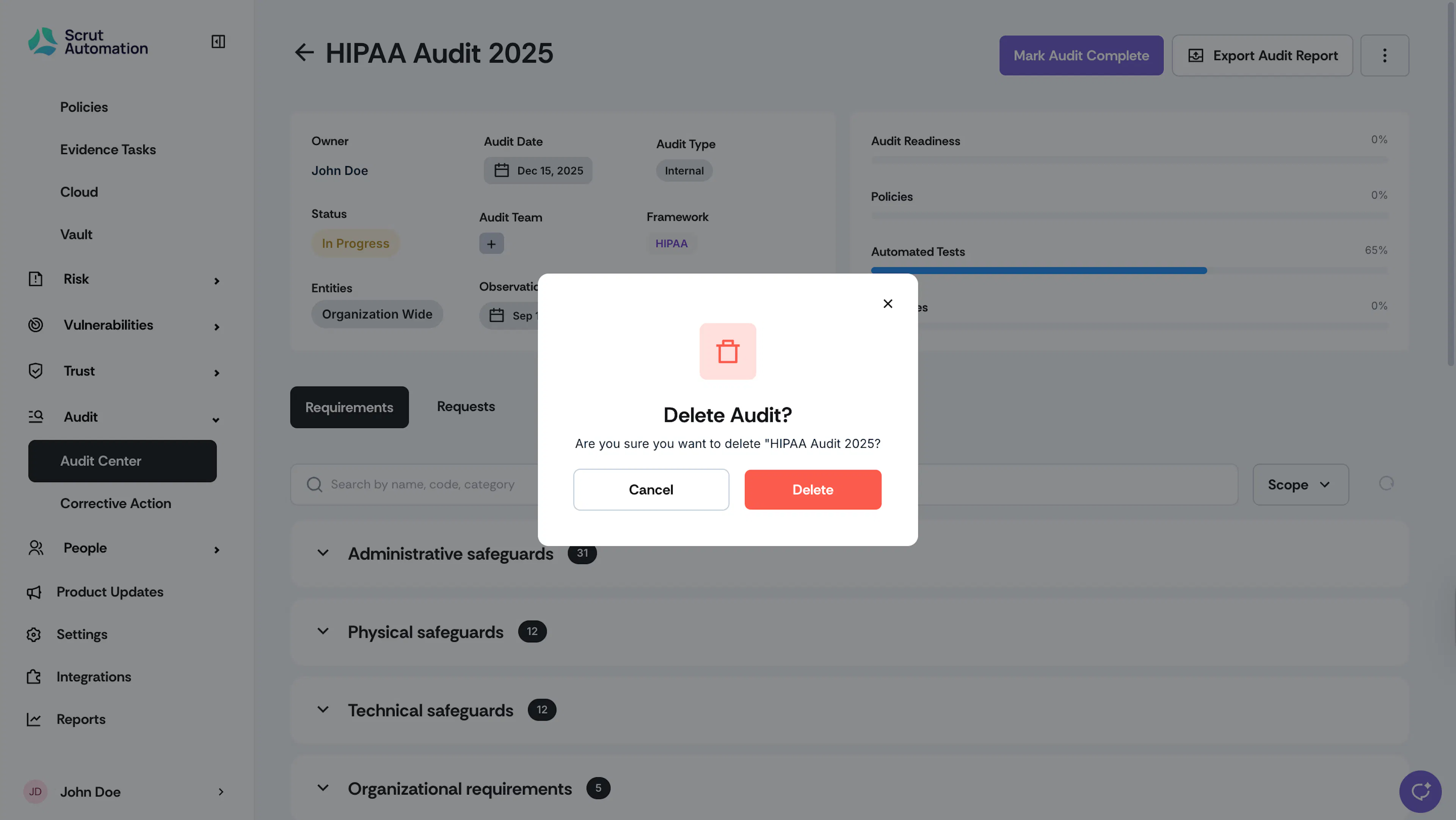
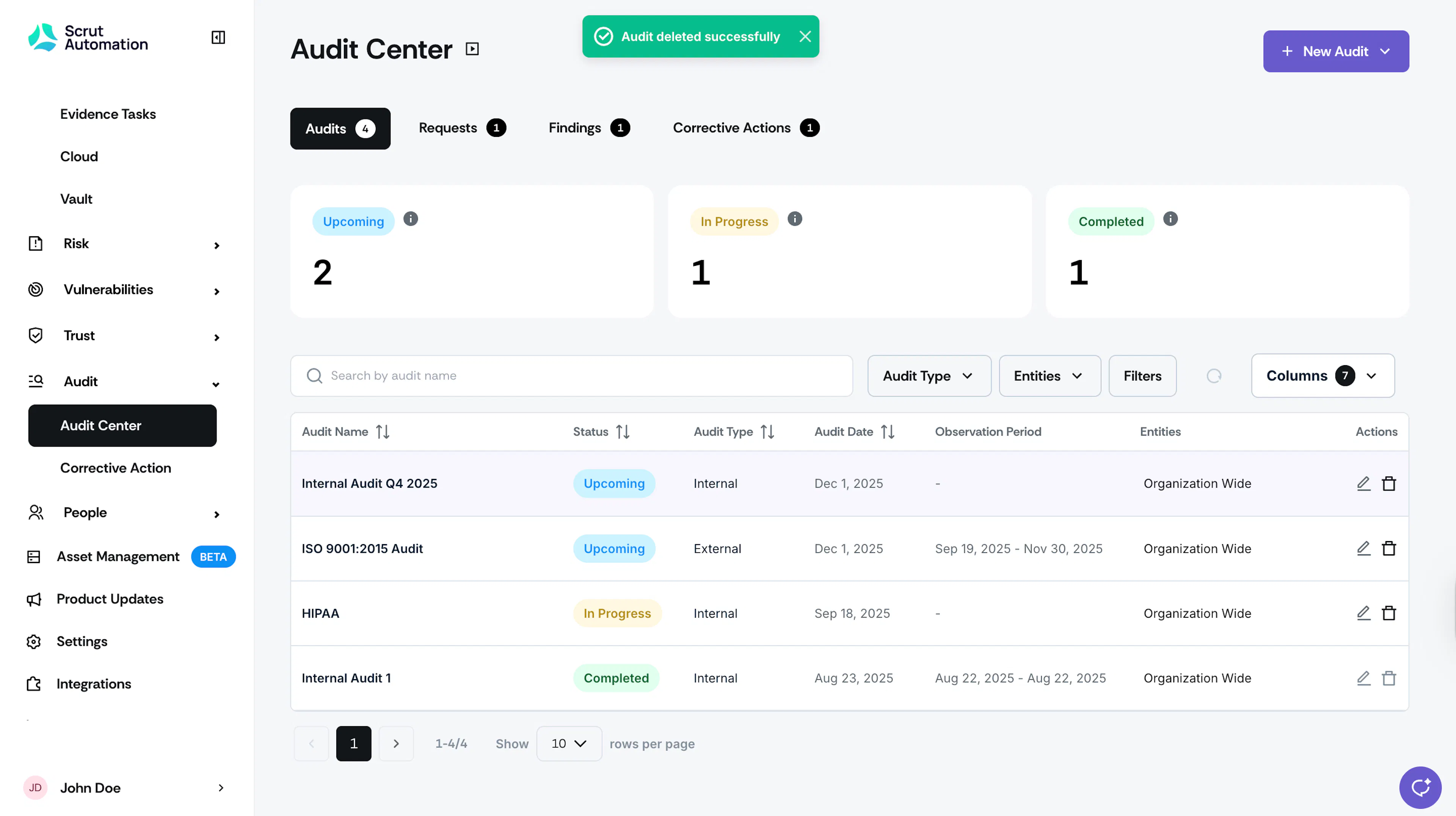
Click Delete to confirm.
Was this page helpful?