

Add an Auditor to an Audit
Who can use this feature
- Supported on Foundation, Growth, and Scale plans
By default, auditors will not have access to audits created in your Scrut organization. To grant auditor access, add them to the audit team so they can view the project and collaborate with you to complete audit activities.
How To Add an Auditor
-
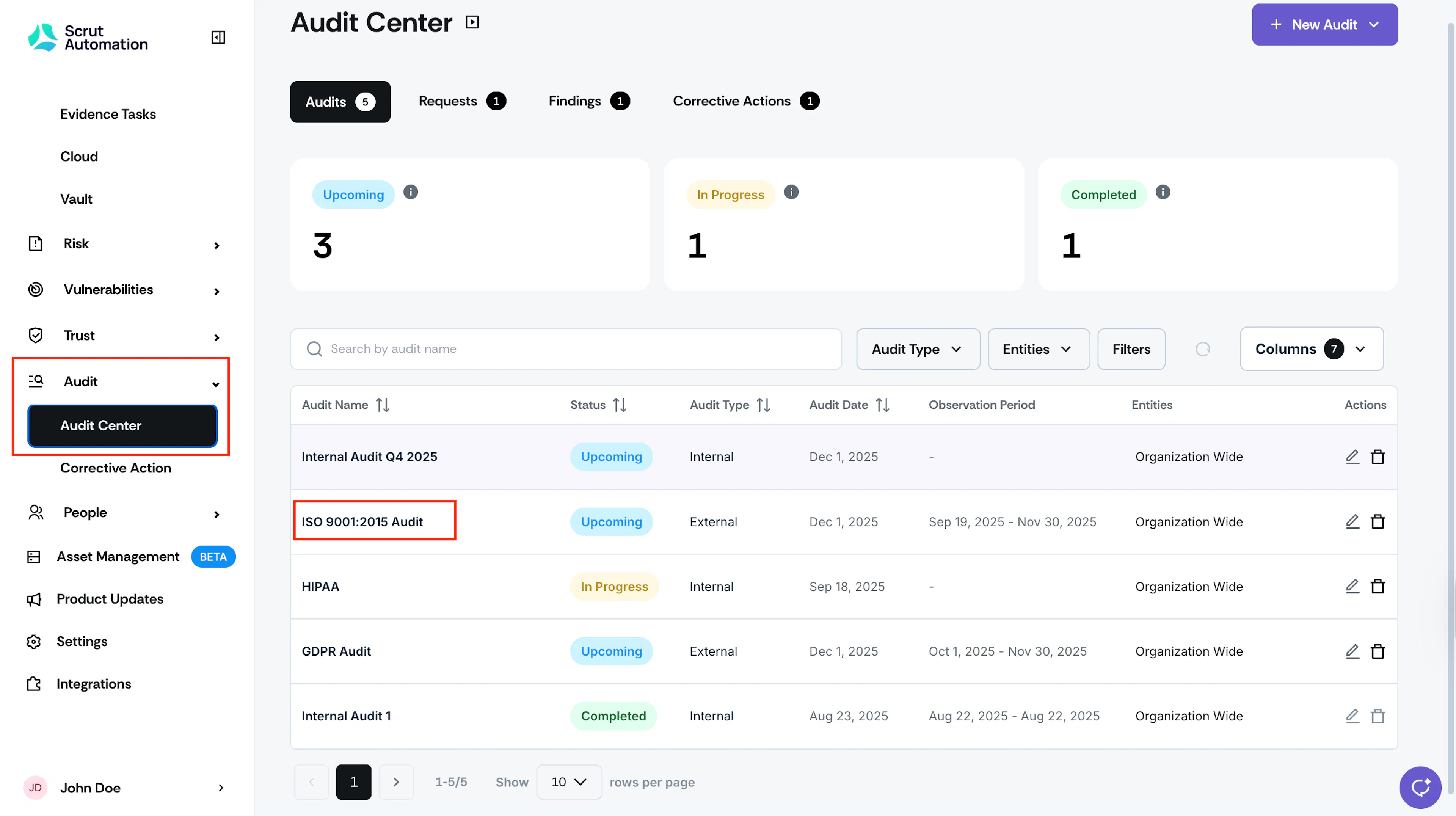
Sign in to Scrut and navigate to Audit → Audit Center using the left panel.
-
Click the audit to which you want to add the auditor.
-
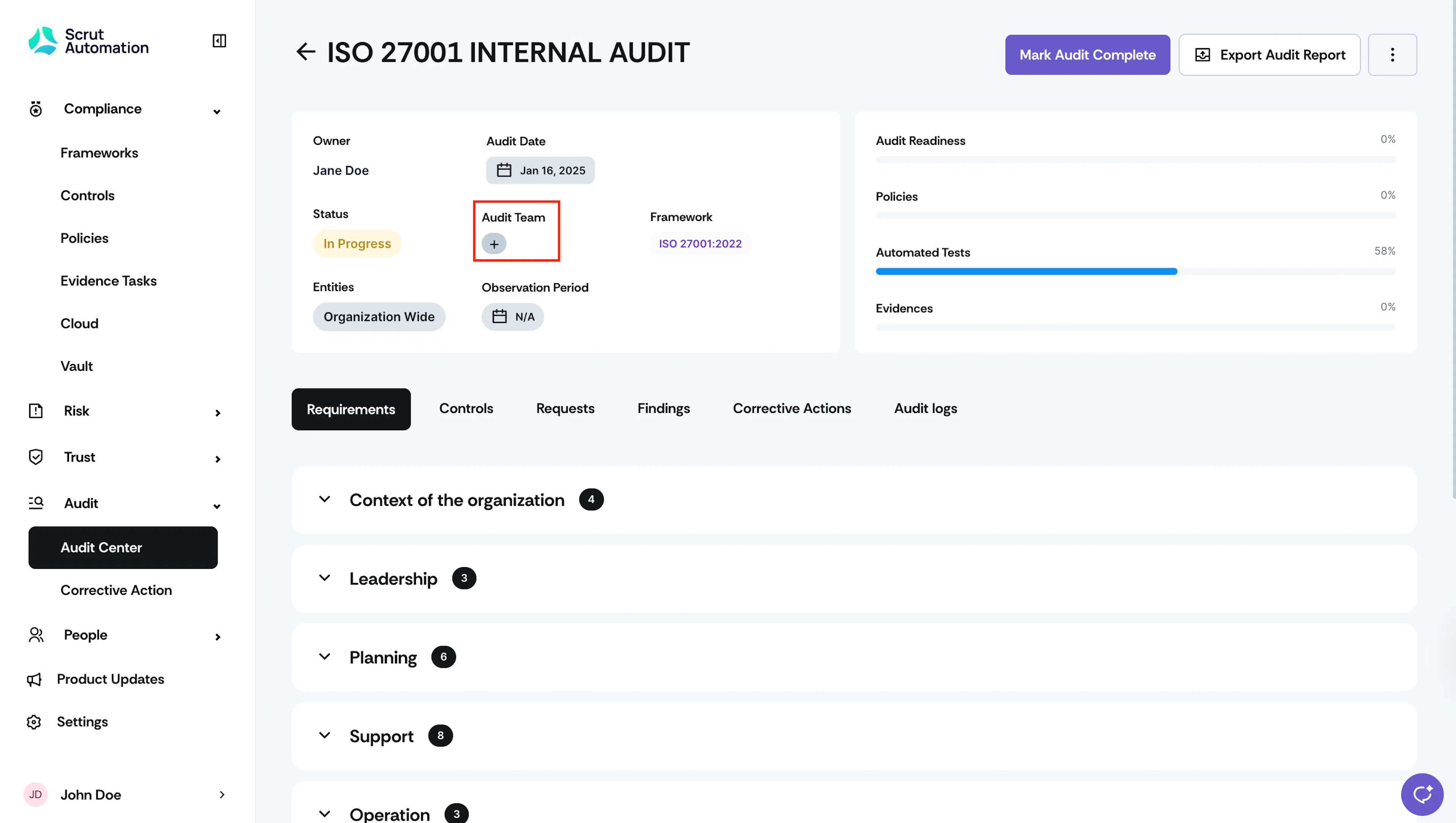
From the audit details page, click the + icon in the Audit Team field.
-
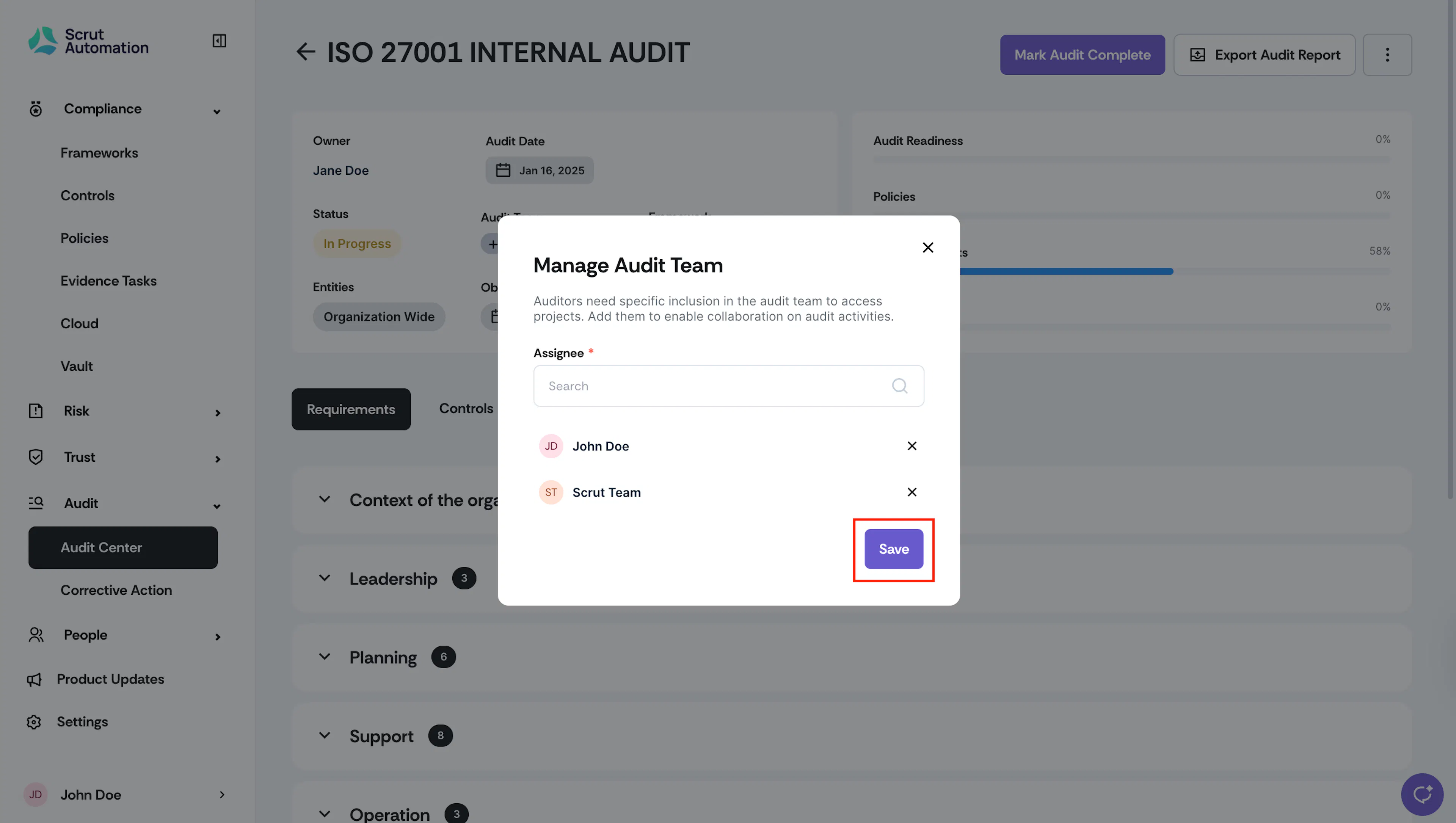
In the Assignee dropdown, select an auditor or internal user who should be part of the audit team. You can select multiple users.
-
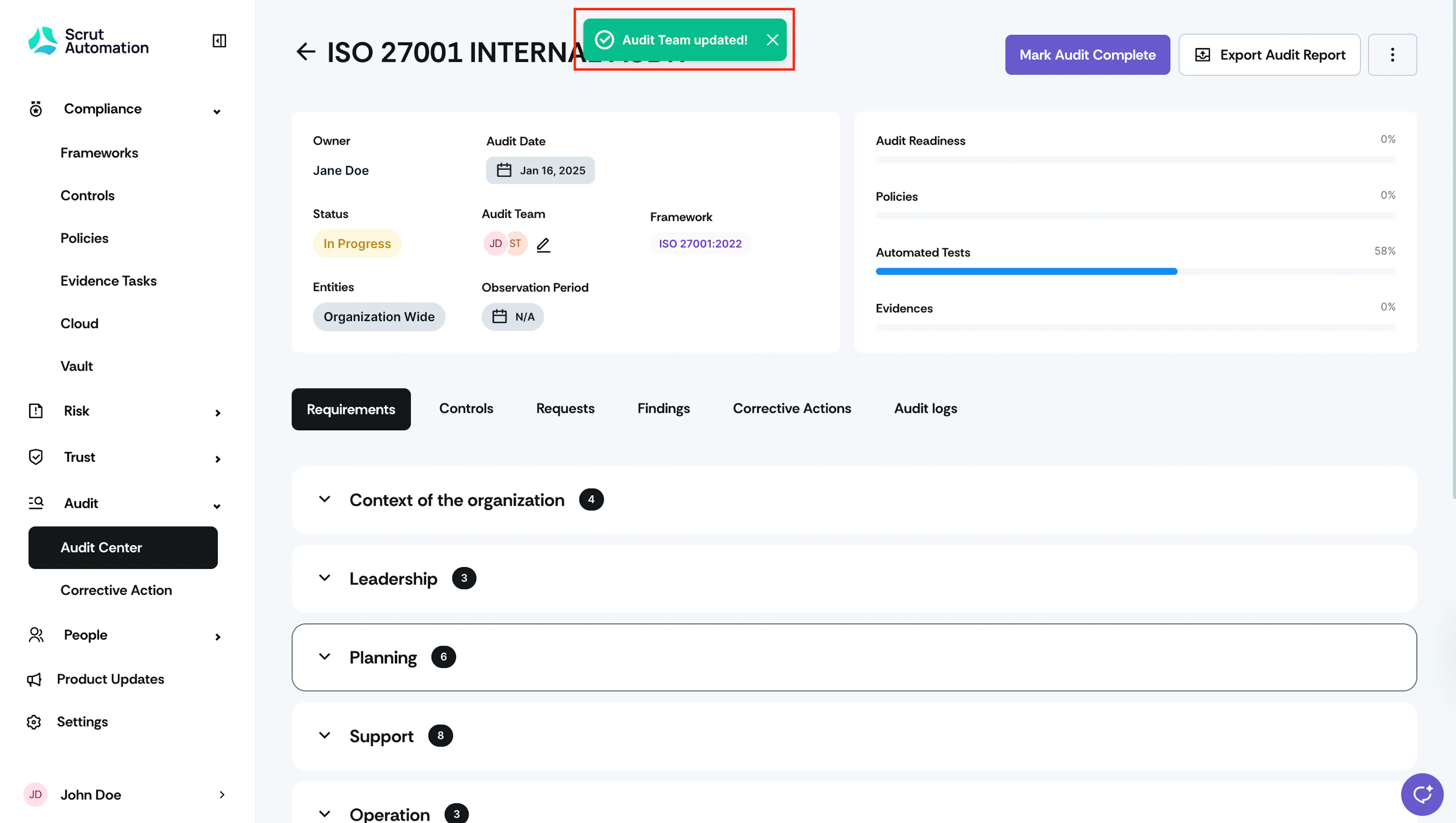
Click Save.
Was this page helpful?