

Export the Audit Readiness Report
Who can use this feature
- Supported on Foundation, Growth, and Scale plans
The Audit Readiness Report provides a comprehensive breakdown of your audit progress that you can quickly share with stakeholders. It captures detailed information on all artifacts included in this audit, any reported findings or requests, and the status of audit controls.
The report includes structured data so auditors can independently verify evidence or run their own tooling over it. You can download the report at any point during the audit lifecycle while the audit is in progress or after completion.
How To Download the Audit Readiness Report
Method 1: Via the Audit Center
- Sign in to Scrut, click Audit → Audit Center on the left navigation panel.
- Open the audit you want to download the report for.
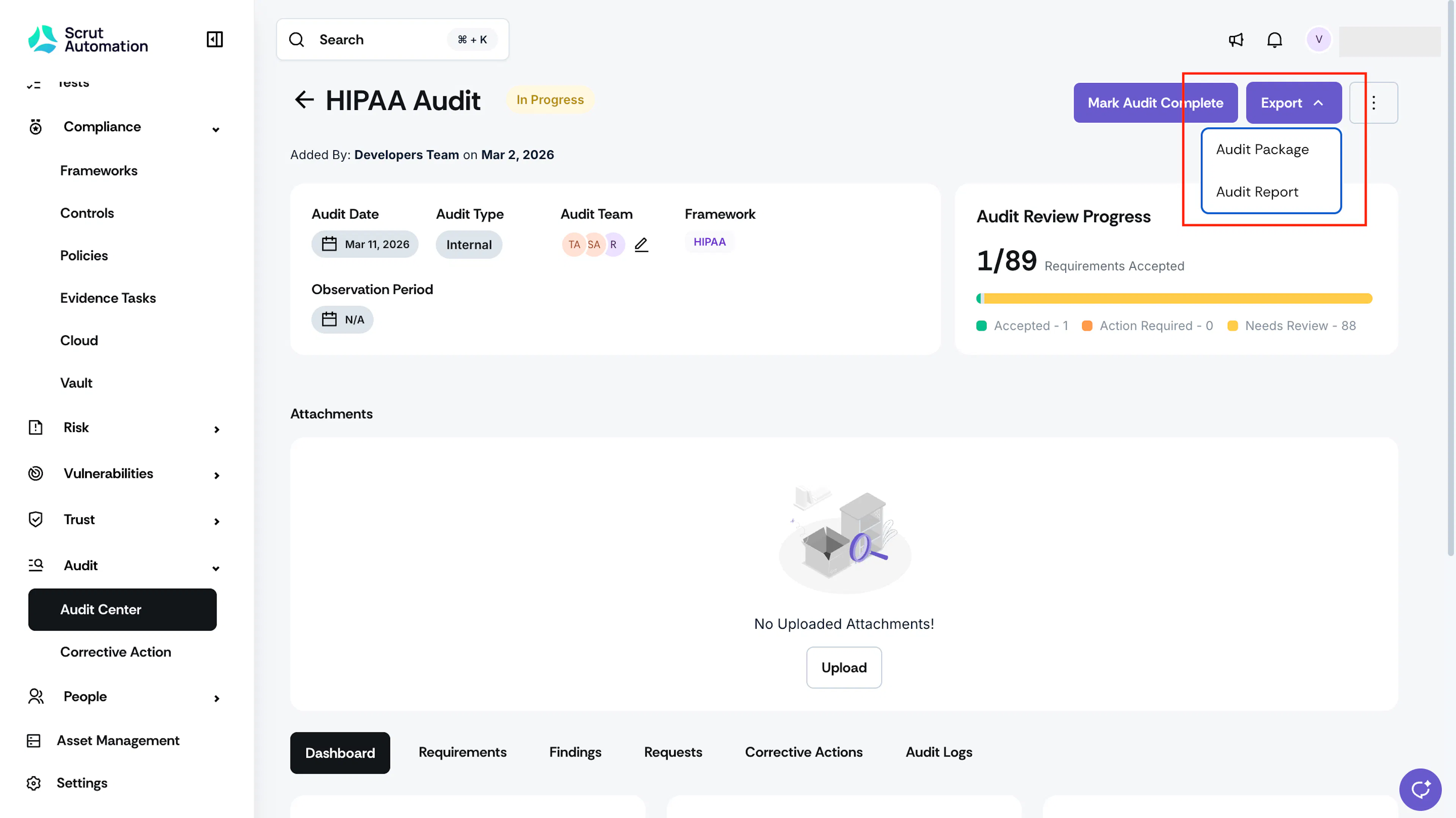
- Click the Export dropdown and select Audit Report.
- [Optional] Select the additional items to include in the audit report.
- Out-of-scope requirements
- Out-of-scope artifacts
- Once it’s ready, you can download it from the Notification Center.
Method 2: Via the Reports Module
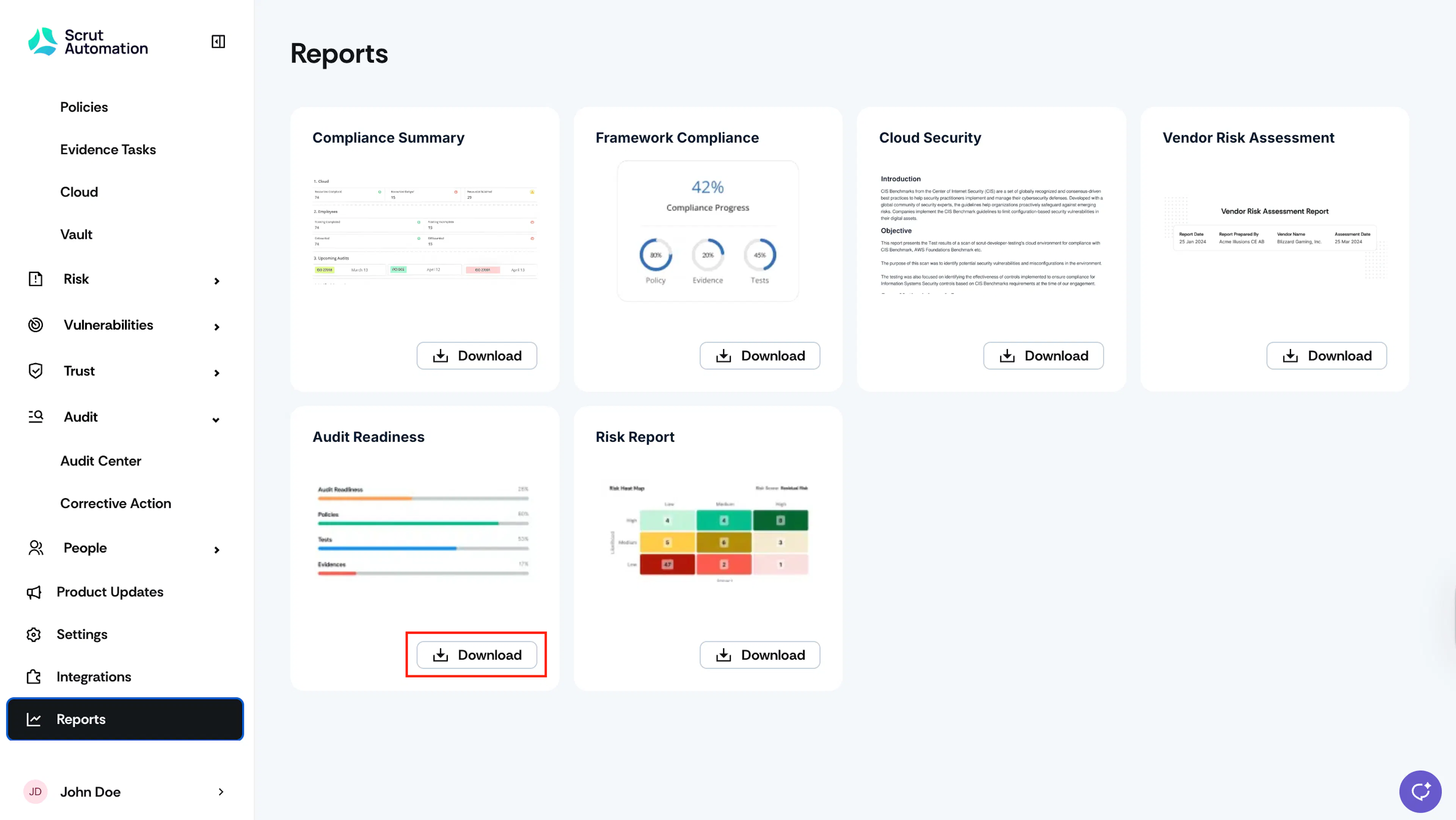
- Sign in to Scrut and click Reports on the left navigation panel.
- Click the Download button on the Audit Readiness report.
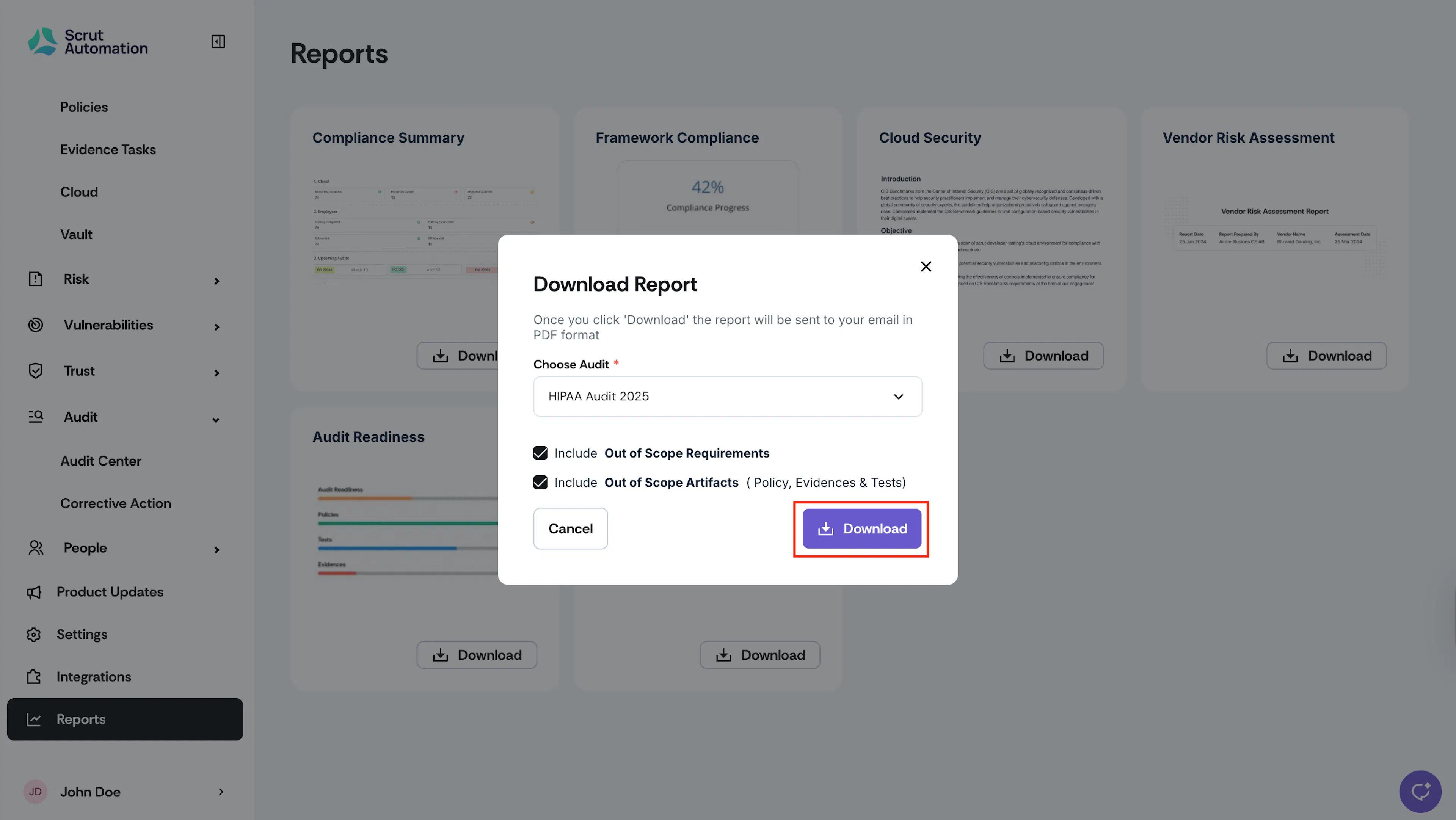
- Select the audit and then choose the checkboxes for the data you want to include in the report.
- Click Download.
- Once the report is ready, you can download it from the Notifications Center.
Was this page helpful?