

Export the Audit Package
Who can use this feature
- Supported on Foundation, Growth, and Scale plans
The Audit Package export gives you a complete, offline copy of an audit as a single zip file, organized by requirement, so auditors and stakeholders can review the full audit outside Scrut.
Heads Up! The Audit Package is only available for audits in the revamped audit experience.
How To Export an Audit Package
- Sign in to Scrut and click Audit → Audit Center on the left navigation panel.
- Click the audit you want to export.
- Click the Export dropdown and select Audit Package.
- [Optional] Select the additional items to include in the audit package.
- Out-of-scope requirements
- Out-of-scope artifacts
- Click Export to generate the package.
- Once the export is ready, download it from the Notification Center.
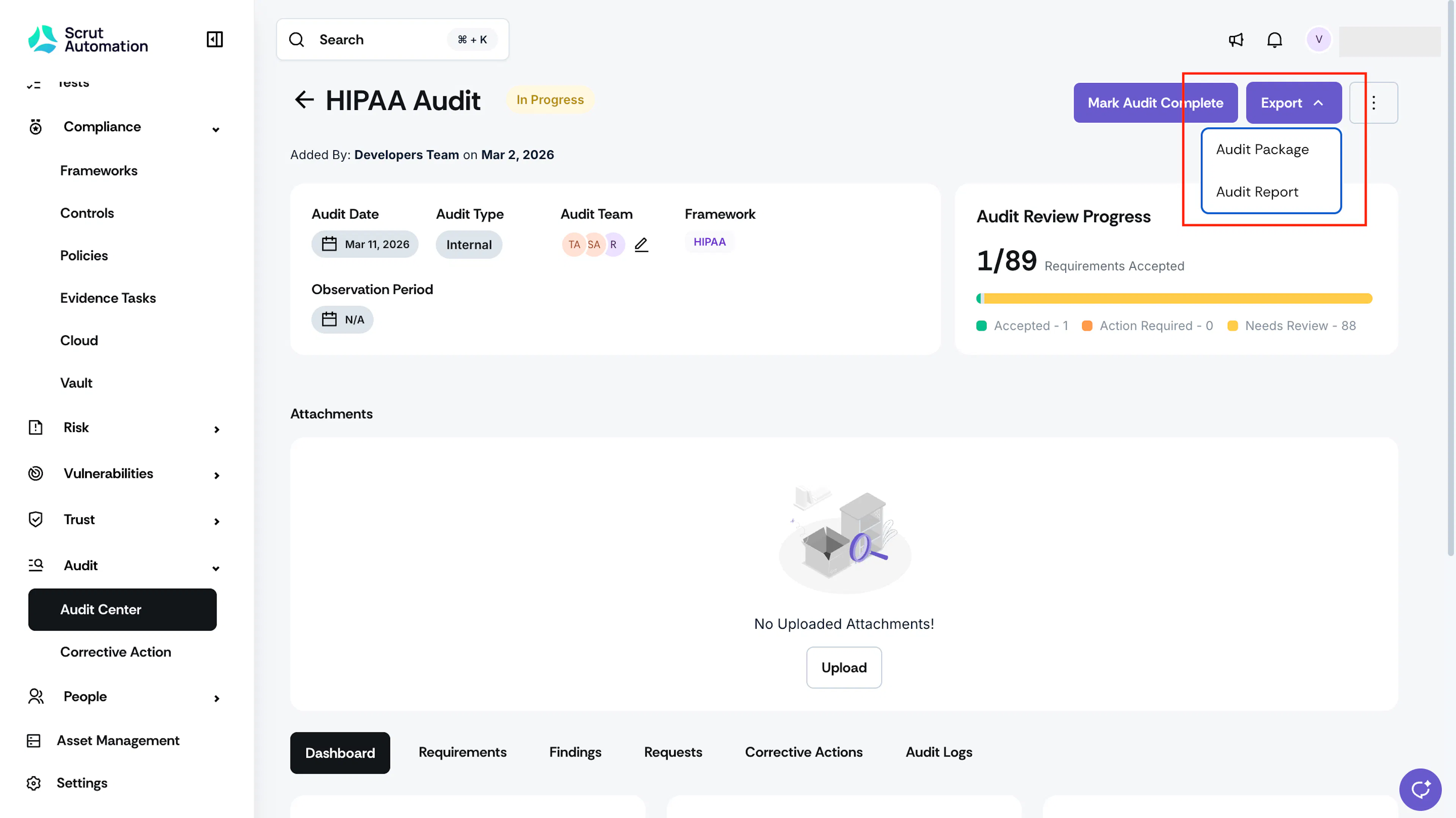
Your Audit Package downloads as a zip file named with the audit's framework and the export date, for example, GDPR_Audit_Package_2024-01-23.zip.
What's Included in the Package
Inside the zip file, you'll find one folder for each audit requirement, named using the requirement's identifier (for example, ART5.1.a). Each requirement folder contains:
- requirementinfo.txt, a text file with the requirement's details.
- A folder for each linked policy, named after the policy, containing the policy file. For example, a folder named Data Protection Policy containing Data_Protection_Policy_v2.1.pdf.
- A folder for each linked piece of evidence, named after the evidence, containing the evidence file.
- A folder for each linked test, named after the test, containing the test file.
- A Findings folder, containing one subfolder per finding raised against the requirement. Each finding's subfolder holds any files manually attached to that finding.
- A Requests folder, containing one subfolder per request raised against the requirement. Each request's subfolder holds any files manually attached to that request.
- A Corrective Actions folder, containing one subfolder per corrective action created for the requirement. Each corrective action's subfolder holds any files manually attached to that corrective action.
FAQs
The Audit Readiness Report is a single summary report of your audit completion progress. The Audit Package is a full, folder-by-folder export of the underlying requirements, artifacts, findings, requests, and corrective actions, built for reviewing offline.
Contact support@scrut.io or your CSM for further assistance.