

Integrate OpenProject
This article covers how to connect your OpenProject instance with Scrut.
What Does this Integration Do in Scrut?
It performs the following function in Scrut:
- Task Management: This integration enables you to create project management tickets in Scrut and sync them to your OpenProject instance.
Prerequisites
Before setting up the integration, ensure you have:
- An active OpenProject account with access to generate an API key
Permissions and Access Requirements
For OpenProject
- Access to generate API keys in OpenProject
For Scrut
- Admin access to Scrut (or Contributor with access to the Integration module)
Sync Frequency
Data is synced automatically once every 24 hours. You can also manually trigger a sync from the integration settings page when needed.
Integration Setup
Step 1: Generate & Retrieve Your API Key in OpenProject
-
Log in to your OpenProject MDM portal using your administrator credentials.
-
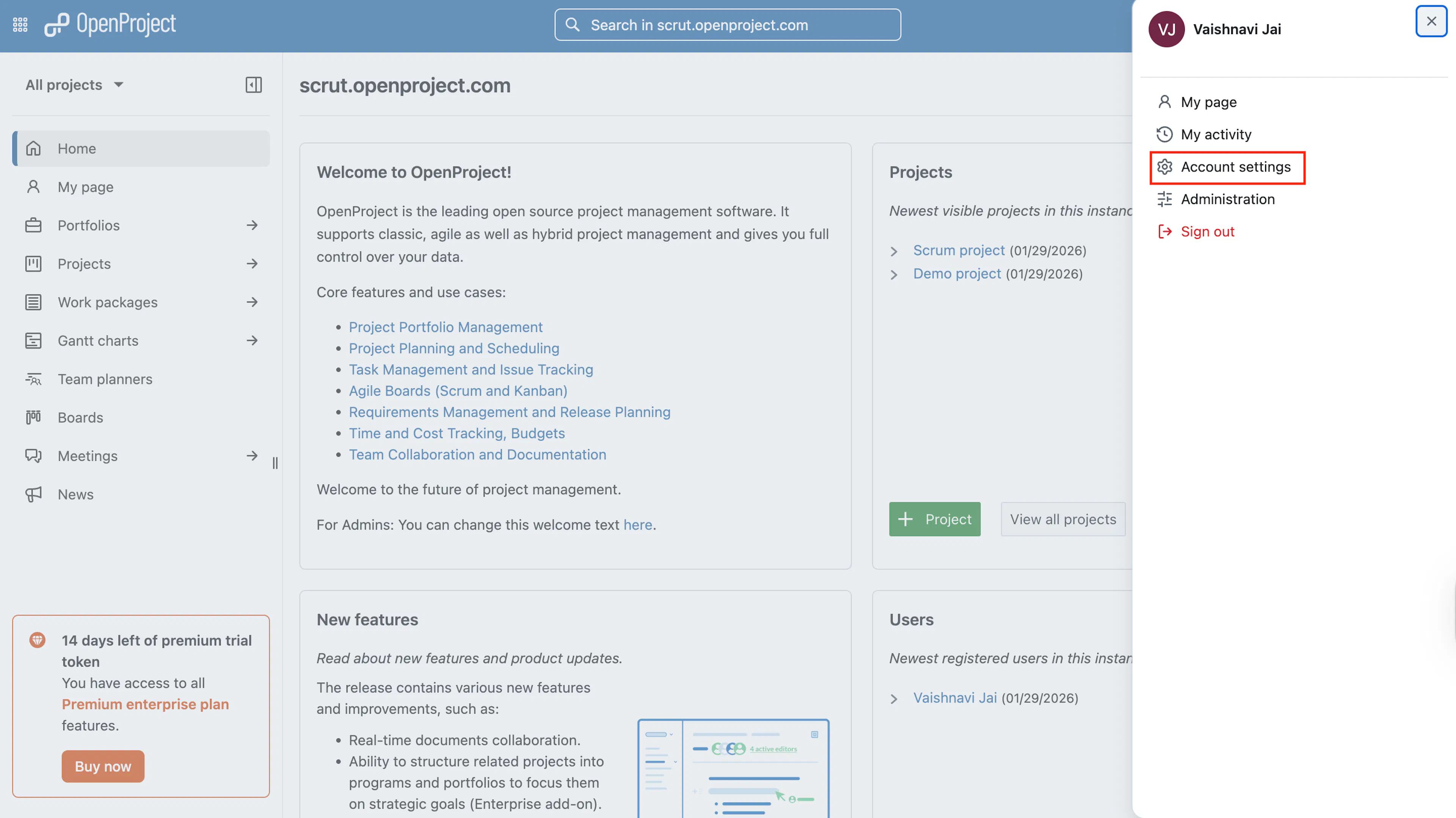
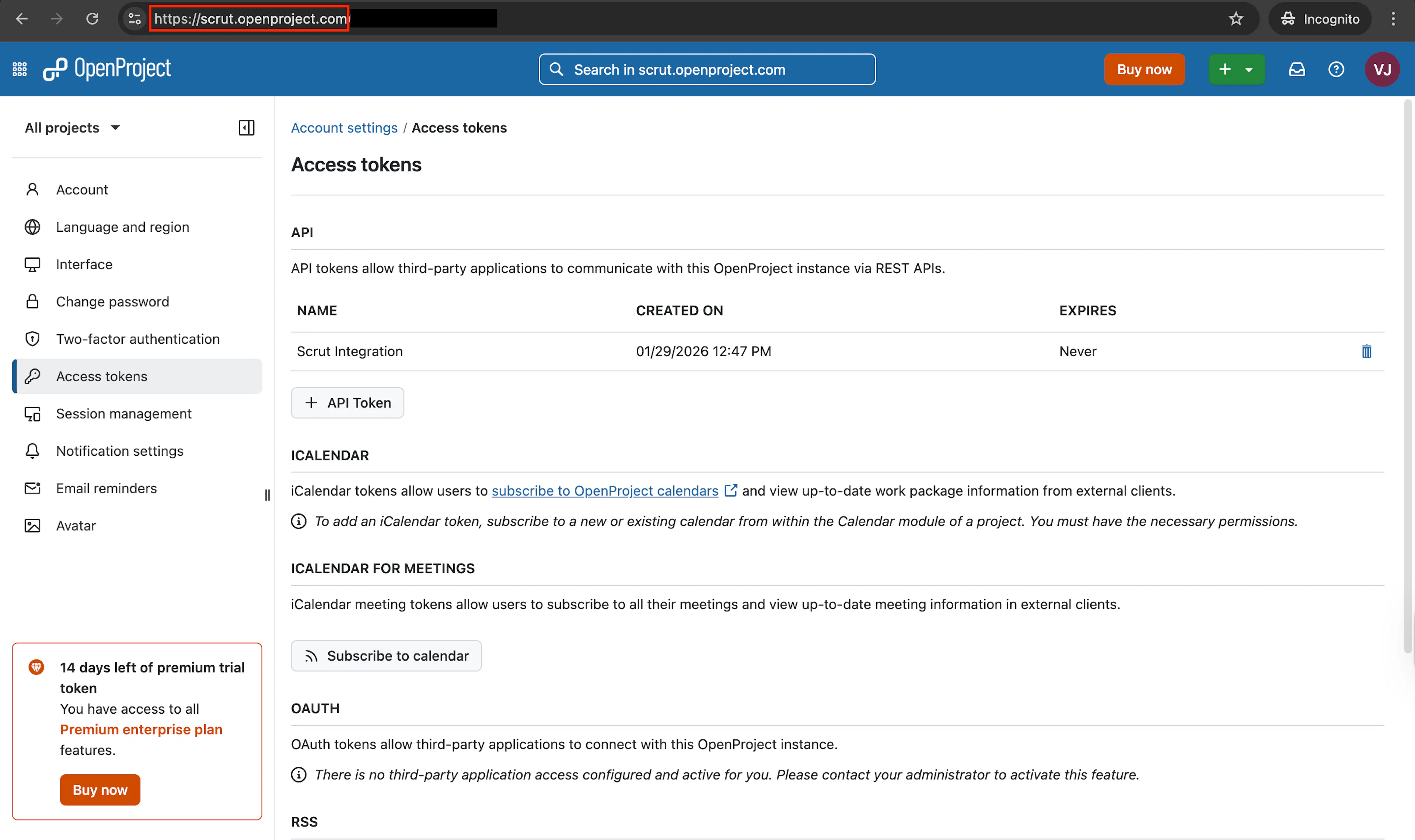
Click your profile icon and select Account Settings.
-
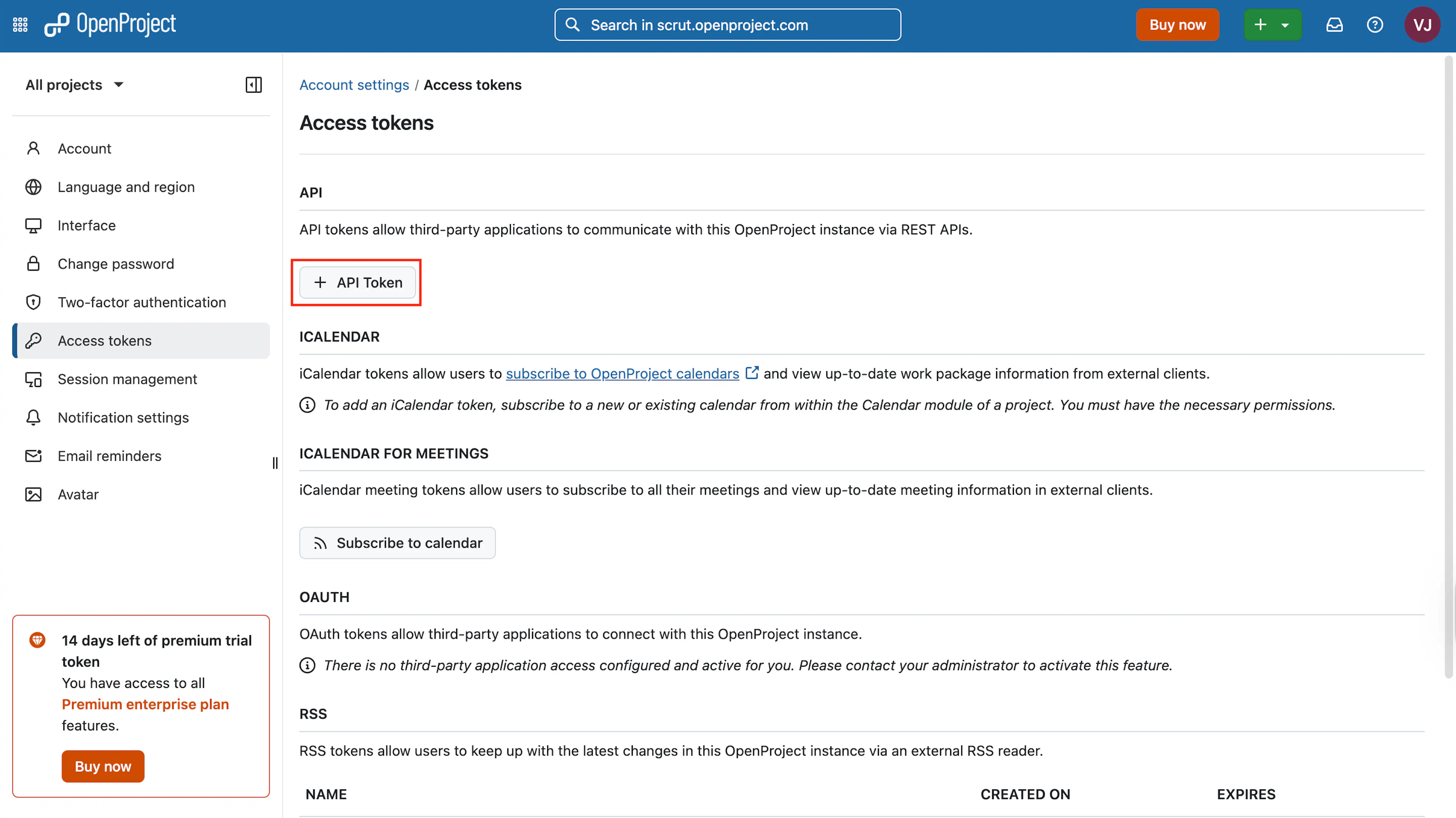
Navigate to Access Tokens and click +API Token.
-
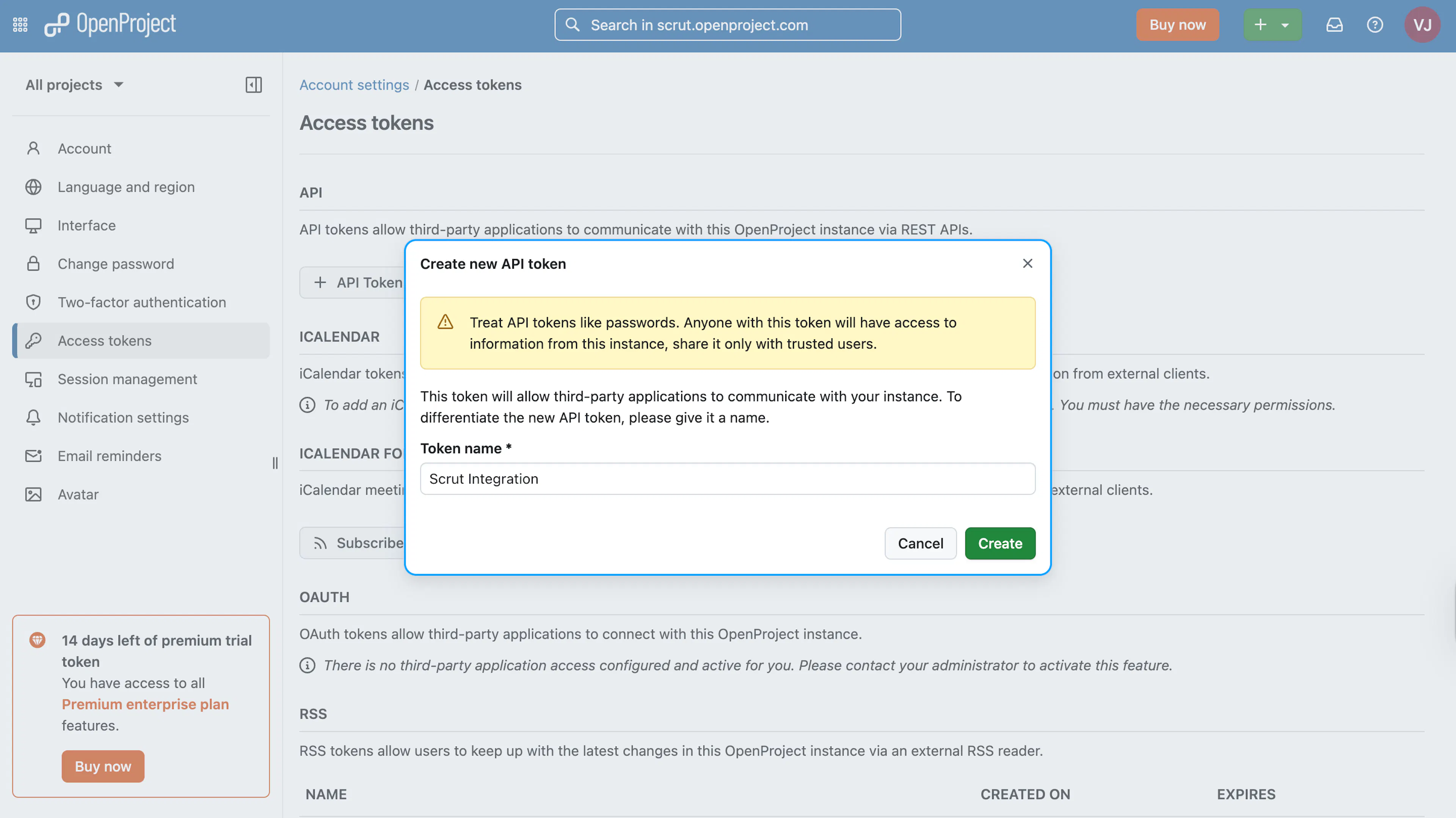
Enter a name for the token and click Create.
-
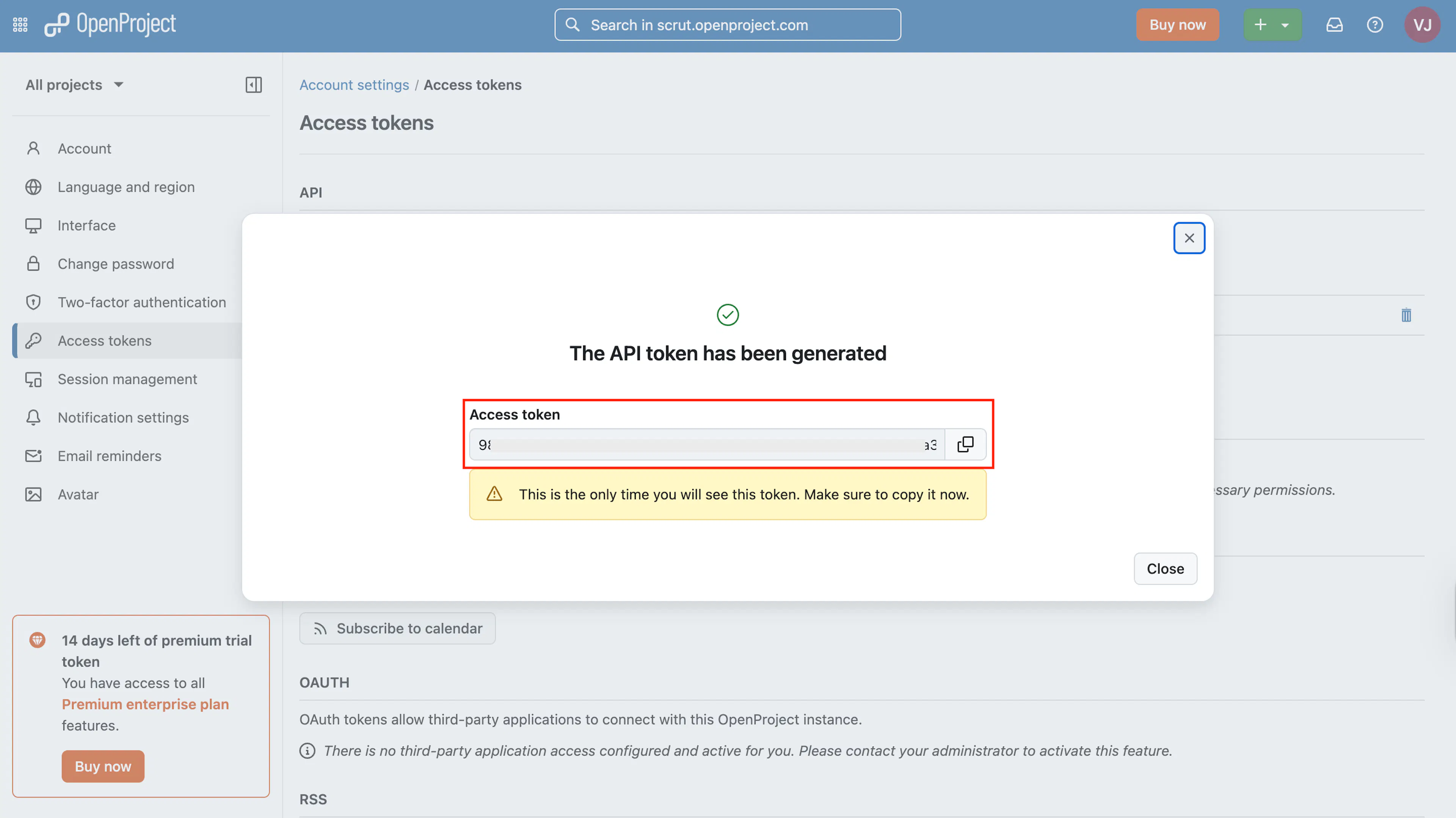
Copy the Access Token. It won’t be shown later, so make sure to copy and store it securely.
-
Next, note your OpenProject Base URL.
- It’s typically in the format:
https://yourcompany.openproject.com
- It’s typically in the format:
-
You’ll need to enter the API Key and base URL in Scrut in the next step.
Step 2: Enter the API Key and Base URL in Scrut
-
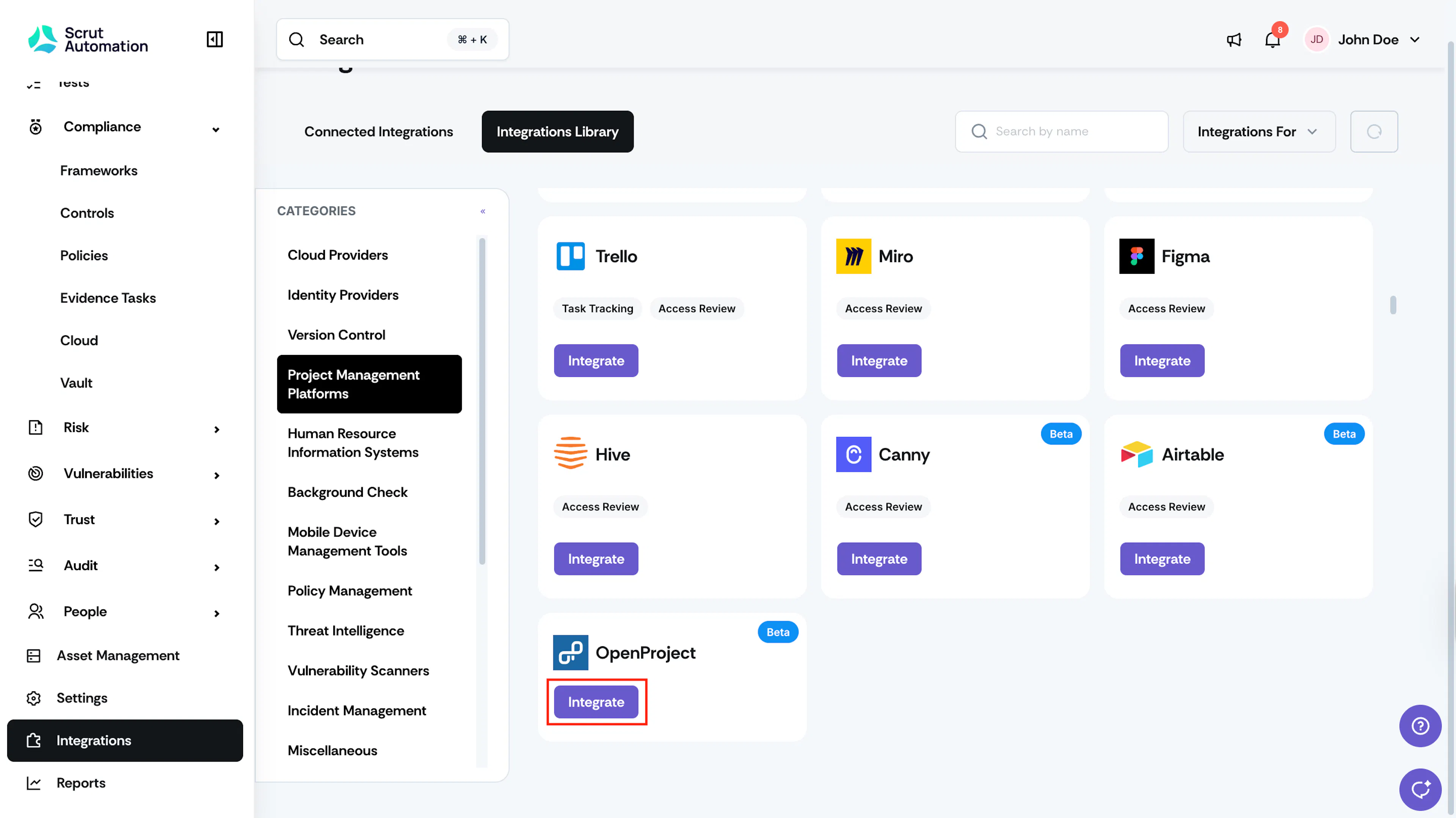
Click Integrations in the left navigation panel.
-
Select Project Management Platforms in the Categories section in the Integration Library, and search for OpenProject.
-
Click the Integrate button in the OpenProject tile.
-
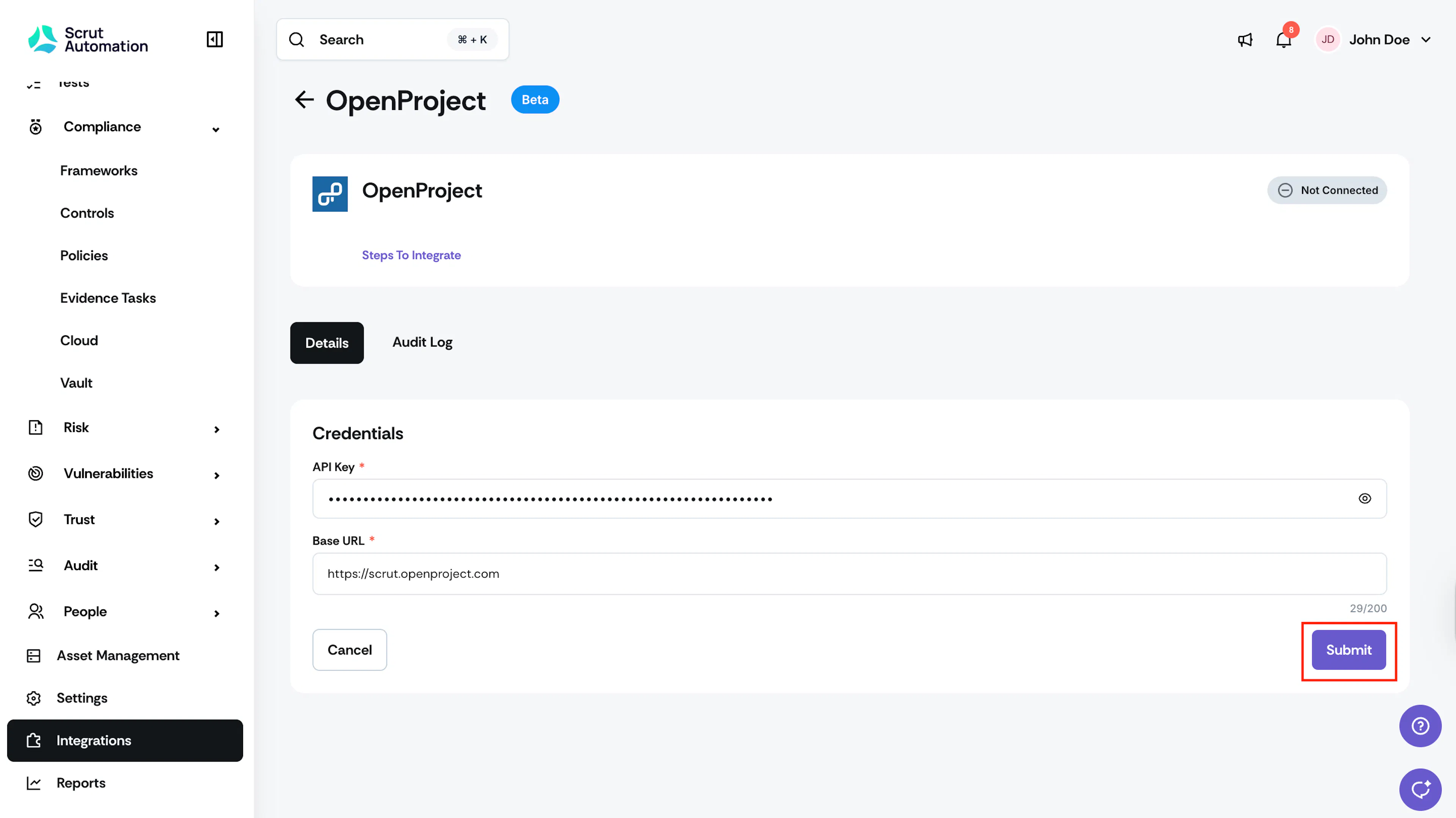
Enter the API Key and Base URL you copied from OpenProject and click Submit.
What Happens Next?
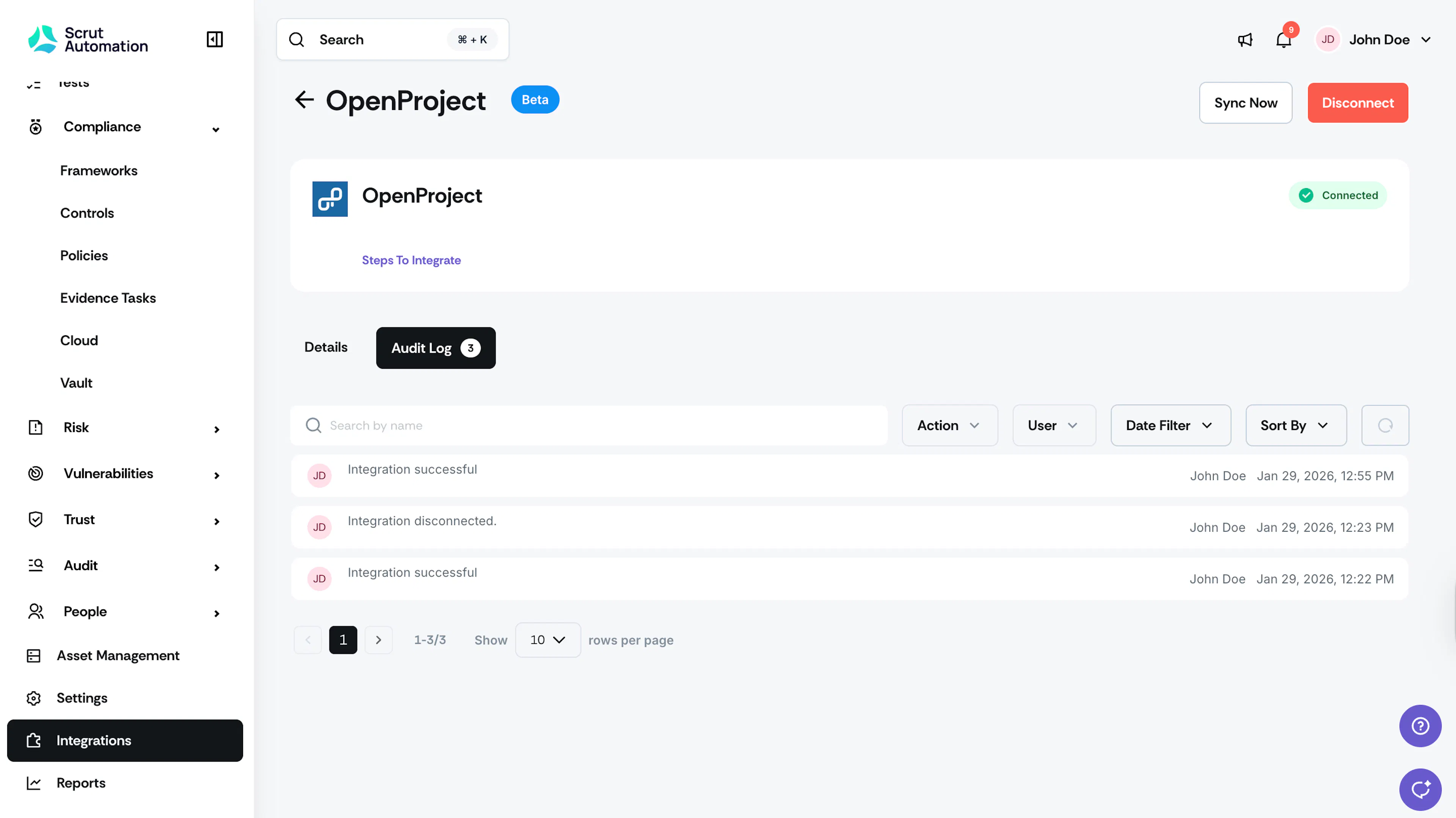
The initial data sync will begin automatically. This may take several minutes. You can monitor sync status in the Audit Logs section of the OpenProject integration.
Once the data sync is completed, you can:
-
Create OpenProject tickets in Scrut from the following modules:
- Policies
- Evidence Tasks
- Risk Management