

Integrate Shortcut
Shortcut integration enables users to create compliance tasks/issues in Shortcut directly from the Scrut platform.
Integrating Shortcut
-
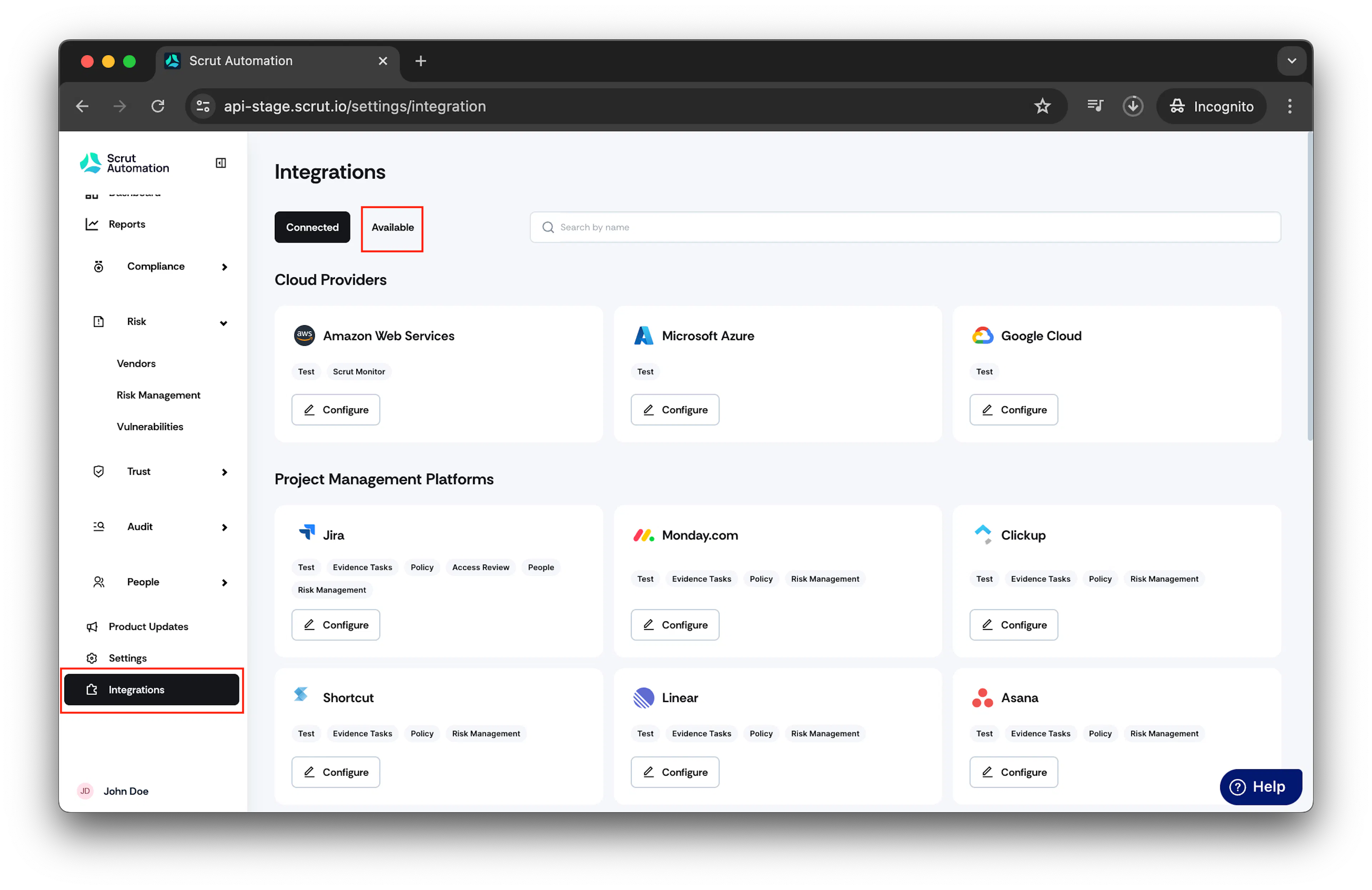
From the left navigation panel, select Integrations.
-
Click on Available.
-
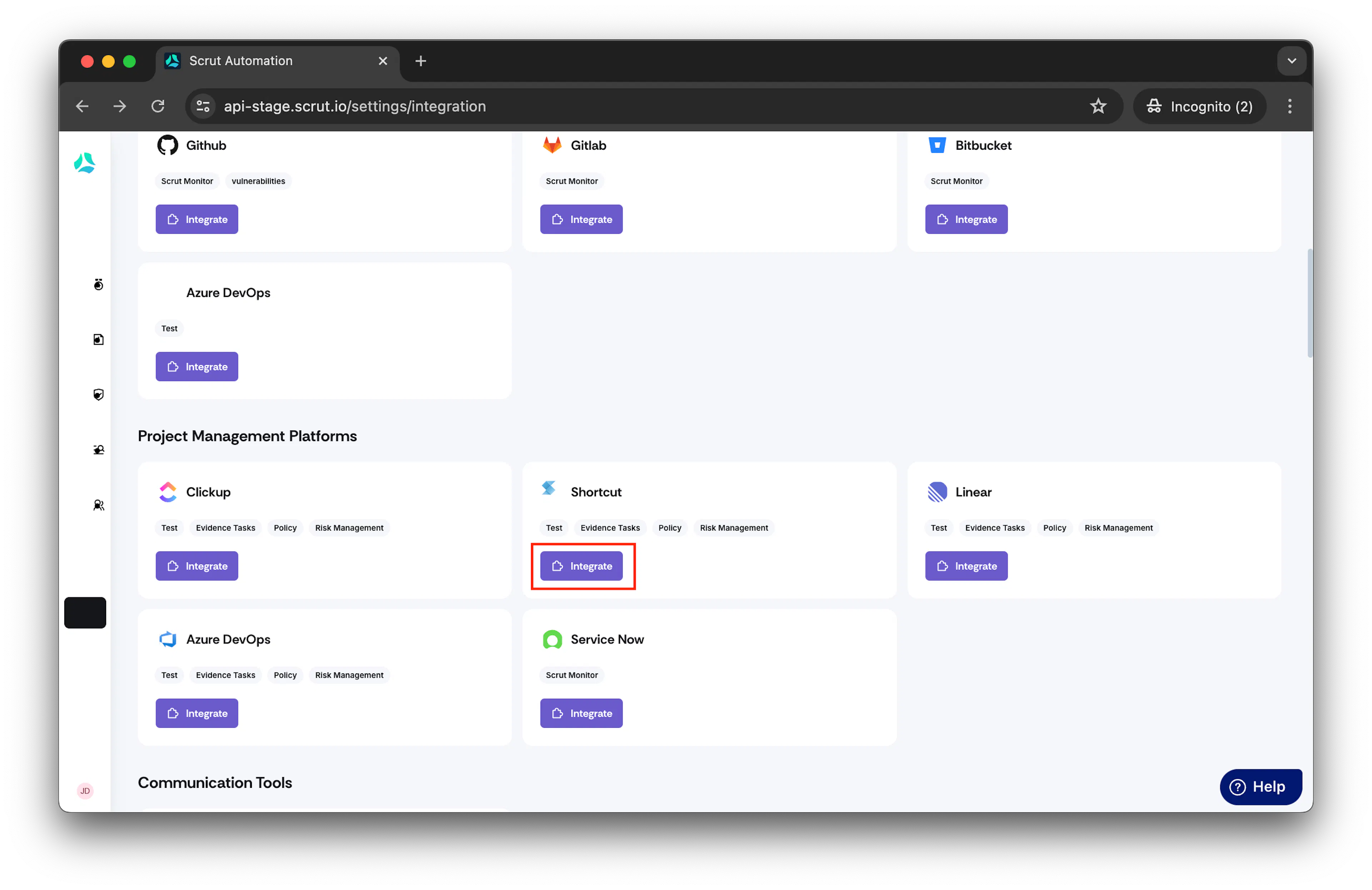
Scroll to Project Management Platforms section and find Shortcut.
-
Click Integrate.
-
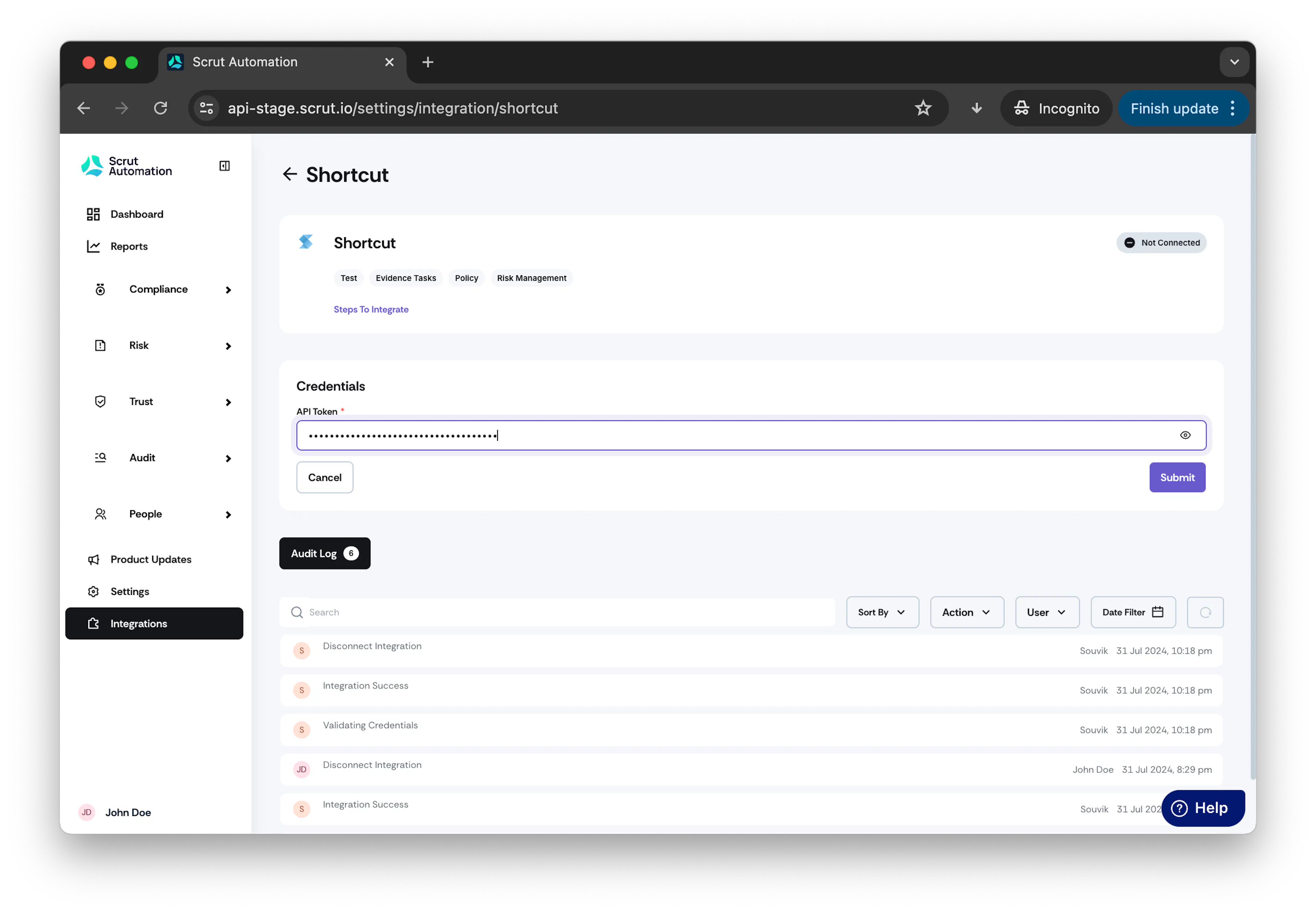
In API Token field, enter your shortcut account API Token.
How to obtain API Token?
Refer to this Shortcut Guide for obtaining API Token.
- Click Submit.
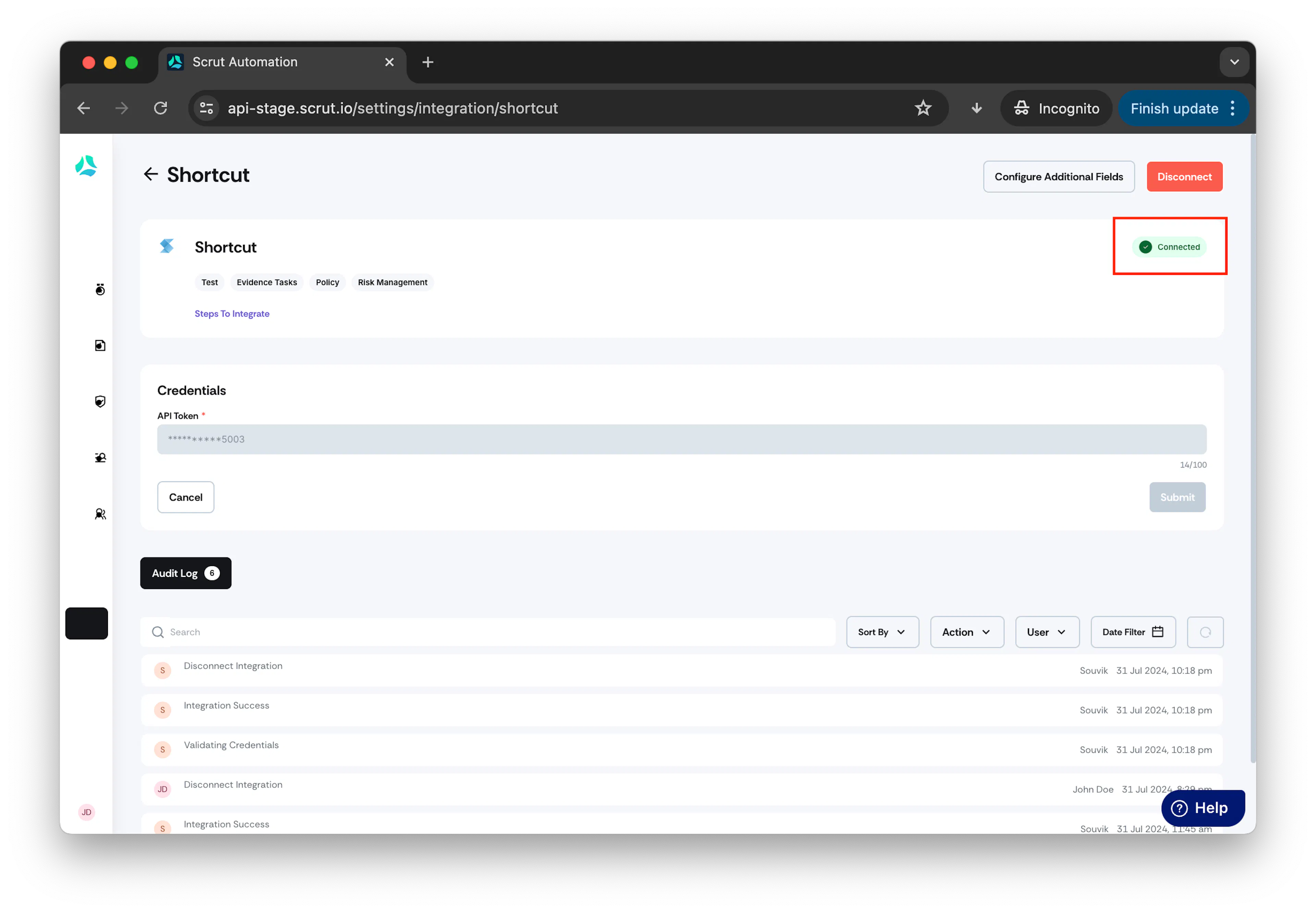
- Upon successful integration you will see a connected flag in the integration page.
Info: Refer to this guide to learn "How to create a Shortcut story from Scrut?"
Was this page helpful?