

Create Linear Issue
Once you’ve integrated Linear with Scrut, you can create a Linear issue from any of the following Scrut artifacts: Policies, Evidence Tasks, Tests, Cloud, Risk Management, and Audit Center (Requests, Findings, and Corrective Actions).
Steps to create a Linear Issue
- Navigate to the relevant artifact in any of the modules listed above.
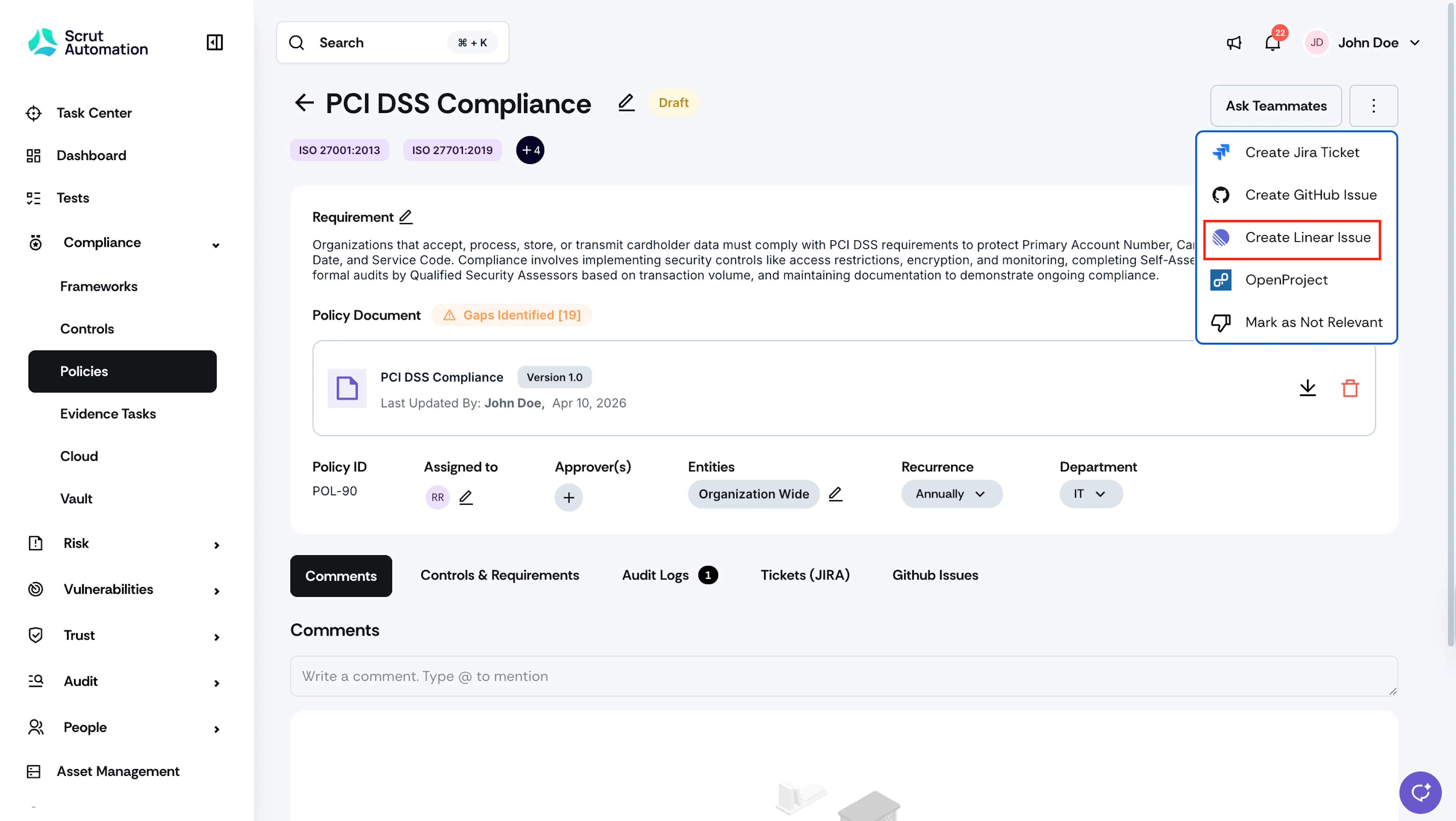
- Click the three-dots icon at the top-right of the page and select Create Linear Issue.
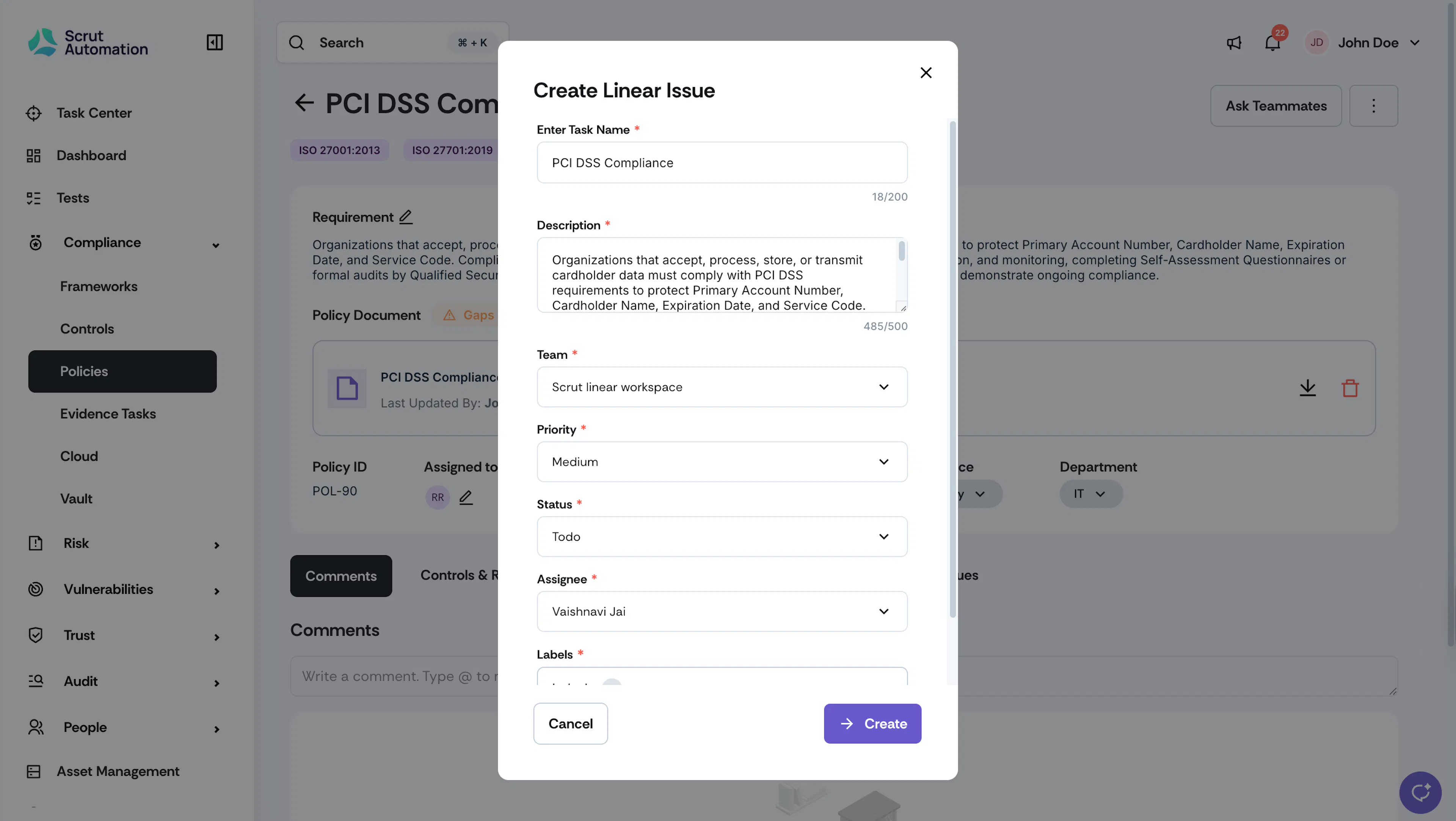
- Fill in the issue details.
- Scrut autofills the task name and description based on the compliance item. Edit them as needed.
- Select the Team, Priority, Status, Assignee, and Labels.
- Click Create.
The issue is created in Linear. You can open it in Linear to take further action.
Was this page helpful?