

View the Policy Effort Estimate
Heads Up!
This feature is currently available only specific policies for the following frameworks: ISO 27001, SOC 2, GDPR, and HIPAA. To know more, contact your CSM.
The effort estimate quantifies the amount of effort required to implement or complete a policy. This helps to:
- Prioritize and allocate resources more effectively
- Assign appropriate tasks based on the effort required and team capacities
- Balance workload across team members
- Set realistic timelines for compliance projects
- Report progress to stakeholders more accurately
By default, Scrut provides an effort estimate for each policy, helping you prioritize tasks and allocate resources effectively. It's important to keep in mind that these estimates are benchmark figures based on the average implementation effort required for each policy. If you find that the default estimates do not align with your specific needs or circumstances, you can modify them, as required.
Effort Estimate Levels
Scrut categorizes effort into three levels:
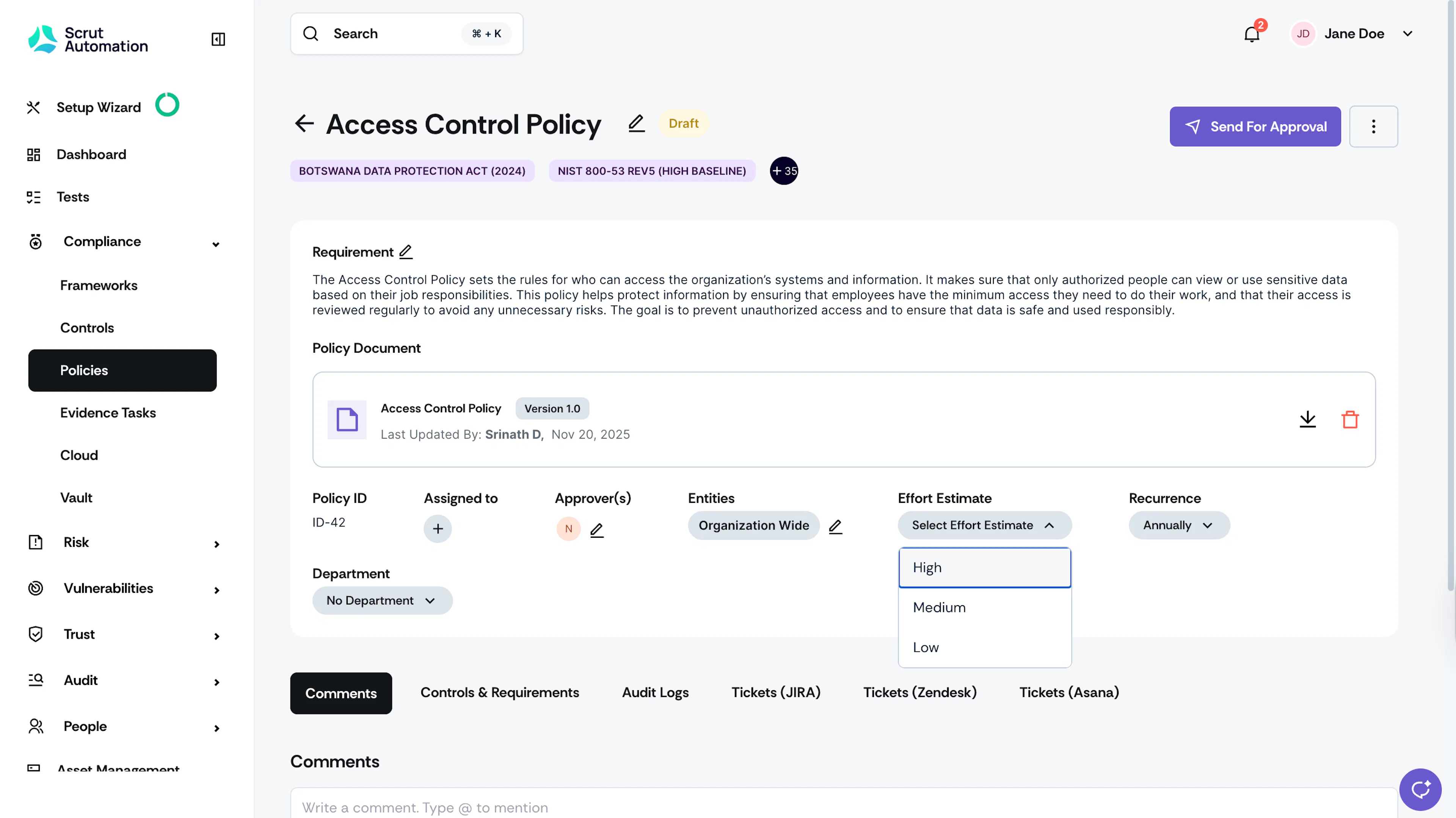
- Low: Easy to implement, minimal configuration or steps required
- Medium: Moderate complexity, requires multiple steps or configuration across several resources
- High: Complex implementation, extensive configuration, or affects multiple systems
How To View Effort Estimates for Policies
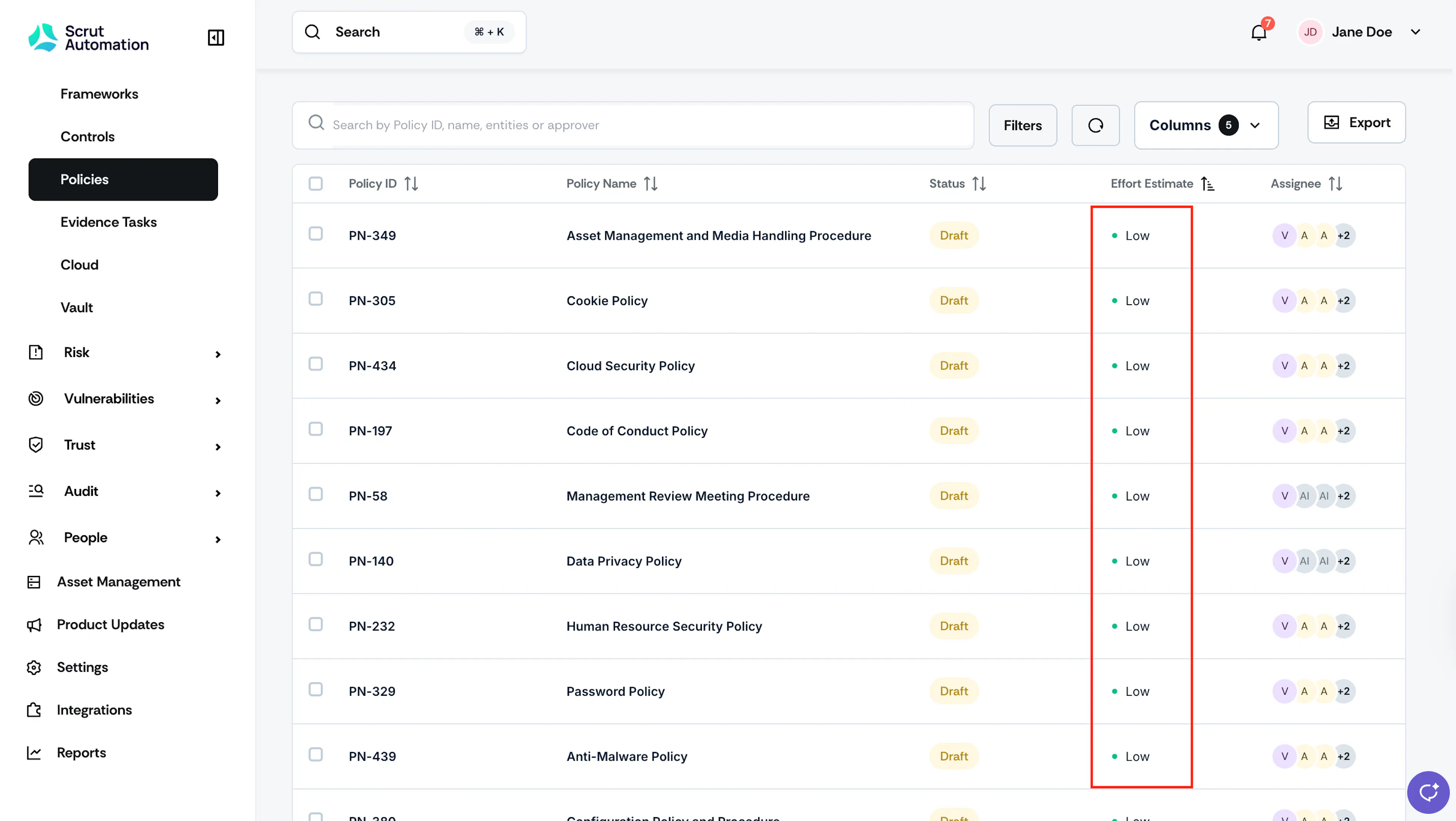
Click on the Effort Estimate column on the Policy table in the All Policies page. This allows you to sort your policies by effort level.
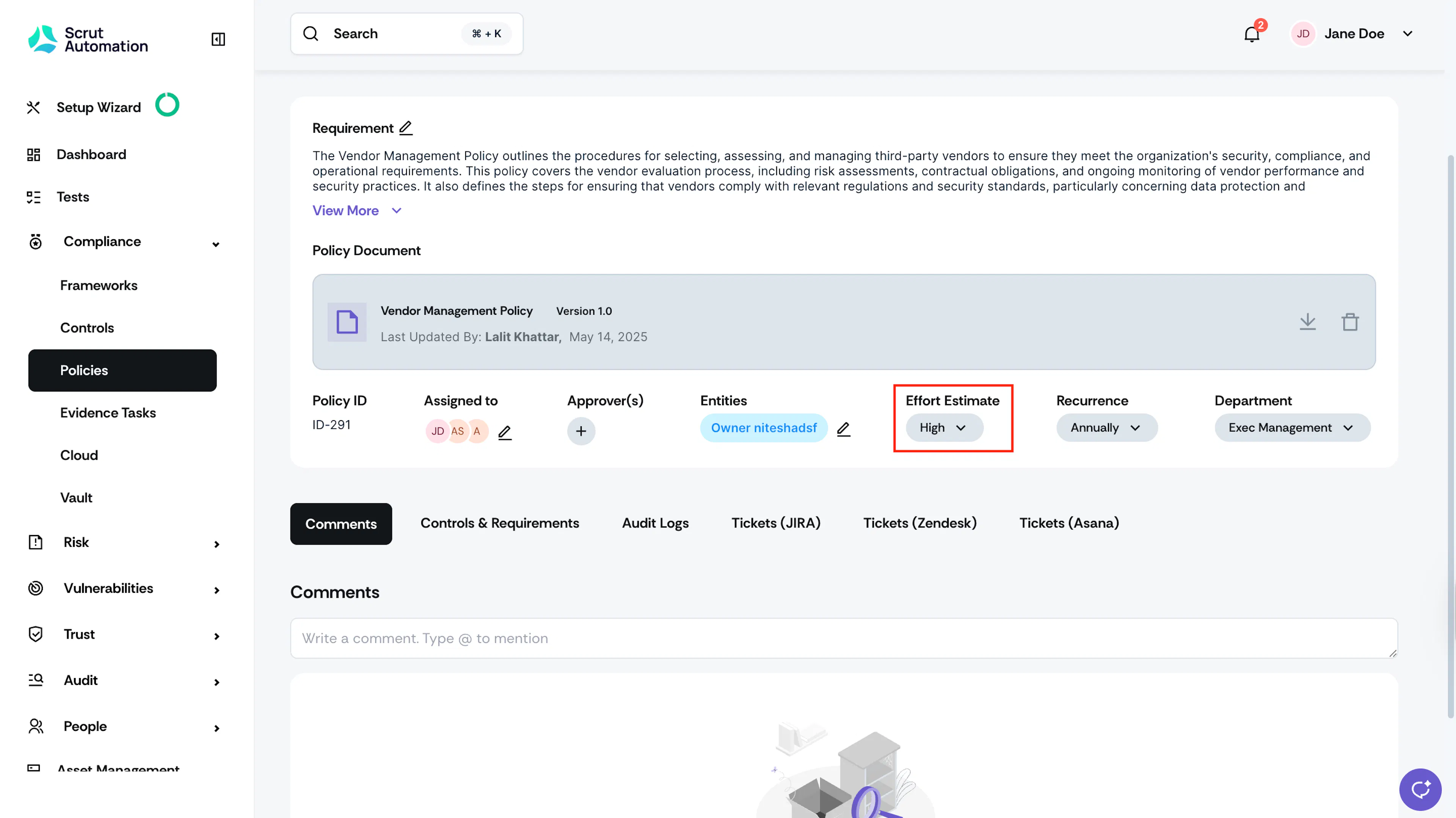
Navigate to your desired policy and look for the Effort Estimate field on the policy details page.
How to Set Policy Effort Estimates
For a Single Policy
-
Sign in to Scrut, and click Compliance → Policies on the left navigation panel.
-
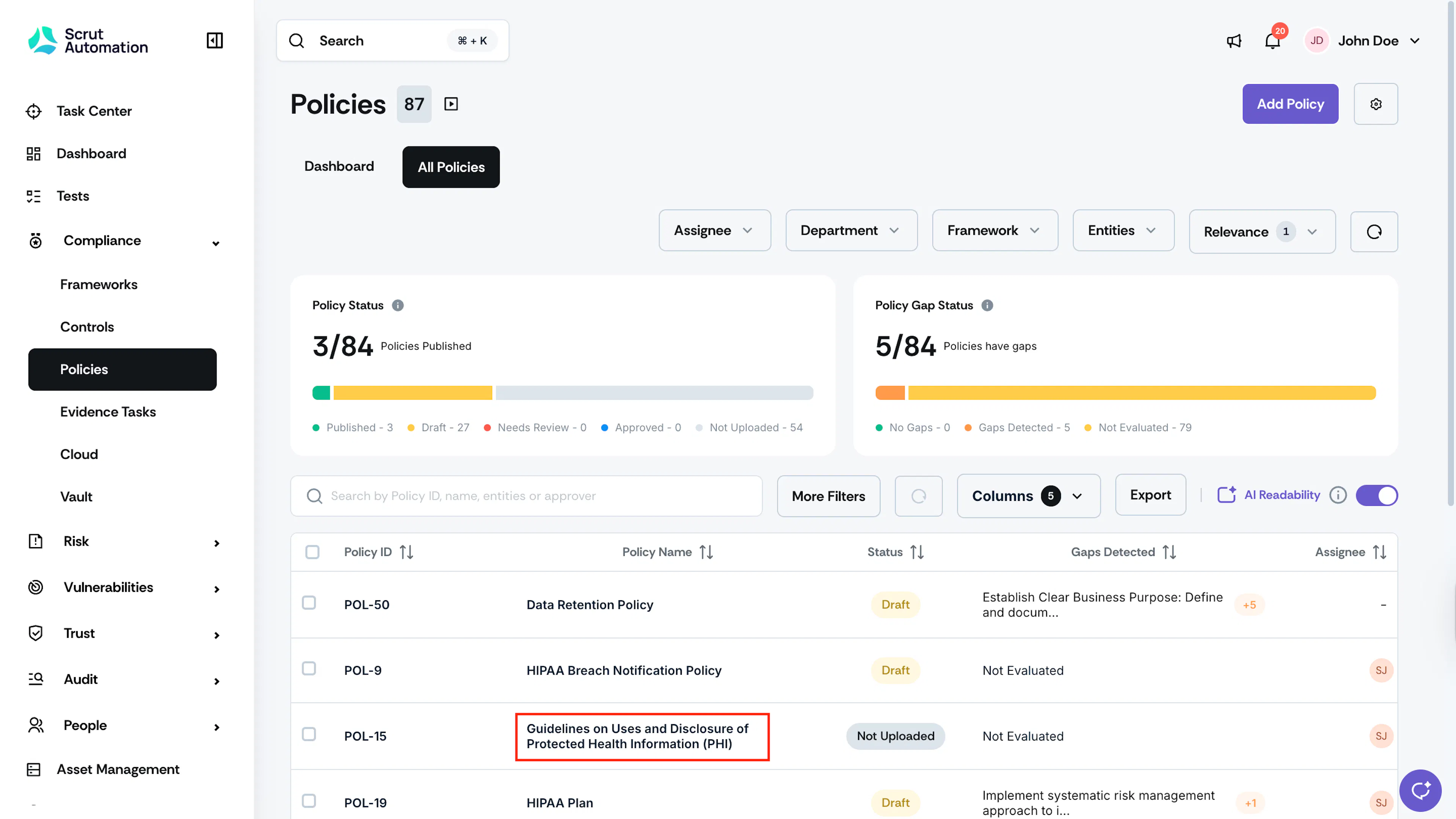
Go to the All Policies tab and select the policy you want to set the effort estimate for.
-
Use the Effort Estimate dropdown and set the desired level.
For Multiple Policies
You can also set effort estimates for multiple policies simultaneously:
-
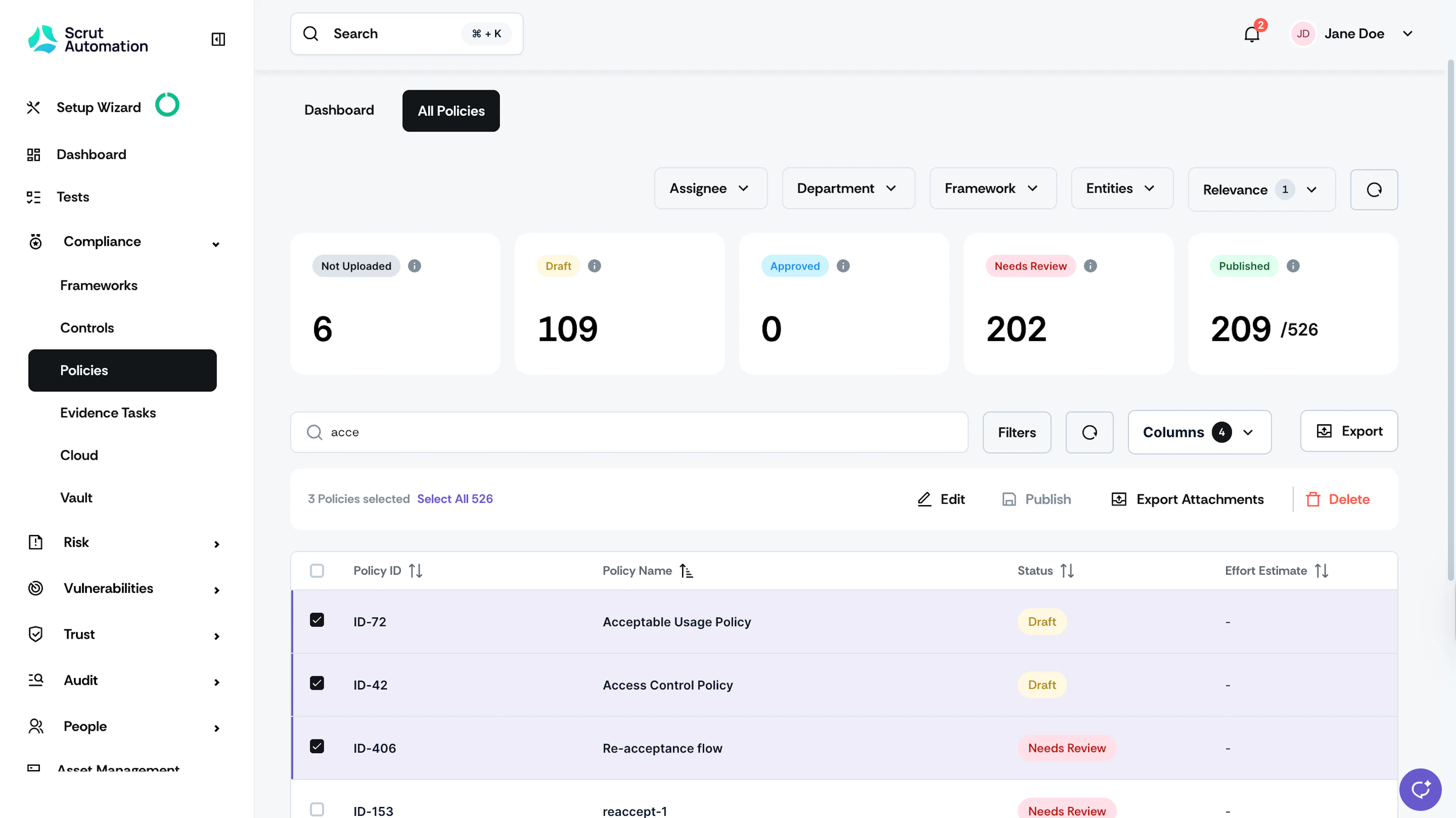
Go to the All Policies tab and select the policies you want to set the effort estimate for.
-
Click the Edit button at the top of the Policies table.
-
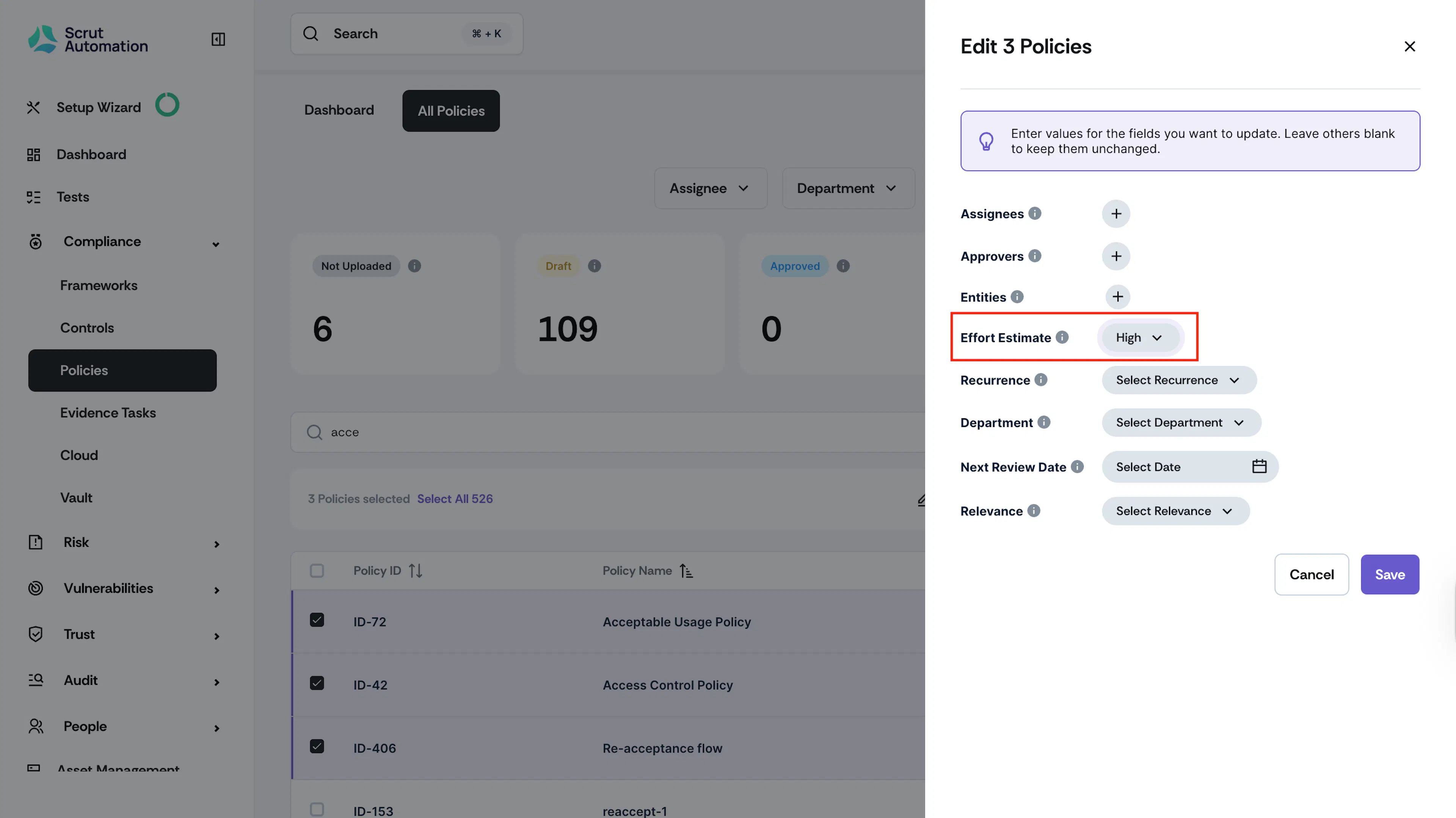
Click the dropdown next to the Effort Estimate field.
-
Choose the desired level from Low, Medium, or High.
-
Click Save to complete the bulk assignments.
Note:
If you wish to retain the existing values for fields like Department, Recurrence, Entities, and Relevance, simply leave them unchanged. Scrut will only update the fields you've modified in this window, ensuring that the other values remain intact.