

Turn On Policy IDs
Who can use this feature
- Supported on Foundation, Growth, and Scale plans
You can use Policy IDs to assign unique, sequential identifiers to the policies in your Scrut account. These IDs make it easier to search for and reference specific policies across your organization.
How To Enable Policy IDs
-
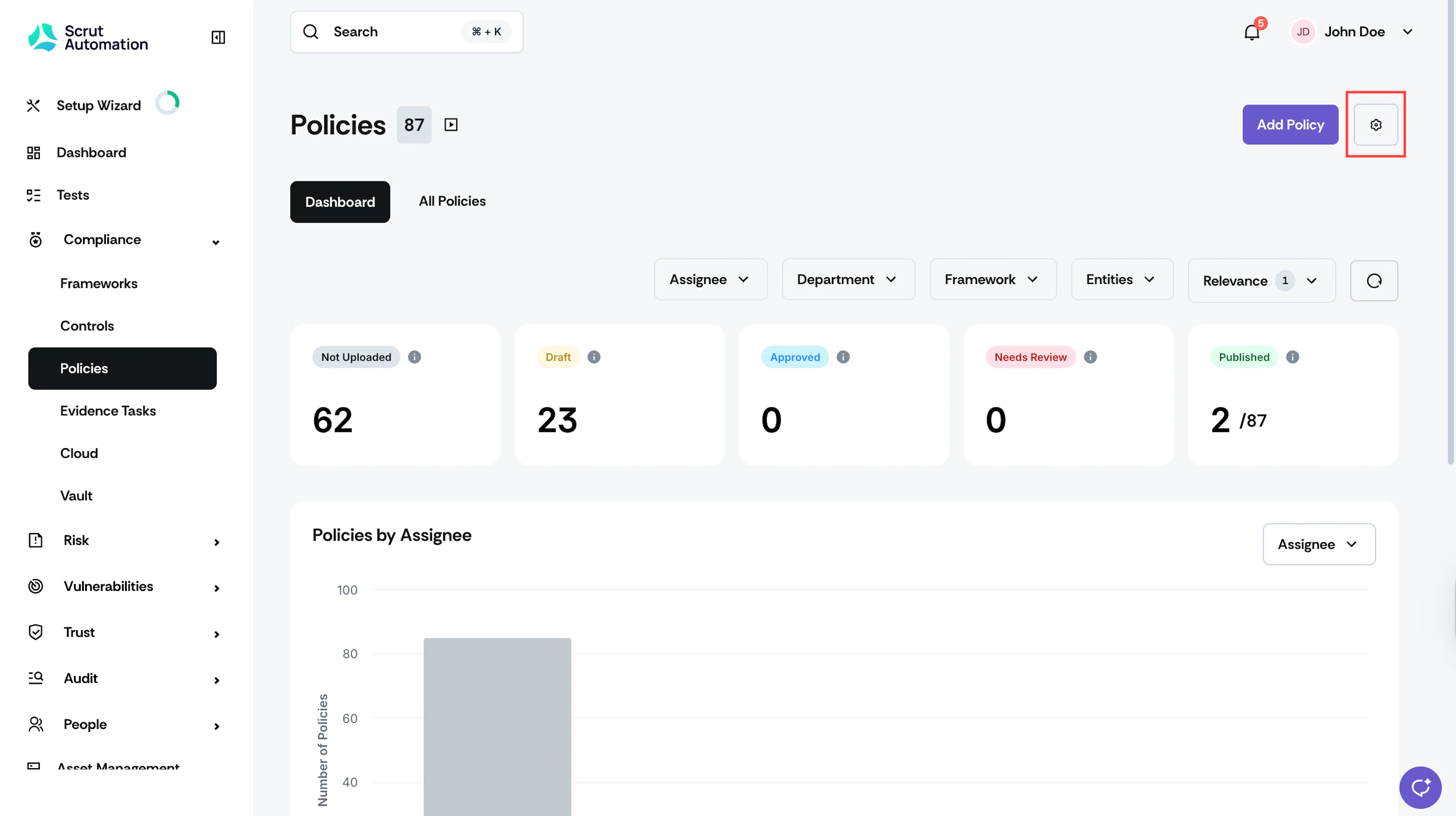
Sign in to Scrut, and click Compliance → Policies on the left navigation panel.
-
Click the Settings (gear ) icon in the top right corner.

-
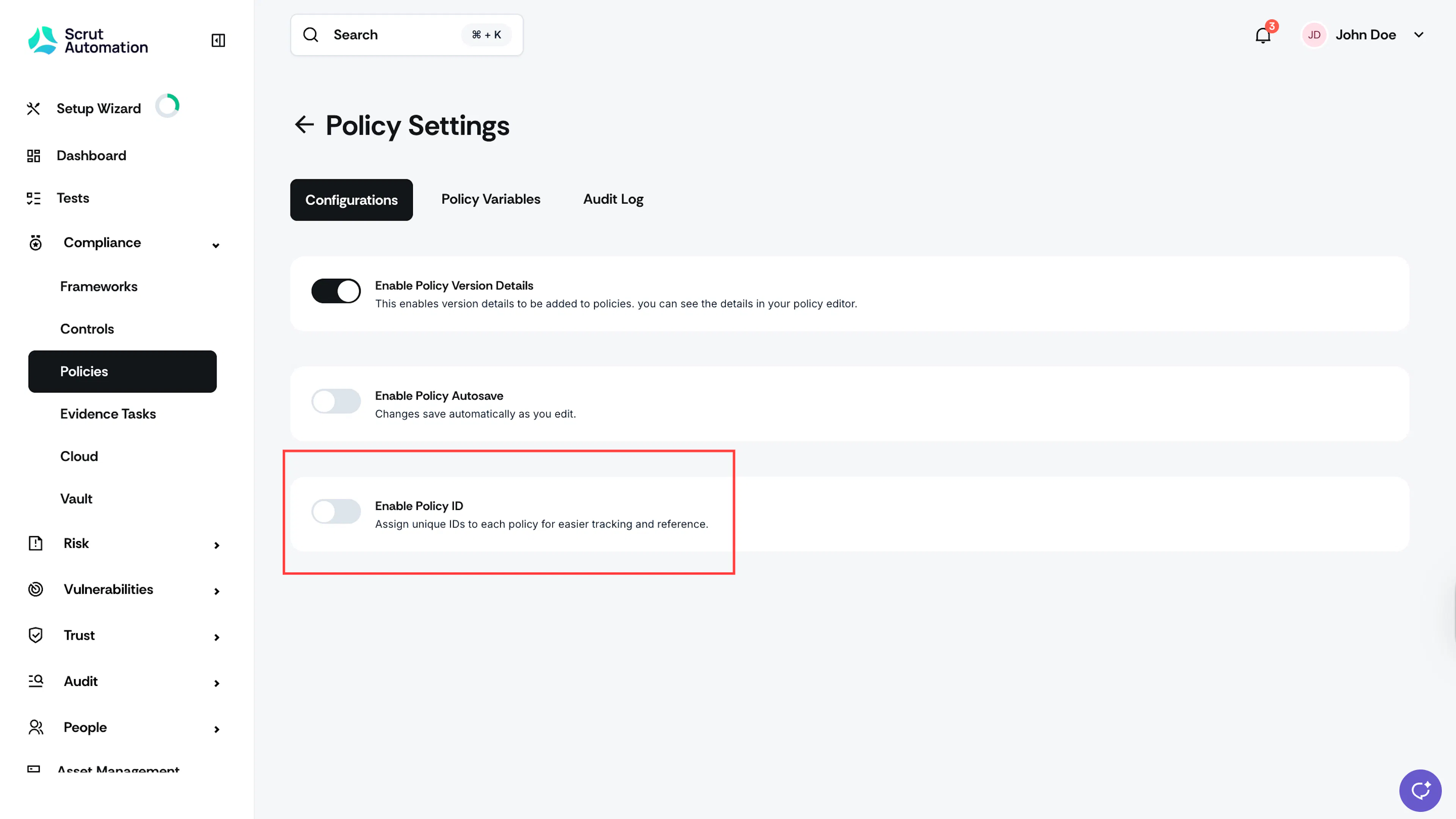
Go to the Configurations tab and turn on the Enable Policy ID toggle.
-
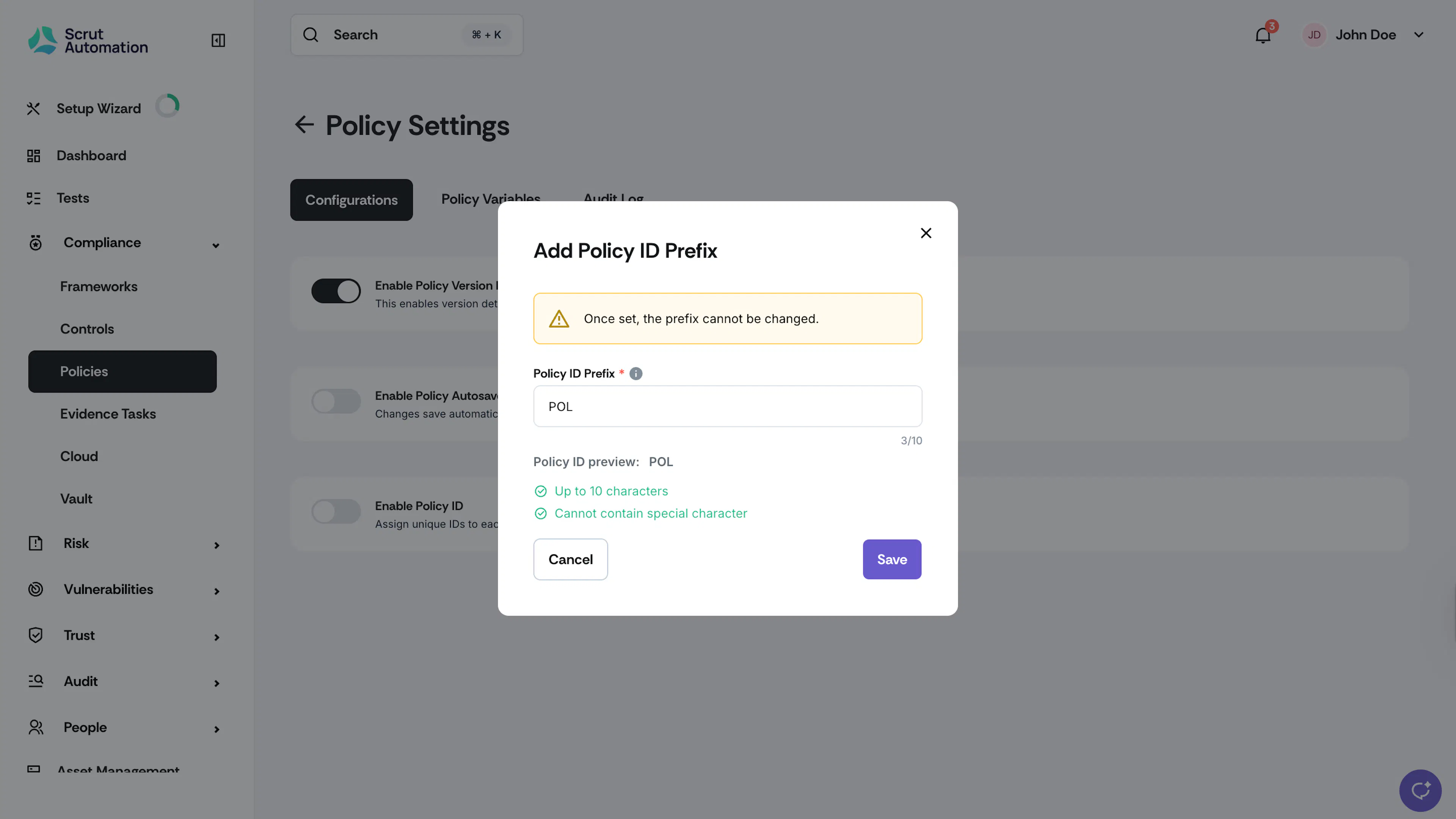
In the Policy ID prefix field, enter your custom Policy ID.
Note:
- Character Limit: Maximum 10 alphanumeric characters
- Special characters aren’t permitted.
- Examples: POL, POLICY, SEC2025
- Result: Your IDs will follow the format [Prefix] - Number (e.g., POL-1, POL-2)
-
Click Save.
-
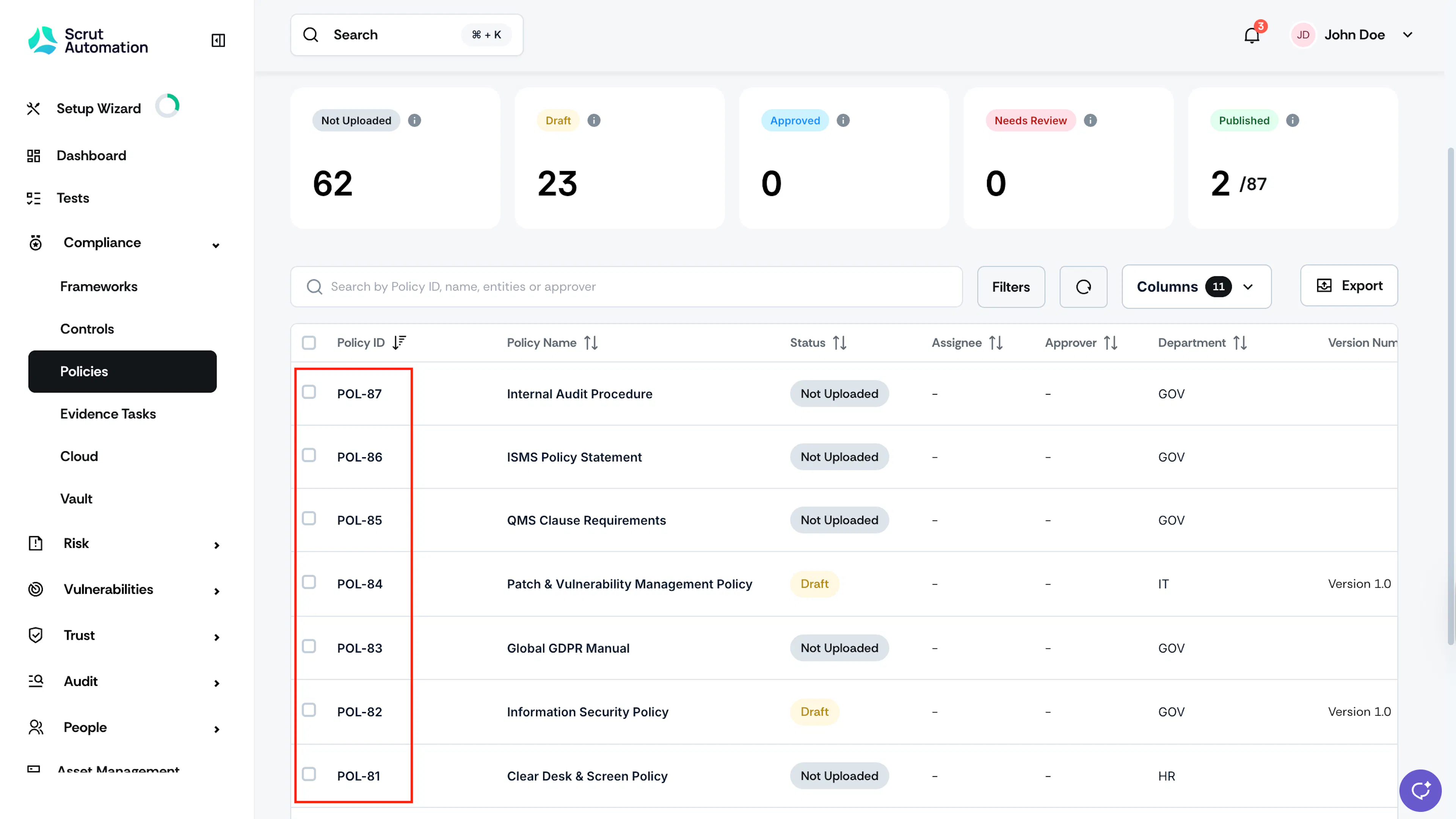
Once enabled, the Policy ID becomes the first column in the policy table.
-
Scrut automatically generates Policy IDs for all existing policies in chronological order of policy creation.
Key Points to Know
-
Once assigned, Policy IDs cannot be edited or changed.
-
IDs are ordered by policy creation date. This means that older policies have lower numbers than the most recent ones.
-
When frameworks are re-added during framework updation, existing policies retain their original IDs.
-
The IDs of deleted policies are never reused to maintain the audit trail.
-
If a policy is deleted and a similar one is recreated, the next available ID is assigned to it. Example sequence after deletion:
- POL-001 (existing)
- POL-002 (deleted - ID retired and remains unassigned)
- POL-003 (existing)
- POL-004 (newly created)
How To Disable Policy IDs
- Go to Policy Settings → Configurations and turn off the Enable Policy ID toggle.
- All Policy IDs are permanently removed, and previously assigned IDs cannot be recovered. So, proceed with caution.