Mark a Policy as Not Relevant
Who can use this feature
- Supported on Foundation, Growth, and Scale plans
When a policy is no longer applicable or necessary, you can flag it as "not relevant." Policies marked as “Not Relevant” are excluded from all compliance-related metrics in Scrut's main dashboard and policy dashboard.
You have two ways to mark a policy as not relevant:
Heads Up!
You can mark a policy as “Not Relevant,” regardless of its status; whether it's Not Uploaded, Draft, Needs Review, or Published.
How To Mark a Policy as Not Relevant
-
Sign in to Scrut, and click Compliance → Policies on the left navigation panel.
-
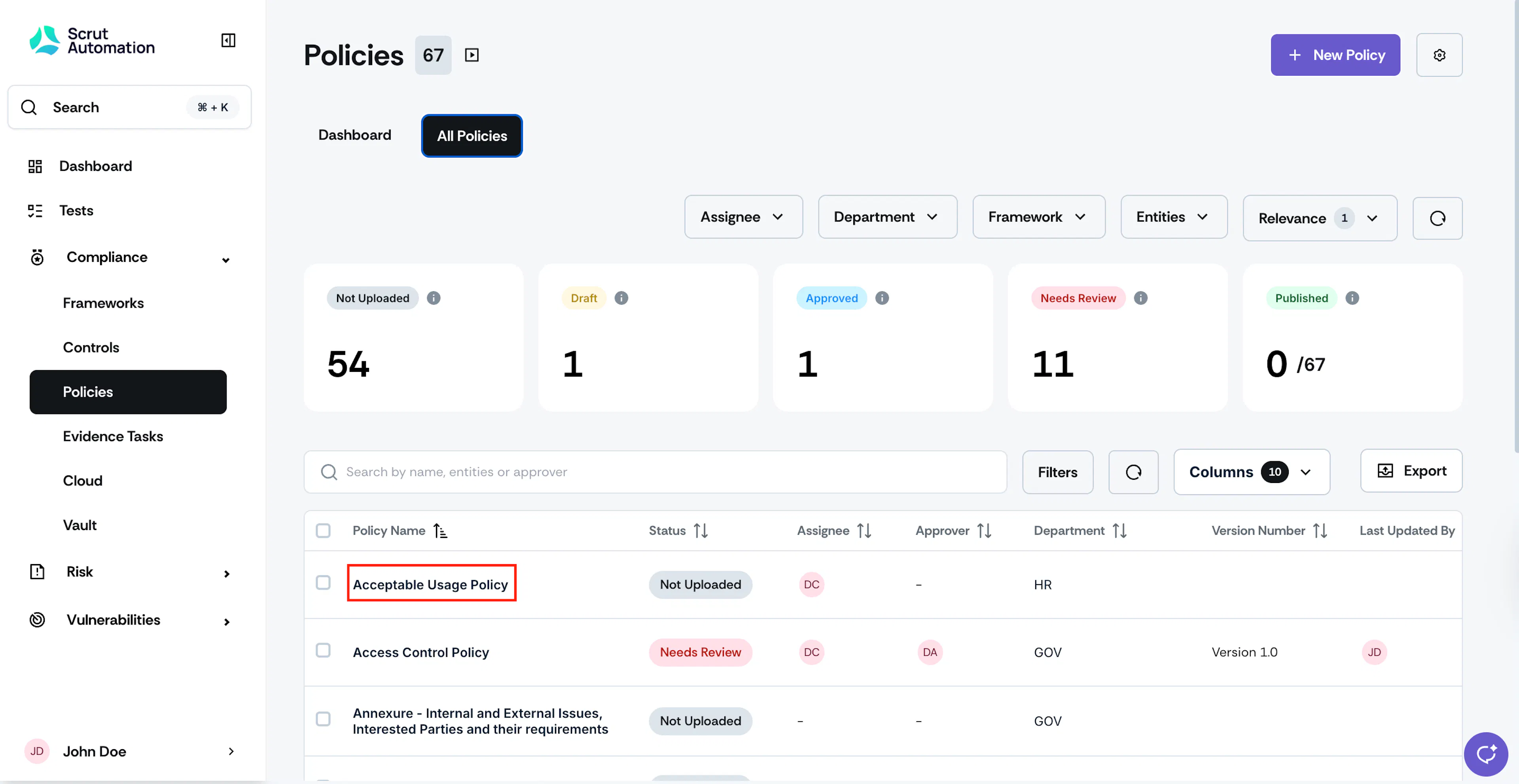
Go to the All Policies tab and select the policy that you want to mark as not relevant.
-
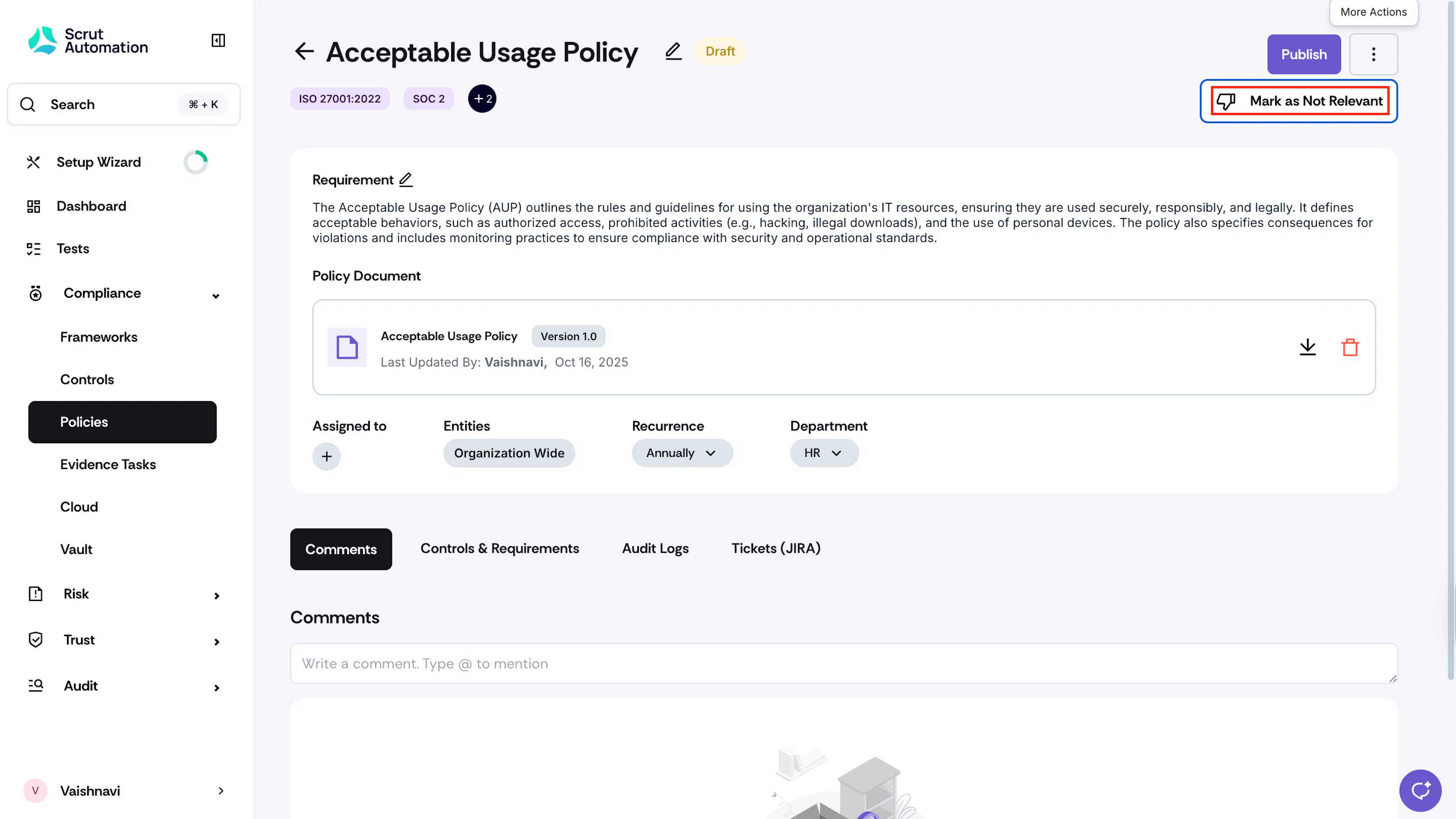
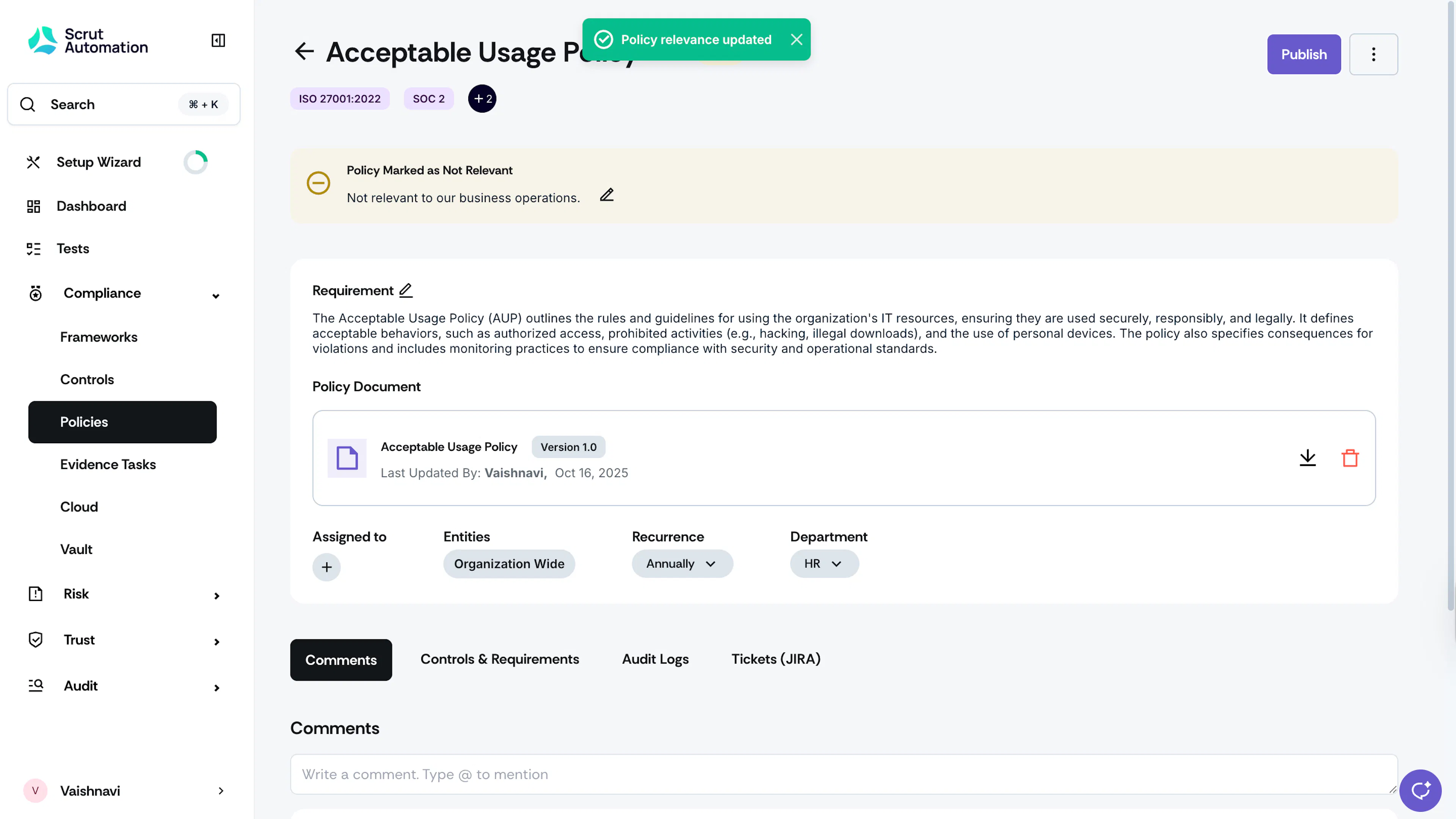
Once you’re on the policy details page, click the three-dots icon at the top right and select “Mark as Not Relevant.”

-
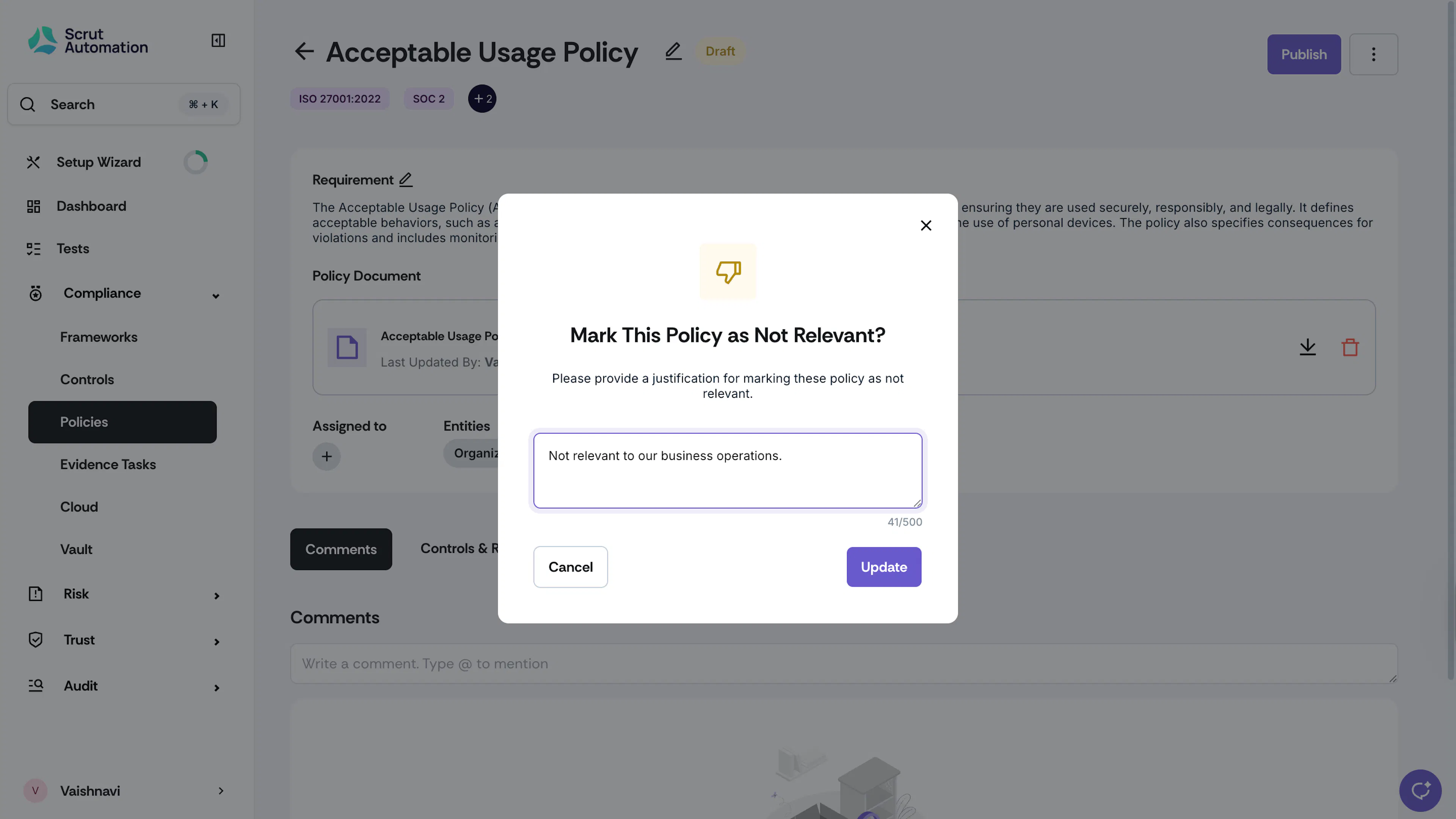
Enter a justification and click Save.
How to Mark Multiple Policies as Not Relevant
-
Sign in to Scrut, and click Compliance → Policies on the left navigation panel.
-
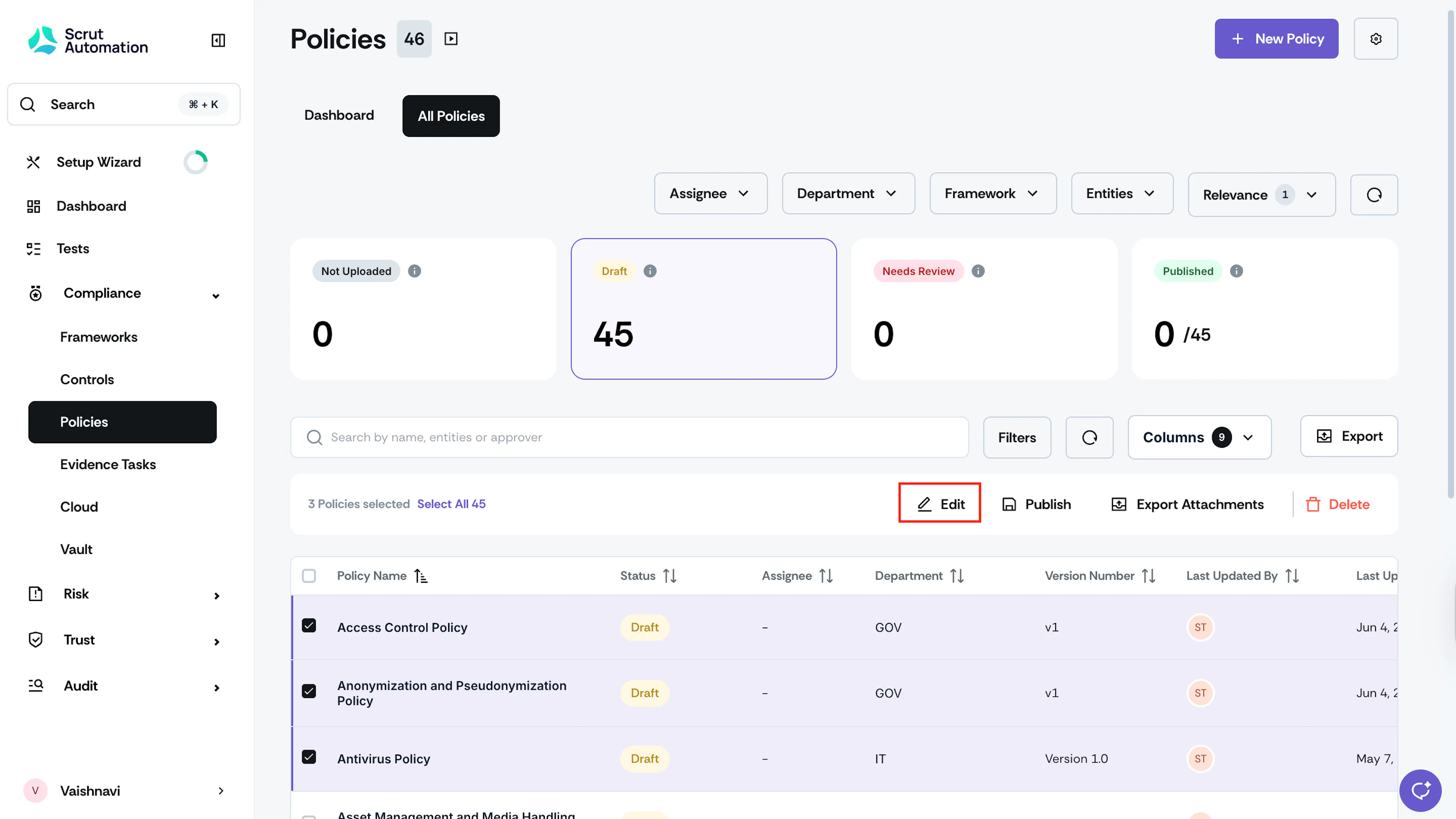
Go to the Policies tab and select the policies you want to mark as not relevant.
-
Click the Edit icon at the top of the policy table.

-
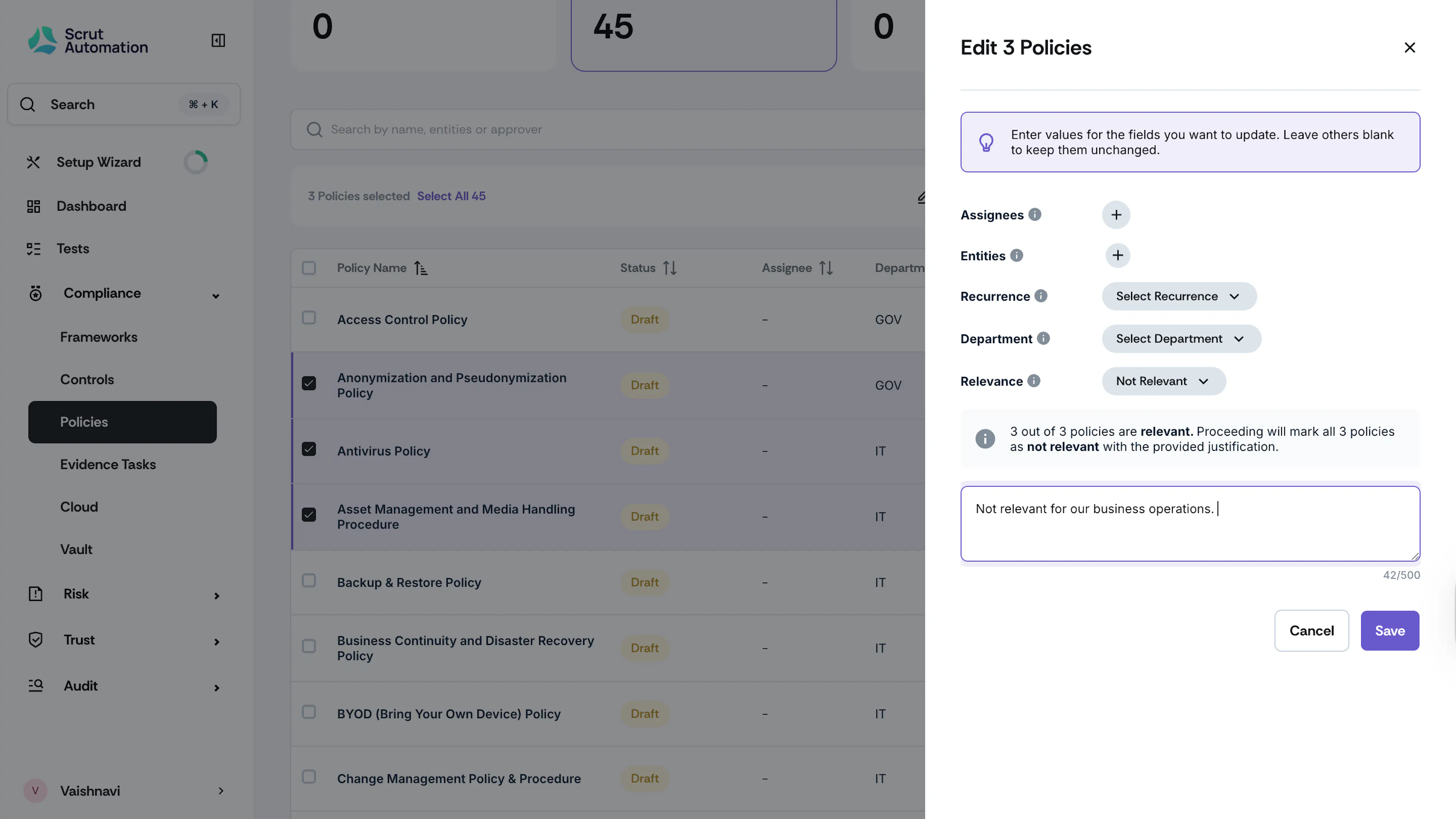
In the Edit drawer, scroll to the Relevance dropdown and choose “Not Relevant.”
-
Enter a justification and click Save.