

Configure Email Notifications
Who can use this feature
- Supported on Foundation, Growth, and Scale plans
In addition to the Task Center and Notification Center, you can also use email notifications to keep your team informed about their compliance tasks and assignments. When enabled, Scrut sends automated emails for key actions and deadlines, so users can stay on top of their responsibilities without manually checking their pending tasks in Scrut.
Admins can control which email notifications are active for your Scrut organization. Use:
- Email Digests to bundle routine notifications into a single recurring email. Each digest reflects the recipient's own Task Center, summarizing their pending tasks at a glance.
- Individual Emails to manage notifications that are sent right away for specific events
Configure Email Notification Preferences
Important
Once you turn Email Digests ON, you can't turn it back OFF. Review the audience and make sure this is what you want before saving.
-
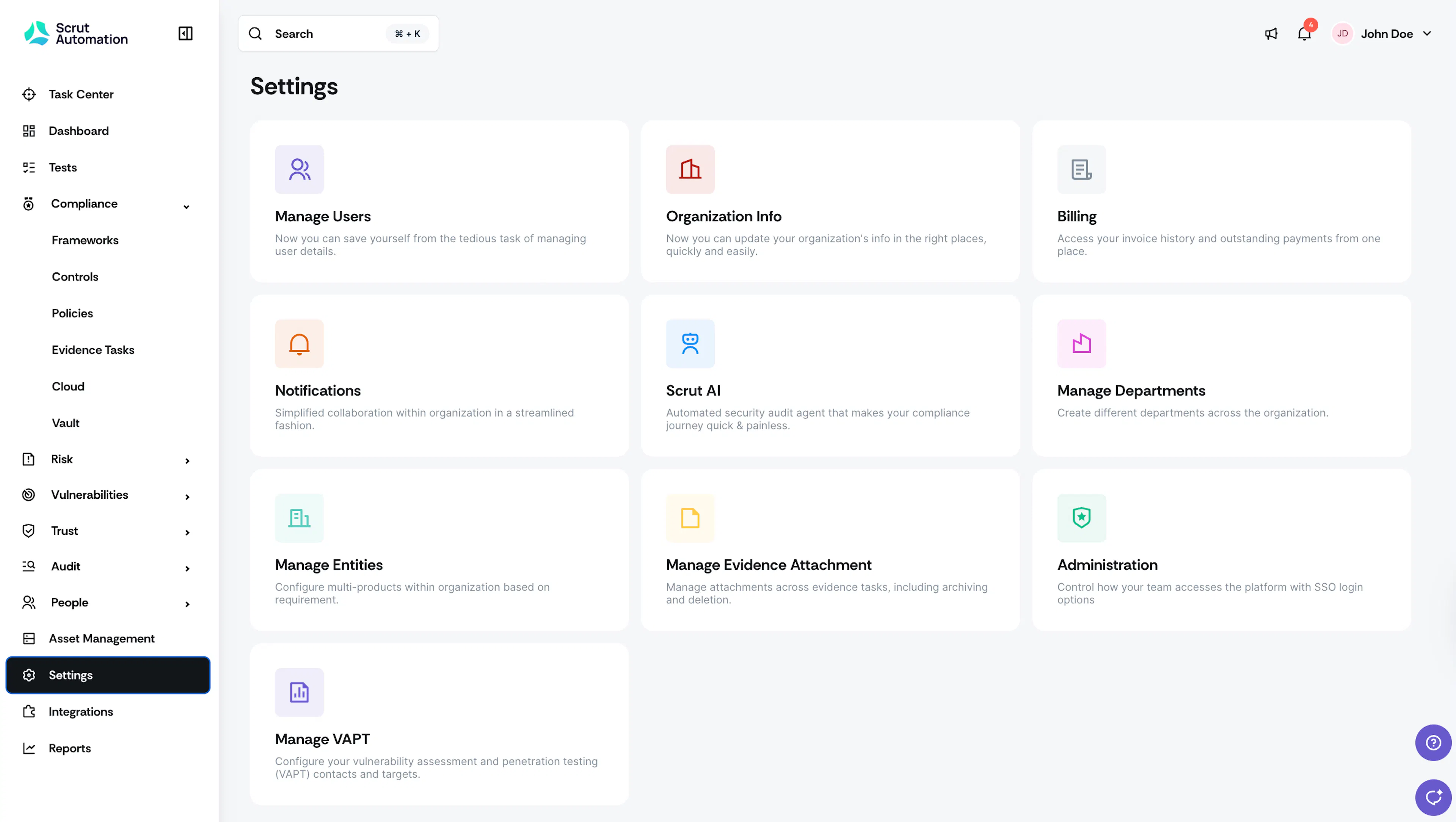
Log in to Scrut, click Settings on the left panel, and then click the Notifications card.
-
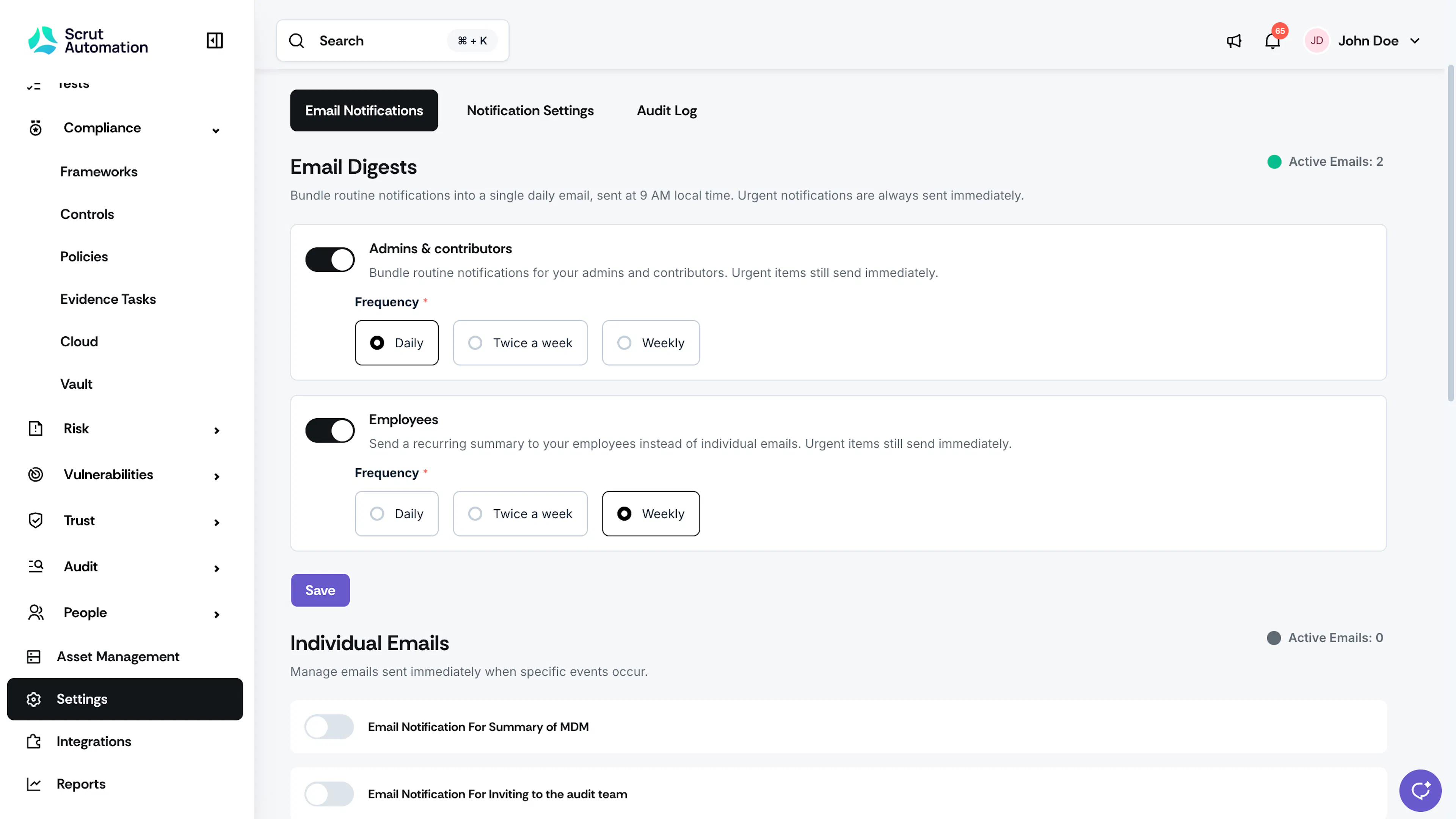
Navigate to the Email Notifications tab.
-
Under Email Digests, toggle ON the audience whose notifications you want to bundle:
- Admins & Contributors: Send to all users added to the Scrut platform
- Employees: Sent to all employees listed in the People module
-
Select your preferred frequency from:
- Daily: Every day at 9 am local time
- Twice a week: On all Mondays & Thursdays at 9 am local time
- Weekly: Every Monday at 9 am local time
-
Click Save.
-
Under Individual Emails, toggle ON the notifications you want sent immediately, and toggle OFF any you don't.
Points to Note
- Urgent notifications (like OTPs, etc.) are always sent immediately, regardless of your digest or individual email settings.
- Notifications bundled into an active digest are no longer sent as individual emails to that audience.
- Your notification preferences take effect immediately after saving.
What's Included in Each Digest
When you turn on a digest, Scrut stops sending certain notifications as individual emails and instead bundles them into the digest. Here's the complete list of individual emails that will no longer be sent once you enable digests.
Admins & Contributors
| Module | What's Included |
|---|---|
| Audit Center | Corrective actions, findings, and audit requests assigned to recipients, plus requests submitted for review or sent back for revision. |
| Cloud | Cloud tests and resources assigned to recipients, including bulk assignments. |
| Controls | Controls assigned to recipients, including bulk assignments. |
| Evidence | Evidence tasks assigned to recipients (including bulk assignments and reassignments), Scrut Teammates evidence gap results, and comments where recipients are mentioned. |
| Policies | Policies assigned to recipients (including bulk assignments), comments on policies recipients are assigned to or approving, and comments where recipients are mentioned. |
| Risk Management | Risks assigned to recipients, approver assignments, comments and mentions on risks recipients are involved with, and risks overdue for review. |
| Tests | Tests assigned to recipients. |
| Vendor Management | Vendor requests, questionnaires, risks, and vendors assigned to recipients for review (including bulk assignments), and vendor questionnaires submitted for their review. |
Employees
| Module | What's Included |
|---|---|
| Employees | New security tasks assigned to recipients. |
| Employees | Reminders for security tasks recipients haven't completed. |
Note: This list covers notifications that were previously sent as individual emails and now roll into the digest once the digest is turned on. It doesn't include the notifications you control separately under Individual Emails.
Reach out to support@scrut.io or contact your CSM for further assistance.