

Additional FAQs: Managing Users
1: What are the different user states in Scrut?
| Active Users | Deactivated Users | Deleted Users |
|---|---|---|
| Can log in and access assigned modules, depending on their role. • Receive notifications, reminders, and due date alerts. • Can be assigned new tasks and responsibilities. | Cannot log in to the Scrut platform. However, they can access the Scrut training portal if added as an employee. • Stop receiving emails, Slack/Teams notifications from Scrut. • Appear with a tag Inactive in the users list. • Can be reactivated or deleted as needed. | Permanently removed from the Scrut platform. However, they can access the Scrut training portal if added as an employee. • Cannot be restored. |
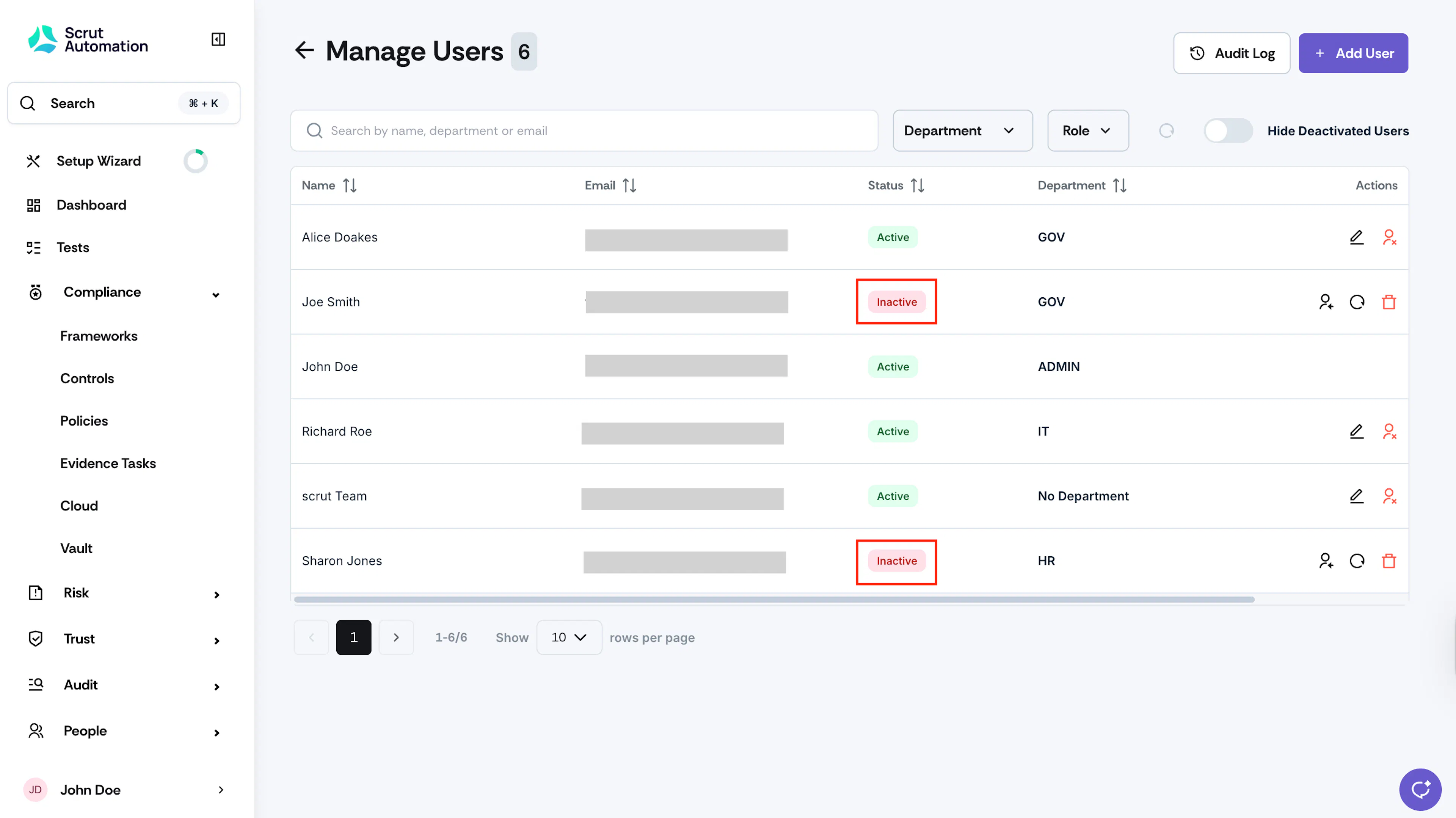
2: How to view deactivated users?
Navigate to Settings → Manage Users. On the Users table, look for users with the Inactive tab.
3: What happens to tasks assigned to deactivated users?
Scrut does not automatically reassign these tasks. You have to reassign them manually to other active users. Refer to this help guide for reassigning tasks.
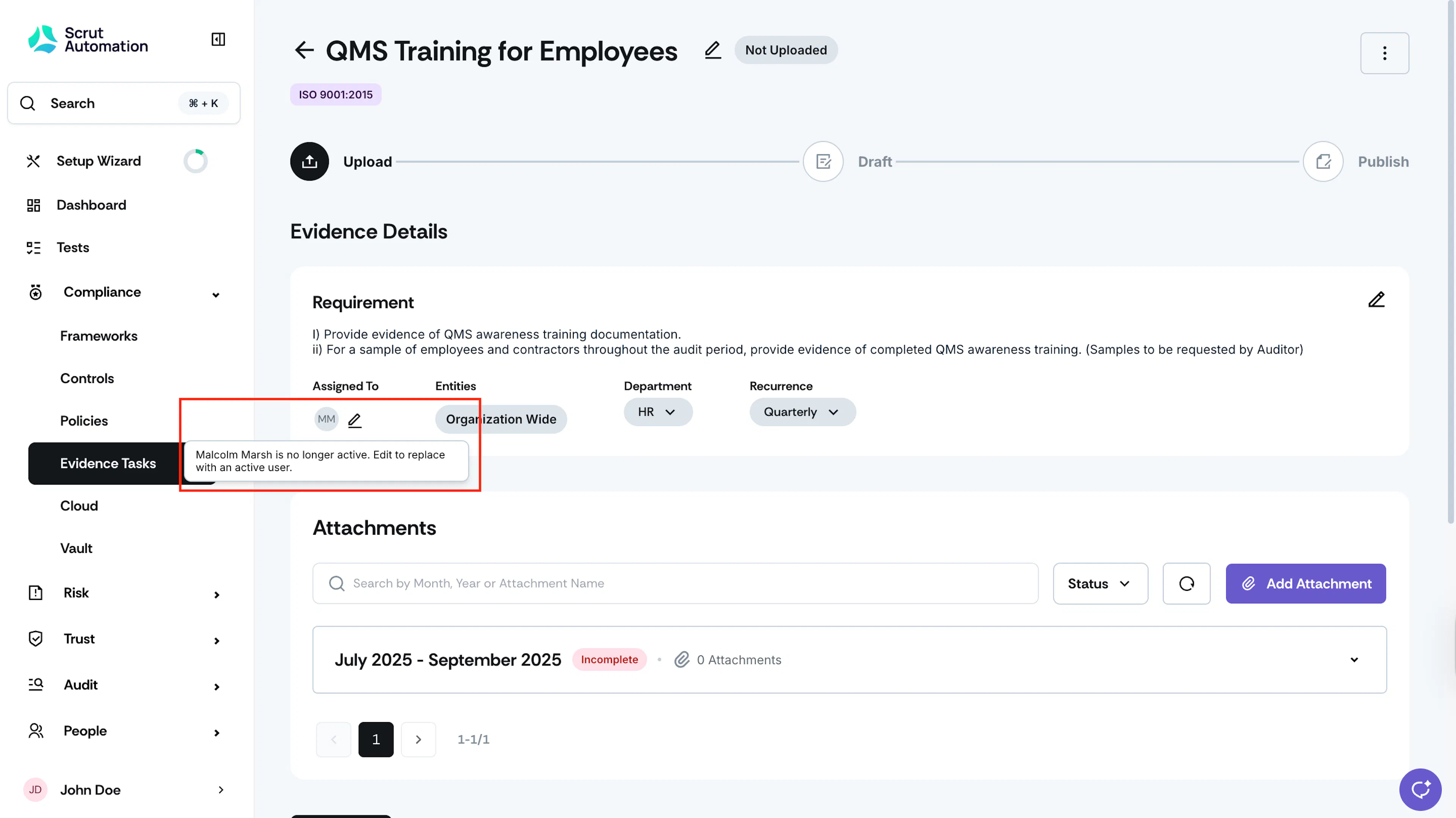
4: How do deactivated/deleted users appear in different modules?
Deactivated/deleted user badges are greyed out to visually indicate that the user no longer exists in the platform.
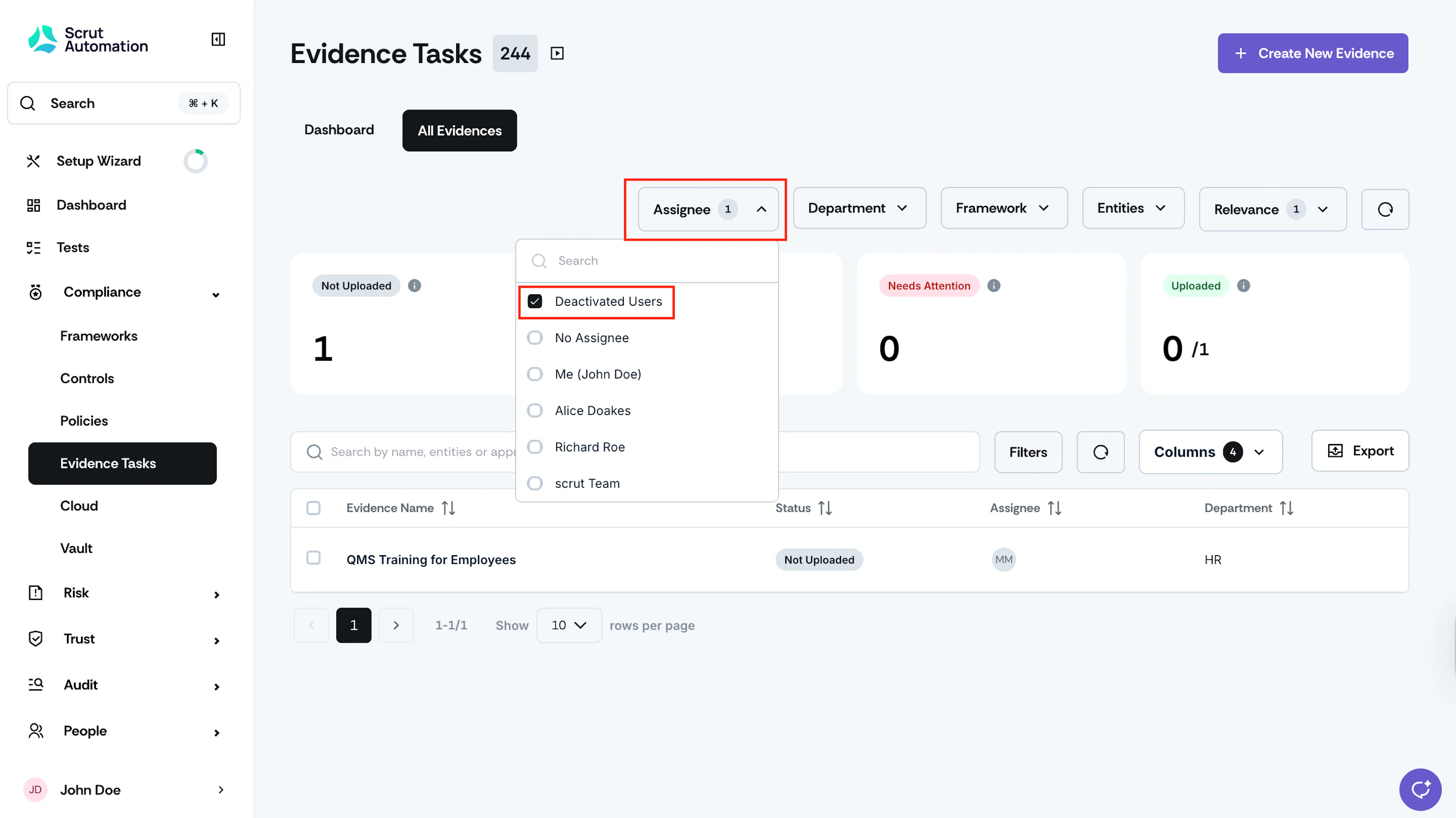
5: How to find tasks that are assigned to deactivated/deleted users?
Navigate to any specific module, and select the option “Deactivated Users” in the Assignee filter to quickly identify tasks assigned to inactive users.
6: Why can’t I delete all admins?
Scrut doesn’t allow you to delete all admins. You need to have at least one admin in your Scrut workspace to retain access.
7: I reactivated a user. But their old tasks haven’t been reassigned to them. Why?
This is the expected behavior. Scrut does NOT automatically reassign old tasks to reactivated users. This is to prevent work from bouncing between users. You can manually assign them fresh tasks, as needed.
8: Can I delete myself?
No, you cannot delete your own user account. Only another admin can do this task.
9: How does deactivation impact the user’s employee status?
| Action | Is a Scrut platform user? | Has employee record in Scrut? | What Happens |
|---|---|---|---|
| User Deactivation | ✅ Yes | ❌ No | User loses access to Scrut platform |
| User Deactivation | ✅ Yes | ✅ Yes | User loses access to Scrut platform • Is retained as an employee in the Employees module |
| User Reactivation | ✅ Yes | ❌ No | User regains access to Scrut with previous permissions |
| User Reactivation | ✅ Yes | ✅ Yes | User regains access to Scrut with previous permissions |
| Employee Offboarding in HRIS | ❌ No | ✅ Yes | Employee marked as offboarded • Cannot become a Scrut platform user later |
| Employee Offboarding in HRIS | ✅ Yes | ✅ Yes | Employee marked as offboarded • User account automatically deactivated in Scrut |
| Mark as Non-Personnel | ✅ Yes | ✅ Yes | Employee marked as non-personnel • User account automatically deactivated in Scrut |
| Mark as Non-Personnel | ❌ No | ✅ Yes | Employee marked as non-personnel • Cannot become a Scrut platform user later |