

Delete Users
Important Warning
Deleting a user is permanent and cannot be undone.
How To Delete a User in Scrut
Step 1: Deactivate the User
To delete a user, first deactivate them. Follow this guide to deactivate a user in Scrut.
Step 2: [Recommended] Reassign their Tasks
We strongly recommend reassigning the user’s pending tasks to another active user before deleting them from Scrut. Follow this guide to reassign all their tasks in a single click.
Step 3: Delete the User
-
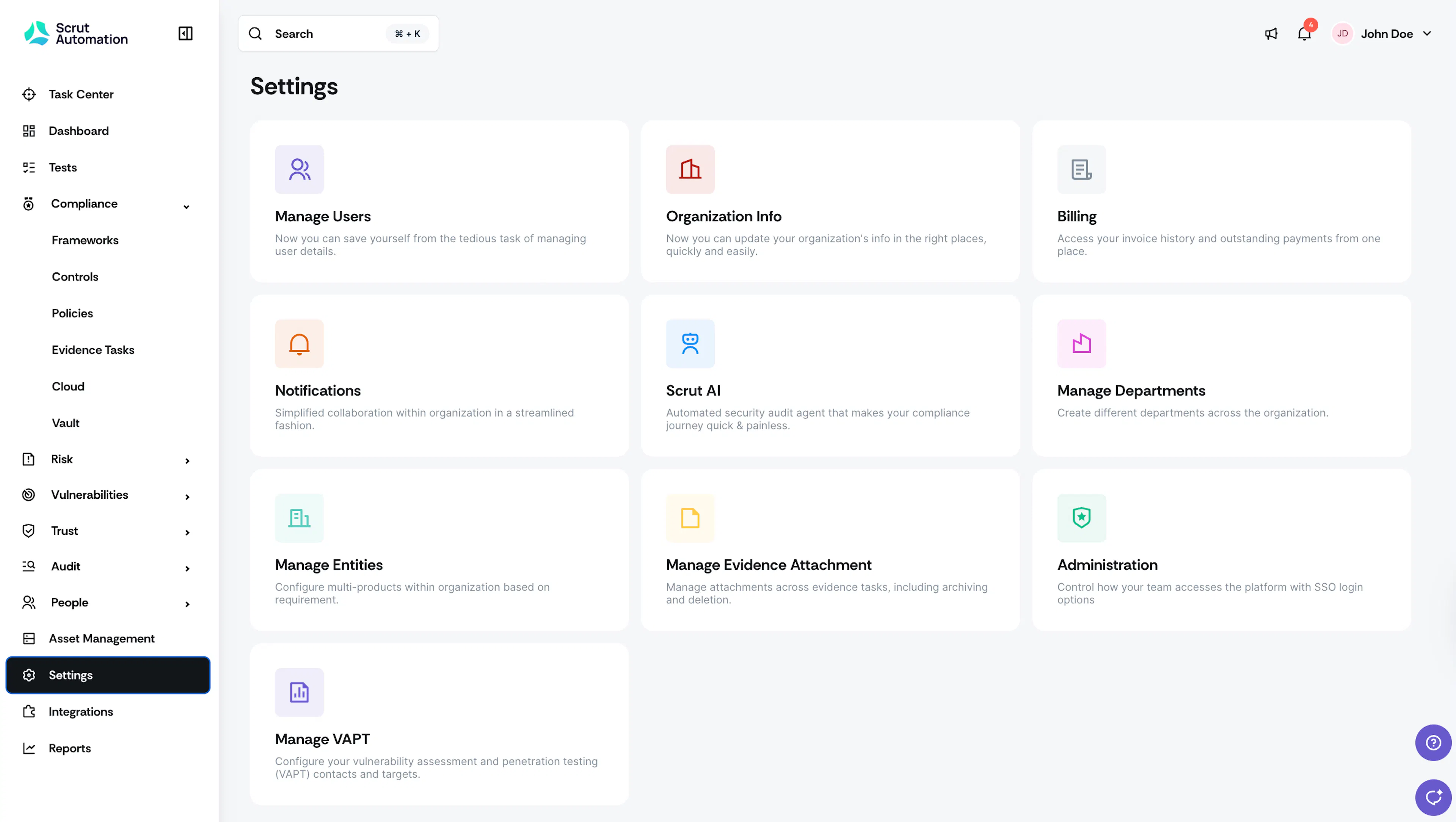
Navigate to Settings → Manage Users.
-
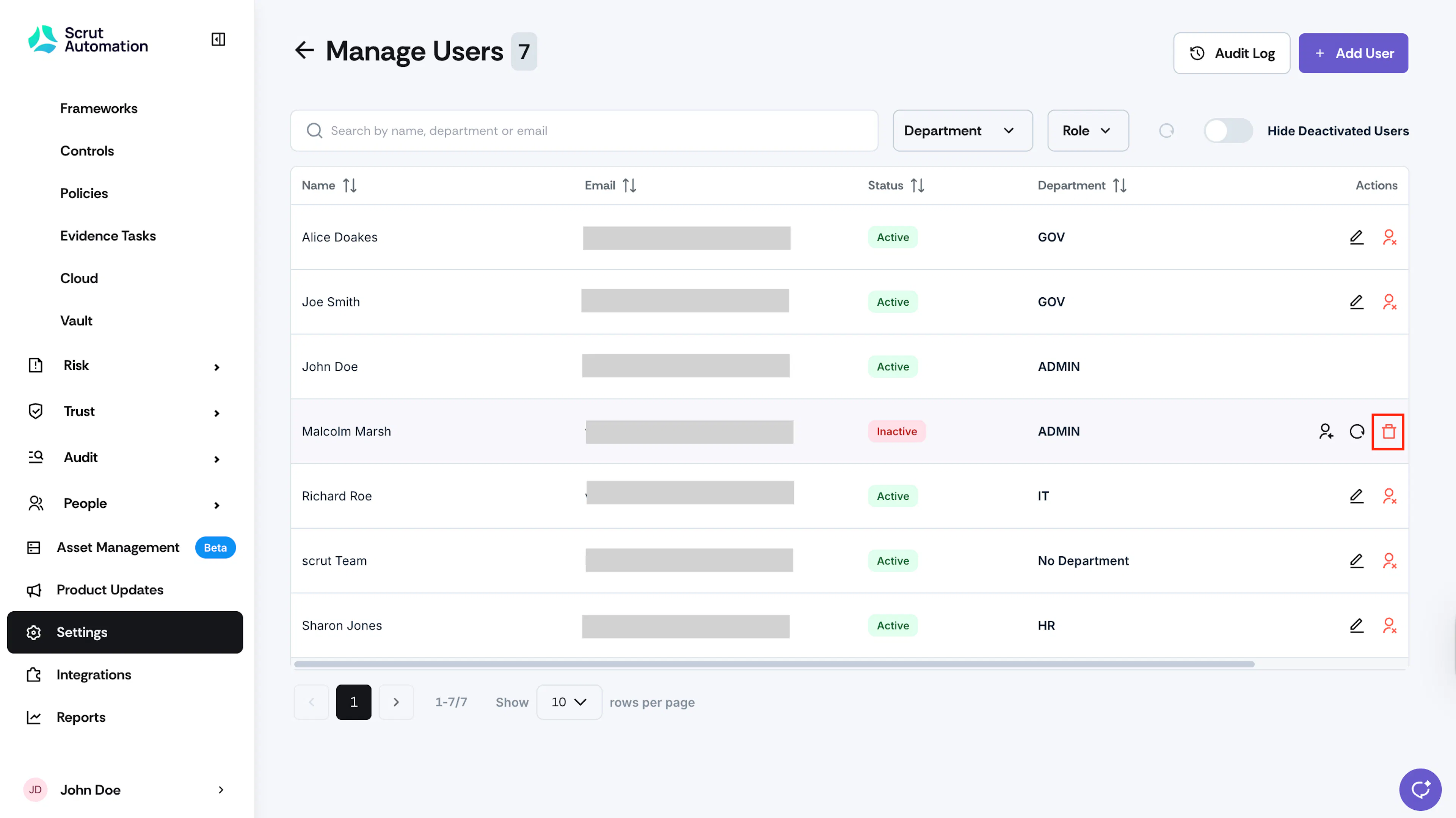
Find the user you want to deactivate, and click the Delete User icon in the Actions column.
-
Type Delete in the confirmation modal.
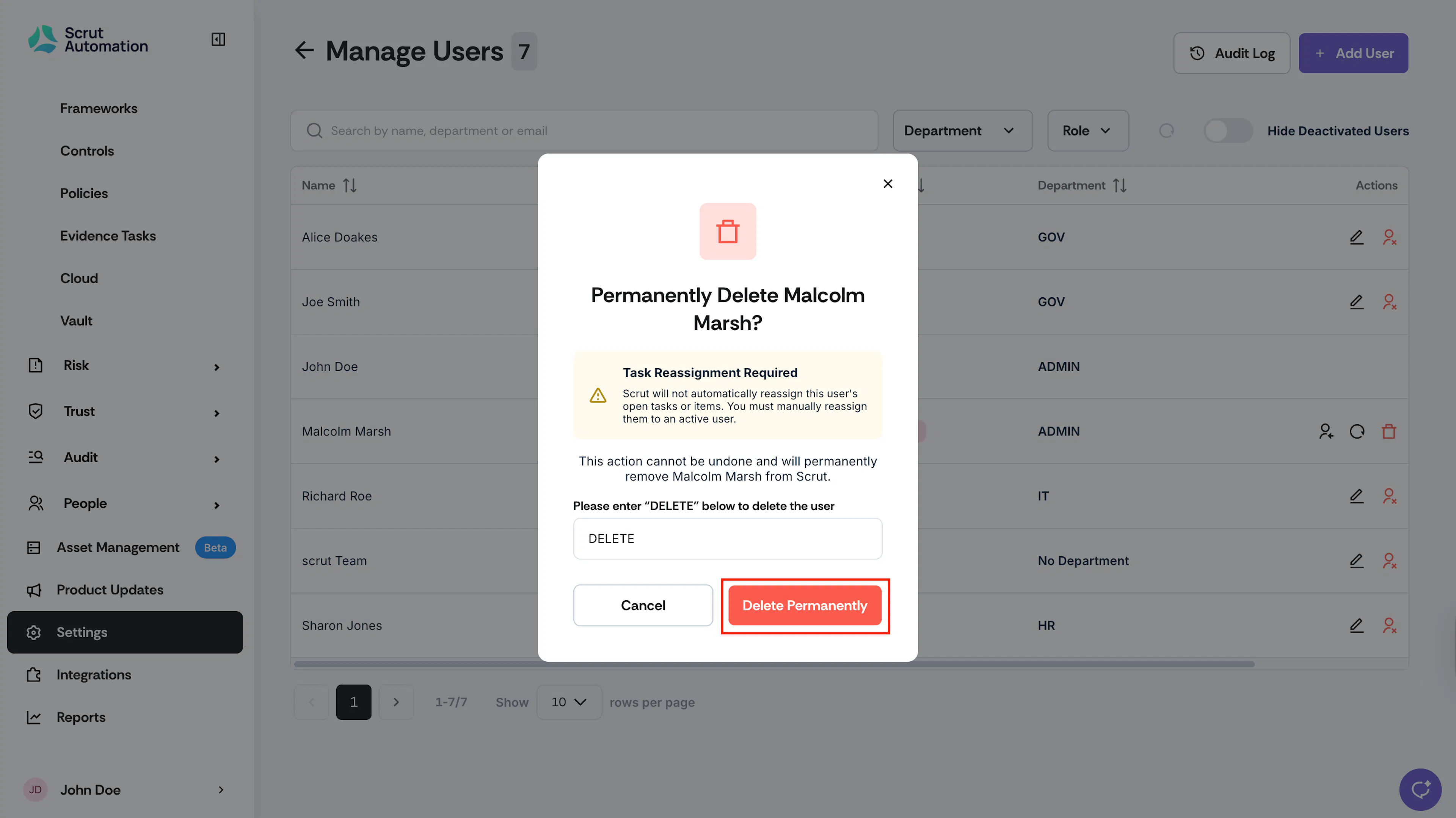
On deletion, the user is removed from the Users table.
Was this page helpful?