Mitigation Tasks: Walkthrough
Who can use this feature
- Supported on Foundation, Growth, and Scale plans
The Mitigation Task Tab provides a centralized hub to manage all tasks related to your risks. It gives risk managers a single place to view, track, and act on mitigation activities across risks.
How To Access the Mitigation Task Tab
-
Sign in to Scrut, and go to Risk → Risk Management using the left navigation panel.
-
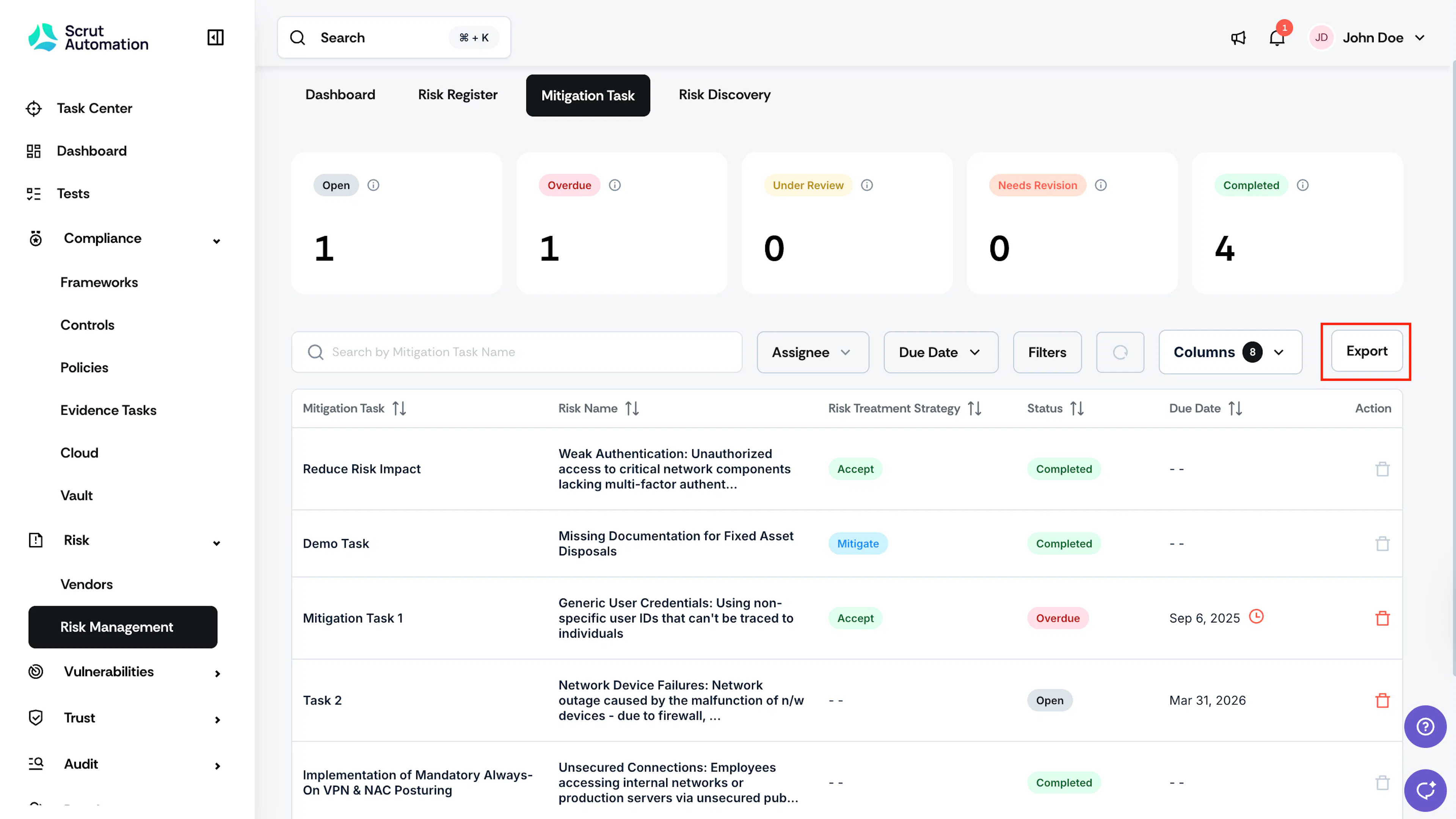
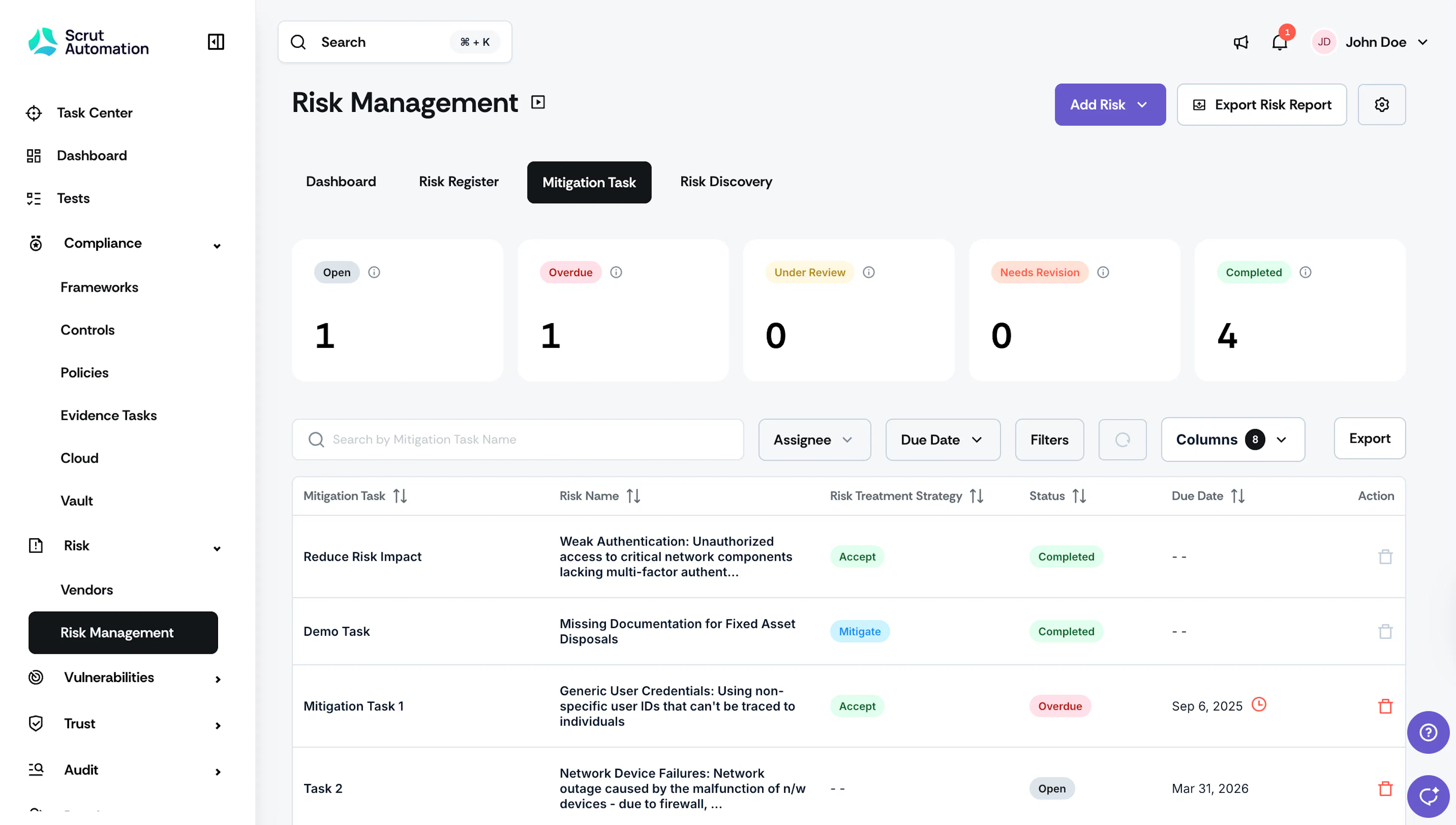
Click the Mitigation Task tab. On this page, you can see all Mitigation Tasks and their current statuses.
-
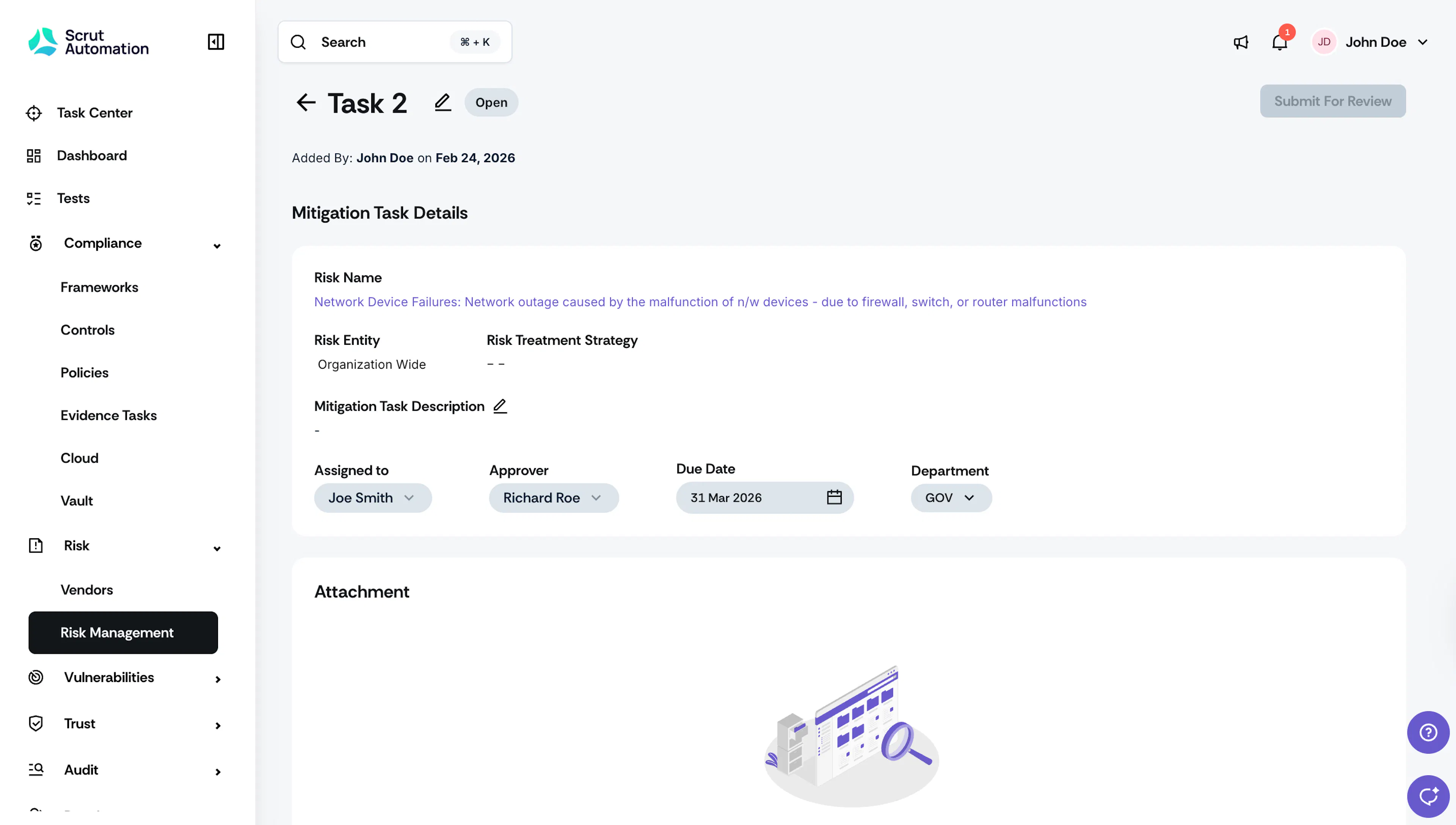
Click on any mitigation task to go to the task detail page. This page provides in-depth details about the task, including name, description, assignee, approver, due date, and department. It also links directly to the risk to which this task is attached.
Overview of Mitigation Task Tab
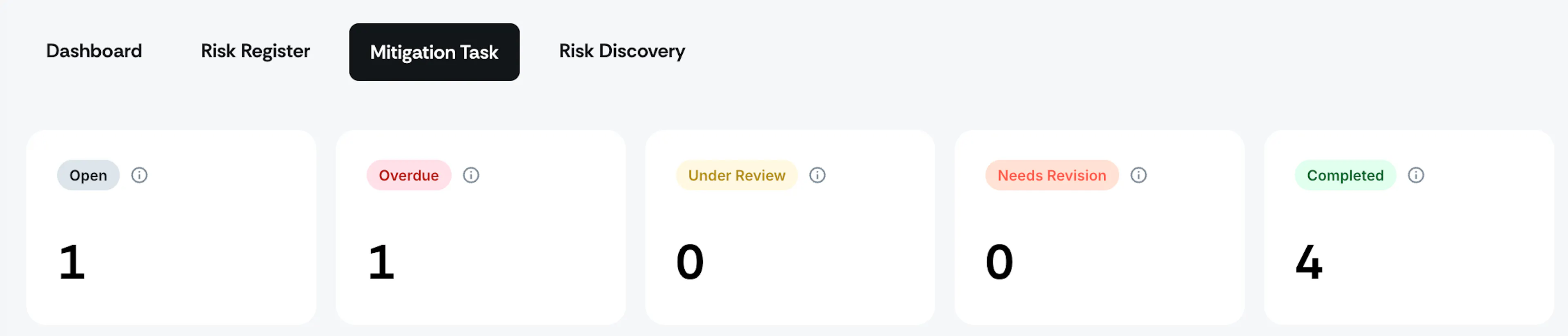
Metrics Card
The metrics card shows the number of mitigation tasks under each status. See here to learn more about these statuses.
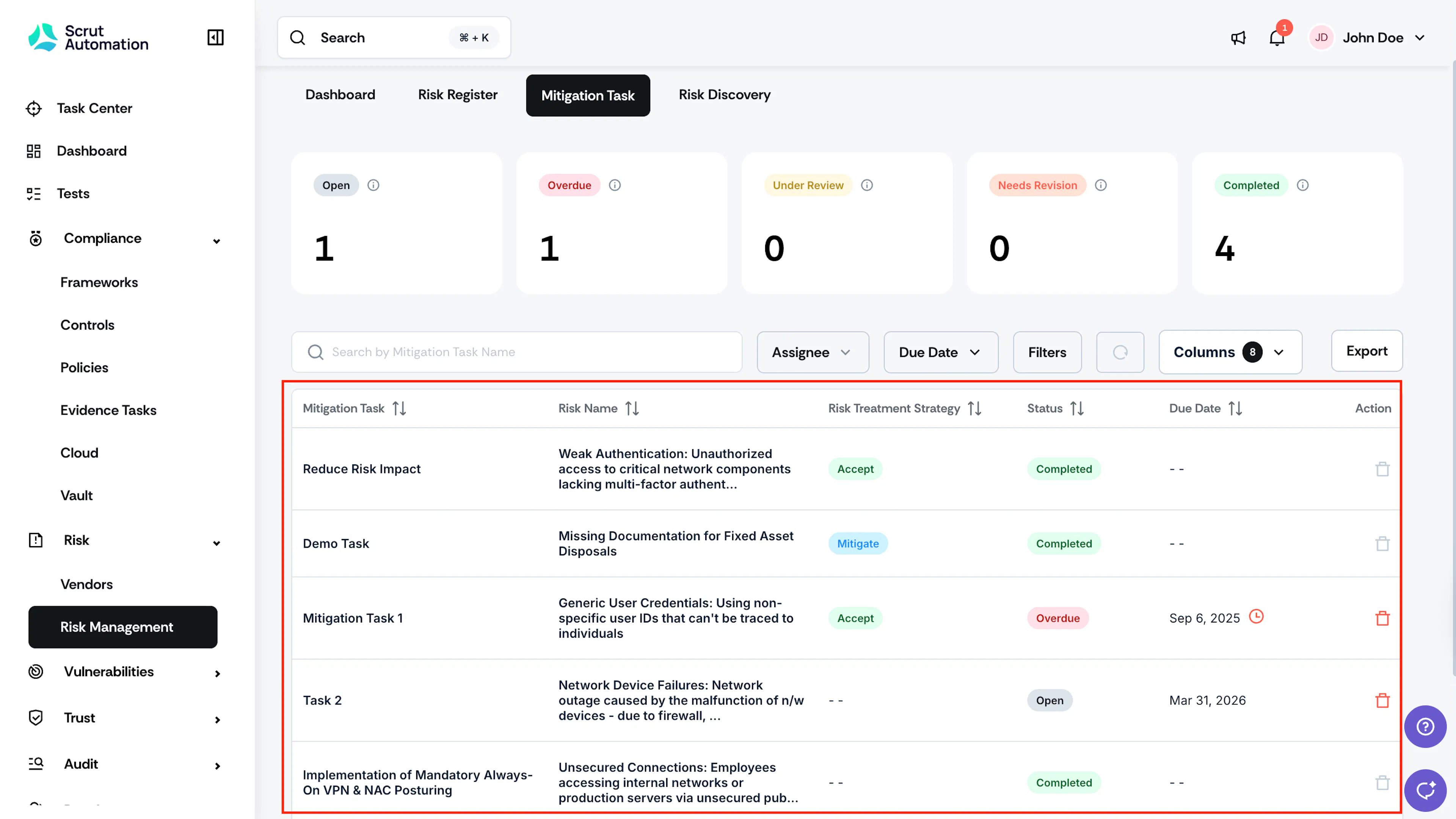
Mitigation Tasks Table
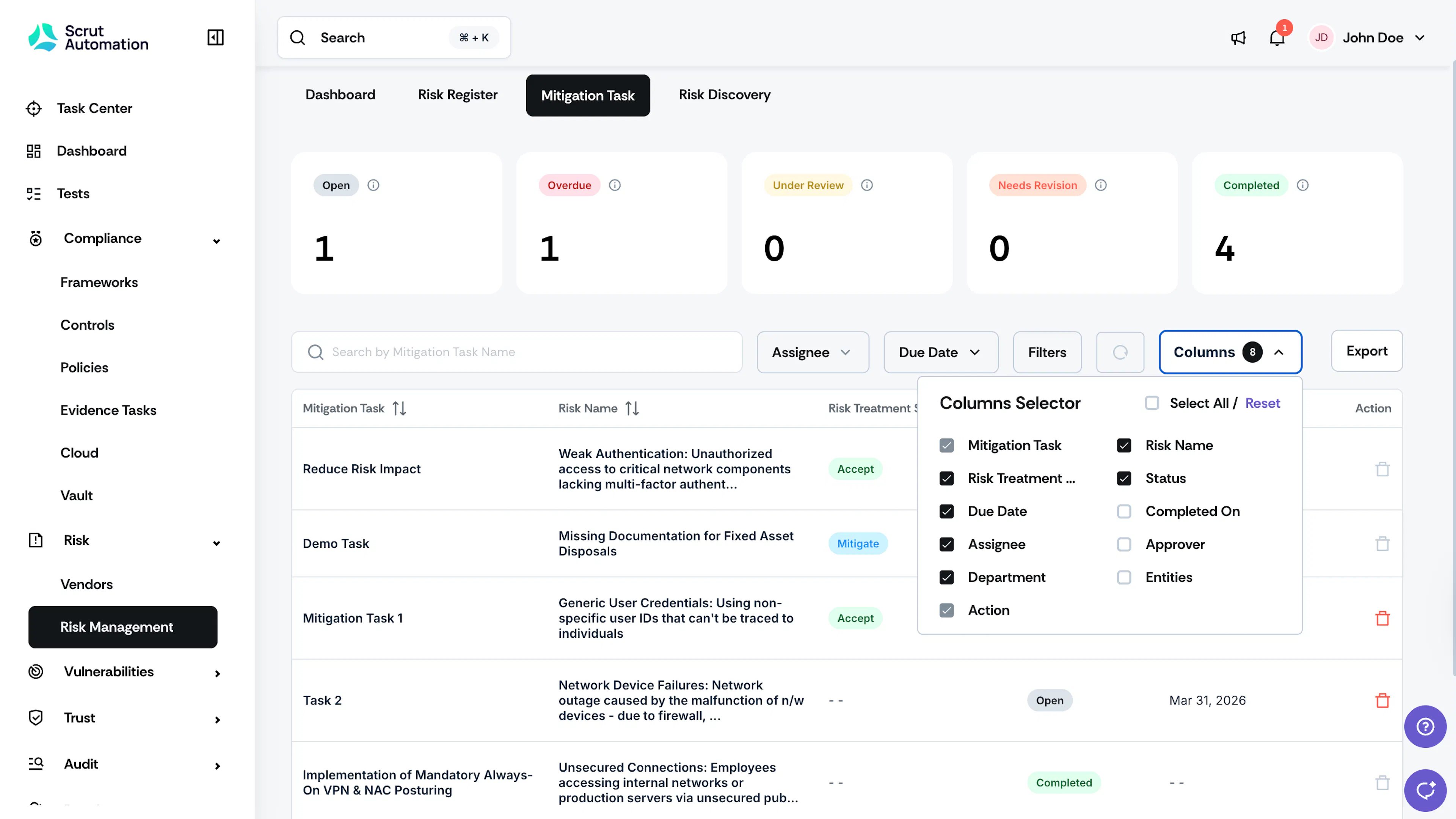
The table lists all mitigation tasks for various risks. It offers a convenient overview of each task, including the associated risk name, current status, assignee, due date, department and more. It also includes a flexible column selector to choose which columns are visible in the table.
Search and Filters
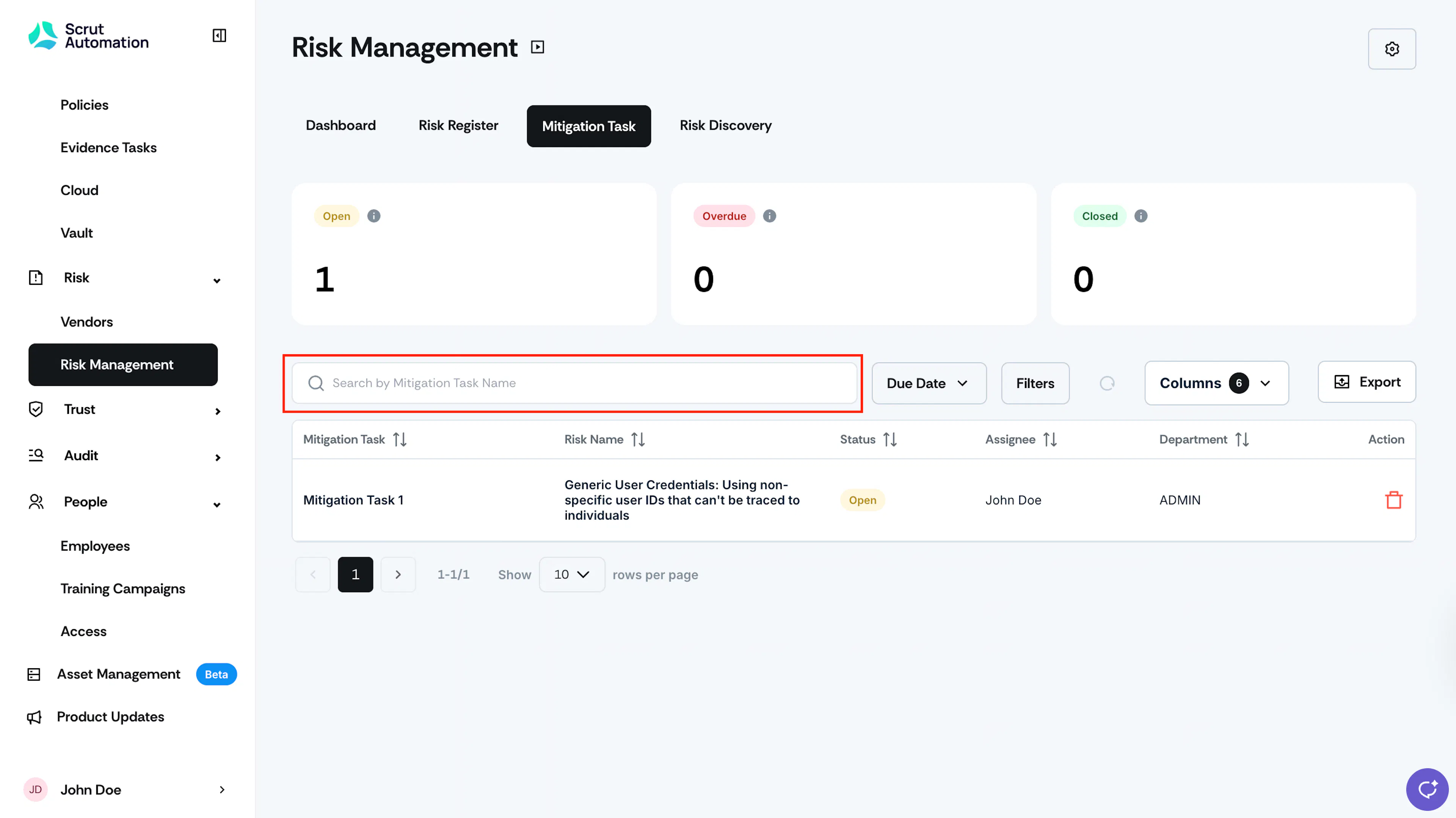
Search
The search bar at the top of the table makes it easy to find specific tasks. You can search by task title and other relevant keywords.
Filters
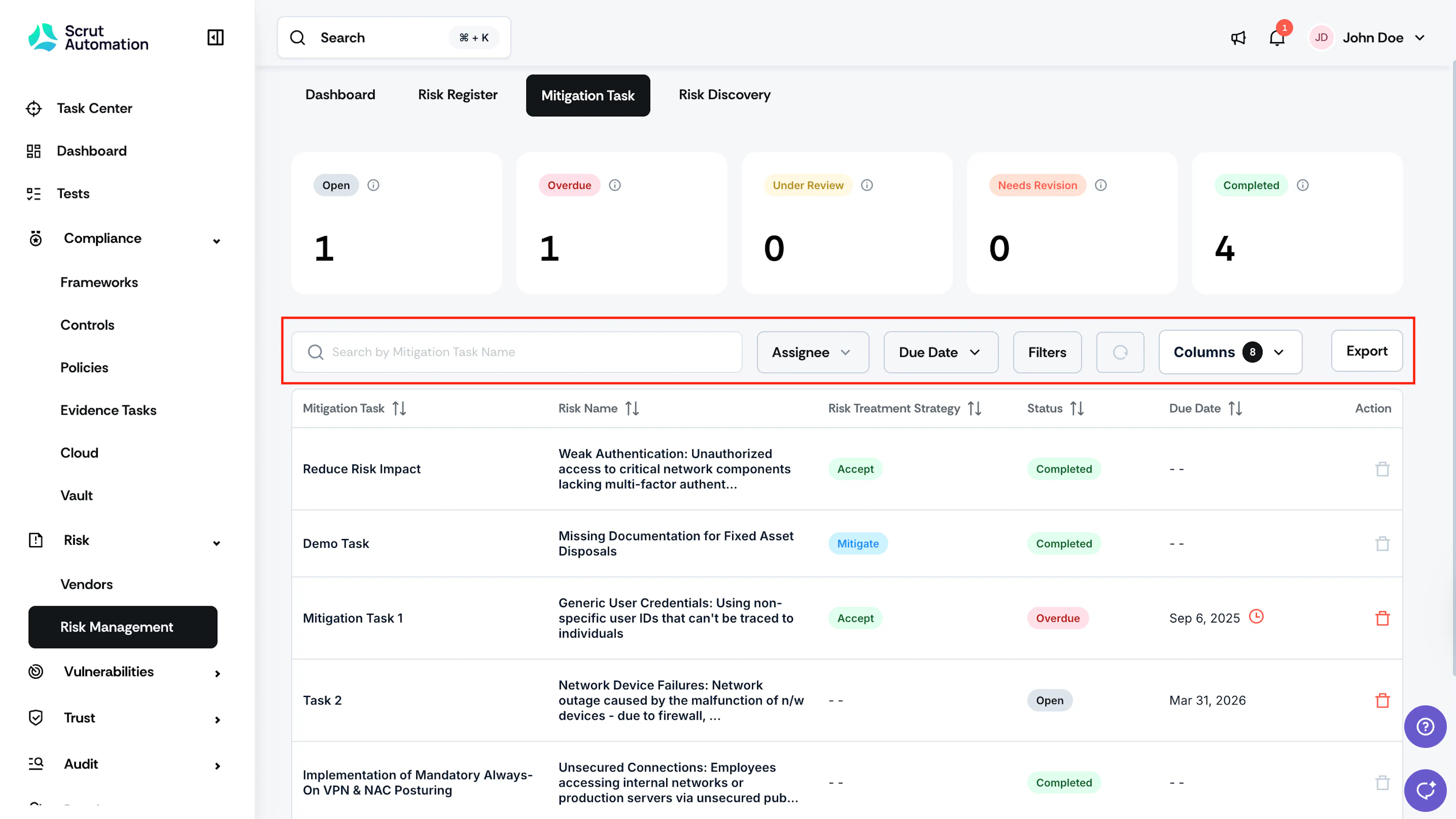
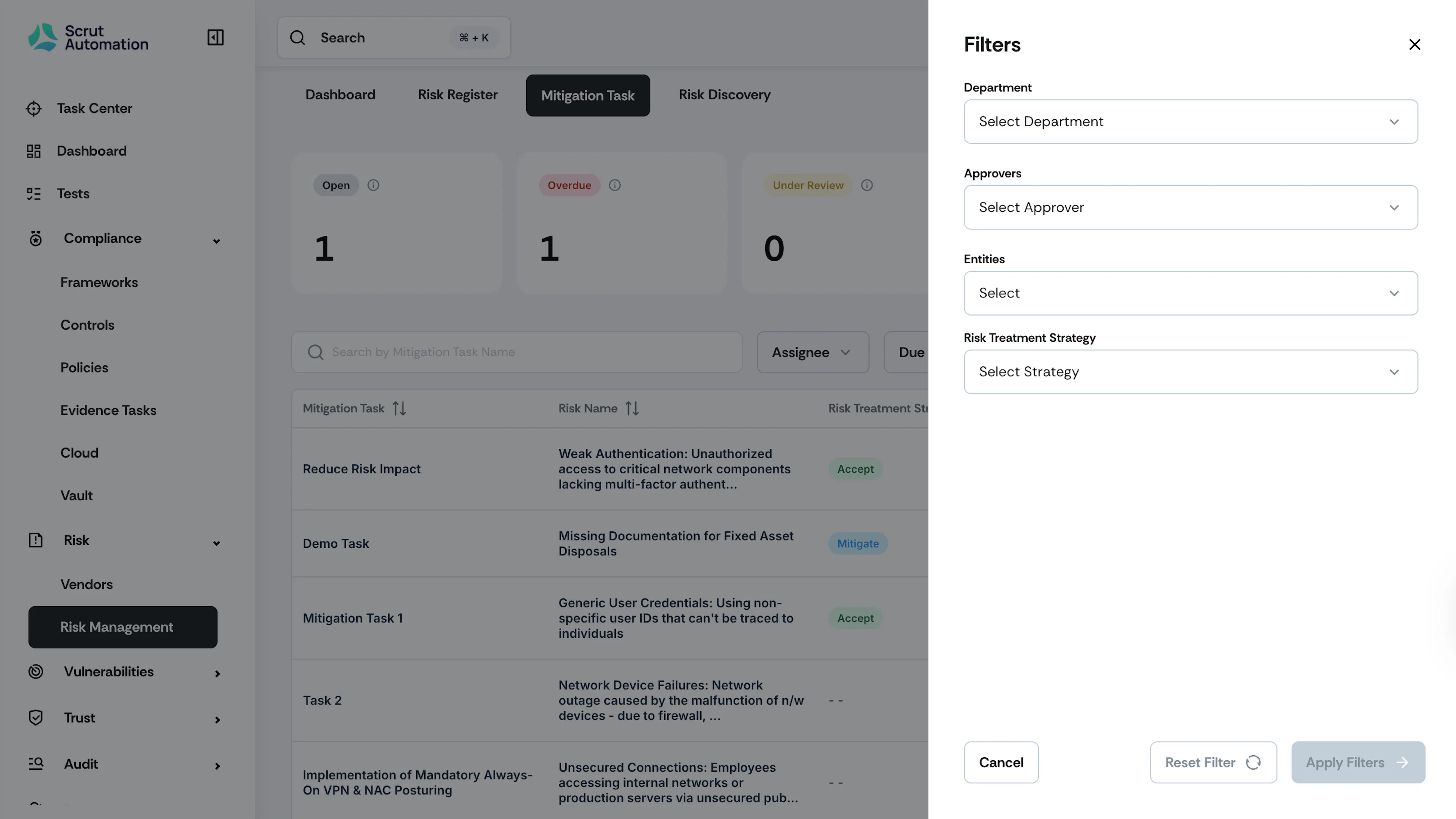
You can filter the tasks on the table by using these filters:
- Due Date
- Assignee
- Department
- Approver
- Entity
- Risk Treatment Strategy
Pro Tip!
Click the circular reset icon to reset the filters

Export
You can quickly export the table data as CSV by clicking the Export button.