

Edit and Delete Mitigation Tasks
Who can use this feature
- Supported on Foundation, Growth, and Scale plans
In this article, you can learn how to edit or delete risk mitigation tasks.
Edit a Mitigation Task
-
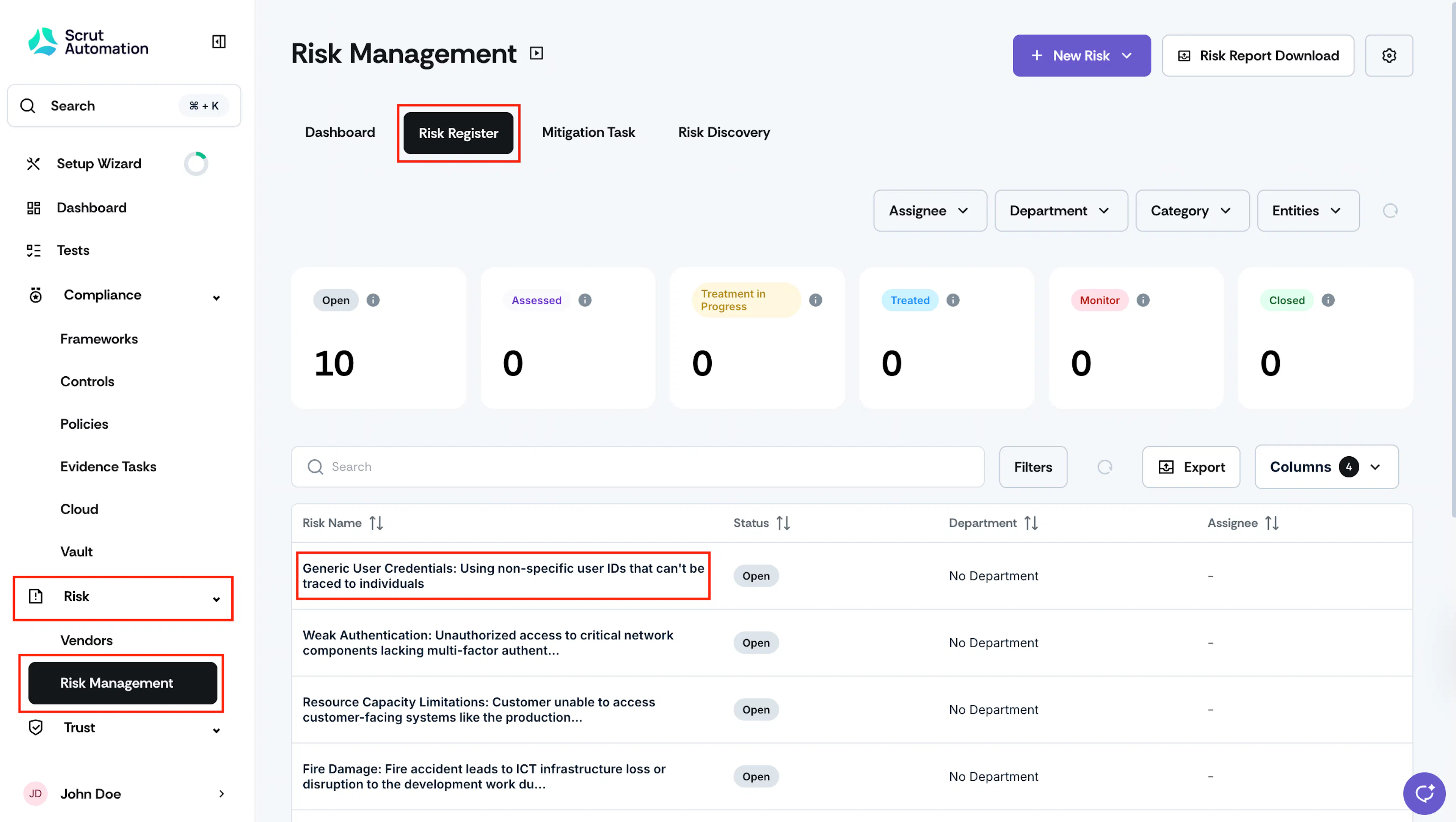
Sign in to Scrut, and go to Risk → Risk Management using the left navigation panel.
-
Go to the Risk Register tab and click on the risk for which you want to upload a mitigation task.
-
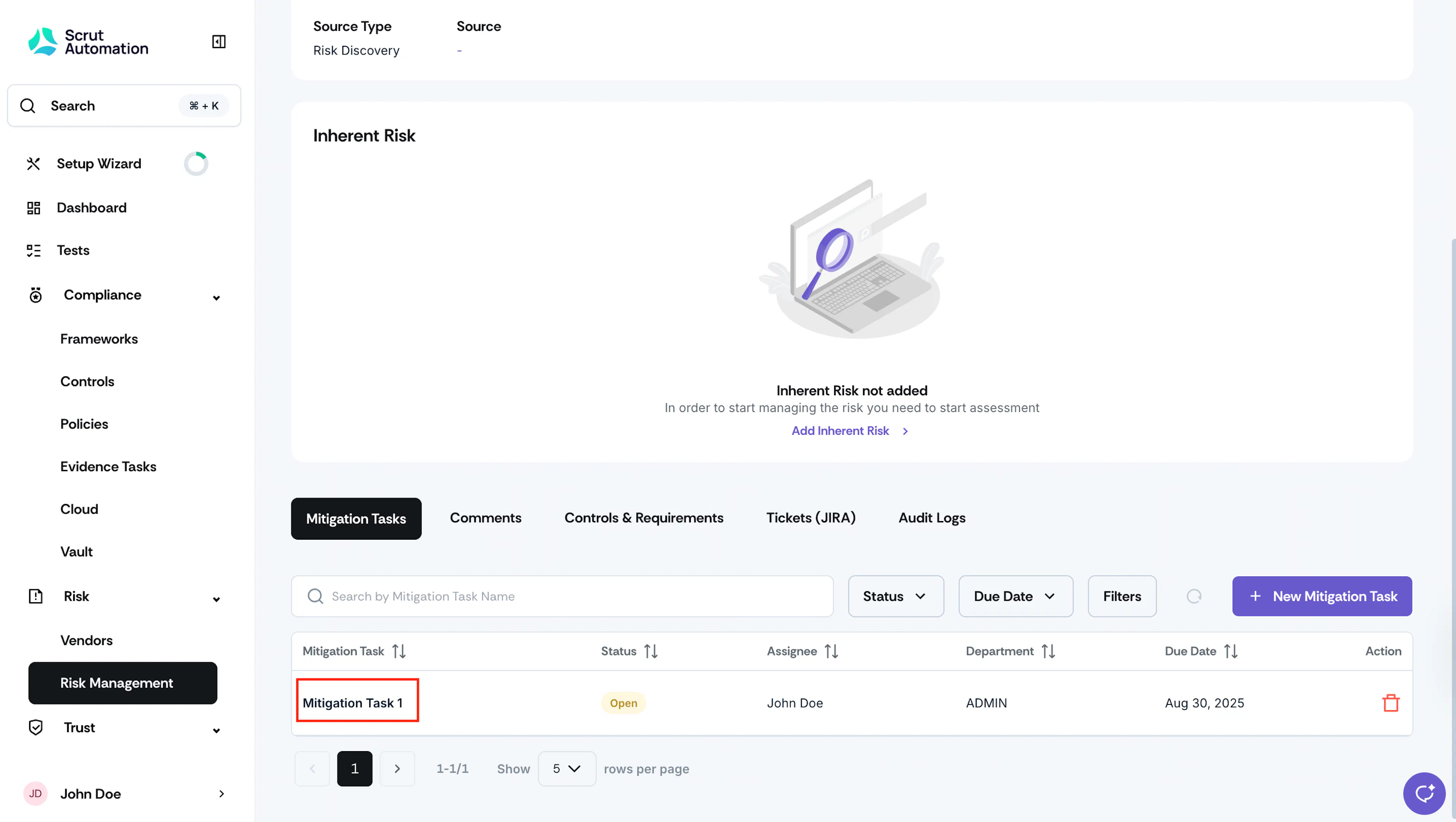
Scroll to the Mitigation Tasks tab, and click the mitigation task that you want to edit.
-
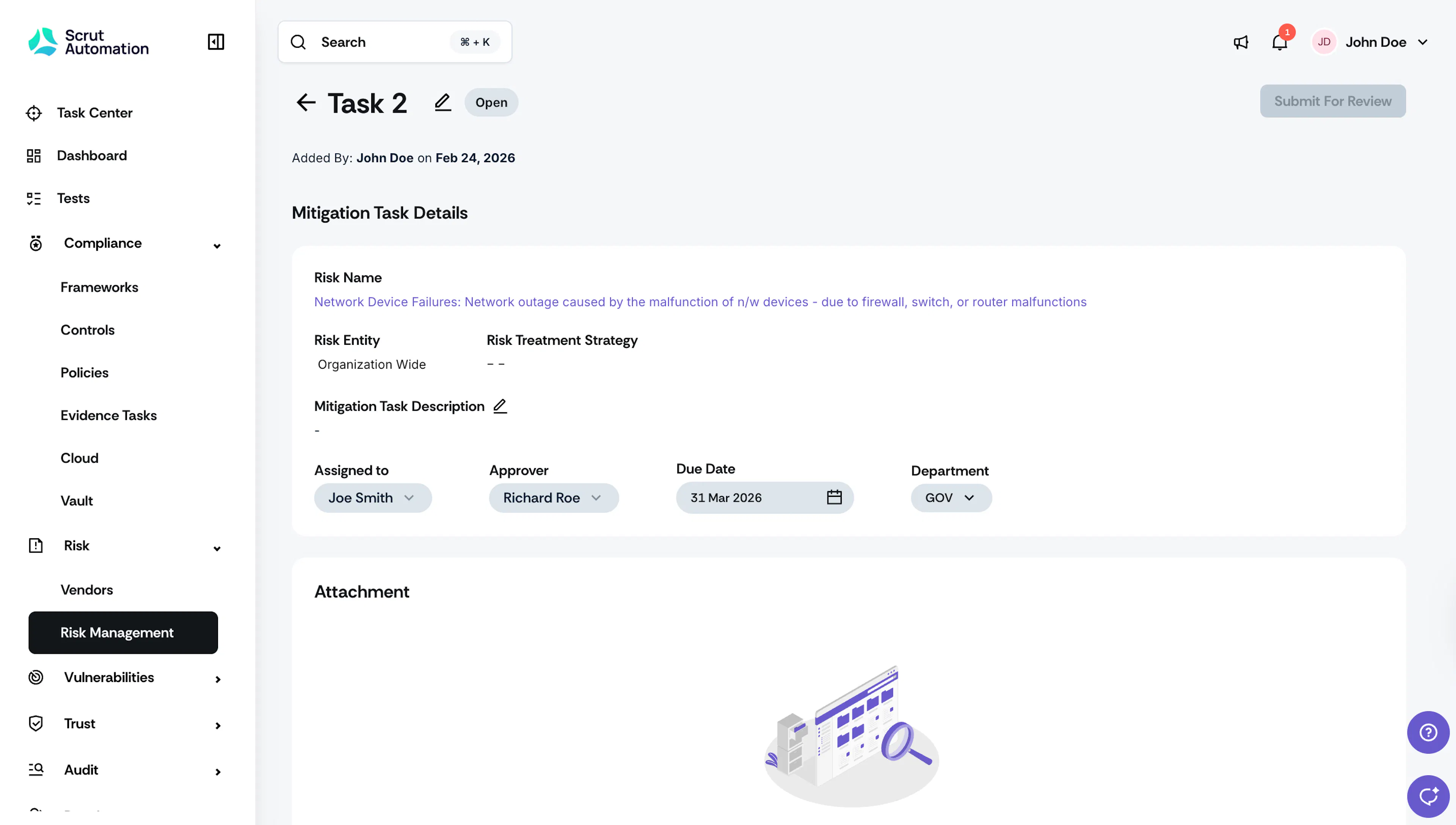
You can edit the following fields:
-
Task Name
-
Description
-
Assignee
-
Approver
-
Due Date
-
Department
-
Delete a Mitigation Task
Heads Up!
Mitigation tasks that have been completed cannot be deleted.
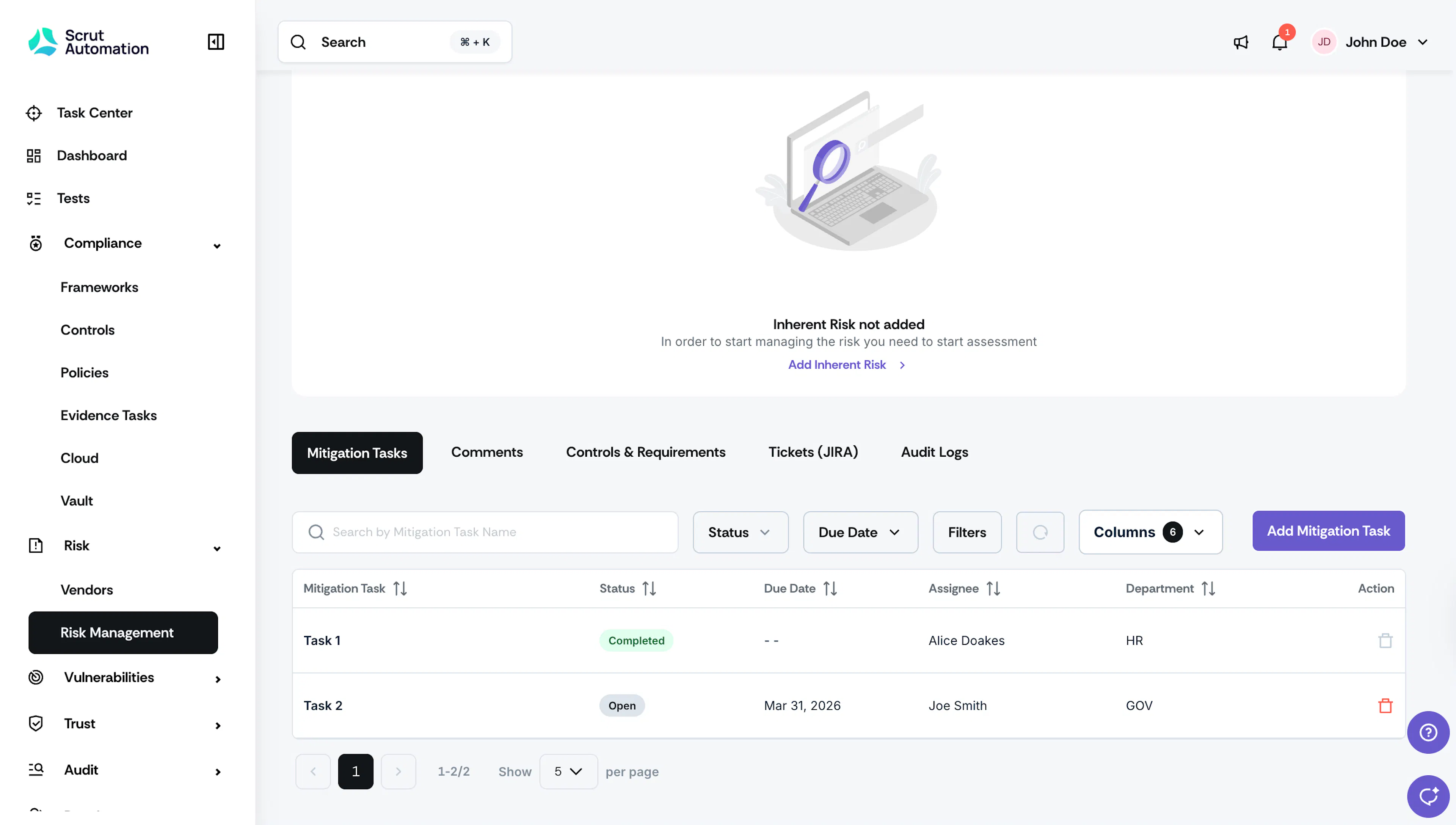
- Click the Delete icon in the Action column for the task you want to delete.
- Click Delete to confirm.
Note
Deleting is permanent, and cannot be undone.
Was this page helpful?