Upload a Document To a Mitigation Task
Who can use this feature
- Supported on Foundation, Growth, and Scale plans
Uploading an attachment serves as formal evidence that the mitigation activity has been completed. The attachment could be a configuration screenshot, a signed policy document, an audit log, or any other artifact that demonstrates the action taken. Attachments create a verifiable, auditable record in Scrut, ensuring that auditors and other stakeholders have direct access to proof of completion without having to chase down supporting documents.
- At least one attachment is required before the task can be completed. The reviewer will use this evidence to assess whether the mitigation has been adequately implemented before approving or rejecting the submission.
- Attachments can be uploaded directly as files or linked externally. For example, linking to a shared drive document or a third-party tool record.
How to Upload an Attachment to a Risk Mitigation Task
Assignees can attach relevant documents to a mitigation task by following the steps below:
-
Sign in to Scrut, and go to Risk → Risk Management using the left navigation panel.
-
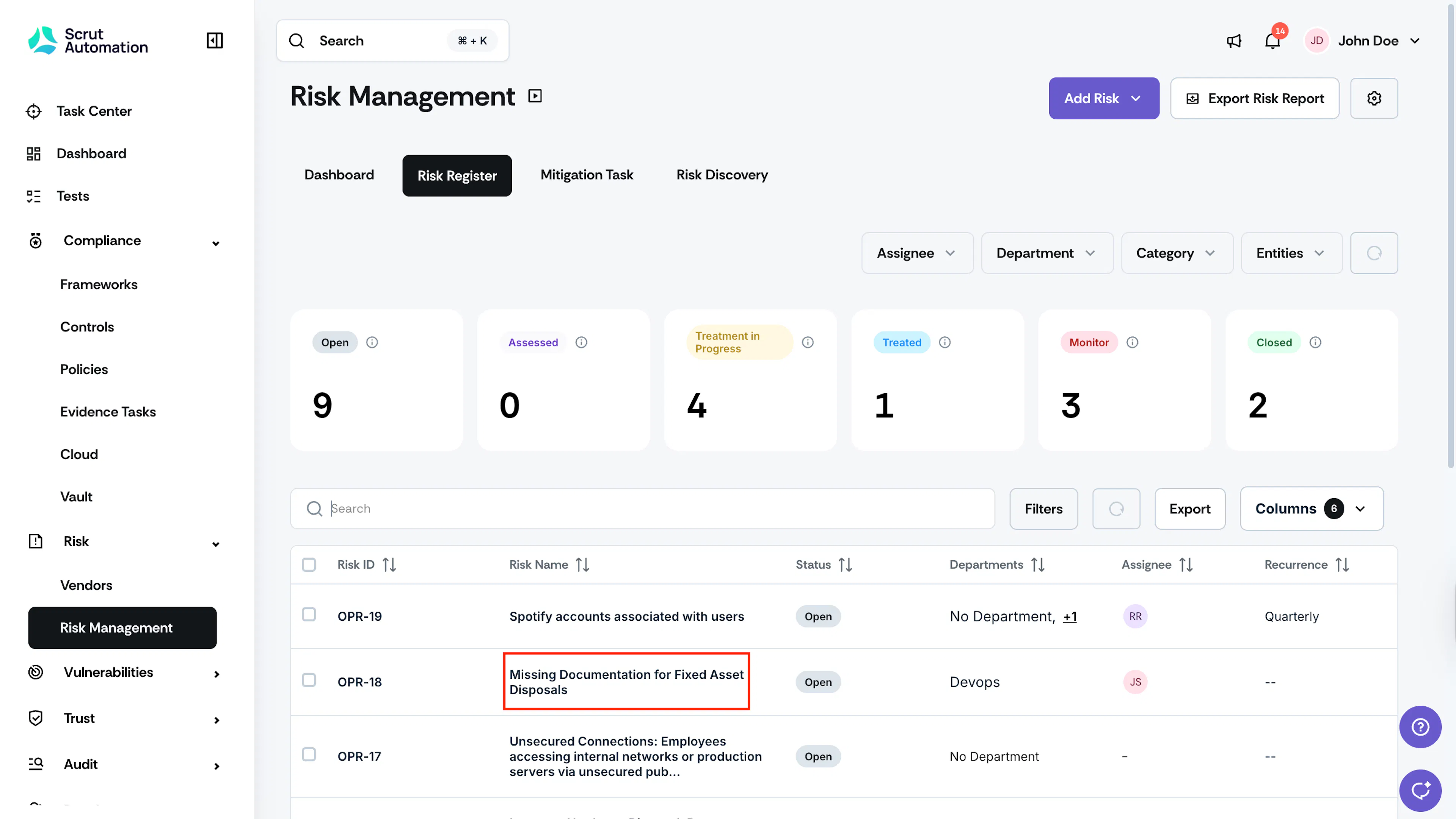
Go to the Risk Register tab and click on the risk for which you want to upload a mitigation task attachment.
-
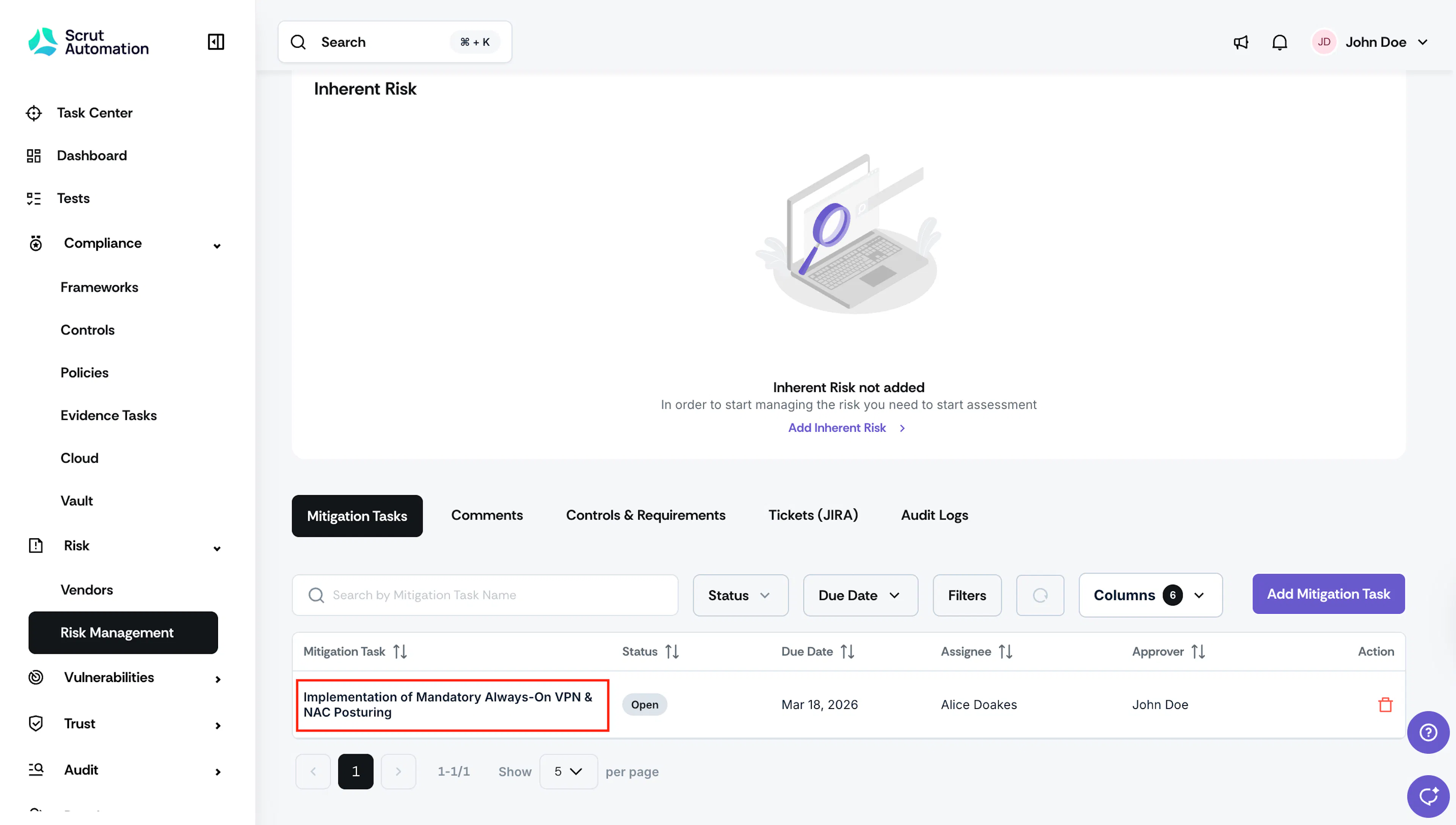
Scroll to the Mitigation Tasks tab, and click the mitigation task for which you want to upload the document.
-
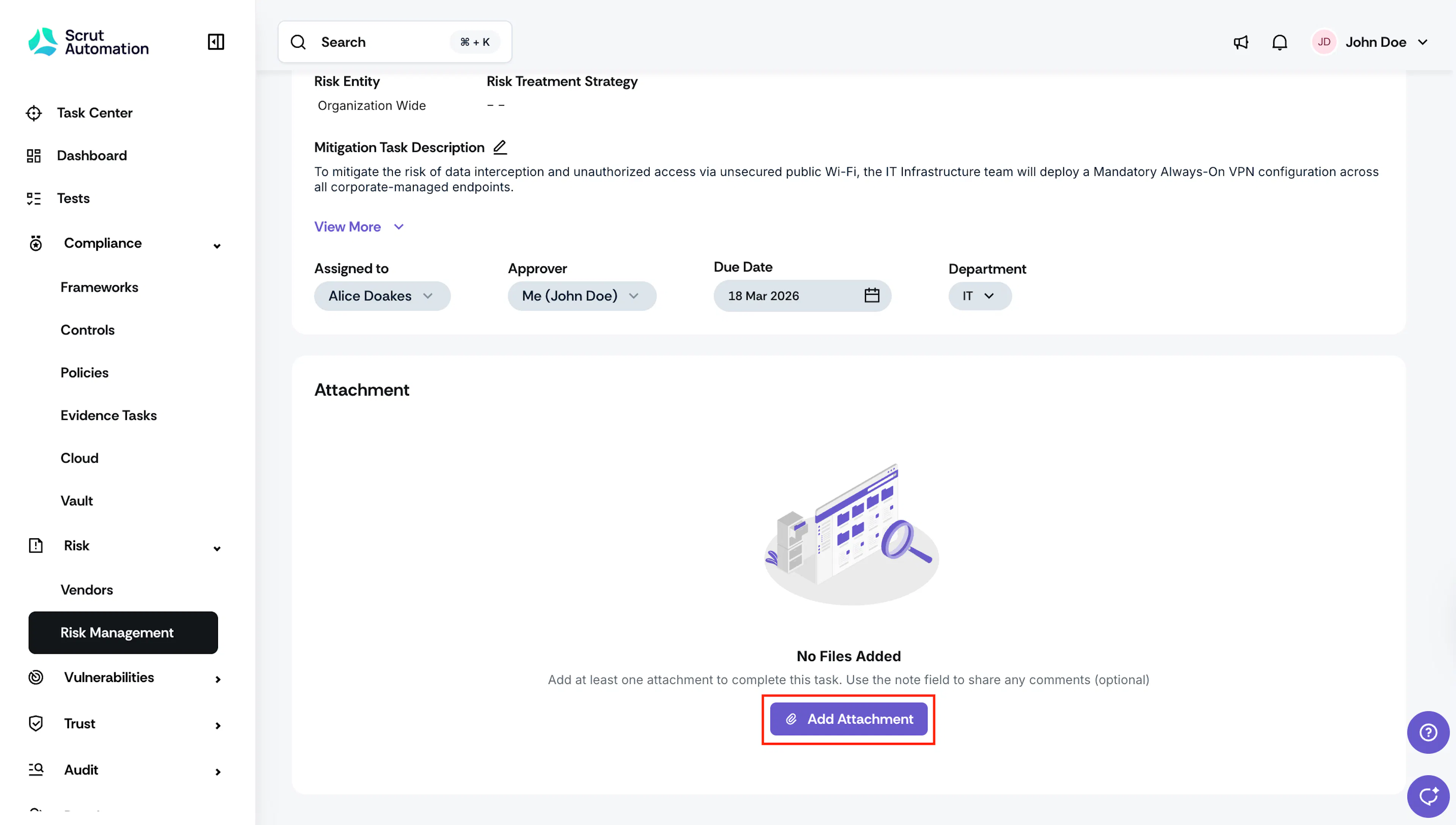
On the mitigation task details page, click Add Attachment.
-
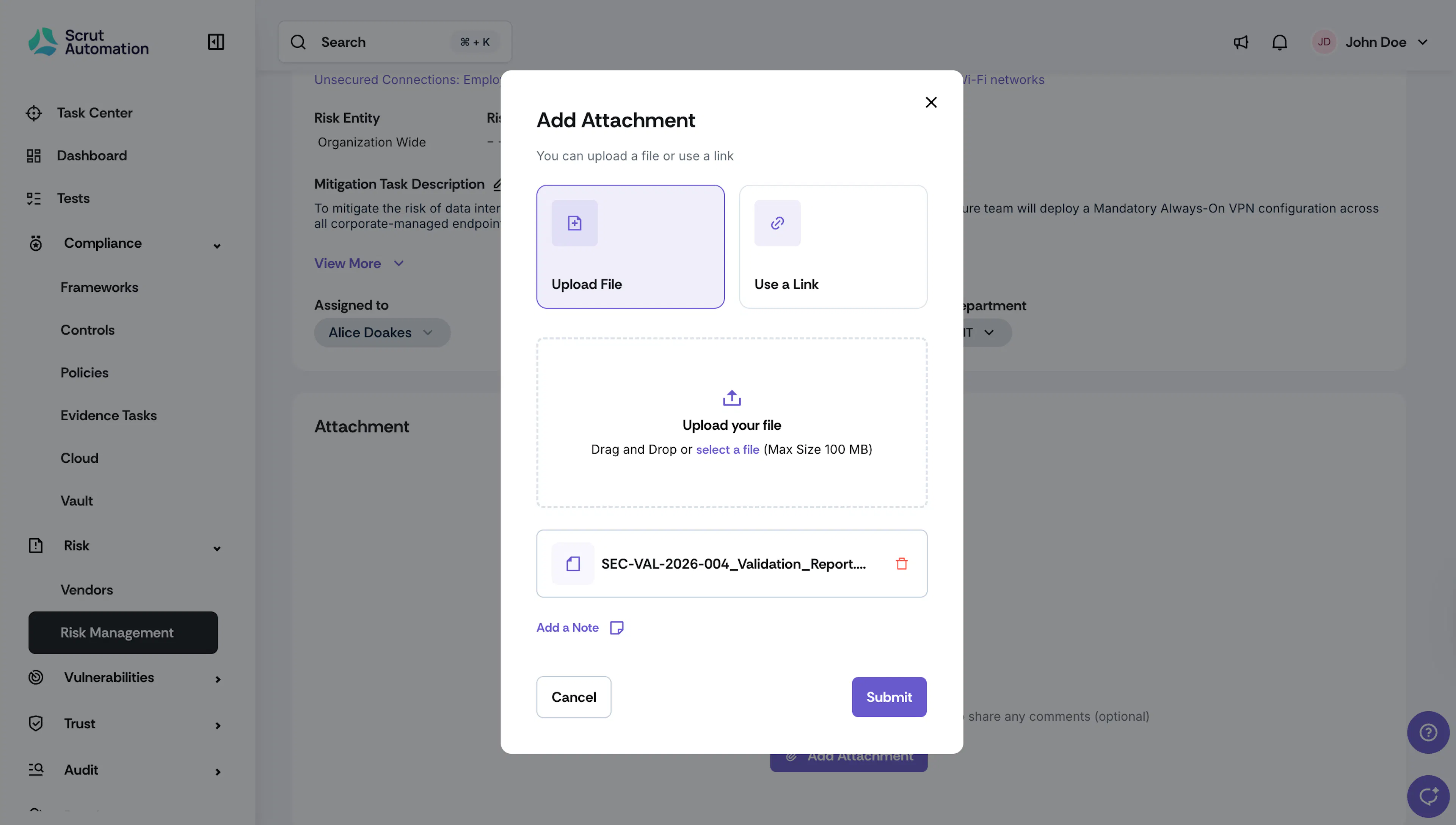
Choose one of the following options:
- File: Upload a file by dragging and dropping it, or by selecting it from your system.
- Link: Link to an external file using the URL.
-
Optionally, in the Notes field, enter any additional comments or context related to the attachment.
-
Click Submit.