

What are Checklists in Scrut?
After you import your employee details into Scrut, the next step is to assign them specific tasks they must complete to meet your organization’s security and compliance requirements. To do this, add tasks to a checklist and assign it to all employees or specific employee groups, as needed.
Scrut uses Checklists to help you assign security and compliance tasks to your workforce. This article explains the personnel tasks you can add to checklists and shares best practices for using checklists in Scrut.
In this article, let’s take a closer look at checklists and how to add tasks to them to suit your specific requirements.
What are checklists?
In Scrut, a checklist lists tasks employees must complete to maintain compliance with your organization’s security and regulatory requirements. Employees assigned to a checklist must complete all the tasks in it to meet your organizational requirements. A few examples of tasks in a checklist include:
- Ongoing tasks such as:
- Accepting company policies
- Installing device monitoring agents
- Installing specific software
- Undergoing background checks
- Completing training campaigns
- Offboarding tasks such as:
- Terminating access to critical applications
How Do Employees Complete the Tasks on the Checklist
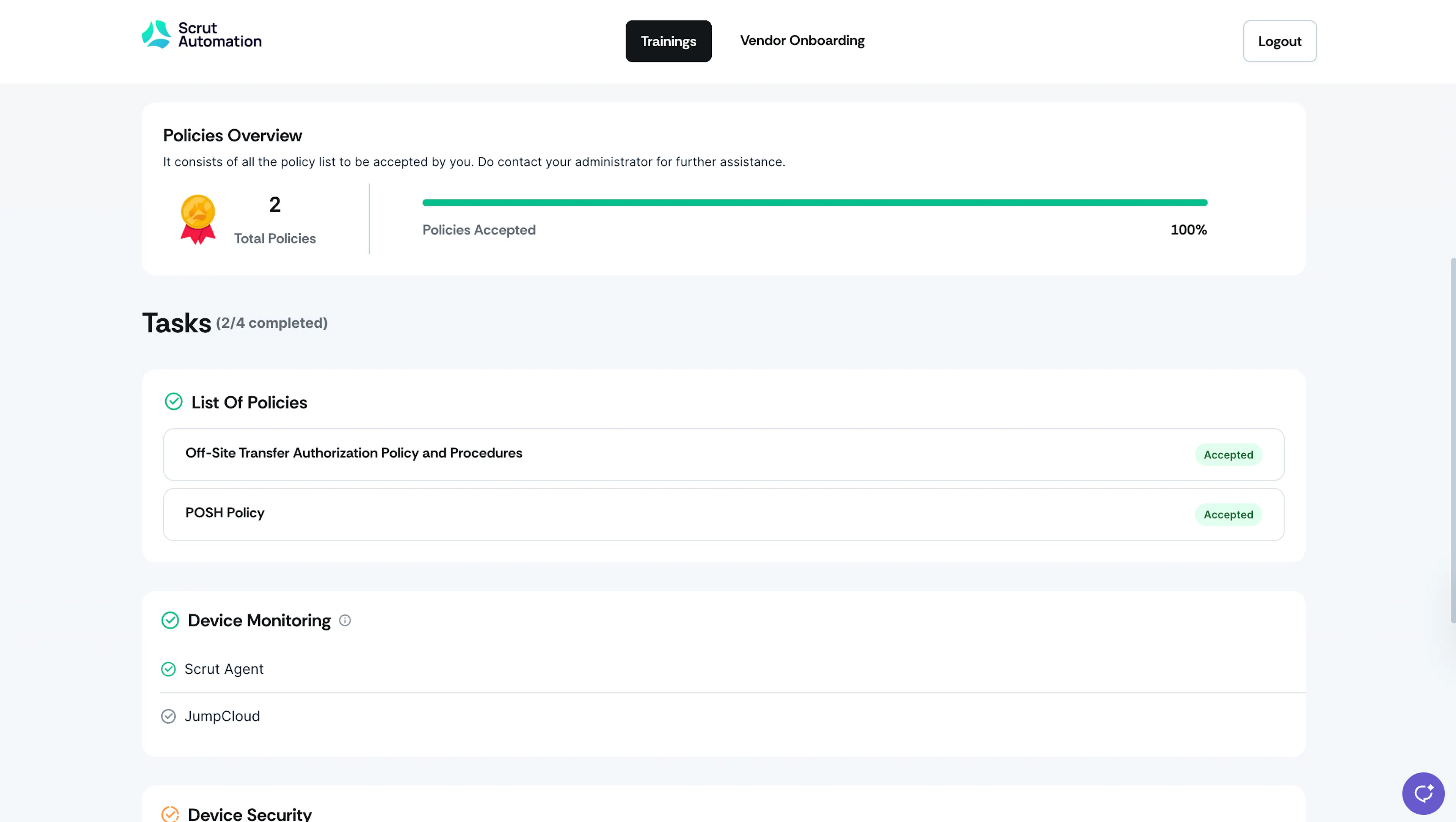
Employees can view and complete these tasks through Scrut’s dedicated employee portal. When you assign a checklist to an employee group, all group members will receive an automated email from Scrut notifying them of the assigned tasks. They can find the employee portal login details in the email.
Once an employee logs in to the employee portal, they can view all tasks assigned to them. As employees complete tasks, Scrut automatically reflects the data in the People → Employee module. This provides a real-time view of employee compliance, enabling you to follow up with non-compliant team members.
Task Categories
The tasks in an employee checklist are organized into the following categories:
Ongoing Tasks
Which include:
- Onboarding tasks are assigned to new employees and must be completed during their first few days or weeks with the company.
- Recurring tasks are assigned to all active personnel and must be completed on a regular schedule (e.g., annual security awareness training, quarterly policy reviews)
Offboarding Tasks
- Offboarding tasks are assigned to departing employees when they leave your organization. These tasks ensure proper access removal when personnel leave the organization.
Task Types
Scrut offers the following security and compliance tasks that you can add to checklists as required.
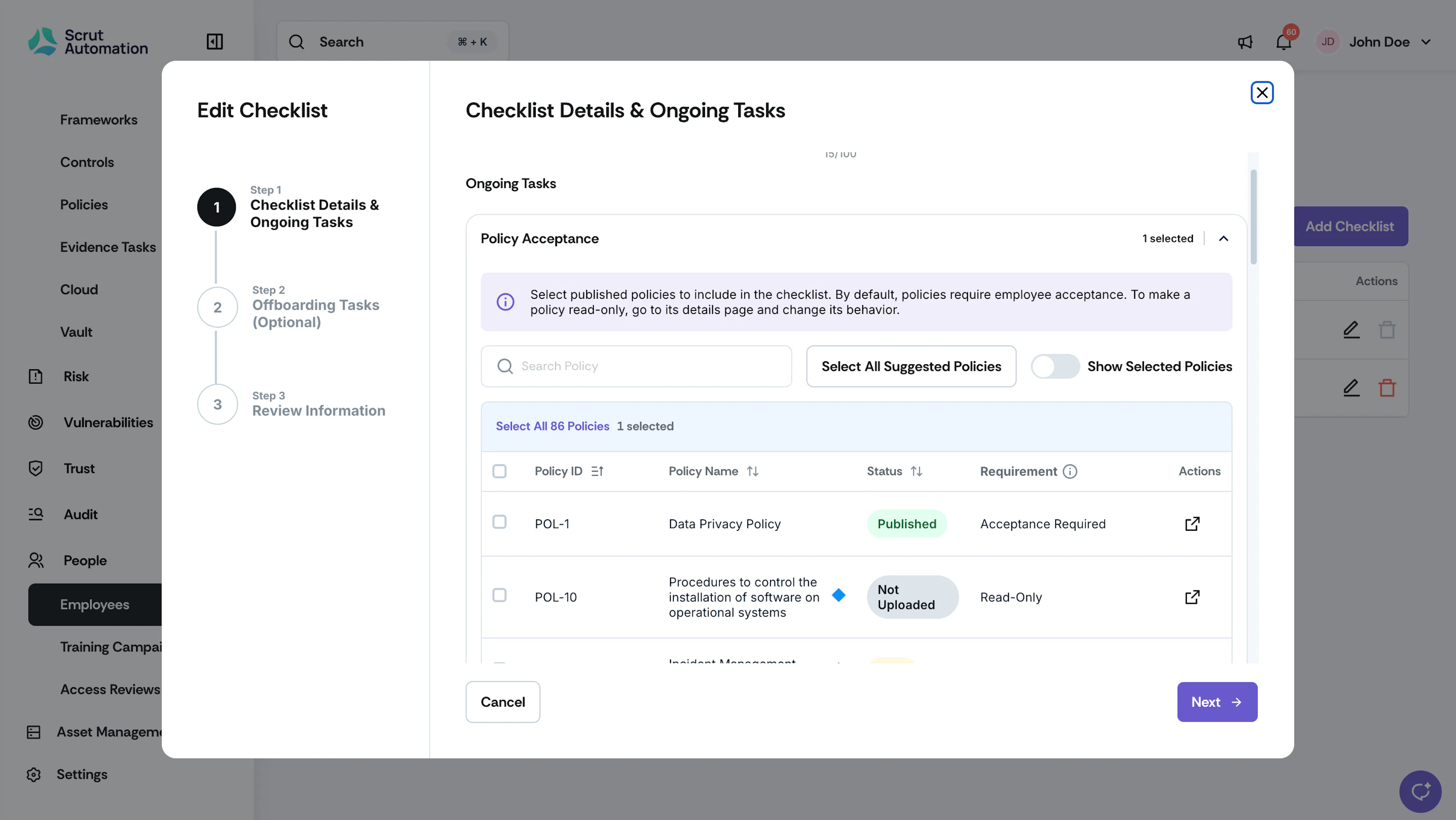
1: Policy Acceptance
What is it: This task requires employees to review and acknowledge the company policies that you have configured in the checklist. You can choose which policies to include in this task. Policies set to Read-only in the Policy Module are included for visibility only and don't require acknowledgment.
How to complete: Employees log in to the Scrut employee portal and acknowledge policies on their dashboard.
Note:
- While you can select any policy, only those with status “Published” will be available for employees to review and accept.
- Policies marked with a blue diamond are Scrut-suggested. Scrut recommends adding these to the checklist. Click the Include Suggested Policies button to add all Scrut-suggested policies to this checklist.
- Turn on the Show Selected Policies toggle to view all the policies you’ve selected.
- Policies set to Read-only in the Policy Module display a Read-only flag next to their name in this list. You can't change a policy's behavior from this screen. Read-only policies don't count toward checklist completion and don't generate due dates or reminders.
2: Install Monitoring Agent
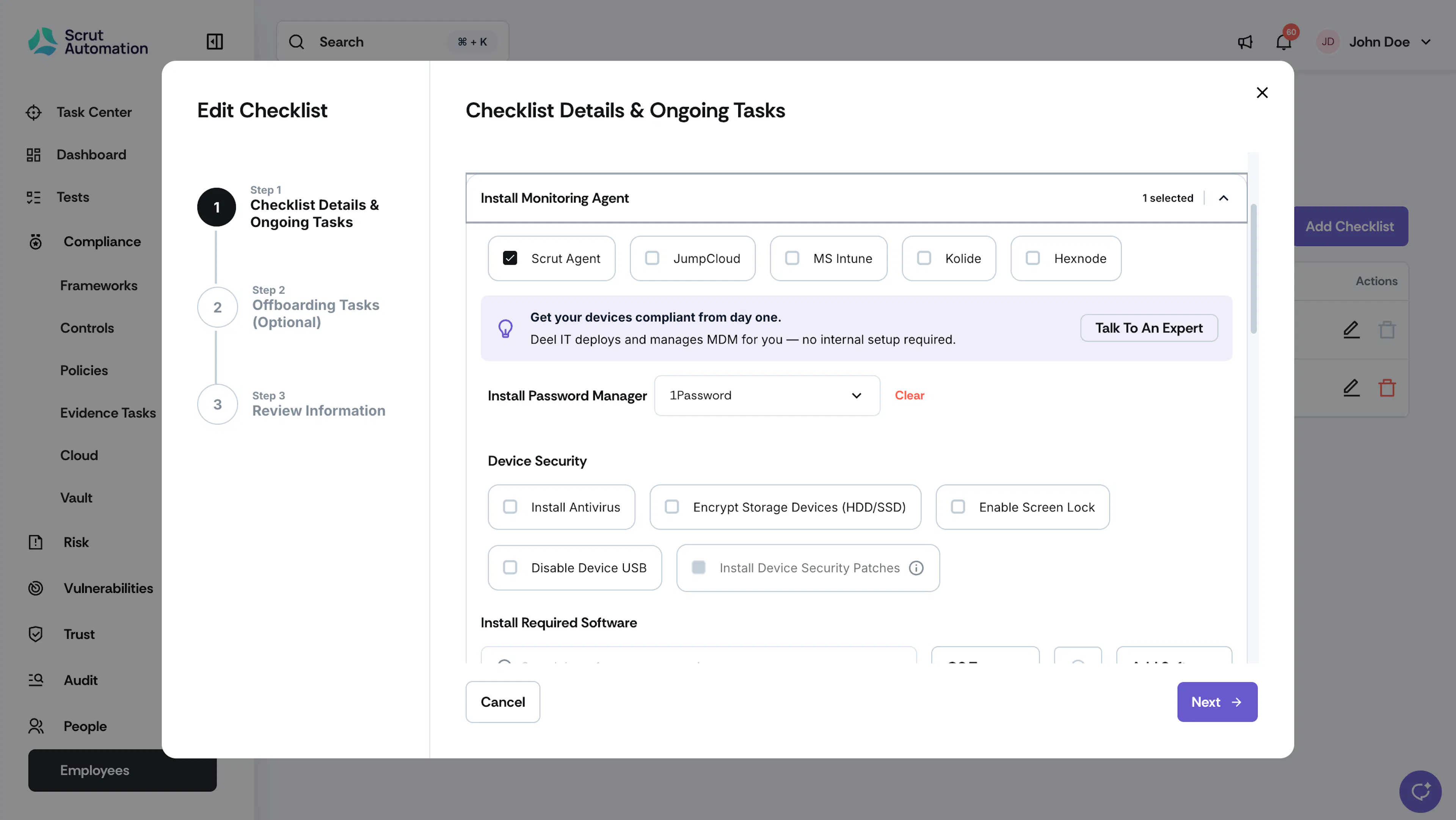
What is it: Prompts employees to install the security monitoring agent(s) required by your organization. As part of the checklist, Scrut will track installation status and ensure personnel devices meet organizational security requirements.
How to complete:
- Using Scrut Agent: Personnel download and install Scrut Agent on their device.
- Using MDM: You can also manage employee device compliance by integrating your MDM solution with Scrut. In this case, personnel must have the selected MDM tool on their device.
2.1 Install Password Manager
What is it: Monitors whether employees have set up your organization-approved password management tool. Select your preferred password management tool from the dropdown list.
How to complete: Personnel must install the approved password manager on their devices to complete this task.
Important:
You can add this task to the checklist only when you've selected at least one MDM tool.
2.2 Device Security
What is it: Ensures that personnel devices comply with key security configurations, including antivirus installation, encrypted storage, enabled screen lock, and disabled USB access. You can customize and choose which device security tasks you want to activate.
How to complete:
- Install Antivirus: Personnel must install and ensure the antivirus software is running on their devices.
- Encrypt Storage Devices (HDD/SSD): Personnel must ensure that their device storage is encrypted in accordance with company policy.
- Enable Screen Lock: Personnel must configure their devices to automatically lock after a period of inactivity.
- Disable Device USB: Personnel must disable unauthorized USB access on their devices in accordance with company policy. This feature currently works only with Scrut Agent.
- Install Device Security Patches: Checks if all employee devices have the latest operating system (OS) patches installed. This feature currently works only with NinjaOne.
2.3 Install Required Software
What is it: Ensures that personnel have installed all necessary software applications as required by your organization. Click + Add Software to add the software versions for different operating systems as needed.
How to complete: Personnel must install all applications designated as "required software" to complete this task.
Important:
You can add this task to the checklist only when you’ve selected at least one MDM tool. This task is currently not available for Sophos MDM.
3: Training Campaigns
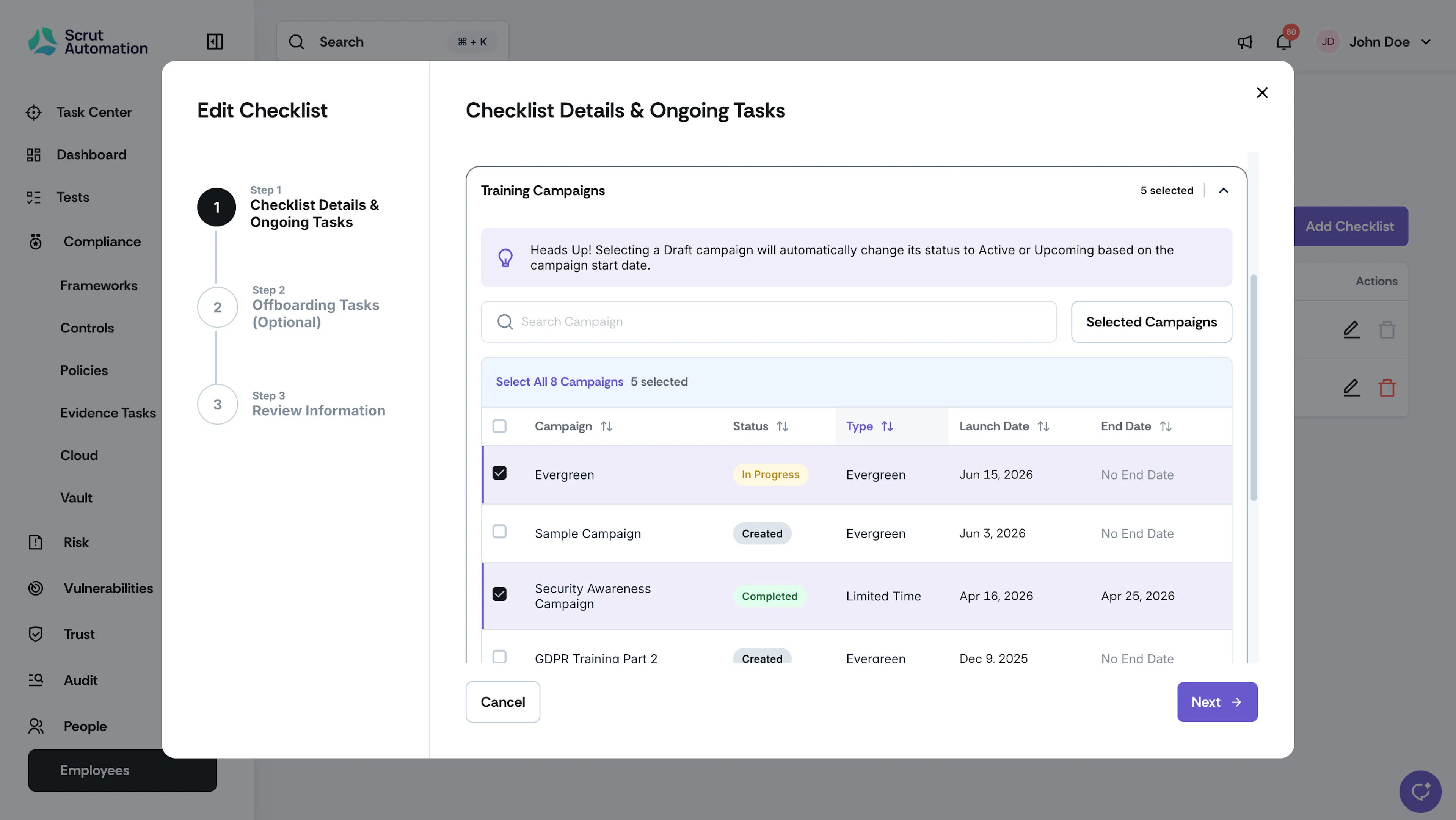
What is it: Tracks whether employees have completed the required security awareness training campaigns.
How to complete: Employees log in to the Scrut employee portal, complete the assigned training campaigns and finish associated quizzes. The training completion status syncs directly into the Employees module.
4: Background Checks
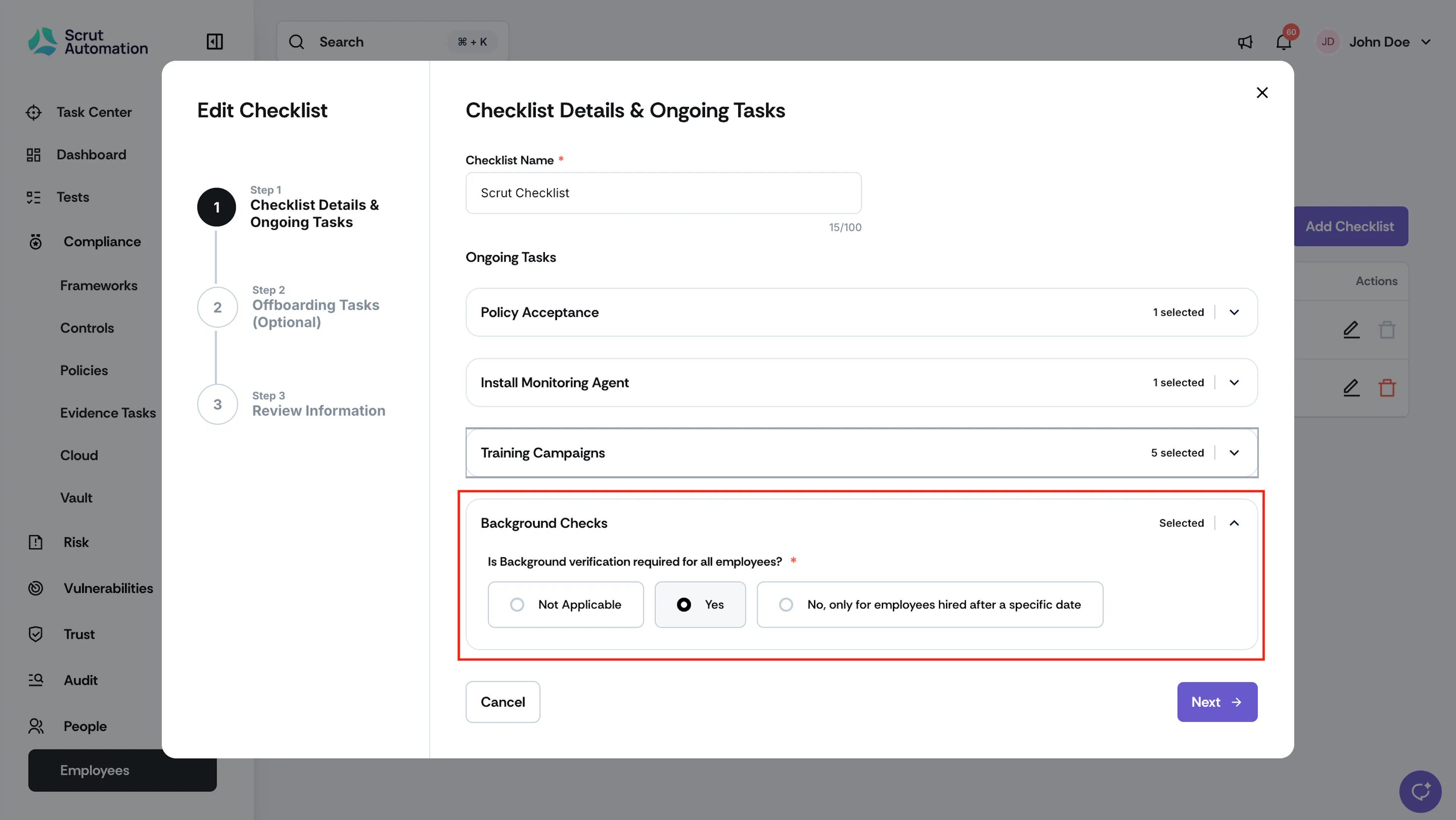
What is it: Verifies if personnel have completed background checks. When enabling it, you can choose to perform background verification for all employees (retrospectively) or only those who joined after a specific date.
How to complete: Integrate your background verification tool with Scrut and import results into Scrut.
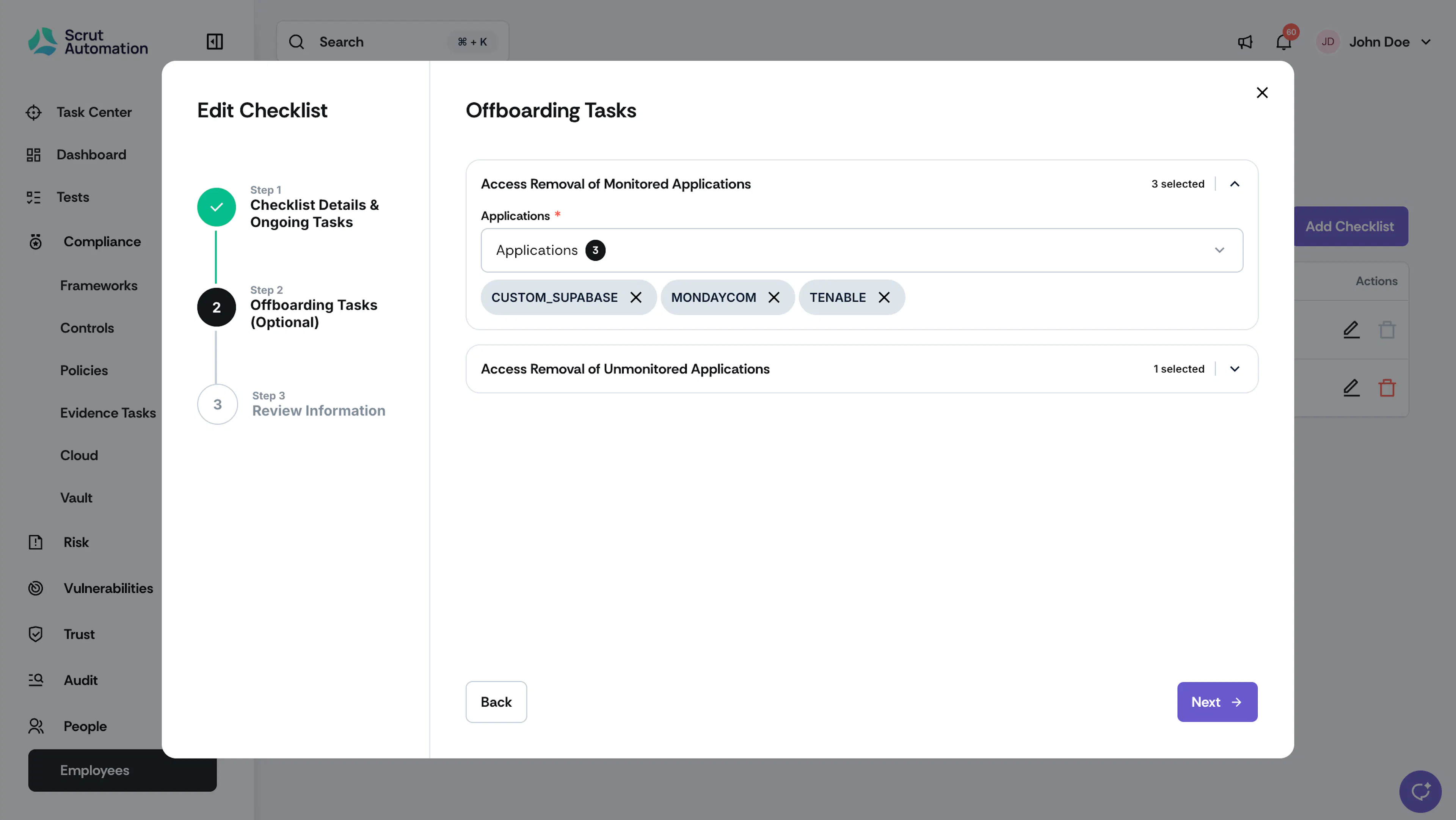
1: Access Removal of Monitored Applications
What is it: Ensures the removal of access to monitored applications for offboarding employees. The dropdown shows all applications integrated with Scrut, allowing you to select which ones to include in this task.
How to complete: Scrut automatically detects account deactivation for applications that you have integrated with the platform.
2: Access Removal of Unmonitored Applications
What is it: Ensures the removal of access to unmonitored applications for offboarding employees. Click + Add Application to include specific applications in this checklist task.
How to complete: Manually deactivate accounts in the respective applications and mark as completed in Scrut.